
In this article, I will explore the rapid parametric modeling and assembly techniques for straight bevel gears within the Pro/E environment. Straight bevel gears are essential components in mechanical systems, particularly in applications like differentials, where precise motion transmission is required. My focus is on streamlining the design process by leveraging parametric relationships and Pro/E’s powerful tools, ensuring accurate meshing and efficient virtual prototyping. Throughout this discussion, I will emphasize the importance of the straight bevel gear, a key element in many engineering designs, and demonstrate how to optimize its creation for simulations and analyses.
The traditional approach to modeling straight bevel gears in Pro/E often involves multiple auxiliary planes, axes, and points, which can be time-consuming. For instance, it typically requires sketching four oblique lines representing the top cone, pitch cone, base cone, and root cone generatrices, along with separate equations for large and small end involutes. However, I propose a simplified method that reduces this complexity by focusing on a single pitch cone generatrix and establishing appropriate parametric relationships. This not only accelerates the design process but also enhances accuracy, making it ideal for engineers working on virtual prototypes. In the following sections, I will detail each step, incorporating tables and formulas to summarize critical parameters and equations.
Overview of Modeling Steps for Straight Bevel Gears
To model a straight bevel gear efficiently, I follow a systematic seven-step process. This ensures that all geometric and parametric aspects are handled precisely, leading to a robust digital model. The steps are as follows:
- Determine relevant parameters and their interrelationships.
- Establish the pitch cone generatrix.
- Create the tooth profile curve using involute equations.
- Develop the solid gear blank.
- Generate tooth slots and array them circumferentially to form the complete gear.
- Create the central axis and additional features like keyways.
- Perform assembly and export the model for further analysis.
By adhering to this sequence, I can achieve a high level of parametric control, allowing for quick modifications and iterations. This is particularly beneficial when designing multiple variants of straight bevel gears for different applications.
Parameter Definition and Relationships
In any parametric modeling task, defining the initial parameters is crucial. For a straight bevel gear, key parameters include the number of teeth, module, pressure angle, and pitch cone angle. I typically start by entering these into Pro/E’s parameter dialog under the “Tools” menu. To illustrate, consider a planetary gear from a differential system, which serves as a common example of straight bevel gear application. The primary parameters are summarized in the table below.
| Parameter | Symbol | Value |
|---|---|---|
| Number of Teeth | z | 10 |
| Module | m | 3.5 mm |
| Face Width | b | 8.83 mm |
| Pressure Angle | α | 22.5° |
| Pitch Diameter | d | 35 mm |
| Pitch Cone Angle | δ | 33.69° |
| Cone Distance | R | 31.55 mm |
| Addendum | ha | 3.57 mm |
| Dedendum | c | 2.688 mm |
Once the parameters are defined, I establish relationships using Pro/E’s relation feature. These relationships govern the geometric dependencies and ensure that any change in a primary parameter automatically updates the entire model. For example, the pitch diameter is calculated as $$d = m \times z$$, and the cone distance R is derived from the pitch diameter and pitch cone angle using $$R = \frac{d}{2 \sin(\delta)}$$. Additionally, the base circle diameter for the involute profile is given by $$d_b = d \times \cos(\alpha)$$. By inputting these formulas into the relation editor, I create a dynamic model that adapts to design variations, which is essential for rapid prototyping of straight bevel gears.
Creating the Pitch Cone Generatrix
The pitch cone generatrix serves as the foundation for building the straight bevel gear geometry. I begin by selecting the Front plane in Pro/E and creating a sketch. In this sketch, I draw a line representing the generatrix, with its angle set to the pitch cone angle δ. For instance, if δ is 33.69°, I input this value directly into the sketch relation. The length of this generatrix is tied to the pitch radius, such as $$r = \frac{d}{2} = 17.5 \text{ mm}$$. It is critical to include a vertical constraint symbol in the sketch to ensure proper alignment, as this affects subsequent steps like curve generation and solid formation. This simplified approach eliminates the need for multiple auxiliary lines, streamlining the process for straight bevel gear design.
Developing the Tooth Profile Curve
To form the tooth profile, I rely on the involute curve, which is fundamental for accurate gear meshing. First, I create an auxiliary plane (DTM1) by rotating the Front plane by 90° and aligning it with the pitch cone generatrix. This plane serves as a reference for further constructions. Next, I establish points along the generatrix, such as PNT0 and PNT1, which help in positioning the coordinate system for the involute equation.
On the auxiliary plane, I sketch the base circles required for the involute: the addendum circle, pitch circle, base circle, and dedendum circle. Their diameters are calculated using the parametric relations: the pitch circle diameter is $$d_d = \frac{d}{\cos(\delta)}$$, the addendum circle diameter is $$d_{da} = d_d + 2h_a$$, the dedendum circle diameter is $$d_{df} = d_d – 2h_f$$ (where $$h_f$$ is the dedendum height), and the base circle diameter is $$d_{db} = d_d \times \cos(\alpha)$$. These circles are essential for defining the limits of the involute curve.
For the involute curve itself, I use the “Curve from Equation” feature in Pro/E. I set up a Cartesian coordinate system (CS0) at point PNT1, with the X-axis aligned along the generatrix from PNT0 to PNT1, and the Z-axis perpendicular to the sketching plane. The involute equation in parametric form is as follows:
$$r = \frac{d_{db}}{2}$$
$$\theta = t \times 45$$
$$x = r \cos(\theta) + \pi r \frac{\theta}{180} \sin(\theta)$$
$$y = r \sin(\theta) – \pi r \frac{\theta}{180} \cos(\theta)$$
$$z = 0$$
Here, t is a parameter ranging from 0 to 1, and the equation generates the precise involute shape needed for the straight bevel gear tooth. After creating one involute curve, I mirror it across a plane defined by the gear axis and a point on the pitch circle to complete the tooth profile. This mirroring ensures symmetry and correctness in the gear design.
Generating the Solid Gear and Teeth
With the tooth profile defined, I proceed to create the solid gear blank using the “Revolve” tool. I sketch the gear’s cross-section on the Front plane, incorporating the pitch cone generatrix and other reference lines. For instance, I use centerlines and edge creation tools to form the gear body, applying parametric relations to control dimensions. In cases involving equal or unequal addendum designs, I add auxiliary centerlines based on specific formulas, such as those for clearance calculations.
To form the teeth, I employ the “Sweep Blend” command. The sweep trajectory is the pitch cone generatrix segment between points like PNT1 and PNT2. The first section is the closed involute curve, while the second section is a point at the gear’s apex, allowing for a tapered tooth shape. After removing material to create a single tooth slot, I group this feature and use the “Pattern” tool to array it around the central axis. The number of instances equals the number of teeth z, resulting in a fully formed straight bevel gear. Finally, I add details like axial holes, keyways, and chamfers to complete the model.
Assembly and Export for Simulation
Assembling straight bevel gears, such as in a planetary gear system, involves aligning their axes and ensuring proper meshing. I create auxiliary planes through the cone apexes of both gears, parallel to their front planes. Using constraints like “Align” and “Mate,” I position the gears so that their pitch cones touch and the tooth profiles engage correctly. This step is vital for virtual prototyping, as it validates the design before physical manufacturing.
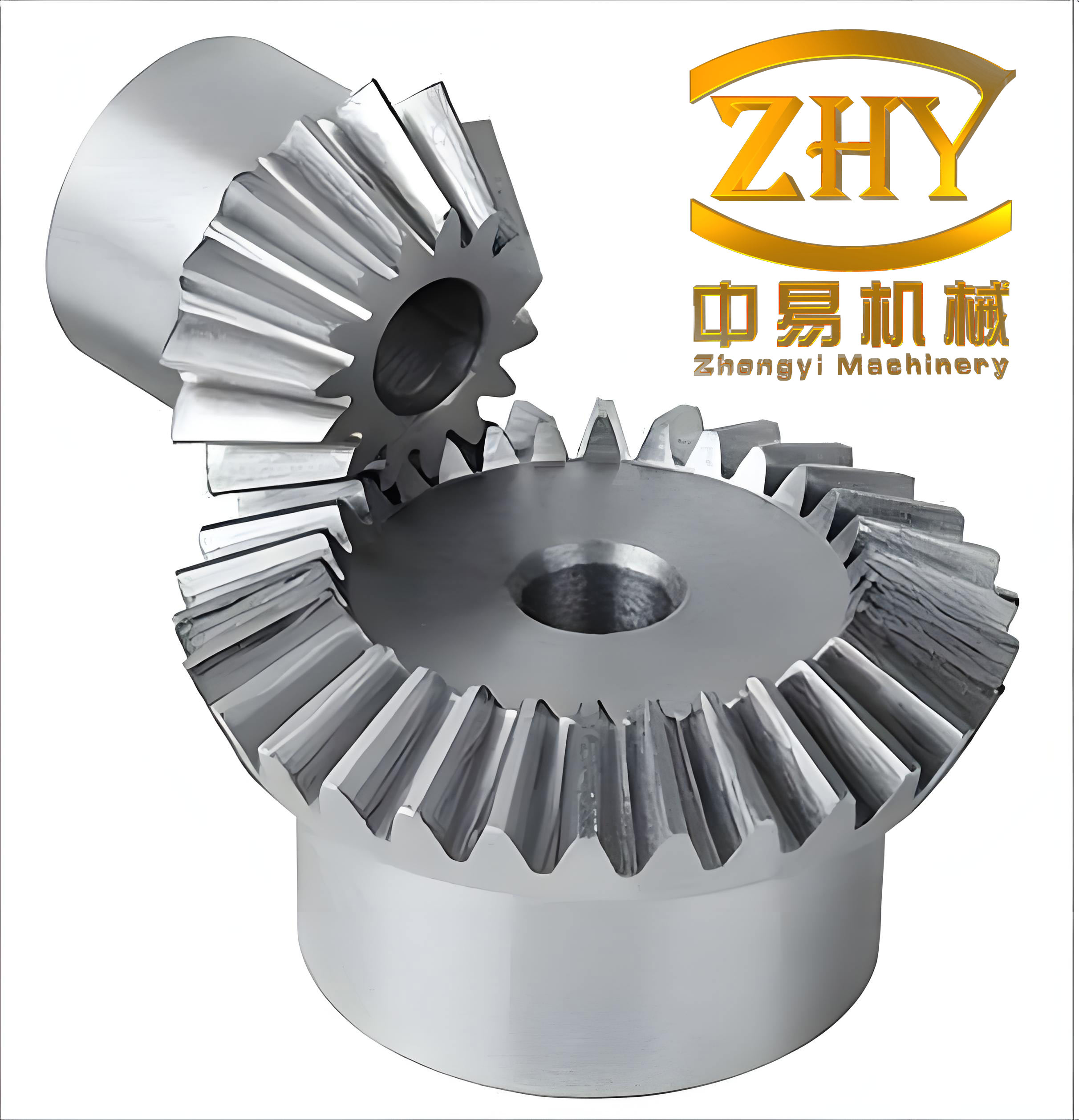
Once assembled, I export the model in formats like .x_t for use in motion simulation and dynamics analysis software. This facilitates further studies on performance, stress distribution, and efficiency, making the parametric modeling approach invaluable for engineering applications involving straight bevel gears.
Mathematical Foundations and Advanced Considerations
To deepen the understanding of straight bevel gear design, I often refer to fundamental mathematical principles. The geometry of straight bevel gears is based on spherical trigonometry, but for simplicity, planar approximations are used in modeling. The Lewis equation for bending stress, for example, can be adapted for straight bevel gears: $$\sigma = \frac{W_t}{F m J} K_v K_s$$, where $$W_t$$ is the tangential load, F is the face width, m is the module, J is the geometry factor, and $$K_v$$ and $$K_s$$ are velocity and size factors, respectively. This highlights the importance of parametric control in optimizing gear strength and durability.
Moreover, the contact ratio for straight bevel gears affects smooth operation and is calculated as $$m_c = \frac{\sqrt{R_a^2 – R_b^2} + \sqrt{r_a^2 – r_b^2} – C \sin(\phi)}{p \cos(\alpha)}$$, where $$R_a$$ and $$r_a$$ are the outer radii, $$R_b$$ and $$r_b$$ are the base radii, C is the center distance, φ is the pressure angle, and p is the circular pitch. Ensuring a contact ratio greater than 1 is essential for continuous meshing, which can be verified through parametric simulations.
In Pro/E, I leverage these formulas to create user-defined parameters that automatically update the model. For instance, I might define a relation for the tooth thickness based on the module and pressure angle: $$t = \frac{\pi m}{2}$$. This level of integration between mathematical models and CAD tools empowers engineers to design high-performance straight bevel gears efficiently.
Conclusion
In summary, the rapid parametric modeling of straight bevel gears in Pro/E offers a significant advantage over traditional methods. By focusing on key parameters and relationships, and simplifying steps like generatrix creation and involute profiling, I can achieve accurate designs in less time. This approach not only improves efficiency but also supports advanced analyses like finite element analysis and kinematic simulations. As straight bevel gears continue to be critical in various mechanical systems, mastering these techniques is essential for modern engineers. I encourage further exploration of parametric tools to push the boundaries of gear design and virtual prototyping.