
In the realm of mechanical engineering, gear transmission systems are ubiquitous, serving as critical components in a wide array of machinery. Among these, the helical gear stands out due to its ability to transmit motion smoothly and quietly, thanks to the angled teeth that engage gradually. However, designing helical gears often involves repetitive modeling tasks for similar geometries with varying parameters, which can be time-consuming and error-prone. To address this, I embarked on a project to develop a parametric design system for involute cylindrical helical gears using SolidWorks and Visual Basic 6.0 (VB6.0). This approach leverages secondary development to automate the modeling process, thereby enhancing design efficiency and accuracy. In this article, I will detail the methodology, implementation, and outcomes of this project, emphasizing the integration of VB programming with SolidWorks’ robust 3D modeling capabilities.
The core objective is to create a specialized module that allows users to input key parameters and automatically generate accurate 3D models of helical gears. This not only streamlines the design workflow but also reduces the potential for human error. The system is built upon the principle of parametric modeling, where geometric dimensions are driven by equations and variables. By utilizing VB6.0 to call SolidWorks API functions, I have developed a user-friendly interface that seamlessly connects programming logic with 3D entity generation. Throughout this discussion, the term “helical gear” will be frequently referenced, as it is the focal point of this development effort. The following sections will explore the theoretical foundations, the step-by-step development process, and practical applications, supported by tables and formulas to elucidate key concepts.
To begin, understanding the geometry of involute cylindrical helical gears is essential. These gears feature teeth that are cut at an angle to the gear axis, resulting in a helical form. The involute profile ensures smooth meshing and constant velocity ratio. Key parameters include the normal module (Mn), normal pressure angle (αn), helix angle (β), number of teeth (Z), face width, and various coefficients such as addendum coefficient (Han) and clearance coefficient (Cn). The geometric dimensions can be derived using standardized formulas. For instance, the pitch diameter (D) is calculated as:
$$ D = \frac{Z \cdot M_n}{\cos(\beta)} $$
Similarly, the addendum diameter (Da) and dedendum diameter (Df) are given by:
$$ D_a = D + 2 \cdot H_a \quad \text{where} \quad H_a = M_n \cdot H_{an} $$
$$ D_f = D – 2 \cdot H_f \quad \text{where} \quad H_f = M_n \cdot (H_{an} + C_n) $$
The transverse pressure angle (αt) is derived from the normal pressure angle and helix angle:
$$ \alpha_t = \arctan\left(\frac{\tan(\alpha_n)}{\cos(\beta)}\right) $$
These formulas form the basis for the parametric model, enabling dynamic updates based on user inputs. Below is a table summarizing the primary parameters and their symbols for quick reference:
| Parameter | Symbol | Description |
|---|---|---|
| Number of Teeth | Z | Total teeth on the gear |
| Normal Module | Mn | Module in the normal plane |
| Normal Pressure Angle | αn | Pressure angle in the normal plane |
| Helix Angle | β | Angle of tooth inclination |
| Addendum Coefficient | Han | Factor for addendum height |
| Clearance Coefficient | Cn | Factor for dedendum clearance |
| Face Width | B | Width of the gear along the axis |
| Hand of Helix | – | Direction (left or right) |
The secondary development process hinges on automating SolidWorks through its Application Programming Interface (API). SolidWorks provides a comprehensive set of API functions that allow external programs, such as those written in VB6.0, to control modeling operations. My approach involved first creating a base helical gear model manually in SolidWorks to understand the sequence of features—such as sketches, extrusions, sweeps, and patterns—and then recording these steps as a macro. The macro code, generated in VBA, served as a template for identifying key API calls and constants. By replacing these constants with variables and integrating them into a VB application, I enabled dynamic model generation based on user-defined parameters.
The fundamental workflow for secondary development can be outlined as follows: (1) Analyze the helical gear structure to identify dependent geometric dimensions; (2) Establish equation-driven constraints in SolidWorks for these dimensions; (3) Use VB to create a graphical user interface (GUI) for inputting design variables; (4) Extract and modify macro statements to link VB variables with SolidWorks API functions; (5) Compile and embed the executable within SolidWorks for seamless operation. This method ensures that any changes in parameters, such as module or helix angle, automatically propagate through the model, generating a new helical gear instance without manual remodeling. The integration of VB and SolidWorks exemplifies how programming can enhance CAD software, making it more adaptable to specific engineering needs.
In the modeling phase, I constructed the helical gear step by step in SolidWorks. The process begins with creating a new part file and defining reference planes. The gear blank is generated by extruding a circle based on the pitch diameter. Next, the involute tooth profile is sketched using parametric equations. For a helical gear, this profile must be swept along a helical path, which is defined by the helix angle and face width. The helix curve is constructed using the helix/spiral feature, with pitch controlled by the gear geometry. Specifically, the lead (L) of the helix is calculated as:
$$ L = \pi \cdot D \cdot \cot(\beta) $$
This ensures that the tooth orientation matches the desired helical form. The single tooth is then created by sweeping the involute profile along this helix, followed by a circular pattern to replicate teeth around the gear circumference. Finally, features like the bore and keyway are added through extrusion cuts, with dimensions tied to parameters such as shaft diameter and key size. The entire model is fully parametric, meaning that adjusting any input variable triggers a rebuild to reflect the changes. This parametric flexibility is crucial for designing families of helical gears with varying specifications.
The heart of the system lies in the VB application, which I developed to drive SolidWorks. The GUI includes text boxes, combo boxes, and command buttons for entering parameters like tooth count, module, pressure angle, helix angle, and hand of helix. Upon clicking the “Generate” button, the program performs calculations to derive all necessary dimensions using the formulas mentioned earlier. For example, angles are converted from degrees to radians for computational consistency:
$$ \alpha_n (\text{rad}) = \alpha_n (\text{deg}) \cdot \frac{\pi}{180} $$
$$ \beta (\text{rad}) = \beta (\text{deg}) \cdot \frac{\pi}{180} $$
These values are then passed to SolidWorks via API calls. The key API functions include ISldWorks for connecting to the SolidWorks instance, IModelDoc2 for document operations, and ISketchManager for sketching tasks. I structured the code to first check if SolidWorks is running; if not, it launches a new session. Then, it creates a part document, sets up sketches, and executes features programmatically. Below is a snippet illustrating how the helix is created in VB, using variables for pitch and height:
Dim swApp As Object
Dim swModel As Object
Set swApp = CreateObject("SldWorks.Application")
Set swModel = swApp.NewDocument("C:\ProgramData\SolidWorks\Templates\Part.prtdot", 0, 0, 0)
' Code to define sketches and dimensions
swModel.FeatureManager.InsertHelix(True, False, True, True, False, False, lead, height, 0, 0, True, True)
This automation eliminates manual intervention, allowing rapid generation of helical gear models. The program also includes error handling to validate inputs, such as ensuring positive module values or feasible helix angles. To demonstrate the system’s capabilities, I conducted a case study with specific parameters, as shown in the table below. This instance represents a typical helical gear used in machinery, highlighting the system’s practicality.
| Parameter | Value |
|---|---|
| Number of Teeth (Z) | 20 |
| Normal Module (Mn) | 2 mm |
| Normal Pressure Angle (αn) | 20° |
| Addendum Coefficient (Han) | 1 |
| Clearance Coefficient (Cn) | 0.25 |
| Helix Angle (β) | 8° |
| Shaft Diameter | 15 mm |
| Keyway Width | 6 mm |
| Keyway Height | 2.8 mm |
| Face Width | 20 mm |
| Hand of Helix | Left |
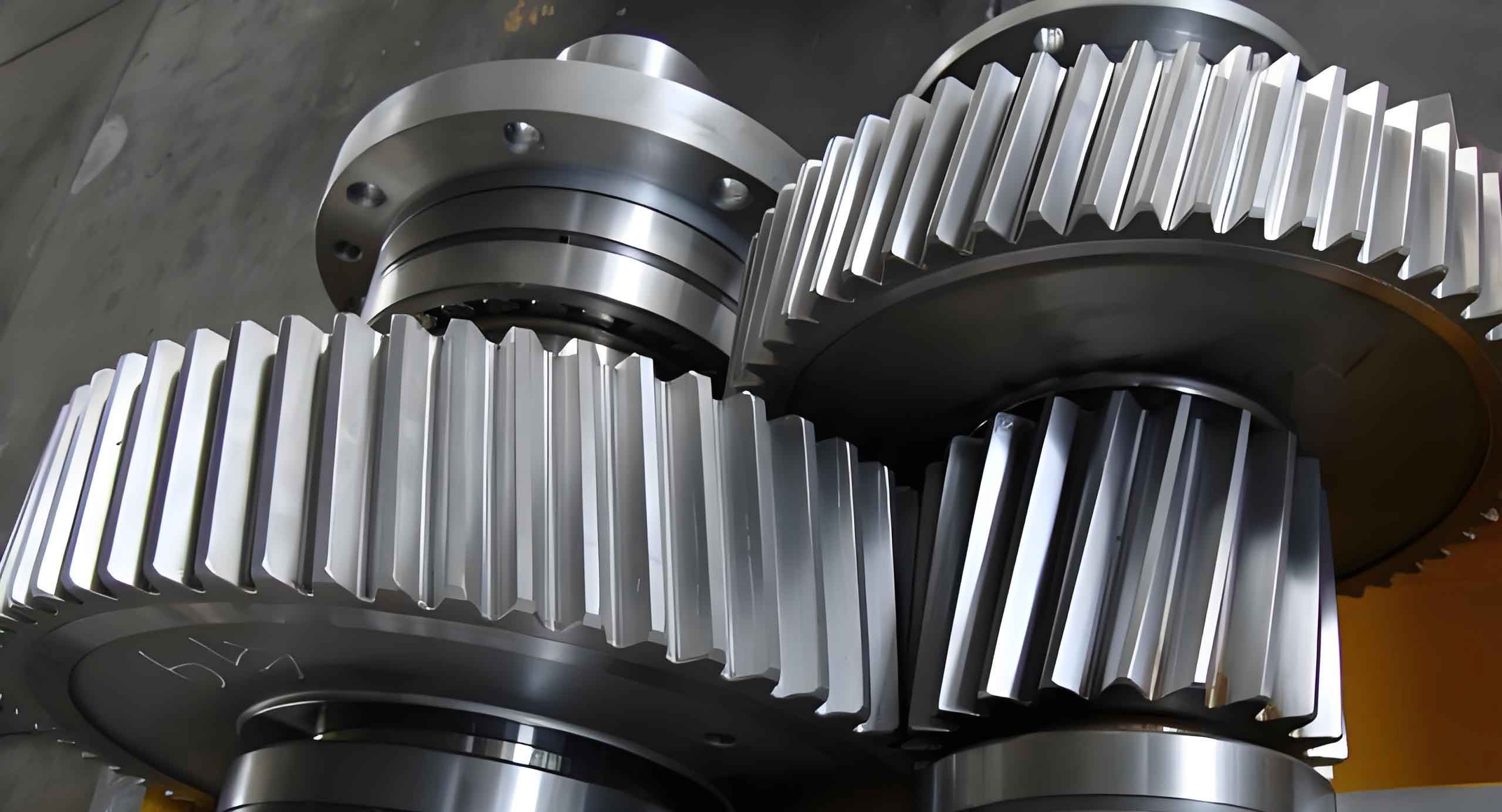
After inputting these values into the VB interface, the program computes the geometric dimensions and invokes SolidWorks to produce the 3D model. The resulting helical gear exhibits accurate tooth geometry with proper helical orientation. To visually represent such a model, I include an image below that illustrates a typical helical gear design. This image serves as a reference for the output generated by the system, showcasing the intricate details of the helical teeth and overall structure.
The development process also involved extensive testing to ensure reliability. I validated the models by comparing dimensions from the automated output with manual calculations. For instance, the base diameter (Db) is critical for involute generation and is verified using:
$$ D_b = D \cdot \cos(\alpha_t) = \frac{Z \cdot M_n \cdot \cos(\alpha_t)}{\cos(\beta)} $$
Discrepancies were minimal, confirming the accuracy of the parametric equations. Additionally, the system supports both left-hand and right-hand helical gears by adjusting the helix direction in the sweep feature. This flexibility is vital for applications requiring paired gears with opposite hands. The table below summarizes the key geometric outputs for the example case, derived from the program’s calculations.
| Dimension | Formula | Calculated Value (mm) |
|---|---|---|
| Pitch Diameter (D) | $$ D = \frac{Z \cdot M_n}{\cos(\beta)} $$ | 40.41 |
| Addendum Diameter (Da) | $$ D_a = D + 2 \cdot H_a $$ | 44.41 |
| Dedendum Diameter (Df) | $$ D_f = D – 2 \cdot H_f $$ | 35.41 |
| Base Diameter (Db) | $$ D_b = D \cdot \cos(\alpha_t) $$ | 37.95 |
| Transverse Pressure Angle (αt) | $$ \alpha_t = \arctan\left(\frac{\tan(\alpha_n)}{\cos(\beta)}\right) $$ | 20.15° |
Beyond mere modeling, this system offers significant advantages in product development. By automating the design of helical gears, it reduces the time required from hours to minutes, enabling engineers to focus on higher-level tasks like optimization and analysis. Moreover, the parametric nature ensures consistency across design iterations, which is crucial for mass production or custom orders. However, there are limitations to consider. The current implementation is tailored for standard involute helical gears; non-standard profiles or advanced modifications would require additional programming. Furthermore, the reliance on SolidWorks means that users must have the software installed, though the VB application can be distributed as a standalone tool.
To enhance the system, I plan to integrate more features, such as stress analysis interfaces or export options for manufacturing data. The methodology described here can also be extended to other gear types, such as bevel or worm gears, demonstrating the broader potential of secondary development in CAD. In industrial contexts, small and medium-sized enterprises can particularly benefit from such tools, as they often lack resources for expensive specialized software. By leveraging existing platforms like SolidWorks and VB, customized solutions become accessible and cost-effective.
In conclusion, the parametric design of helical gears through secondary development in SolidWorks and VB6.0 represents a powerful approach to streamline mechanical design workflows. This project successfully demonstrates how programming can bridge the gap between generic CAD software and specific engineering needs, resulting in a dedicated module for helical gear generation. The use of parametric equations, API integration, and a user-friendly interface ensures that designers can quickly produce accurate 3D models by simply inputting key parameters. As technology advances, such methods will become increasingly vital for accelerating innovation and maintaining competitiveness in the manufacturing sector. The helical gear, with its complex geometry, serves as an excellent case study for showcasing the efficacy of automation in engineering design.