
In the field of mechanical transmission, miter gears—a specific type of bevel gear with a 1:1 ratio—hold a position of critical importance. Their primary function is to efficiently change the direction of rotational power by 90 degrees, making them indispensable in applications ranging from automotive differentials and power tools to complex industrial machinery. The accurate design and manufacturing of these components are paramount for ensuring system efficiency, reducing noise, and minimizing wear. Traditionally, achieving the precise geometry of miter gears involves numerous prototyping and trial-and-error machining runs, which is a costly and time-consuming process. To circumvent this, modern engineering leverages digital simulation and additive manufacturing (AM) technologies. A cornerstone of this digital workflow is the ability to accurately reconstruct, visualize, and analyze a three-dimensional model from standard data formats. This guide delves into the methodology for reconstructing a 3D model of miter gears from STL (Stereolithography) data using programming and advanced graphics libraries, forming the essential foundation for subsequent simulation, analysis, and virtual prototyping.
The STL file format, introduced by 3D Systems, has become the de facto standard for data exchange between Computer-Aided Design (CAD) software and additive manufacturing systems. It employs a process of tessellation, approximating the complex surfaces of a 3D solid model with a mesh of planar triangles. The fundamental premise of 3D reconstruction from an STL file is to read this tessellated data, store its geometric information in a structured manner within a software application, and then issue commands to a graphics system to render these triangles, thereby reconstructing a visual and computationally usable representation of the original object. For miter gears, whose geometry involves complex curved surfaces like tooth flanks and root fillets, the density and accuracy of this triangular mesh directly influence the fidelity of the reconstructed model. The process can be broken down into three core stages: data parsing, geometric data structuring, and visual rendering.
Understanding and Parsing the STL Data Format
The STL format describes only the surface geometry of a three-dimensional object without any representation of color, texture, or other common CAD model attributes. It exists in two primary variants: a binary format, which is compact and efficient for storage, and an ASCII (text) format, which is human-readable and easier to debug. For the purposes of research, development, and clarity in explanation, the ASCII format is often preferred. Its structure is straightforward, beginning and ending with specific keywords that encapsulate the data for a single solid model.
The ASCII STL file for a component like a miter gear starts with the line `solid [object_name]` and concludes with `endsolid [object_name]`. All geometric data resides between these two lines. The model’s surface is decomposed into a series of `facet` elements. Each facet represents one triangular element of the mesh and is described by a unit normal vector and three vertices. The syntax for each facet is rigidly defined:
facet normal ni nj nk
    outer loop
        vertex v1x v1y v1z
        vertex v2x v2y v2z
        vertex v3x v3y v3z
    endloop
endfacet
Here, `(ni, nj, nk)` are the components of the outward-facing normal vector for the triangle. The normal vector is crucial for determining which side of the triangle is the “outside” surface—a vital piece of information for rendering lighting correctly and for certain manufacturing checks. The three `vertex` lines provide the $(x, y, z)$ coordinates in Cartesian space for each corner of the triangle. For a high-quality miter gear model, the number of these facets can easily reach into the hundreds of thousands to accurately capture the curvature of the gear teeth.
Parsing this data programmatically involves reading the file line by line, identifying the keywords, and extracting the numerical values. A robust data structure in C++ is essential for holding this information. A `struct` is perfectly suited for this task, allowing the grouping of related data for a single triangle. The following structure can store all necessary information for one facet:
struct STL_Triangle {
    double normal[3]; // Array for normal vector (i, j, k)
    double vertex[3][3]; // 2D array: [vertex_index][x, y, z]
};
During the parsing routine, an array or, more efficiently, a `std::vector` of `STL_Triangle` objects is populated. The algorithm scans for “facet normal,” reads the three floating-point numbers, then looks for the three “vertex” lines within the subsequent “outer loop” block, storing each coordinate set. This process repeats until the file ends. Proper error handling for file I/O and data format inconsistencies is critical for developing reliable software. The successful population of this data container marks the completion of the first major step: transforming the textual STL description into an in-memory geometric dataset ready for visualization. This parsed data forms the digital blueprint from which the 3D model of the miter gears will be resurrected.
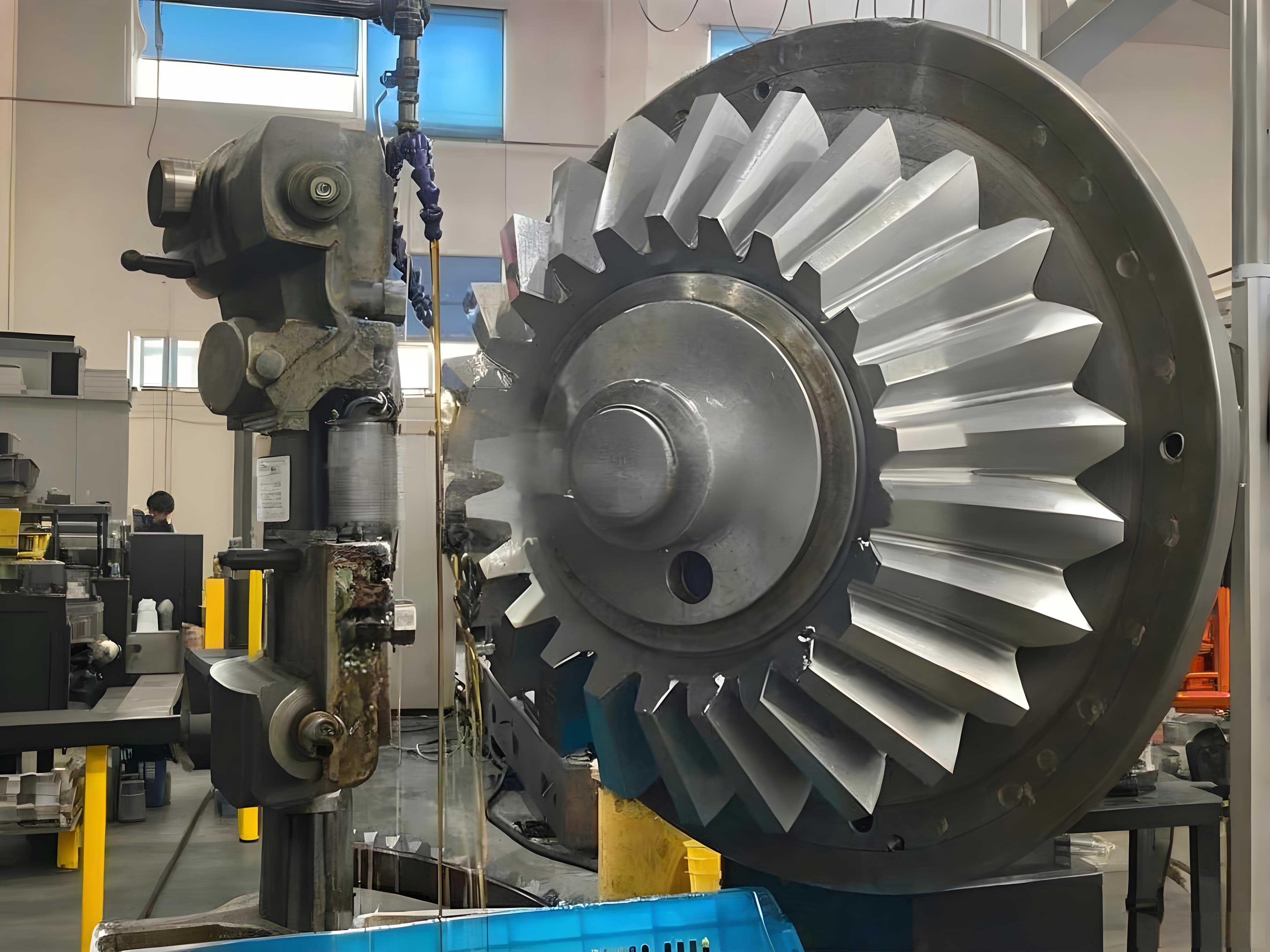
Visualization Foundations with OpenGL
With the geometric data parsed and stored, the next challenge is to convert this numerical data into a visual form on screen. This is where a graphics Application Programming Interface (API) like OpenGL (Open Graphics Library) becomes indispensable. OpenGL is a cross-language, cross-platform API for rendering 2D and 3D vector graphics. It interacts closely with the Graphics Processing Unit (GPU) to perform hardware-accelerated rendering, making it ideal for displaying complex meshes like those representing miter gears with high performance.
Before any drawing can occur, the OpenGL environment must be properly initialized within the host application window (typically created using a framework like Microsoft Foundation Classes – MFC in Windows). Key initialization steps include:
- Creating a Rendering Context (RC): Similar to a Device Context (DC) in standard Windows GDI drawing, an OpenGL RC is a state machine that holds all OpenGL settings (colors, lighting, matrices, etc.). Functions like `wglCreateContext()` and `wglMakeCurrent()` are used to create and activate this context, linking it to the application’s window.
- Setting up the Viewport and Projection: The viewport defines the pixel rectangle within the window where the image will be drawn, set using `glViewport()`. More importantly, we must define how the 3D scene is projected onto the 2D viewport. For engineering visualization, two projections are common:
- Orthographic Projection (`glOrtho()`): Preserves parallel lines and true dimensions, ideal for technical drawings like front, top, and side views of the miter gears.
- Perspective Projection (`glFrustum()` or `gluPerspective()`): Simulates how the human eye sees, making objects farther away appear smaller. This is essential for creating realistic, immersive 3D views of the assembled miter gears.
The command `glMatrixMode(GL_PROJECTION)` is used to switch the current matrix stack to the projection matrix before applying these transformations.
- Defining Lighting and Material Properties: To move beyond a flat, colorless wireframe and achieve a realistic, shaded appearance—crucial for inspecting the surface quality of miter gear teeth—OpenGL’s lighting model must be employed. This involves:
- Creating light sources with `glLightfv()` (specifying position, color, intensity).
- Defining the surface material properties of the gear model with `glMaterialfv()` (defining how it reacts to light: its ambient, diffuse, and specular colors, and its shininess).
- Enabling the lighting calculation with `glEnable(GL_LIGHTING)` and specific lights with `glEnable(GL_LIGHT0)`, etc.
The core rendering command sequence for drawing the STL mesh utilizes the `glBegin()` and `glEnd()` paradigm (or the more modern Vertex Buffer Object approach for higher performance). For each triangle stored in our `STL_Triangle` vector, the following OpenGL commands are issued:
glBegin(GL_TRIANGLES);
    glNormal3dv(triangle.normal); // Set the normal for this face
    glVertex3dv(triangle.vertex[0]); // Specify vertex 1
    glVertex3dv(triangle.vertex[1]); // Specify vertex 2
    glVertex3dv(triangle.vertex[2]); // Specify vertex 3
glEnd();
The `GL_TRIANGLES` mode instructs OpenGL to interpret each set of three vertices as an independent triangle. Providing the normal vector is critical for the lighting calculations; it determines how light reflects off that specific face, giving the model its 3D solid appearance. When this loop is executed for every triangle in the dataset, the complete surface of the miter gear is drawn.
To drastically improve rendering performance, especially when the model needs to be redrawn frequently (e.g., during rotation or zooming), OpenGL’s Display Lists or, in more contemporary applications, Vertex Buffer Objects (VBOs) are used. A display list is a cached set of OpenGL commands stored on the server side (GPU). Instead of resending thousands of `glVertex` commands every frame, the application compiles them once into a list and then simply calls `glCallList(listID)` to execute the entire drawing sequence. This significantly reduces CPU overhead and bus traffic, leading to smoother interaction with complex miter gear models.
| Function Category | Example Functions | Purpose in Reconstruction |
|---|---|---|
| Context & Window Management | wglCreateContext, wglMakeCurrent | Link OpenGL to the application window. |
| Transformation | glViewport, glOrtho, glFrustum, gluLookAt | Define how 3D coordinates are mapped to the 2D screen and set the camera view. |
| Primitive Drawing | glBegin/glEnd, glVertex*, glNormal* | Send vertex and normal data to define triangles. |
| Lighting & Material | glLight*, glMaterial*, glEnable(GL_LIGHTING) | Define light sources and surface properties for realistic shading. |
| Performance Optimization | glNewList/glEndList, glCallList, glGenBuffers, glBindBuffer | Cache drawing commands (Display Lists) or vertex data (VBOs) for fast rendering. |
| Color & State | glColor*, glClearColor, glEnable(GL_DEPTH_TEST) | Set colors and enable depth testing for correct object occlusion. |
Advanced Reconstruction Techniques and Mesh Processing
Basic reading and rendering provide a visual model, but for engineering applications involving miter gears, further processing and analysis of the STL mesh are often necessary. The raw STL data, especially from tessellated CAD models, may contain imperfections or lack certain topological information required for advanced simulations like Finite Element Analysis (FEA) or Computational Fluid Dynamics (CFD).
One common issue is the presence of non-manifold edges or gaps in the mesh. A manifold mesh is essential for defining a valid solid volume. In a watertight mesh representing miter gears, every edge must be shared by exactly two triangles. Errors can occur where an edge belongs to only one triangle (a boundary, indicating a hole) or more than two triangles (a non-manifold condition). Algorithms exist to detect and repair these issues, often by identifying edges with an incidence count not equal to two and then adding or removing triangles to correct the topology.
Furthermore, the STL format does not inherently understand curvature. The complex, doubly-curved surfaces of a miter gear tooth are approximated by flat facets. For high-quality rendering or accurate contact simulation in gear mesh analysis, it may be beneficial to reconstruct a smooth surface from the mesh. Techniques like Loop subdivision or approximation using NURBS (Non-Uniform Rational B-Splines) surfaces can be applied. These methods take the coarse triangular mesh as a control net and generate a smoother, more refined surface. The fundamental step often involves calculating vertex normals for shading that are averaged from the surrounding face normals, giving a smooth appearance even with a coarse mesh:
$$ \mathbf{N}_v = \frac{\sum_{i=1}^{k} \mathbf{n}_i}{\left\lVert \sum_{i=1}^{k} \mathbf{n}_i \right\rVert} $$
where $\mathbf{N}_v$ is the smoothed vertex normal, and $\mathbf{n}_i$ are the normals of the $k$ triangles sharing that vertex.
For simulation, the mesh may need to be decimated (reduced in triangle count) for faster computation or refined (increased in triangle count) for greater accuracy. Decimation algorithms, such as quadratic edge collapse, remove vertices and triangles while trying to preserve the overall shape and boundaries of the miter gear. Refinement can be done through iterative subdivision. The choice depends on the end goal: a lightweight mesh for real-time manipulation versus a dense mesh for high-fidelity stress analysis.
| Operation | Purpose | Typical Algorithm/Technique |
|---|---|---|
| Manifold Repair | Ensure the mesh represents a solid, watertight volume. | Edge counting, hole filling, triangle bridging. |
| Smoothing & Subdivision | Improve visual quality and approximate original smooth surfaces. | Loop subdivision, Catmull-Clark subdivision, normal averaging. |
| Mesh Decimation | Reduce polygon count for performance. | Quadric Error Metrics (QEM) edge collapse, vertex clustering. |
| Mesh Refinement | Increase polygon count for accuracy. | Loop subdivision (applied fully), edge splitting. |
| Normal (Re-)Calculation | Ensure correct lighting and shading. | Averaging face normals per vertex ($\mathbf{N}_v$ formula). |
| Sharp Edge Detection | Identify and preserve features like gear tooth edges. | Dihedral angle thresholding between adjacent faces. |
Integration, Application, and Workflow
The reconstruction of miter gears from STL data is rarely an end in itself. It is typically a crucial step within a larger digital engineering workflow. The reconstructed 3D model serves as the input for various downstream applications that drive design validation and manufacturing efficiency.
A primary application is digital assembly and interference checking. Once two miter gear models are reconstructed, software can simulate their meshing. By applying rotational transformations based on their axis configurations, engineers can visually and computationally check for tooth interference, assess backlash, and verify the correctness of the gear geometry before any physical part is made. The mathematical transformation for rotating one gear relative to its mate involves a series of rotation matrices around the respective axes. For a 90-degree miter gear pair with intersecting axes, the transformation of a point $\mathbf{p}$ on the driven gear to the coordinate system of the driver gear might involve:
$$ \mathbf{p}’ = \mathbf{R}_y(90^\circ) \cdot \mathbf{R}_z(\theta) \cdot \mathbf{p} $$
where $\mathbf{R}_y$ is a rotation matrix around the Y-axis (for the 90-degree shaft angle), and $\mathbf{R}_z(\theta)$ is a rotation matrix around the Z-axis by the meshing phase angle $\theta$.
Another critical application is preparation for Additive Manufacturing. The reconstructed model can be directly sliced into layers for 3D printing. However, additional mesh analysis might be performed to ensure printability, such as checking for unsupported overhangs on the gear teeth or calculating the optimal build orientation to minimize supports and stress. The STL file itself is the standard input for most 3D printer slicer software.
For more advanced engineering analysis, the reconstructed surface mesh may need to be converted into a volumetric mesh (composed of tetrahedra or hexahedra) for Finite Element Analysis. This process, called meshing, allows engineers to perform stress, thermal, or vibration analysis on the digital miter gear model. Specialized software can take the STL surface as a boundary definition and fill the interior with elements. The quality of the original STL reconstruction directly impacts the ease and accuracy of this volumetric meshing process.
Finally, integrating the reconstruction module into a larger software platform—such as a custom CAD/CAM system for gear design—provides immense value. A typical high-level workflow might be:
1. Design miter gear pair in a parametric CAD system.
2. Export design as a high-resolution STL file.
3. Import/Reconstruct the STL model in the custom visualization/analysis software.
4. Perform virtual assembly and motion simulation.
5. Export analysis results or generate toolpaths for CNC machining directly from the reconstructed digital model.
This seamless flow from design to digital validation significantly shortens development cycles for power transmission systems utilizing miter gears, reduces material waste from physical prototyping, and enhances the reliability of the final product. The core technology enabling this flow is the robust and efficient 3D reconstruction method from neutral data formats like STL, bridging the gap between disparate engineering software tools.
| Workflow Stage | Simple Visualization | Advanced Engineering Application |
|---|---|---|
| Input | ASCII/Binary STL file | High-resolution, error-checked STL or direct CAD data. |
| Parsing & Storage | Basic struct/array for vertices and normals. | Advanced mesh data structure (Half-Edge, Winged-Edge) supporting topology queries. |
| Rendering | Immediate mode (`glBegin/glEnd`) or simple Display List. | Vertex Buffer Objects (VBOs), Shader-based rendering for advanced effects. |
| Mesh Processing | Minimal or none. | Manifold repair, smoothing, decimation, feature detection. |
| Primary Output | On-screen 3D view for inspection. | Visualization + simulation data (interference reports), input for FEA meshing, toolpath generation. |
| Performance Focus | Fast load and display. | High-fidelity interaction, real-time simulation rates, processing of very large meshes. |