
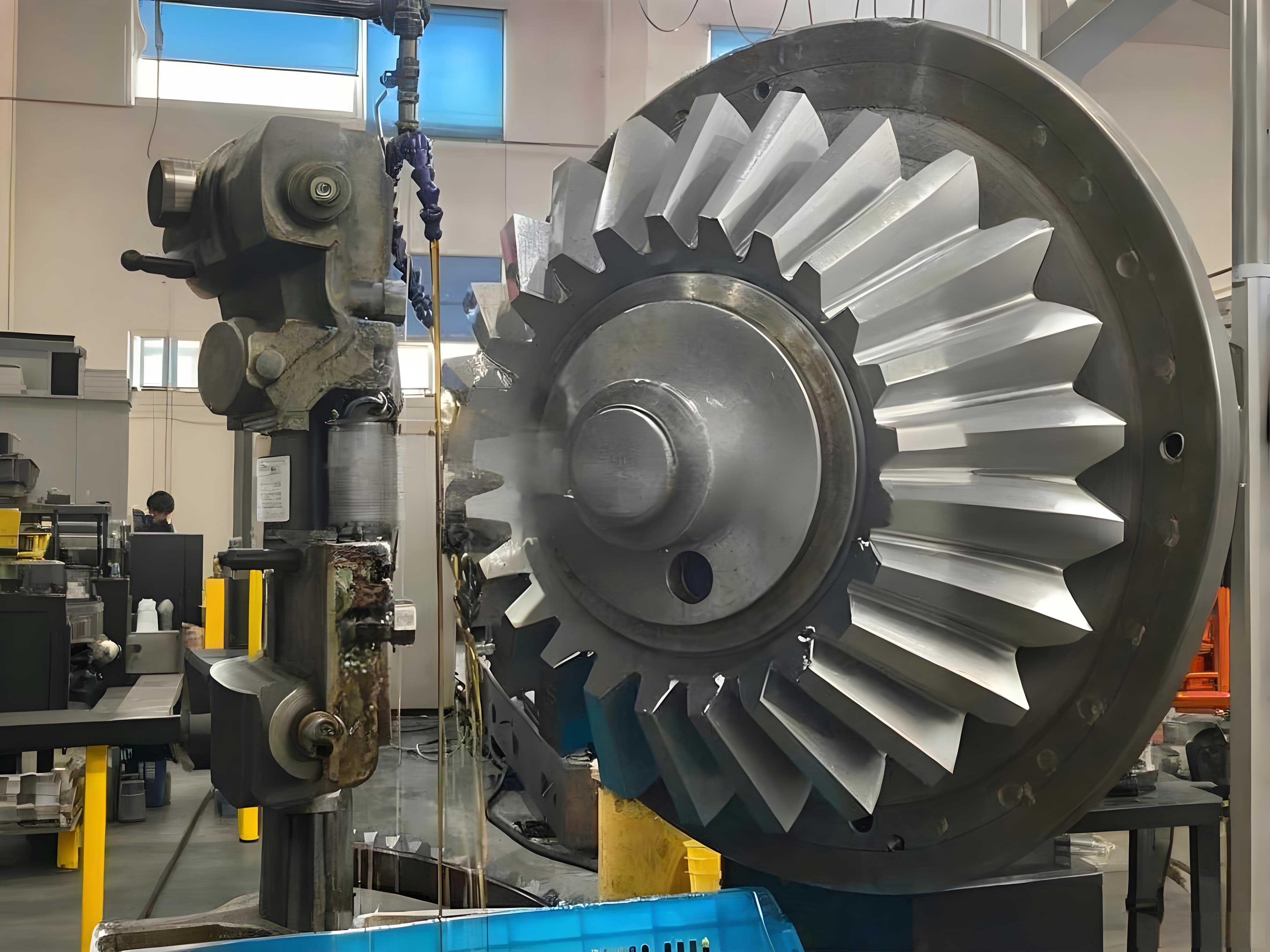
In modern engineering, the creation of accurate, parameter-driven 3D models for standard components is the cornerstone of integrated CAD/CAM/CAE systems and advanced digital engineering applications. Among these components, gears present a significant challenge due to their complex geometry. This article details my methodology for achieving full parametric modeling of straight miter gears using advanced CAD functionalities, focusing on a streamlined mathematical approach based on spherical coordinates to define the intricate tooth profile.
Mathematical Foundation: Defining the Miter Gear Tooth in Spherical Coordinates
The theoretical tooth flank of a straight miter gear is a spherical involute surface. Conventional Cartesian coordinate modeling of this surface leads to cumbersome equations. By leveraging the spherical coordinate system native to many CAD equation-driven curve tools, the mathematical representation is greatly simplified. In this system, a point is defined by three variables: the radial distance (ρ), the azimuthal angle (θ), and the polar angle (φ). For a miter gear, the primary contour at the large end (outer diameter) can be described with the following parametric equations:
$$
\rho = R, \quad \theta = \delta, \quad \phi = \beta_{p(sphere)}
$$
Here, \( R \) is the spherical radius (a constant equal to the outer cone distance), \( \delta \) is the cone angle (varying from the root cone to the tip cone), and \( \beta_{p(sphere)} \) is the spherical involute function’s phase angle. The critical expression for \( \beta_{p(sphere)} \) at any point p on the tooth flank is given by:
$$
\beta_{p(sphere)} = \frac{1}{\sin\delta_b} \arccos\left[\frac{\cos(\delta_p)}{\cos(\delta_b)}\right] – \arccos\left[\frac{\tan(\delta_b)}{\tan(\delta_p)}\right]
$$
Where \( \delta_p \) is the cone angle at the specific point p, and \( \delta_b \) is the base cone angle of the miter gear. The spherical radius \( R \) is calculated from the gear data:
$$
R = \frac{m \times z}{2 \sin \Gamma}
$$
For a standard 1:1 ratio miter gear set where the shaft angle \(\Sigma = 90^\circ\) and both gears are identical, the pitch cone angle \(\Gamma = 45^\circ\). Therefore, the formula simplifies, highlighting the interdependence of key parameters.
| Parameter | Symbol | Formula (for 1:1 Miter Gears) |
|---|---|---|
| Module | \( m \) | Primary Design Input |
| Number of Teeth | \( z \) | Primary Design Input |
| Pitch Cone Angle | \( \Gamma \) | \( 45^\circ \) (for Σ=90°) |
| Outer Cone Distance | \( R \) | \( R = \frac{m \times z}{2 \sin 45^\circ} \) |
| Base Cone Angle | \( \delta_b \) | \( \delta_b = \arccos(\cos\alpha \cdot \cos\Gamma) \) * |
| Tip Cone Angle | \( \delta_a \) | \( \delta_a = \Gamma + \theta_a \) |
| Root Cone Angle | \( \delta_f \) | \( \delta_f = \Gamma – \theta_f \) |
* Where \( \alpha \) is the normal pressure angle.
Step-by-Step Modeling Strategy for a Single Miter Gear Tooth
The core modeling process involves constructing boundary curves in spherical space and using them to generate surfaces. The workflow for a single tooth of the miter gear is systematic and relies heavily on the “Curve From Equation” function.
1. Creating the Spherical Involute Curves
Four key involute curves are needed: two for the large end (face width start) and two for the small end (face width end). The spherical coordinates \( \rho \) and \( \theta \) are driven by gear parameters, while \( \phi \) uses the involute function.
- Large End, Flank 1:
\( \rho = R \), \( \theta = \delta_f + t \cdot (\delta_a – \delta_f) \),
\( \phi = \beta_{p(sphere)}(t) \) as defined above. - Large End, Flank 2:
\( \rho = R \), \( \theta = \delta_f + t \cdot (\delta_a – \delta_f) \),
\( \phi = -\beta_{p(sphere)}(t) + \text{Tooth\_Thickness\_Angle} \). - Small End, Flank 1 & 2:
\( \rho = R – b \) (where \( b \) is face width),
\( \theta \) and \( \phi \) follow the same logic as above.
2. Constructing Tip and Root Arc Curves
These curves complete the tooth profile at the large and small ends. They are simple arcs on a sphere of constant \( \rho \) and \( \theta \).
- Large End Tip Arc:
\( \rho = R \), \( \theta = \delta_a \), \( \phi = \phi_{a1} + t \cdot (\phi_{a2} – \phi_{a1}) \). - Large End Root Arc:
\( \rho = R \), \( \theta = \delta_f \), \( \phi = \phi_{root\_start} + t \cdot \phi_{tooth\_gap} \). - Small End Arcs: Identical formulas, but with \( \rho = R – b \).
3. Generating Connecting Straight Lines (Along the Face Width)
These lines connect corresponding points on the large and small end profiles, forming the sides of the tooth. They are lines in spherical space where \( \theta \) is constant.
- Tip Side Lines:
\( \rho = R + t \cdot ((R-b) – R) \), \( \theta = \delta_a \), \( \phi = \phi_{a2} \) (or \( \phi_{a1} \)). - Root Side Lines:
\( \rho = R + t \cdot ((R-b) – R) \), \( \theta = \delta_f \), \( \phi = \phi_{root\_start} \) (or \( \phi_{root\_start} + \phi_{tooth\_gap} \)).
| Curve Type | Spherical Coordinate Equations (ρ, θ, φ) | Purpose |
|---|---|---|
| Large End Involute | ρ=R; θ=δ_f→δ_a; φ=±β(t) | Defines the active tooth flank at the large end. |
| Small End Involute | ρ=R-b; θ=δ_f→δ_a; φ=±β(t) | Defines the active tooth flank at the small end. |
| Tip Arc | ρ=R or R-b; θ=δ_a; φ=φ_a1→φ_a2 | Closes the tooth profile at the tip circle. |
| Root Arc | ρ=R or R-b; θ=δ_f; φ varies over gap | Closes the tooth profile at the root circle. |
| Side Lines | ρ=R→R-b; θ=const (δ_a or δ_f); φ=const | Connects large and small end profiles. |
4. Surface Creation and Merging
With all boundary curves defined, surface patches are created using a “Boundaries” or “Blended Surface” command. Typically, one surface is created for each tooth flank (using two involutes and two side lines) and one for the tip (using two tip arcs and two side lines). The final step for the single tooth is to merge all these individual quilted surfaces into a single, contiguous surface body representing one complete tooth space of the miter gear.
Handling the Special Case: Base Cone Larger than Root Cone
A crucial consideration in modeling a miter gear is the relative size of the base cone. If the base cone angle \( \delta_b \) is larger than the root cone angle \( \delta_f \), the spherical involute does not exist between these two angles. This region must be filled with an alternative curve, typically a radial line or an arc on the root cone. The modeling strategy adapts as follows:
- Create Supplemental Arc Curves: For the large end, the equations are:
\( \rho = R \), \( \theta = \delta_b + t \cdot (\delta_f – \delta_b) \), \( \phi = 0 \) (for one side) and \( \phi = \text{Base\_Tooth\_Thickness\_Angle} \) (for the other). - Create Composite Curves: Use a “Composite Curve” function to join this new supplemental arc seamlessly with the previously created spherical involute curve. This results in a single, continuous curve from the tip down to the root.
- Repeat for Small End: Follow the same process with \( \rho = R – b \).
- Proceed with Surface Creation: The rest of the surface modeling process (creating boundaries, merging) remains identical to the standard case.
| Condition | Curve Strategy from Tip to Root | Action Required |
|---|---|---|
| δ_b < δ_f | Spherical involute exists for entire flank (θ from δ_a to δ_f). | Use standard involute equations directly. |
| δ_b > δ_f | Involute exists only from δ_a to δ_b. No defined profile from δ_b to δ_f. | 1. Create involute for δ_a to δ_b. 2. Create arc on root cone for δ_b to δ_f. 3. Composite the two curves into one. |
Implementing Full Parametric Control
The true power of this methodology lies in its full parameterization. This is achieved by combining two key features: Relations (to link dimensions with formulas) and Program (to control the logic and input of parameters).
- Define Input Parameters: In the Program editor, declare primary driving variables within an INPUT…END INPUT block. For a miter gear, these typically include:
- Module (\( m \))
- Number of Teeth (\( z \))
- Pressure Angle (\( \alpha \))
- Face Width (\( b \))
- Shaft Angle (\( \Sigma \))
- Establish Relations: In the RELATIONS…END RELATIONS block of the Program, define all dependent geometric parameters using formulas.
/* Example Relations */
R = (m*z) / (2*sin(gamma)) /* Outer Cone Distance */
gamma = shaft_angle/2       /* For 1:1 miter gear, Pitch Cone Angle */
delta_b = acos(cos(pressure_angle)*cos(gamma))
delta_a = gamma + atan(1/z) /* Approximation for addendum angle */
delta_f = gamma - atan(1.25/z) /* Approximation for dedendum angle */
- Incorporate Conditional Logic: The Program’s IF…ELSE…ENDIF statements are essential to manage the two geometric cases.
IF delta_b < delta_f
  /* Execute the standard feature creation for involute teeth */
  ADD FEATURE ... (standard tooth creation)
ELSE
  /* Execute the alternative feature creation for the case where base cone > root cone */
  ADD FEATURE ... (composite curve tooth creation)
ENDIF
This structure ensures that when a user regenerates the model and inputs a new set of parameters (e.g., a different module or number of teeth), the Program recalculates all relations and automatically executes the correct sequence of feature creation, resulting in a geometrically correct miter gear.
Completing the Full Miter Gear Model
After a single tooth space surface is successfully created and parameterized, completing the full gear involves standard solid modeling operations:
- Pattern the Tooth: Copy the single tooth space surface using a rotational pattern. The number of instances equals the number of teeth \( z \), and the pattern angle is \( 360^\circ / z \).
- Solidify the Gear Body: Use a “Solidify” or “Use Quilt” protrusion command to convert the patterned, merged surface body into a solid 3D volume. This solid now represents the entire toothed section of the miter gear.
- Create the Central Hub and Bore: Use a Revolve protrusion to create the central conical hub that connects the toothed rim to the shaft. The dimensions (hub diameter, back face distance) should be tied to the primary parameters via relations. Subsequently, use an Extrude cut to create the central bore and keyway, whose sizes can also be driven by formulas based on shaft diameter standards.
Conclusion and Key Advantages
The parametric modeling of a straight miter gear using spherical coordinates and advanced surfacing techniques offers a robust and efficient design workflow. The key advantages of this approach are:
- Mathematical Simplicity: The spherical coordinate formulation provides a direct and elegant mathematical representation of the spherical involute, simplifying the core curve definitions.
- Full Design Flexibility: By linking all geometric features to a handful of primary input parameters through Relations and Program logic, an infinite family of valid miter gear models can be generated instantly.
- Automated Robustness: The use of conditional statements (IF…ENDIF) in the Program automatically selects the correct modeling strategy based on the computed geometry (δ_b vs. δ_f), ensuring model integrity across all parameter sets.
- Foundation for Advanced Applications: The resulting accurate 3D solid model serves as a perfect digital twin for subsequent engineering tasks such as virtual assembly, interference checking, finite element analysis (FEA) for strength, and computer-aided manufacturing (CAM) for generating toolpaths.
This methodology, while demonstrated in the context of a specific CAD environment, illustrates universal principles that can be adapted to any advanced 3D modeling system capable of equation-driven curves and parametric associations. The successful implementation for a miter gear paves the way for parameterizing other complex gear types, such as spiral bevel or hypoid gears, forming a critical component of a comprehensive digital engineering toolkit.