
In the domain of power transmission, angular gear drives such as bevel gears, worm gears, and face gears are fundamental components. Among these, the spiral face gear transmission, a specific and highly efficient type of face gear, presents unique advantages. This gear system pairs a cylindrical spiral pinion with a face gear whose teeth are generated on the face of a disk. The engagement characteristics of spiral gears offer significant benefits over traditional bevel gears, including greater contact ratio, reduced sensitivity to axial misalignment of the pinion, lower noise and vibration, and potential for weight reduction in compact assemblies. The inherent continuity of the helical tooth flank on the pinion contributes to smoother motion transfer and higher load capacity.
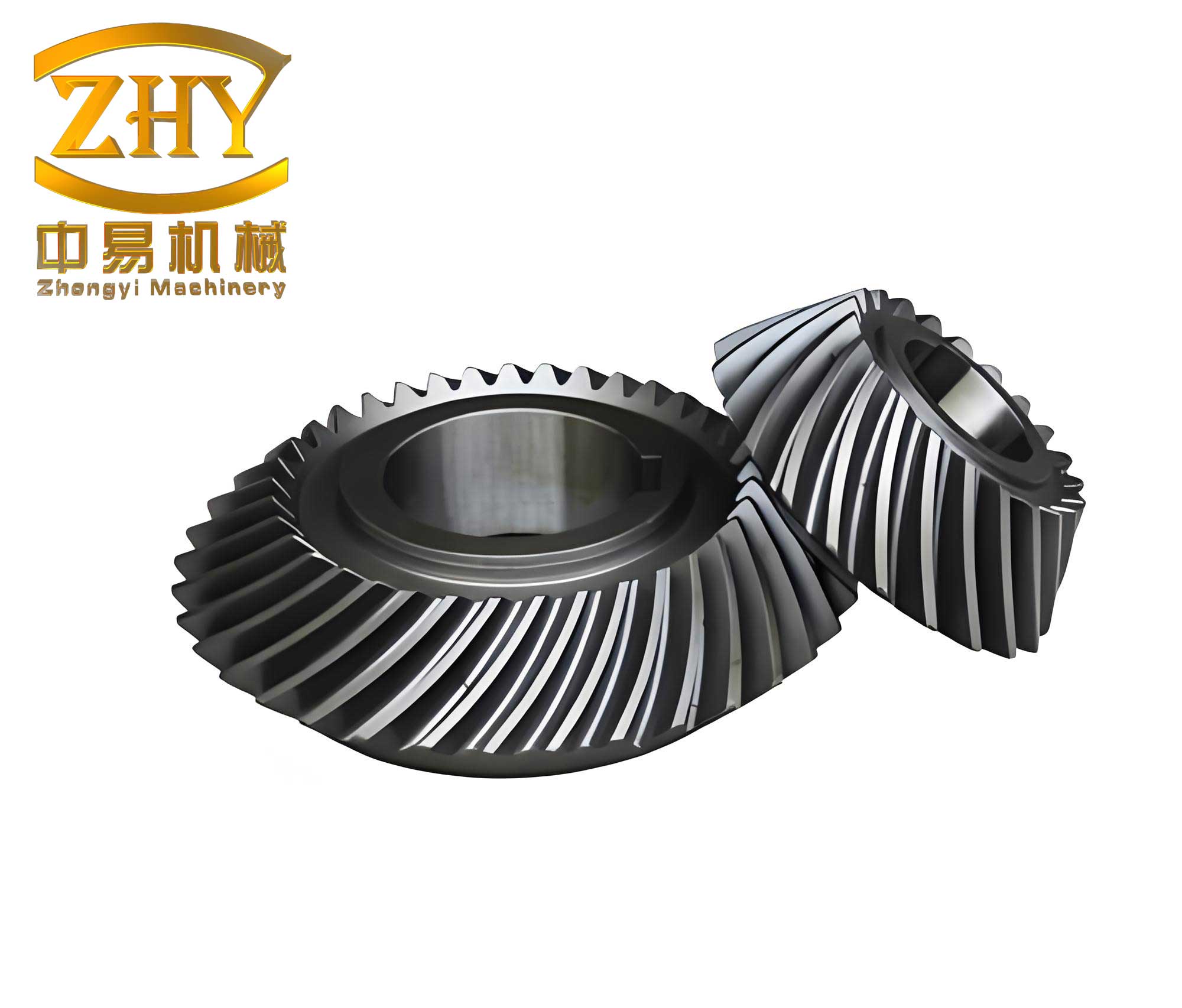
Traditionally, the accurate geometric modeling of complex gear surfaces like those of spiral face gears required sophisticated mathematical software, such as MATLAB, to calculate the conjugate tooth profile, followed by the import of coordinate data into a 3D CAD system for solid model creation. This workflow demands high expertise in both mathematical modeling and CAD operations, creating a barrier for designers. However, modern parametric CAD systems like Creo Parametric offer powerful tools for kinematic simulation and envelope generation. This article details a first-person methodology for modeling spiral face gears directly within Creo, utilizing its Mechanism Dynamics module to simulate the gear generation process, thereby creating an accurate 3D model through a fully visual and parametric approach.
Fundamental Principles and Design Methodology
The core idea behind generating the tooth space of a spiral face gear is the principle of conjugate action. The desired tooth flank on the face gear is the envelope of all successive positions occupied by the cutting tool (or generating gear) during a simulated machining process. For a spiral face gear, this tool is a cylindrical helical gear. The generation motion involves two simultaneous rotations: the revolution of the tool gear around the axis of the face gear blank (simulating the indexing motion), and the rotation of the tool gear around its own axis (simulating the cutting motion). The relationship between these motions is defined by the designed gear ratio.
The methodology can be broken down into a systematic workflow:
- Definition of Design Inputs: Establishing the basic transmission requirements and tool geometry.
- Kinematic Calculation: Determining the angular velocities for the tool’s revolution and rotation.
- CAD Assembly & Mechanism Setup: Building the assembly in Creo and defining the kinematic joints and drivers.
- Motion Envelope Generation: Running a kinematic analysis to create the envelope surface representing the tooth space.
- Surface Extraction & Solid Modeling: Importing and refining the envelope surface, then using it to cut the solid blank and pattern the tooth space.
Phase 1: Defining Parameters and Tool Design
The process begins with clear design objectives. For this example, consider a transmission requiring a ratio of 5:1, specifically a pinion with 9 teeth driving a spiral face gear with 45 teeth. The generating tool is modeled as a single, double-flanked tooth of a cylindrical helical gear to simplify initial calculations and model size. The key parameters for this tool gear are summarized below.
| Parameter | Symbol | Value |
|---|---|---|
| Number of Teeth | $Z_{asm}$ | 9 |
| Normal Module | $m_n$ | 1 mm |
| Normal Pressure Angle | $\alpha_n$ | 20° |
| Helix Angle | $\beta$ | 22.5° |
| Profile Shift Coefficient | $x$ | +0.47 |
| Addendum Coefficient | $h_a^*$ | 1.0 |
| Dedendum Coefficient | $c^*$ | 0.25 |
| Face Width | $B$ | 10 mm |
The transverse module, critical for face gear generation, is calculated from the normal module and helix angle:
$$ m_t = \frac{m_n}{\cos \beta} = \frac{1}{\cos(22.5^\circ)} \approx 1.082 \, \text{mm} $$
The reference pitch radius of the tool gear is:
$$ r_{asm} = \frac{m_t \cdot Z_{asm}}{2} = \frac{1.082 \times 9}{2} \approx 4.87 \, \text{mm} $$
This tool gear is modeled as a solid part in Creo, representing one full tooth space (two flanks). The geometric layout for the generation simulation is crucial. The tool gear is positioned so its reference cylinder is tangent to the planned pitch surface of the face gear blank. An offset or eccentricity ($r_0$) is often introduced. For this case, the center distance between the face gear axis and the tool gear axis is set equal to the tool’s pitch radius ($a_0 = r_{asm} \approx 4.87 \text{ mm}$), and an eccentricity of $r_0 = 3 \text{ mm}$ is applied. The face gear blank is a simple disk with an inner radius of $r_{min} = 27.5 \text{ mm}$ and an outer radius of $r_{max} = 32.5 \text{ mm}$.
Phase 2: Kinematic Calculations for Mechanism Drivers
To simulate the generation process in Creo’s Mechanism module, we must define the precise rotational speeds for the tool gear’s two degrees of freedom. Let $\omega_{rev}$ be the angular velocity of the tool gear’s revolution around the face gear axis (the “carrier” motion), and $\omega_{rot}$ be the angular velocity of the tool gear’s rotation around its own axis. According to the principle of gear generation, the ratio of these velocities must be equal to the gear ratio, but with opposite sign to account for the rolling without slipping condition at the pitch point.
If the face gear is considered stationary during generation, the relative motion is defined by the tool’s movements. The relationship is given by:
$$ \frac{\omega_{rot}}{\omega_{rev}} = – \frac{Z_f}{Z_{asm}} = – \frac{45}{9} = -5 $$
The negative sign indicates the rotations are in opposite directions relative to the fixed frame. For practical setup in Creo, we assign arbitrary but proportional values. For instance, if we set the revolution speed to $\omega_{rev} = 2^\circ/\text{s}$ in the clockwise direction, then the required rotation speed is:
$$ \omega_{rot} = -5 \times \omega_{rev} = -5 \times (2^\circ/\text{s}) = -10^\circ/\text{s} $$
This means the tool gear must rotate around its own axis at $10^\circ/\text{s}$ in the counter-clockwise direction (if revolution is CW). These calculated values are essential for defining the servo motors in the next phase.
Phase 3: Creo Mechanism Setup and Envelope Generation
The assembly is created with the face gear blank fixed and the tool gear connected via two revolute joints and a slider or cylindrical joint to allow the correct spatial motion, though often a simple “pin” connection defining the axis of revolution plus a servo motor on the tool’s own axis suffices in a simplified model. The key steps are:
- Define Connections: The tool gear is assembled to the “ground” or a dummy part representing the machine tool slide using a pin joint. The axis of this pin joint is aligned with the desired revolution path around the face gear center.
- Set Up Servo Motors: Two servo motors are applied.
- Motor 1 (Revolution): Applied to the pin joint’s rotational axis. Magnitude is set to constant velocity: $\omega_{rev} = 2^\circ/\text{s}$.
- Motor 2 (Rotation): Applied to the tool gear’s own rotational axis (this may require a “gear pair” constraint or a second revolute joint). Magnitude is set to $\omega_{rot} = -10^\circ/\text{s}$.
- Initial Configuration: Before running the analysis, the tool gear is positioned at the start of the cut, typically just outside the edge of the face gear blank. A snapshot of this position is saved as the initial condition for the analysis.
- Run Kinematic Analysis: An analysis definition is created. The duration is calculated so that the tool completes the generation of one tooth space. Since the tool revolves at $2^\circ/\text{s}$ and each tooth space occupies $\frac{360^\circ}{45}=8^\circ$ of revolution, the required analysis time is $8 / 2 = 4$ seconds. The analysis is configured to create a motion envelope.
- Generate Envelope: The “Create Motion Envelope” option is selected. The envelope quality, which controls the mesh density of the generated envelope surface, is set. A higher value (e.g., 10) produces a more accurate but computationally heavier surface. The analysis is run, and Creo calculates the volume swept by the tool gear and outputs its outer envelope as a quilt surface, which is saved as a separate file (e.g., IGES format).
This envelope surface is the precise 3D representation of the conjugate tooth space of the spiral face gear, generated directly from the simulated physical process.
Phase 4: Surface Refinement and Solid Model Creation
The generated envelope file is then imported into a new part file or back into the assembly. Creo’s Import Data Doctor (IDD) mode is a critical tool at this stage. The raw envelope often contains redundant or fragmented surfaces.
- Surface Repair in IDD: Within IDD, extraneous surfaces that do not belong to the active tooth flank are identified and removed. Small gaps or misalignments between surface edges are repaired using tools like “Fix Gaps” and “Merge” to create a single, watertight quilt representing the tooth space.
- Solid Cutting: This repaired quilt is used as a reference. A solid protrusion representing the initial gear blank is created. The tooth space quilt is then used as a tool to perform a “Solidify” cut, removing material and creating the first precise tooth gap on the spiral face gear blank.
- Circular Patterning: Since the generation process modeled only one tooth space, the final step is to pattern this cut feature. An axial pattern is created with a total of 45 instances, evenly spaced at $8^\circ$ intervals around the gear axis. This completes the full set of teeth, resulting in the finished 3D solid model of the spiral face gear.
The entire process, from parameter definition to final solid model, is governed by parameters and relationships within Creo. This full parameterization is a profound advantage.
Design Optimization and Verification
The parametric and visual nature of this methodology transforms the design process. Designers are no longer working with abstract equations but with interactive 3D geometry. This enables rapid design exploration and validation.
Parameter Sensitivity and Iteration: Any design parameter—the tool’s module, pressure angle, helix angle $\beta$, profile shift coefficient $x$, or the installation eccentricity $r_0$—can be modified. After a change, the mechanism analysis can be re-run, and the envelope regenerated almost instantly. The effect on the resulting spiral gear tooth form, such as root thickness, tooth depth, or potential undercutting, is immediately visible. Multiple design variants can be generated and compared quickly to meet specific strength, wear, or noise criteria.
Interference and Assembly Checking: The visualization of the tool path during the mechanism analysis allows designers to spot potential interference issues early. The relative motion between the tool and non-cutting parts of the gear blank or fixture can be checked dynamically. Furthermore, the final gear model can be assembled with its mating spiral pinion within Creo, and a secondary mechanism analysis can be performed to verify smooth meshing, check contact patterns, and ensure the absence of rigid-body interference throughout the rotation, validating the conjugate action designed through the envelope method.
| Aspect | Traditional Method (CAD + MATLAB) | Creo Kinematic Envelope Method |
|---|---|---|
| Workflow Complexity | High. Requires data exchange and expertise in two distinct software environments. | Low. A unified process within a single CAD platform. |
| Design Visualization | Limited until final data import. The generation process is abstract. | Full, real-time visualization of the tool path and envelope formation. |
| Parameterization & Iteration | Cumbersome. Changes require re-running external calculations and re-importing data. | Fully parametric and rapid. Change a parameter, regenerate the mechanism and model. |
| Interference Detection | Typically done after modeling is complete. | Possible during the simulation phase, enabling early-stage design correction. |
| Model Accuracy | Depends on the resolution of calculated coordinate points. | Governed by the motion envelope quality setting, offering direct control over surface fidelity. |
Mathematical Underpinning of the Envelope Method
While the Creo process is graphical, it solves the underlying mathematical problem of finding a family of surfaces and its envelope. Let the surface of the tool gear be represented in its own coordinate system $S_1$ as:
$$ \mathbf{r}_1(u, \theta) = [x_1(u, \theta),\, y_1(u, \theta),\, z_1(u, \theta)]^T $$
where $u$ and $\theta$ are surface parameters.
As the tool undergoes the two rotations—$\phi_1$ (rotation around its axis) and $\phi_2$ (revolution around the face gear axis)—its surface in the fixed coordinate system $S_f$ attached to the face gear blank is given by the coordinate transformation:
$$ \mathbf{r}_f(u, \theta, \phi_1, \phi_2) = \mathbf{M}_{f2} \cdot \mathbf{M}_{21}(\phi_1) \cdot \mathbf{r}_1(u, \theta) $$
Here, $\mathbf{M}_{21}$ handles the tool’s rotation $\phi_1$, and $\mathbf{M}_{f2}$ handles its revolution $\phi_2$. The relationship between $\phi_1$ and $\phi_2$ is fixed by the ratio: $\phi_1 = – (Z_f / Z_{asm}) \, \phi_2$.
The envelope surface (the tooth space) is determined by the simultaneous solution of the surface equation and the equation of meshing, which states that the normal vector at the contact point is perpendicular to the relative velocity vector:
$$ \mathbf{n}_f \cdot \mathbf{v}_f^{(12)} = 0 $$
or equivalently,
$$ f(u, \theta, \phi_2) = 0 $$
Creo’s mechanism and envelope generation module numerically solves this system for each incremental position $\phi_2$. It tracks the boundary of the union of all tool positions, which mathematically corresponds to the points satisfying the envelope condition. The resulting quilt is a discrete but highly accurate representation of the theoretical conjugate surface for the spiral gears.
Conclusion
The integration of kinematic simulation and motion envelope generation within Creo Parametric provides a powerful, intuitive, and efficient framework for designing complex gear geometries such as spiral face gears. This method successfully eliminates the dependency on external mathematical software, lowering the operational barrier for design engineers. By directly simulating the gear generation process—calculating the necessary tool rotations, setting up the mechanism, and generating the envelope—the designer engages in a visual and interactive design loop.
The core strength of this approach lies in its full parameterization and immediate visual feedback. Design parameters for the tool and its setup are not just numbers in a table; they are live entities that directly alter the simulated cutting action and the final tooth form. Potential issues like geometric interference, undercutting, or poor tooth proportions become readily apparent during the simulation phase, not after final manufacturing drawings are produced. This enables rapid prototyping of virtual designs, allowing for the swift exploration of multiple configurations of spiral gears to optimize performance metrics like contact ratio, stress distribution, and manufacturability. In summary, this Creo-based envelope method represents a significant advancement in the design workflow for specialized gears, blending theoretical accuracy with practical, accessible computer-aided design.