
In the realm of mechanical design and manufacturing, the ability to rapidly generate accurate three-dimensional models of standard components is paramount. As an engineer deeply involved in computer-aided design (CAD) automation, I have extensively explored methods to streamline the creation of complex parts, particularly gears. Among these, the spur and pinion gear—a fundamental element in power transmission systems—often requires repetitive modeling with varying parameters. This article details my approach to developing a parametric modeling system for involute spur and pinion gears using Pro/Engineer (PROE), enhanced through secondary development with Visual Basic (VB) and Automation Gateway (AGW). The goal is to create a user-friendly interface that drives PROE to generate gear models dynamically, thereby supporting customized standard parts libraries and enabling optimization and serialized production.
The foundation of this work lies in the parametric capabilities of PROE, a leading CAD software known for its feature-based, associative, and database-driven architecture. While PROE offers robust native tools like Pro/Toolkit for customization, its reliance on C-language programming presents a steep learning curve. To circumvent this, I leveraged VB—a more accessible language—coupled with AGW, an intermediary tool that facilitates communication between VB and PROE. AGW provides a comprehensive set of functions to access PROE’s underlying resources, making it ideal for users without extensive C expertise. This combination not only simplifies the re-development process but also accelerates the design cycle for spur and pinion gears, which are ubiquitous in machinery.
To begin, I established a parametric base model of an involute spur and pinion gear within PROE. Parametric modeling involves defining a set of design variables that fully control the gear’s geometry, ensuring that any modifications automatically update the entire model. For a standard involute spur gear, the key parameters include the number of teeth, module, pressure angle, face width, addendum coefficient, dedendum coefficient, and profile shift coefficient. These variables must adhere to gear design principles to guarantee manufacturability and functionality. Below, I present the core design variables and their derived counterparts in tabular format, which are essential for driving the model.
| Parameter Type | Symbol | Definition | Mathematical Expression |
|---|---|---|---|
| Design Variables | $z$ | Number of teeth | User-defined |
| $m$ | Module | User-defined | |
| $\alpha$ | Pressure angle | User-defined (typically 20°) | |
| $h_a^*$ | Addendum coefficient | User-defined (often 1.0) | |
| $c^*$ | Dedendum coefficient | User-defined (often 0.25) | |
| $b$ | Face width | User-defined | |
| $x$ | Profile shift coefficient | User-defined | |
| Derived Variables | $h_a$ | Addendum | $h_a = (h_a^* + x) \cdot m$ |
| $h_f$ | Dedendum | $h_f = (h_a^* + c^* – x) \cdot m$ | |
| $d$ | Pitch diameter | $d = m \cdot z$ | |
| $d_b$ | Base circle diameter | $d_b = d \cdot \cos(\alpha)$ | |
| $d_a$ | Tip diameter | $d_a = d + 2 \cdot h_a$ | |
| $d_f$ | Root diameter | $d_f = d – 2 \cdot h_f$ |
The involute tooth profile, which is critical for smooth motion in spur and pinion gears, is defined by a parametric equation. In PROE, this curve is created using a relation that maps points along the involute. The equation in Cartesian coordinates, with the base circle radius $r_b = d_b / 2$, is expressed as:
$$ x = r_b \cdot \cos(\theta) + r_b \cdot \sin(\theta) \cdot \theta \cdot \frac{\pi}{180} $$
$$ y = r_b \cdot \sin(\theta) – r_b \cdot \cos(\theta) \cdot \theta \cdot \frac{\pi}{180} $$
$$ z = 0 $$
where $\theta$ is the angular parameter, typically varying from $0$ to $45$ degrees (represented as $t \cdot 45$ in PROE relations). This equation ensures an accurate tooth shape for any spur and pinion gear configuration. Additionally, to prevent model regeneration failures, I incorporated constraints for the root fillet radius $r_f$, which depends on the module and addendum coefficient:
$$ r_f = 0.38 \cdot m \quad \text{if} \quad h_a^* \geq 1 $$
$$ r_f = 0.38 \cdot m \quad \text{if} \quad h_a^* < 1 $$
These relations are embedded within the PROE model to maintain geometric integrity during updates. The base model, once constructed, serves as a template that can be manipulated programmatically.
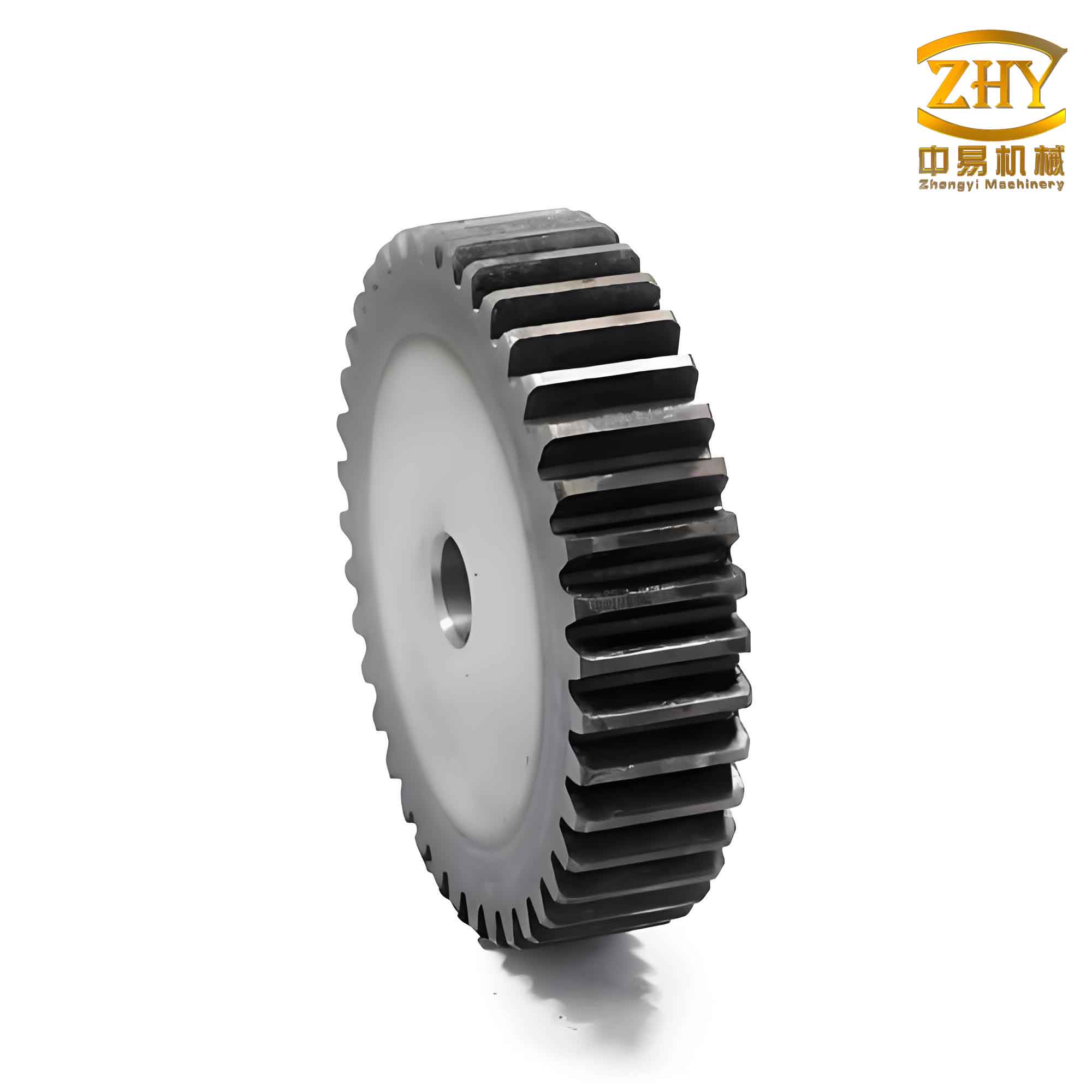
With the parametric spur and pinion gear model ready, I turned to secondary development using VB and AGW. The process initiates by establishing a connection between VB and PROE via AGW, which acts as a bridge. AGW exposes PROE’s API through a type library that can be referenced in VB, allowing direct calls to functions that retrieve, modify, and regenerate models. In my VB project, I first added the AGW control by referencing “GWAX RAND Automation Gateway V2.0-Type Library” in the project references. This step is crucial for accessing AGW’s classes and methods, such as those for model retrieval and parameter setting.
Next, I designed a graphical user interface (GUI) in VB to facilitate user input for the spur and pinion gear parameters. The interface includes text boxes for each design variable—number of teeth, module, pressure angle, face width, addendum coefficient, dedendum coefficient, and profile shift coefficient—along with a command button to trigger model generation. To enhance visual appeal, I embedded an image placeholder that could depict a spur and pinion gear, though in practice, this is linked to a schematic or photo. The GUI is framed under a caption like “Spur and Pinion Gear Parametric Modeling,” providing an intuitive platform for engineers to input specifications without delving into PROE directly. This interface is essential for customizing spur and pinion gears for various applications, from heavy machinery to precision instruments.
The core functionality resides in the VB code behind the GUI. Upon clicking the “Generate Gear Model” button, the program executes a sequence of AGW commands. First, it loads the base PROE model from a specified directory (e.g., “G:\PROE\EXCISE\gear.prt”) into memory using ModelRetrieve. Then, it sets this model as the active session with SessionSetCurrentModel. Following this, the code assigns values from the text boxes to the corresponding parameters in PROE via the ParamSetValue function. For instance, the parameter “Z” for tooth count is updated with the value from Text1.Text. Similarly, “M” for module, “ALPHA” for pressure angle, and others are set accordingly. These parameters drive the derived variables through the pre-defined relations, ensuring the spur and pinion gear geometry updates correctly. Finally, ModelRegenerate is called to rebuild the model with the new dimensions, resulting in a custom spur and pinion gear instance.
To illustrate, here is a simplified snippet of the VB code I developed for handling a spur and pinion gear:
Public gateway1 As New GwayAX

Private Sub Command1_Click()
    gateway1.ModelRetrieve("G:\PROE\EXCISE\gear.prt")
    gateway1.SessionSetCurrentModel("G:\PROE\EXCISE\gear.prt")

    gateway1.ParamSetValue("Z", Text1.Text)   ' Tooth count
    gateway1.ParamSetValue("M", Text2.Text)   ' Module
    gateway1.ParamSetValue("ALPHA", Text3.Text) ' Pressure angle
    gateway1.ParamSetValue("B", Text4.Text)   ' Face width
    gateway1.ParamSetValue("HAX", Text5.Text) ' Addendum coefficient
    gateway1.ParamSetValue("CX", Text6.Text)  ' Dedendum coefficient
    gateway1.ParamSetValue("X", Text7.Text)   ' Profile shift coefficient

    gateway1.ModelRegenerate
End Sub
This code demonstrates how seamlessly VB and AGW integrate to control PROE. Each ParamSetValue call modifies a specific gear parameter, and the regeneration process applies all changes, producing a new spur and pinion gear model. The entire operation is efficient, typically taking seconds, which is vital for iterative design processes.
Beyond basic modeling, this system supports advanced applications for spur and pinion gears. For example, in optimization scenarios, engineers can link the VB interface to algorithms that vary parameters like module or profile shift to minimize weight or maximize strength. The derived variables, computed via the formulas above, automatically adjust, enabling rapid prototyping. Moreover, for series production, the interface can be extended to generate multiple gear variants by looping through parameter sets, thereby automating the creation of entire gear families. This capability is particularly beneficial for industries that rely on customized spur and pinion gears, such as automotive or aerospace, where tailored components are common.
To further elucidate the mathematical underpinnings, let’s delve into the gear geometry. The involute function, fundamental to spur and pinion gear teeth, ensures constant velocity ratio and smooth engagement. The parametric equations given earlier stem from the geometric definition of an involute: the path traced by a point on a taut string unwinding from a circle. In practice, for a spur and pinion gear, the base circle radius $r_b$ is derived from the pitch diameter and pressure angle, as shown in Table 1. The pressure angle $\alpha$, typically 20° for standard spur and pinion gears, influences tooth strength and contact ratio. The contact ratio $C_r$, a measure of gear smoothness, can be calculated as:
$$ C_r = \frac{\sqrt{d_{a1}^2 – d_{b1}^2} + \sqrt{d_{a2}^2 – d_{b2}^2} – C \cdot \sin(\alpha)}{p_b} $$
where $d_{a1}$ and $d_{a2}$ are the tip diameters of the mating spur and pinion gears, $d_{b1}$ and $d_{b2}$ are their base circle diameters, $C$ is the center distance, and $p_b$ is the base pitch. This formula highlights the interdependence of parameters, which my parametric model encapsulates through relations.
In terms of implementation, the AGW functions offer robust error handling. For instance, if a user inputs an invalid value—say, a negative module—the ParamSetValue function may return an error code, which can be captured in VB to prompt corrections. This ensures reliability when designing spur and pinion gears. Additionally, the system can be enhanced with features like automatic drawing generation or bill of materials extraction, further leveraging PROE’s capabilities through AGW calls. For example, after generating a spur and pinion gear, one could use DrawingCreate to produce a 2D engineering drawing, streamlining the documentation process.
The advantages of this VB-AGW approach are multifaceted. Firstly, it democratizes PROE customization by lowering the programming barrier; engineers familiar with VB can readily develop tools without mastering C. Secondly, it enhances productivity by automating repetitive tasks—imagine generating hundreds of spur and pinion gear variants for a catalog. Thirdly, it fosters integration with other systems; VB can interface with databases or Excel to pull parameter sets, enabling data-driven design. However, a noted limitation is performance: since AGW intermediates between VB and PROE, execution might be slightly slower than native Pro/Toolkit solutions. Yet, for most applications involving spur and pinion gears, this delay is negligible compared to the time saved in manual modeling.
To concretize the process, consider a case study where I developed a spur and pinion gear for a conveyor system. The requirements included a module of 3 mm, 24 teeth, a pressure angle of 20°, and a face width of 20 mm. Using the VB interface, I entered these values, along with standard coefficients ($h_a^* = 1$, $c^* = 0.25$, $x = 0$). Upon clicking the generate button, PROE produced the gear model in under five seconds. I then varied the profile shift coefficient to $x = 0.5$ to adjust the tooth thickness for better wear resistance, and the model updated instantly. This flexibility is invaluable for optimizing spur and pinion gear designs across different load conditions.
Looking ahead, this methodology can be extended to other gear types, such as helical or bevel gears, by adapting the parametric relations. The core principle remains: define a base model with variables, then control it externally via VB and AGW. For spur and pinion gears specifically, the system can incorporate manufacturing considerations, like backlash or tolerance, by adding more parameters to the interface. Furthermore, with the rise of Industry 4.0, such tools can be linked to digital twins, allowing real-time gear simulation and adjustment based on sensor data from machinery.
In conclusion, the integration of VB and AGW for PROE secondary development offers a powerful avenue for parametric modeling of spur and pinion gears. By establishing a robust base model with comprehensive design and derived variables, and coupling it with an intuitive VB interface, engineers can rapidly generate customized gear geometries. This approach not only accelerates design cycles but also supports optimization and mass customization, key trends in modern manufacturing. As I continue to refine this system, I envision expanding it into a full-fledged library for spur and pinion gears, complete with analysis tools for stress and kinematics, ultimately pushing the boundaries of automated mechanical design.
Throughout this exploration, the spur and pinion gear serves as a perfect exemplar of how standard components can benefit from automation. The mathematical rigor of involute geometry, combined with the accessibility of VB and AGW, creates a synergy that enhances both creativity and efficiency. Whether for educational purposes or industrial applications, this framework empowers users to focus on innovation rather than repetitive modeling, paving the way for smarter, faster product development in the realm of gear technology.