
In my extensive experience within the field of mechanical design and power transmission system development, the accurate digital representation of components is paramount. Among these components, the helical gear stands out due to its superior operational characteristics, including smoother engagement, reduced vibration, and lower acoustic noise compared to its spur gear counterpart. These advantages make the helical gear a ubiquitous element in modern machinery, from automotive transmissions to industrial gearboxes. Consequently, the ability to create a geometrically precise three-dimensional model is critical for subsequent finite element analysis (FEA), computational fluid dynamics (CFD) of lubrication, toolpath generation for computer numerical control (CNC) machining, and overall assembly verification.
However, a persistent challenge I have observed lies in the common modeling techniques for helical gears found in numerous tutorials, including some official guides. These prevalent methods often employ approximations or substitutions that, while yielding a visually similar model, introduce geometric inaccuracies. Typically, the process involves creating a 2D profile of the tooth on one end face of the gear blank—sometimes even approximating the involute curve with circular arcs—then copying this profile to the opposite end face, rotating it by the helix angle, and finally using a lofted boss/base feature to generate a single tooth. This approach, though straightforward, suffers from two fundamental flaws that deviate from the physical reality of a machined helical gear.
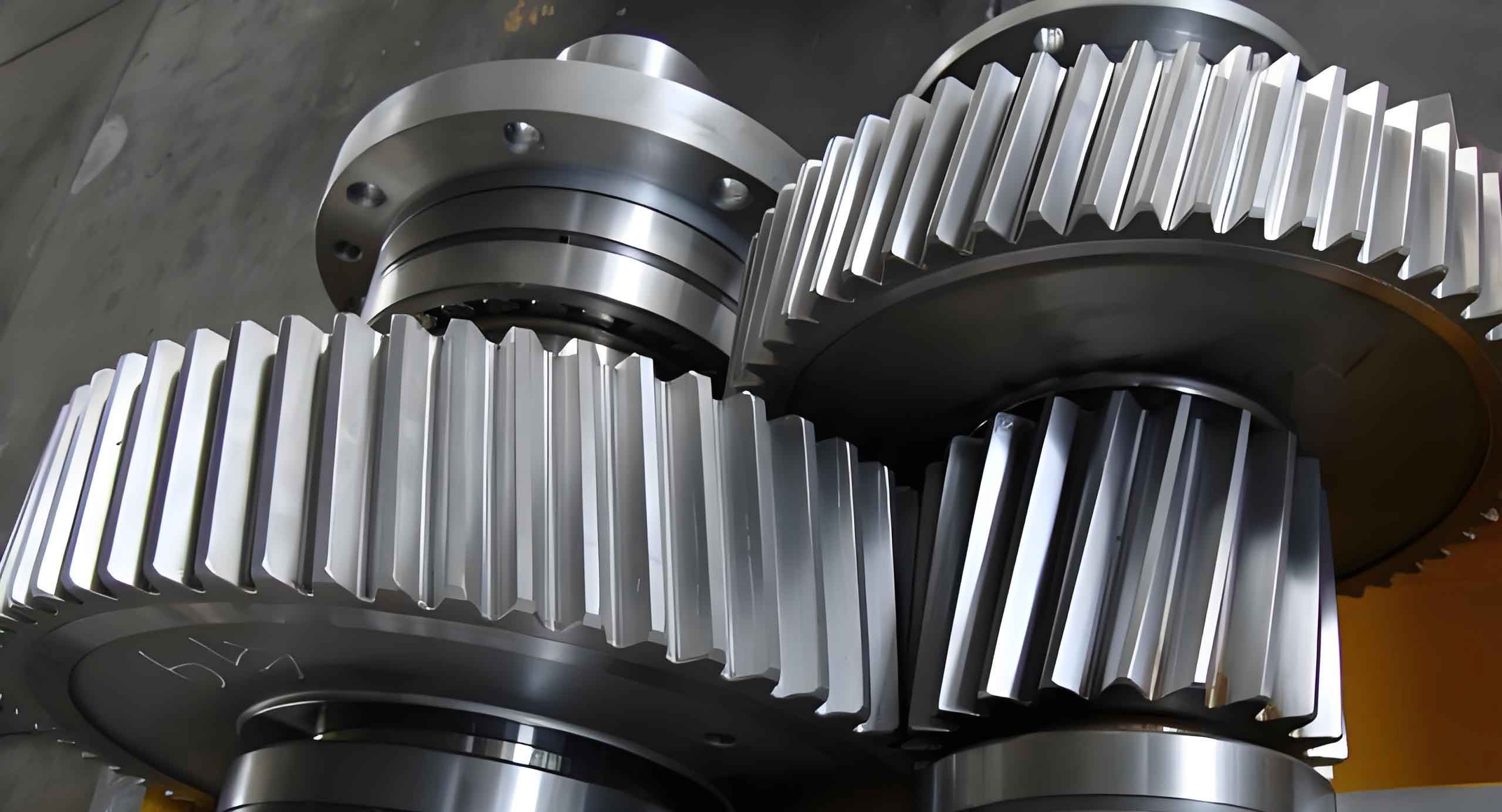
Firstly, the axial edge of the tooth generated by lofting between two rotated profiles projects as a straight line onto a plane perpendicular to the gear axis. This contradicts the true geometry where the tooth’s axial edge, following the helical path, should project as a curve. Secondly, and more critically from a gear theory perspective, the tooth profile on the transverse (end-face) section of a helical gear is not a true involute. Due to the helical twist, the true involute profile exists in the normal plane (a plane perpendicular to the tooth helix). Therefore, constructing the involute profile on the gear’s end face is inherently incorrect. The correct foundational sketch for modeling a helical gear tooth must be developed within the normal plane. This paper details a robust and precise modeling methodology for helical gears in SolidWorks that rigorously adheres to this principle, effectively simulating the generative machining process to produce a digitally exact counterpart of a physically manufactured helical gear.
Deficiencies of Conventional Helical Gear Modeling Approaches
To fully appreciate the proposed methodology, it is essential to understand the limitations of conventional techniques. The table below summarizes the key differences and shortcomings.
| Aspect | Conventional Lofting Method | Proposed Machining-Based Scan Method |
|---|---|---|
| Profile Plane | Sketch is created on the Transverse (End) Plane. | Sketch is created on the Normal Plane (perpendicular to the helix). |
| Profile Accuracy | Uses a transverse profile, which is not a true involute for a helical gear. May use approximated circular arcs. | Uses the true normal involute profile, which is the correct gear tooth geometry. |
| Feature Generation | Uses a Loft between two rotated profiles. | Uses a Swept Cut along a helical path. |
| Axial Edge Geometry | Results in a straight axial edge projection. Does not match manufactured part. | Results in a correct curved axial edge projection. Matches a machined helical gear. |
| Conceptual Basis | Geometric construction based on simplified shapes. | Direct simulation of the gear hobbing or shaping process. |
The core issue is that the conventional method does not emulate how a helical gear is actually produced. In manufacturing, a cutting tool with the correct normal involute profile moves along a helical path relative to the gear blank to carve out the tooth space. Our goal in CAD should be to replicate this process digitally.
The Foundation: Mathematical Definition of the Normal Involute
The journey to an accurate helical gear model begins with the precise definition of the tooth profile. For a standard helical gear, the tooth form in the normal plane is an involute of a circle. The parametric equations for an involute curve are universally given by:
$$
x = r_b (\cos(t) + t \sin(t))
$$
$$
y = r_b (\sin(t) – t \cos(t))
$$
Where:
$r_b$ is the radius of the base circle.
$t$ is the involute roll angle (or parameter), in radians.
For a helical gear, the base circle radius must be calculated using parameters from the normal plane. The key formulas are:
Normal Circular Pitch: $$ p_n = \pi m_n $$
Transverse Circular Pitch: $$ p_t = \frac{p_n}{\cos(\beta)} = \pi m_t $$
Transverse Module: $$ m_t = \frac{m_n}{\cos(\beta)} $$
Pitch Diameter: $$ d = m_t \cdot Z = \frac{m_n \cdot Z}{\cos(\beta)} $$
Base Circle Diameter (Transverse): $$ d_b = d \cdot \cos(\alpha_t) $$
Where:
$m_n$ = Normal module
$m_t$ = Transverse module
$Z$ = Number of teeth
$\beta$ = Helix angle (at pitch circle)
$\alpha_t$ = Transverse pressure angle, related to the normal pressure angle $\alpha_n$ by: $$ \tan(\alpha_t) = \frac{\tan(\alpha_n)}{\cos(\beta)} $$
Therefore, the base circle radius for our involute equation is: $$ r_b = \frac{d_b}{2} = \frac{m_n \cdot Z \cdot \cos(\alpha_t)}{2 \cos(\beta)} $$
To generate the curve in SolidWorks, we calculate discrete points on the involute. We select a range for the parameter $t$ that ensures the curve extends from the root circle to slightly beyond the addendum (tip) circle. This data is best managed externally. The workflow is:
- Define gear parameters ($Z$, $m_n$, $\beta$, $\alpha_n$, face width).
- Calculate $r_b$, $\alpha_t$.
- Choose a set of $t$ values (e.g., from 0 to 0.5 rad in steps of 0.02).
- Compute $(x, y)$ coordinates for each $t$ using the involute equations.
The following table illustrates a sample calculation for a helical gear with $Z=42$, $m_n=2$, $\beta=4^\circ 30′ 30”$ (approx. 4.5083°), and $\alpha_n=20^\circ$.
| Step (t) [rad] | Calculated x-coordinate | Calculated y-coordinate | Note |
|---|---|---|---|
| 0.000 | 79.4149 | 0.0000 | Starts at base circle. |
| 0.050 | 80.7178 | 4.0437 | |
| 0.100 | 82.5956 | 8.0568 | |
| 0.150 | 85.0482 | 12.0097 | |
| 0.200 | 88.0754 | 15.8735 | … |
| … (Continued) | … | … | |
| 0.400 | 108.1776 | 41.5951 | Extends past addendum. |
These coordinate pairs are saved in a simple text file with a `.txt` or `.sldcrv` extension. Within SolidWorks, using the `Insert > Curve > Curve Through XYZ Points` function allows us to import this file, creating a highly accurate fitted spline that represents the true normal involute. This method provides excellent accuracy while being computationally efficient, as it avoids defining a complex parametric equation within the CAD sketch environment.
Simulating the Machining Path: Defining the Helical Sweep
The essence of creating the helical gear tooth space is to sweep the normal involute profile along the path that a cutting tool would follow. This path is a helix defined on the pitch cylinder of the gear. In SolidWorks, a helix can be created on a cylindrical face or from a circular sketch. The critical parameter is the lead (or pitch) of the helix, which determines how steeply it ascends.
The lead $L$ is the axial distance required for one complete revolution of the helix. For a helical gear, the relationship between the lead, the pitch circle diameter, and the helix angle is fundamental:
$$ L = \frac{\pi \cdot d}{\tan(\beta)} $$
where $d$ is the pitch diameter calculated earlier. This formula ensures the helix angle $\beta$ is maintained at the pitch cylinder.
When defining the helix feature in SolidWorks, we specify it by `Height and Pitch`. The height is simply the face width of the helical gear. The pitch $P$ is the axial distance for one revolution, which is exactly the lead $L$. Therefore:
$$ P = L = \frac{\pi \cdot d}{\tan(\beta)} $$
This helix will serve as the precise `cutting path` for our sweep operation, perfectly defining the orientation of each normal cross-section along the gear’s axis.
Establishing the Critical Normal Plane Sketch
This is the pivotal step that differentiates this method. We must create a sketch plane that is perpendicular to the helical path at its starting point. This plane represents the orientation of the cutting tool’s profile as it begins the cut. In SolidWorks, this is achieved using the `Plane` creation tool.
- First, create a reference point at one endpoint of the helical curve.
- Then, create a new plane using the `Plane` tool. For the first reference, select the helical curve itself. For the second reference, select the endpoint point created in step 1. The software will automatically propose a plane `Perpendicular` to the curve at that point. This established plane is the Normal Plane.
It is on this Normal Plane that we will build the 2D profile of the gear tooth (or more precisely, the profile of the cutting tool that forms the tooth space).
Constructing the Complete Tooth Space Profile
The profile creation is a two-stage process involving sketches on two different planes: the Transverse (End) Plane and the previously defined Normal Plane.
Stage 1: Sketch on the Transverse (End) Plane
1. Select the gear’s end face as the sketch plane.
2. Draw construction circles for the Root Circle ($d_f = d – 2.5m_n$), Pitch Circle ($d$), and Addendum Circle ($d_a = d + 2m_n$).
3. Use the `Convert Entities` or `Intersection Curve` tool to project the 3D involute curve (created from XYZ points) onto this 2D sketch plane. This gives the transverse projection of one side of the tooth flank.
4. Draw a vertical centerline through the gear’s origin. This will be the axis of symmetry for one tooth space.
5. Mirror the projected involute curve about this centerline to create the opposite flank.
6. Trim the involute curves using the root and addendum circles as boundaries.
7. Draw a line from the origin to the point where one involute intersects the pitch circle. Apply a relation to constrain the angle between this line and the vertical centerline to $\theta = 360^\circ / (4Z)$. This ensures the correct angular thickness of the tooth at the pitch line.
8. Close the sketch by adding root fillet arcs (with radius ~$0.38m_n$ or per specific standard) tangent to the involutes and the root circle, and addendum arcs if necessary.
9. Exit the sketch. This sketch defines the boundaries of the tooth space as seen from the end view.
Stage 2: Deriving the Sketch on the Normal Plane
1. Create a new sketch on the Normal Plane that was established in the previous section.
2. Inside this sketch, use the `Convert Entities` tool. Select all the entities from the sketch created on the Transverse Plane (Stage 1).
3. A crucial event occurs: SolidWorks projects the transverse profile onto the Normal Plane. This projection mathematically transforms the shape, correctly mapping the transverse geometry to the normal orientation. The resulting closed contour on this Normal Plane is the exact 2D shape that must be swept along the helix to carve out the tooth space. This contour is not a simple rotation of the transverse sketch; it is the correct normal section of the tooth space.
Executing the Swept Cut to Create the Tooth Space
With both the profile (Normal Plane sketch) and the path (Helix) defined, we can now simulate the machining cut. This is done using the `Swept Cut` feature (`Insert > Cut > Sweep`).
- Open the Swept Cut command.
- For the `Profile`, select the sketch on the Normal Plane.
- For the `Path`, select the 3D helical curve.
- Under `Options`, ensure `Profile Orientation` is set to `Follow Path`. This keeps the profile perpendicular to the path at every point, maintaining the correct normal relationship throughout the sweep, just like a real cutting tool.
- Execute the command. SolidWorks will sweep the normal profile along the helical path, subtracting material from the gear blank and creating one perfectly formed helical gear tooth space.
The resulting feature exhibits the true geometry: the flanks are helicoidal surfaces, and the axial edges of the tooth space follow the correct helical trajectory.
Completing the Helical Gear Model
Following the creation of the first tooth space, the final steps are straightforward but essential for completing the digital helical gear model.
- Add Root Fillets: Apply constant-radius fillets to the root of the tooth space just created. This corresponds to the tool tip radius used in hobbing.
- Circular Pattern: Use the `Circular Pattern` feature. Select the swept cut feature and the root fillet feature as the `Features to Pattern`. For the axis, select the central axis of the gear cylinder. Set the number of instances to the number of teeth ($Z$) with equal spacing (360°). This patterns the single tooth space around the entire circumference, completing the toothed section of the helical gear.
- Final Details: Add any other necessary features such as keyways, hub details, bore holes, or chamfers.
Advantages and Engineering Applications of the Precise Model
The methodology described yields a helical gear model of significantly higher geometric fidelity. The advantages extend beyond mere visual accuracy and have tangible impacts on downstream engineering processes.
| Engineering Process | Benefit of Precise Helical Gear Model |
|---|---|
| Finite Element Analysis (FEA) | Accurate tooth contact stress and root bending stress calculations. Proper load distribution along the helical contact line. Reliable prediction of fatigue life. |
| Assembly & Interference Checking | Guarantees correct meshing with mating gears in virtual assemblies. Elimulates risk of unexpected contact or binding due to geometric errors. |
| CNC Machining & Toolpath Generation | The model can directly serve as the reference for programming gear hobbing or shaping machines. Simulated cuts will match actual machining results. |
| 3D Printing & Rapid Prototyping | Enables the creation of functional prototype helical gears for testing, as the printed geometry matches the design intent. |
| Lubrication & Thermal Analysis | Provides correct geometry for CFD analysis of oil flow and heat dissipation within the gear mesh. |
| Dimensional Inspection | The 3D model serves as the perfect digital master for coordinate measuring machine (CMM) inspection path planning and deviation analysis. |
Generalizability and Implementation Notes
While this article uses SolidWorks as the demonstration platform, the underlying principle is universally applicable to any professional parametric CAD system, such as Siemens NX, CATIA, PTC Creo, or Autodesk Inventor. The core workflow—defining a normal involute, creating a helical path, establishing a normal sketch plane, and performing a swept cut—is a fundamental CAD capability.
For efficiency, the process of generating the involute points and calculating gear geometry can be highly automated. Engineers can create Excel spreadsheets with built-in formulas, develop SolidWorks Macro (VBA) scripts, or utilize third-party gear generation add-ins that internally employ this correct methodology. The key is to ensure the add-in or script generates the profile on the correct plane relative to the helix.
Conclusion
The creation of an accurate helical gear model is a non-trivial task that requires a deep understanding of both gear geometry and the capabilities of CAD software. The common practice of lofting between rotated transverse profiles, while expedient, introduces geometric errors that make the model unsuitable for serious engineering analysis or as a direct basis for manufacturing. The method detailed herein provides a robust alternative. By rigorously adhering to the principle that the tooth profile of a helical gear is an involute in the normal plane and by simulating the generative machining process through a swept cut along a precisely defined helical path, we can create a three-dimensional model that is a true digital twin of a physical component. This approach ensures geometric correctness, enhances the reliability of subsequent simulations, and bridges the gap between design intent and manufacturability. For any mechanical engineer working with power transmission systems, mastering this precise modeling technique for helical gears is an invaluable skill that contributes significantly to product quality and development efficiency.