
In modern manufacturing, the integration of Computer-Aided Design (CAD) and Computer-Aided Manufacturing (CAM) has revolutionized how components are conceived, designed, and produced. This technology enables seamless transition from digital models to physical parts, particularly in precision machining. In this article, I explore the comprehensive process of simulating and generating数控 code for spur gears using CAD/CAM systems, with a focus on practical implementation through software like CAXA. Spur gears are fundamental elements in mechanical transmissions, and their accurate fabrication is critical for system performance. By leveraging CAD/CAM, I demonstrate how to model a spur gear, generate toolpaths, simulate machining, and produce G-code, all while emphasizing efficiency and accuracy. The use of simulations helps in optimizing parameters, reducing material waste, and preventing machine errors, making it an indispensable tool in advanced manufacturing.
CAD/CAM systems combine design and manufacturing processes into a cohesive workflow. Designers utilize CAD to create detailed 3D models, defining几何 features, dimensions, and tolerances. CAM then takes these models to plan machining operations, calculate tool trajectories, and generate instructions for数控 machines. This synergy allows for rapid prototyping, customization, and mass production. For spur gears, which require precise tooth profiles to ensure smooth meshing and power transmission, CAD/CAM ensures that the complex geometry of involute teeth is accurately replicated. I will delve into how CAXA software facilitates this, from initial建模 to final code generation, highlighting its features tailored for gear machining.
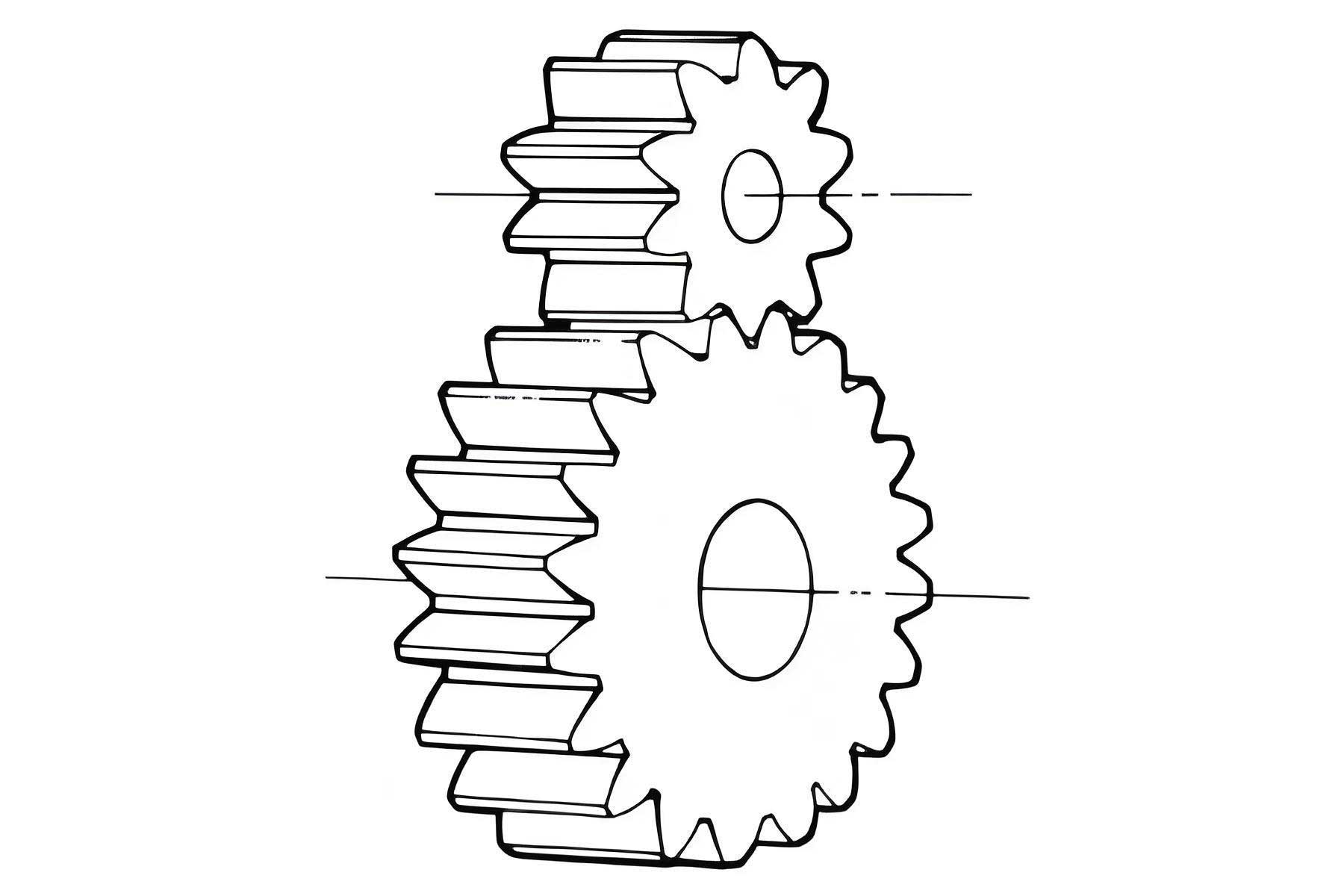
CAXA software, specifically CAXA Manufacturing Engineer, is a powerful CAD/CAM tool that supports a wide range of machining operations. Its capabilities are essential for handling the intricacies of spur gear production. Below, I summarize its core functionalities in a table, which underscores its relevance to齿轮加工.
| Feature | Description | Relevance to Spur Gear Machining |
|---|---|---|
| Feature-Based Solid Modeling | Uses precise entities like holes, slots, and extrusions to build models intuitively. | Enables accurate creation of spur gear teeth, hubs, and keyways through parametric design. |
| High-Speed Machining Support | Optimizes toolpaths for faster切削 speeds, improving surface finish and reducing cycle times. | Critical for efficiently machining the multiple teeth of a spur gear without compromising精度. |
| Parametric Trajectory Editing | Allows modification of加工 parameters post-generation for flexible adjustments. | Useful for fine-tuning toolpaths for spur gear profiles based on material or machine constraints. |
| Batch Trajectory Processing | Enables definition and later generation of multiple toolpaths in bulk. | Streamlines the process for producing multiple spur gears or complex gear assemblies. |
| Trajectory Simulation | Provides real-time, realistic visualization of machining processes to detect errors. | Allows verification of tool movements around spur gear teeth to avoid collisions and ensure accuracy. |
| Universal Post-Processing | Directly outputs G-code for various数控 systems without intermediate files. | Facilitates compatibility with different machines used for spur gear manufacturing. |
To begin the CAD/CAM process for a spur gear, the first step is to establish its geometric parameters. Spur gears are characterized by key dimensions that dictate their size and tooth form. I will consider a standard spur gear with specified values, as detailed in the table below. These parameters are essential for modeling and后续 machining.
| Parameter | Symbol | Value | Calculation Formula |
|---|---|---|---|
| Module | m | 3 | Given |
| Number of Teeth | Z | 32 | Given |
| Pressure Angle | α | 20° | Given |
| Pitch Diameter | D_p | 96 | $$ D_p = m \times Z $$ |
| Base Diameter | D_b | 90.2 | $$ D_b = D_p \times \cos(\alpha) $$ |
| Addendum Diameter | D_a | 102 | $$ D_a \approx D_p + 2m $$ |
| Face Width | B | 30 | Given |
The tooth profile of a spur gear is based on an involute curve, which ensures smooth rolling contact. The involute is derived from the base circle and can be expressed in polar coordinates. For modeling in CAD, I use the following parametric equations to define the involute shape for each tooth of the spur gear.
The polar equation for the involute curve is:
$$ \rho = D_b \times \tan(t) $$
where \( \rho \) is the radius from the base circle center, and \( t \) is the parameter angle in radians, typically ranging from 0 to the involute roll angle. For a full tooth flank, I consider \( 0 \leq t \leq 30^\circ \) (converted to radians as needed). This equation is fundamental for generating the precise geometry of spur gear teeth in the CAD environment.
In CAXA, I start by creating a new project and selecting the XY plane for草图. The modeling procedure involves several systematic steps to build the spur gear. I outline these steps in detail to ensure reproducibility for any spur gear design.
- Activate the sketch mode and draw circles for the base diameter (\( D_b = 90.2 \, \text{mm} \)) and addendum diameter (\( D_a = 102 \, \text{mm} \)) using the circle tool.
- Use the function curve tool to input the involute equation in polar form. Set the parameter \( t \) to vary from 0 to 30 degrees, generating one side of the tooth profile.
- Divide the base circle into \( 2Z \) points (i.e., 64 points for 32 teeth). Identify point “1” at the intersection with the positive X-axis and point “2” as the next point in the counterclockwise direction.
- Connect the endpoint of the involute curve to point “1”. Then, create a mirror image of this involute about the X-axis and connect its endpoint to point “2”. This forms a single tooth space.
- Trim excess curves to obtain a clean, closed轮廓 for one tooth gap of the spur gear.
- Use the circular array feature to replicate this profile around the gear center, creating the full set of 32 teeth. Ensure no open loops exist to maintain a solid model.
- Add internal features such as a central hole and keyway by sketching and subtracting them from the gear blank.
- Exit sketch mode and perform an extrusion operation to add material, setting the depth equal to the face width \( B = 30 \, \text{mm} \). This results in a complete 3D solid model of the spur gear, ready for CAM processing.
This modeling approach ensures that the spur gear adheres to standard geometric constraints. The accuracy of the involute profile is vital for the functional performance of the spur gear in transmission systems. By parameterizing these steps, I can easily modify values like module or tooth count to generate different spur gear variants.
With the spur gear model established, I proceed to the CAM phase for simulating数控 machining. The goal is to generate toolpaths that will mill the gear teeth from a raw blank. In CAXA, I use the planar contour machining strategy, which is suitable for 2.5-axis operations common in gear cutting. The process involves defining tool parameters,切削 conditions, and trajectory parameters, as summarized in the table below.
| Parameter | Value | Description |
|---|---|---|
| Reference Plane | Top Surface | Used as the starting point for toolpaths. |
| Layer Depth per Pass | 5 mm | Depth of cut for each machining layer. |
| Number of Layers | 6 | Total layers to achieve full face width of 30 mm. |
| Machining Tolerance | 0.01 mm | Precision for toolpath generation. |
| Spindle Speed | 100 rpm | Rotational speed of the milling tool. |
| Feed Rate | 80 mm/min | Speed of tool movement during cutting. |
| Tool Type | End Mill | Used for contouring spur gear teeth. |
| Tool Radius | 5 mm | Radius of the milling cutter. |
| Corner Radius | 2.5 mm | Radius of the tool’s corner for smoother cuts. |
The toolpath generation follows these steps in CAXA. First, I select the gear’s outer轮廓 from the model using the相关线 function. Then, I access the trajectory generation menu, choose planar contour machining, and input the parameters from Table 3. The software computes the toolpath by offsetting the spur gear profile based on tool geometry, resulting in a series of layered paths that spiral down through the material. Each layer corresponds to a 5 mm depth, and the tool moves around the tooth spaces to carve out the spur gear shape. The generated trajectory appears as multiple concentric loops around the gear, visually representing the cutter’s path.
To validate the toolpath, I run a simulation within CAXA. The trajectory simulation module allows for real-time visualization of the machining process. I select the generated轨迹 and initiate the simulation, which displays the tool removing material layer by layer. This helps in detecting potential issues such as collisions, overcuts, or undercuts specific to the spur gear geometry. The simulation confirms that the toolpath accurately follows the involute tooth profile, ensuring that the final spur gear will meet dimensional requirements. Adjustments can be made by tweaking parameters like tool entry/exit points or cutter dimensions to optimize the process for different spur gear designs.
Once the toolpath is verified, the next step is to generate数控 code, commonly known as G-code, which controls the milling machine. CAXA includes a post-processor that converts the trajectory data into G-code compatible with various数控 systems. The post-processing settings are configurable to match specific machine controllers, ensuring that the code for machining the spur gear is directly usable. I navigate to the post-processing menu, select the appropriate machine template, and generate the G-code file. This file contains hundreds to thousands of lines of instructions, detailing movements, speeds, and tool changes for fabricating the spur gear.
As an example, a snippet of G-code for spur gear machining might include commands like linear interpolations (G01) to follow the involute curve and circular interpolations (G02/G03) for rounding features. The code is saved as a text file (.txt) and can be transferred to a数控铣床 for actual production. By simulating the G-code execution in software beforehand, I can further verify that no errors occur during physical machining, thus safeguarding equipment and reducing scrap rates for spur gear components.
The integration of CAD/CAM for spur gear machining offers numerous advantages. It enhances precision by leveraging mathematical models for tooth profiles, reduces lead times through automated toolpath generation, and minimizes human error via simulations. However, the effectiveness depends on proper parameter selection. I have compiled a summary of best practices in the table below, drawing from the spur gear example discussed.
| Aspect | Recommendation | Rationale |
|---|---|---|
| Model Accuracy | Use exact involute equations and precise parameter inputs. | Ensures the spur gear teeth mesh correctly in assemblies. |
| Tool Selection | Choose end mills with appropriate radii to match tooth根 fillets. | Prevents stress concentrations and improves spur gear durability. |
| Cutting Parameters | Optimize layer depths and feed rates based on material hardness. | Balances machining efficiency and tool life for spur gear production. |
| Simulation | Always run full trajectory simulations before generating G-code. | Identifies potential collisions or inaccuracies in spur gear machining. |
| Post-Processing | Configure post-processor settings to match the target数控 machine. | Guarantees that G-code is executable for spur gear fabrication. |
Looking ahead, advancements in CAD/CAM technology continue to benefit spur gear manufacturing. Techniques like multi-axis machining allow for more complex gear forms, while adaptive toolpaths can further optimize material removal rates. Additionally, the rise of additive manufacturing (3D printing) integrated with CAD/CAM enables rapid prototyping of spur gears in various materials. I anticipate that future software will offer even more sophisticated simulation tools, such as thermal and structural analysis during machining, to enhance the quality and performance of spur gears.
In conclusion, the CAD/CAM approach for spur gear数控 machining represents a powerful methodology that bridges design and production. Through CAXA software, I have demonstrated how to model a spur gear using involute geometry, generate efficient toolpaths, simulate the cutting process, and produce ready-to-use G-code. This workflow not only ensures accuracy but also promotes innovation in gear design. By embracing these digital tools, manufacturers can achieve higher productivity and better-quality spur gears, driving progress in industries ranging from automotive to robotics. The continuous evolution of CAD/CAM systems promises to further streamline the creation of precision components like spur gears, making advanced manufacturing more accessible and reliable.