
In our ongoing project focused on advanced manufacturing systems, we have dedicated significant efforts to enhancing the efficiency and usability of computer numerical control (CNC) machine tools specifically designed for processing spiral bevel gears. These gears are critical components in various mechanical transmissions, such as those found in automotive and aerospace applications, due to their ability to transmit power between intersecting shafts at high loads and speeds. The machining of spiral bevel gears involves complex geometric adjustments and precise control parameters, which traditionally required manual programming and frequent adjustments on standard CNC interfaces. This process was not only time-consuming but also prone to human error, leading to increased production costs and potential quality issues. To address these challenges, we embarked on developing a customized human-machine interface (HMI) using EasyXML for Siemens CNC systems, aiming to streamline operations and improve productivity in spiral bevel gear manufacturing.
The core motivation behind this development stems from the inherent complexities in spiral bevel gear machining. Each gear set requires unique cutting parameters, such as machine tool settings for generating the gear tooth geometry, including cradle angle, ratio of roll, horizontal and vertical wheel positions, and other auxiliary parameters like feed rates and spindle speeds. In conventional CNC systems, operators had to manually input these parameters into R-variables within the NC program, a tedious and error-prone task. Our solution leverages the open architecture of Siemens CNC systems, particularly the 828D and 840D sl models, combined with the flexibility of EasyXML programming language, to create an intuitive HMI that automates parameter management and program generation. This approach not only simplifies the workflow for operators but also ensures consistency and accuracy in spiral bevel gear production.
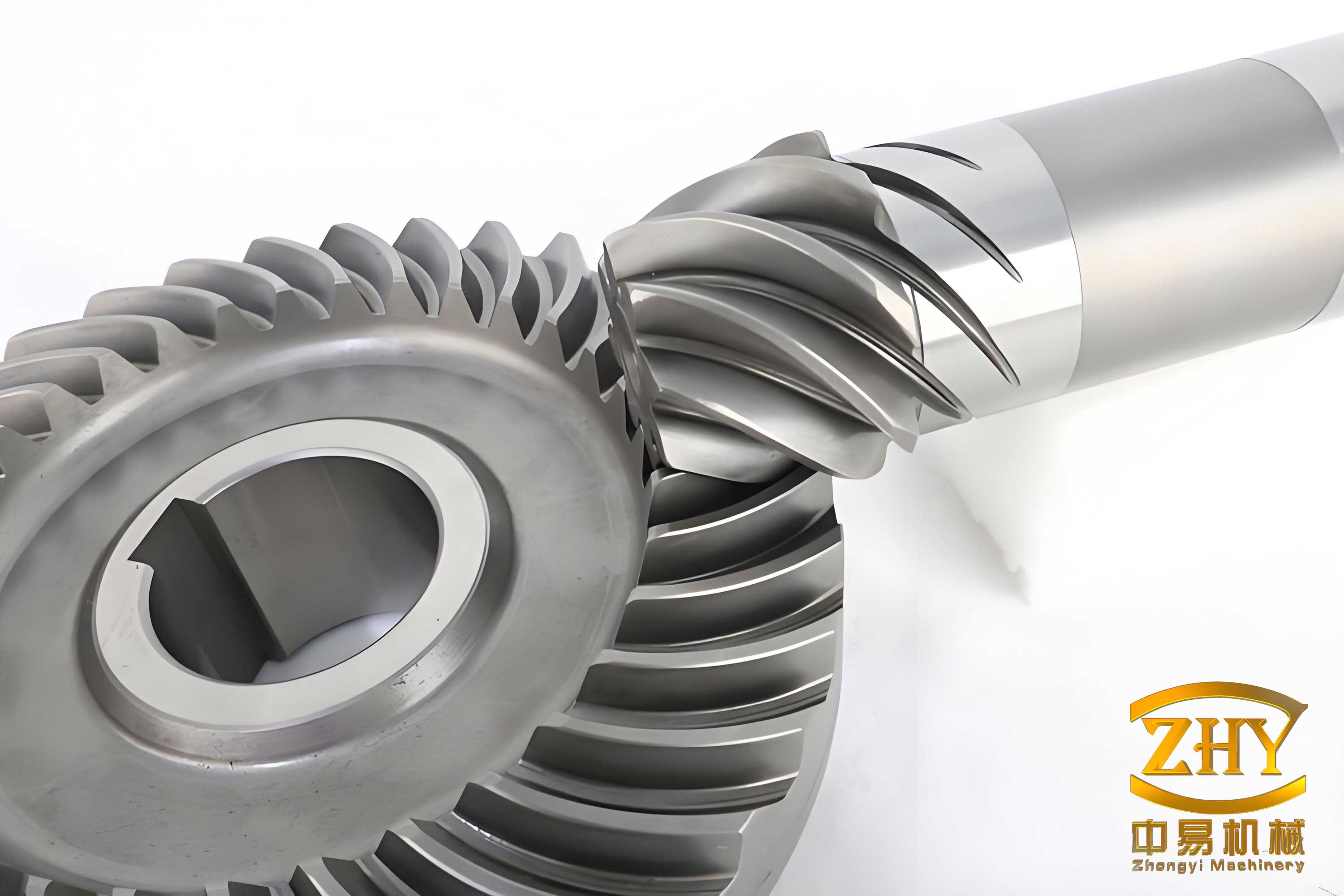
To provide context, spiral bevel gears are characterized by their curved teeth, which allow for smoother engagement and higher load capacity compared to straight bevel gears. The manufacturing process typically involves multi-axis CNC machines that simulate the gear generation principle, requiring precise synchronization of movements and real-time adjustments. Our development environment centers on EasyXML, a markup language used for configuring HMIs in Siemens CNC systems. EasyXML enables developers to design custom dialog screens, integrate graphical elements, and interact with system variables through a structured XML-based approach. We utilized this capability to build a dedicated interface that caters specifically to the needs of spiral bevel gear machining, replacing the generic Siemens Operate interface with a tailored solution.
The project began with an analysis of the typical workflow in spiral bevel gear production. We identified three main functional modules: process parameter management, file handling, and machining operations. Each module was designed to address key pain points, such as the need for quick parameter adjustments and seamless file manipulation. The HMI was developed to run on Siemens 828D CNC systems, which are commonly used in gear manufacturing due to their robustness and support for multiple axes. By using EasyXML, we created a series of XML files that define the interface layout, control logic, and data interactions, stored in the manufacturer directory of the CNC system’s CF card. This structure allows for easy deployment and updates across multiple machines.
In the following sections, we will delve into the technical details of our HMI development, starting with an overview of the EasyXML environment and its integration with Siemens CNC systems. We will then describe the interface design, including the functional modules and their implementation through XML scripting. To enhance clarity and provide a comprehensive summary, we will incorporate tables and formulas that illustrate key parameters and calculations involved in spiral bevel gear machining. Throughout this discussion, the term “spiral bevel gear” will be emphasized to underscore its centrality to our work.
Application Development Environment: EasyXML and Siemens CNC Systems
Our development efforts were grounded in the open architecture of Siemens CNC systems, which provide extensive support for customization through manufacturer-specific applications. The Siemens 828D CNC system, in particular, offers a flexible HMI framework that can be extended using EasyXML, a programming language based on XML syntax. EasyXML allows developers to create custom dialog windows, soft keys, and data displays that integrate seamlessly with the standard Siemens Operate interface. This capability is crucial for developing specialized applications, such as those for spiral bevel gear machining, where standard interfaces fall short in usability.
The file structure for an EasyXML-based project is organized within the OEM directory on the CNC system’s CF card. Key files include configuration files, XML scripts for dialogs, and bitmap images for graphics. For instance, the main configuration file, typically named “xmldial.xml,” serves as the entry point for the custom HMI. It includes references to other XML files that define specific dialog screens, such as those for parameter input or file management. Below is a summary of the file organization in a table format:
| File Type | Directory Path | Purpose |
|---|---|---|
| Configuration File (xmldial.xml) | /oem/sinumerik/hmi/ | Entry point for custom HMI; includes dialog definitions and navigation. |
| Dialog XML Files | /oem/sinumerik/hmi/appl/ | Define custom dialog screens for specific functions (e.g., parameter input). |
| Bitmap Images | /oem/sinumerik/hmi/ico/ | Provide graphical elements for the interface (e.g., icons, backgrounds). |
The integration of EasyXML with Siemens CNC systems relies on data access mechanisms that allow the HMI to read and write system variables, such as R-parameters. R-parameters are global variables in Siemens NC programming that can store numerical values and be used in NC code for dynamic adjustments. In spiral bevel gear machining, R-parameters hold critical adjustment values like cradle angle (R[150]), ratio of roll (R[153]), and tool spindle speed (R[112]). Our HMI accesses these variables through EasyXML tags, enabling real-time display and modification. For example, to display the ratio of roll, we use a control element with a reference to “nck/Channel/Parameter/R[153]” in the XML code.
The development process involved creating multiple dialog screens that correspond to the functional modules. Each dialog is defined in a separate XML file and linked through the main configuration file. EasyXML supports various control elements, such as edit fields, read-only displays, buttons, and soft keys, which we utilized to build an interactive interface. Additionally, we incorporated functions for file operations, such as reading from and writing to text files, to manage parameter sets for different spiral bevel gear designs. This file-based approach allows operators to save and load configurations, facilitating batch production and reducing setup times.
Interface Development for Spiral Bevel Gear Machining
Based on the requirements analysis, we designed the HMI around three core modules: Process Parameters, File Management, and Machining Operations. These modules are accessible from a main menu screen, which serves as the hub for all activities. The interface was developed to guide operators through a logical workflow, from inputting gear parameters to executing the NC program. Below, we describe each module in detail, highlighting the use of EasyXML elements and the integration with CNC system variables.
Main Interface
The main interface is the first screen displayed when the custom HMI is activated. It provides navigation soft keys to the three functional modules, along with a background image that visually represents spiral bevel gear manufacturing. In EasyXML, this is implemented using a form element with paint sections for graphics and menu definitions for soft keys. The core XML code snippet for the main interface includes:
- Soft keys for “Machining,” “Process Parameters,” and “File Management.”
- A background image stored as a bitmap file.
- Navigation commands to link to other dialog screens.
This design ensures that operators can quickly access the needed functions without navigating through complex standard menus, thereby improving efficiency in spiral bevel gear production.
Process Parameters Module
The Process Parameters module is central to spiral bevel gear machining, as it allows operators to input and view the adjustment parameters required for gear generation. These parameters are derived from the gear design and cutting theory, and they must be precisely set to achieve the desired tooth geometry. In our HMI, this module consists of a dialog screen that displays a list of parameters, such as cradle angle, ratio of roll, horizontal and vertical wheel positions, and auxiliary settings like feed rates and spindle speeds. The values are linked to R-variables in the CNC system, enabling real-time updates.
To illustrate the key parameters involved in spiral bevel gear machining, we have summarized them in the following table, along with their corresponding R-variable addresses and typical value ranges:
| Parameter Name | R-Variable Address | Description | Typical Range |
|---|---|---|---|
| Cradle Angle | R[150] | Angle of the cradle in the gear generating process. | 0° to 360° |
| Ratio of Roll | R[153] | Roll ratio between the workpiece and tool. | 1.0 to 5.0 |
| Horizontal Wheel Position | R[155] | Horizontal position of the cutting tool. | -100 to 100 mm |
| Vertical Wheel Position | R[156] | Vertical position of the cutting tool. | -50 to 50 mm |
| Tool Spindle Speed | R[112] | Rotational speed of the cutting tool. | 1000 to 5000 rpm |
| Feed Rate | R[120] | Feed rate during cutting. | 10 to 200 mm/min |
The dialog screen for process parameters is defined in an XML file named “canshu.xml.” It includes control elements for each parameter, configured as read-only or edit fields based on the context. For instance, when viewing parameters, the fields are set to read-only to prevent accidental changes; however, in edit mode, operators can modify the values, which are then written back to the R-variables. The EasyXML code for displaying the ratio of roll is as follows:
<control name="c05" xpos="163" ypos="230" refvar="nck/Channel/Parameter/R[153]" hotlink="true" fieldtype="Readonly" format="%.0f">
This code creates a control at specified coordinates that references R[153] and displays its value with no decimal places. The “hotlink” attribute ensures that the display updates in real-time as the R-variable changes.
In addition to displaying parameters, this module includes functionality to generate NC programs based on the input values. When an operator presses the “Upload” soft key, the HMI triggers a background process that compiles the R-variables into an NC code sequence for spiral bevel gear cutting. This automation eliminates the need for manual programming and reduces the risk of errors. The generation logic can be expressed using mathematical formulas that relate the adjustment parameters to machine movements. For example, the relationship between cradle angle and tool path can be described by a kinematic equation. In spiral bevel gear machining, the basic generating motion involves the rotation of the cradle and the workpiece, which can be modeled as:
$$ \theta_c = f(\theta_w, R_r) $$
where $\theta_c$ is the cradle angle, $\theta_w$ is the workpiece rotation angle, and $R_r$ is the ratio of roll. This formula is embedded in the NC program generation routine, ensuring that the machine tool follows the correct trajectory for gear tooth formation.
File Management Module
The File Management module enables operators to handle parameter sets for different spiral bevel gear designs. Each parameter set is stored in a text file on the CNC system’s CF card, containing values for all adjustment parameters. This module provides functions to create, modify, delete, and upload these files, facilitating efficient management of multiple gear configurations. The interface includes a list of available files, with details such as file name and associated parameters, allowing operators to select and load configurations quickly.
The core of this module is implemented in XML files like “rcp_manage.xml” for the main file management screen and “recipe_modify.xml” for editing functions. The HMI uses EasyXML functions to perform file operations, such as reading from and writing to text files. For example, when a file is selected, the HMI reads its content and populates the parameter display fields. The code for reading parameters from a file involves a function body that splits the text content into individual values. Below is a simplified representation of the logic:
<function_body name="readpara_subfunc">
  <function name="doc.readfromfile" return="paralist_readall"> currentconfigfile_path </function>
  <function name="string.split" return="paralist_splitname"> paralist_readall, _T";", value_num </function>
  <op>sp_namevar0=paralist_splitname[1]</op>
</function_body>
This code reads a file from the specified path, splits its content based on a delimiter (e.g., semicolon), and assigns the values to variables for display. Similarly, for saving changes, the “doc.writetofile” function is used to write updated parameters back to the file.
To illustrate the file structure, consider a typical parameter file for a spiral bevel gear. It might contain values in a comma-separated format, such as “150, 2.5, 10.0, -5.0, 3000, 100” corresponding to cradle angle, ratio of roll, horizontal position, vertical position, spindle speed, and feed rate, respectively. The HMI parses this data and maps it to the appropriate R-variables. The file management operations are crucial for supporting small-batch production of spiral bevel gears, where each gear set may require unique settings.
Machining Module
The Machining module provides real-time feedback during the cutting process, displaying critical information such as axis positions, tool spindle speed, and current NC block. This module is designed to enhance operational awareness and allow for monitoring of spiral bevel gear machining progress. The interface includes numerical displays for each axis (e.g., X, Y, Z coordinates) and other parameters, all linked to system variables through EasyXML.
For instance, to display the current position of the X-axis, we use a control element referencing “nck/Channel/GeometricAxis/actProgPos[1]”, which holds the programmed position of the first geometric axis. The XML code might look like:
<control name="edit01" xpos="60" ypos="60" refvar="nck/Channel/GeometricAxis/actProgPos[1]" hotlink="true" width="80" height="25" fieldtype="readonly" format="%6.3f">
This ensures that operators can verify machine movements and detect any deviations during spiral bevel gear cutting. Additionally, the module may include visual indicators for status, such as cycle start or alarm conditions, though these are implemented using bitmap images and conditional displays in EasyXML.
The machining process for spiral bevel gears involves complex multi-axis motions that can be described by kinematic equations. For example, the tool path relative to the workpiece can be derived from the generating plane theory, which is fundamental to spiral bevel gear design. A simplified formula for the tooth surface generation is:
$$ \vec{r}(u, v) = \vec{r}_0 + u \cdot \vec{t} + v \cdot \vec{n} $$
where $\vec{r}$ is the position vector on the tooth surface, $\vec{r}_0$ is a reference point, $u$ and $v$ are parameters, $\vec{t}$ is the tangent vector, and $\vec{n}$ is the normal vector. In practice, the CNC program calculates these vectors based on the adjustment parameters, and the HMI displays the resulting coordinates for verification.
Implementation Details and Technical Insights
Our implementation of the HMI for spiral bevel gear machine tools involved extensive use of EasyXML programming to create a responsive and user-friendly interface. The development process followed a structured approach: first, we defined the dialog screens and their layouts; second, we implemented the data binding to R-variables and file systems; third, we tested the interface on actual Siemens 828D CNC systems in a production environment. Throughout this process, we focused on optimizing performance and ensuring compatibility with existing spiral bevel gear machining practices.
One key aspect was the handling of R-variables, which serve as the bridge between the HMI and the NC program. We developed a mapping table that correlates each adjustment parameter to an R-variable address, as shown in Table 2. This mapping is used in the EasyXML code to read and write values. For example, when an operator changes the ratio of roll in the interface, the HMI executes a write operation to update R[153], which the NC program then uses to adjust the machine motions. The write operation in EasyXML can be performed using a function like:
<op>nck/Channel/Parameter/R[153] = new_value</op>
This direct access to system variables enables dynamic control over the machining process, which is essential for spiral bevel gear production where parameters may need tweaking during setup.
Another important feature is the file management system, which allows for storing and retrieving parameter sets. We designed the file format to be simple text, with values separated by delimiters for easy parsing. The HMI includes error handling for file operations, such as checking for invalid paths or corrupted data. This robustness ensures that operators can rely on the system for daily production tasks involving multiple spiral bevel gear designs.
To further enhance the interface, we incorporated formulas that calculate derived parameters based on input values. For instance, the feed rate for roughing and finishing cuts in spiral bevel gear machining can be computed using empirical formulas that depend on material properties and gear geometry. A common formula for feed rate ($F$) in mm/min is:
$$ F = k \cdot \sqrt{d \cdot m} $$
where $k$ is a material constant, $d$ is the gear diameter, and $m$ is the module. In our HMI, such calculations can be implemented using EasyXML functions that perform arithmetic operations, allowing operators to input basic data and get optimized parameters automatically. This reduces the need for manual calculations and improves accuracy.
Below is a summary table of common formulas used in spiral bevel gear machining, which we integrated into the HMI logic for parameter optimization:
| Parameter | Formula | Variables Description |
|---|---|---|
| Cradle Angle Adjustment | $\theta_c = \theta_{c0} + \Delta \theta$ | $\theta_{c0}$: base angle, $\Delta \theta$: correction factor. |
| Ratio of Roll | $R_r = \frac{N_g}{N_p}$ | $N_g$: number of gear teeth, $N_p$: number of pinion teeth. |
| Tool Spindle Speed | $S = \frac{v \cdot 1000}{\pi \cdot D}$ | $v$: cutting speed (m/min), $D$: tool diameter (mm). |
| Feed Rate | $F = f_z \cdot Z \cdot S$ | $f_z$: feed per tooth (mm), $Z$: number of tool teeth. |
These formulas are embedded in the background logic of the HMI, either through direct computation in EasyXML or by calling external scripts if needed. For example, when an operator inputs the gear tooth count, the HMI can automatically calculate the ratio of roll and update the corresponding R-variable. This automation streamlines the setup process for spiral bevel gear machining.
Conclusion and Future Work
In conclusion, our development of a customized HMI for CNC spiral bevel gear machine tools using EasyXML has proven to be a significant advancement in manufacturing efficiency. By replacing the standard Siemens interface with a tailored solution, we have simplified the complex process of parameter management and program generation for spiral bevel gear production. The interface’s three modules—Process Parameters, File Management, and Machining—provide a comprehensive workflow that reduces operator error and setup time. The integration with R-variables and file systems ensures real-time control and flexibility, supporting the diverse requirements of spiral bevel gear manufacturing.
The use of EasyXML allowed us to create a rich graphical interface with minimal reliance on low-level programming, leveraging the existing capabilities of Siemens CNC systems. Through tables and formulas, we have summarized key aspects of the development, highlighting the technical details that make this HMI effective. The repeated emphasis on “spiral bevel gear” throughout this article underscores the specialized nature of our work and its importance in precision engineering.
Looking ahead, we plan to extend this HMI with additional features, such as predictive maintenance alerts, advanced simulation tools for spiral bevel gear tooth contact analysis, and integration with factory networks for data logging. We also aim to adapt the interface for other gear types, but the core focus will remain on enhancing spiral bevel gear machining. The success of this project in commercial deployments demonstrates the value of custom HMI development in modern CNC systems, and we believe it sets a benchmark for future innovations in the field.
Overall, this project exemplifies how open CNC architectures and scripting languages like EasyXML can be harnessed to address specific industrial challenges, particularly in the domain of spiral bevel gear manufacturing. By combining theoretical knowledge with practical implementation, we have created a tool that not only improves productivity but also empowers operators to achieve higher quality in spiral bevel gear production.