
In the realm of mechanical design, spur gears are fundamental components for transmitting rotational motion and torque between parallel shafts. Their simplicity, efficiency, and reliability make them ubiquitous in machinery, from automotive systems to industrial equipment. As a designer, I often seek efficient methods to create accurate 3D models of spur gears for simulation, analysis, and manufacturing. While many commercial CAD software packages offer gear modeling capabilities, they often require external plugins or complex procedures. In this article, I will delve into a method for drawing involute spur gears using Solid3000, a domestic 3D CAD software. This approach utilizes the software’s intrinsic functions, such as equation-driven curves and parametric sketching, to generate precise gear geometry without relying on additional tools. By focusing on spur gears, I aim to provide a detailed guide that highlights the versatility of Solid3000 in handling standard mechanical elements. Throughout this discussion, I will emphasize the importance of spur gears in engineering applications and demonstrate how to leverage CAD technology for their design.
Solid3000 is a 3D CAD software developed domestically, known for its user-friendly interface and robust modeling capabilities. As I explored its features, I found that it supports a wide range of design tasks, from part modeling to assembly creation. One of its strengths lies in its comprehensive standard parts library, which includes fasteners, seals, and other components based on national and industry standards. This library significantly streamlines the design process, especially for mechanical systems involving spur gears. Additionally, Solid3000 offers rich data exchange interfaces, allowing seamless import and export of files from other CAD systems like CATIA, Pro/ENGINEER, UG, and Inventor. This interoperability is crucial when collaborating on projects that involve spur gear assemblies. The software’s core is built on Parasolid technology, ensuring high precision and reliability in geometric computations. For gear modeling, Solid3000 provides tools like equation curves, which are essential for generating complex shapes such as the involute profile of spur gears. I appreciate how the software balances advanced functionality with accessibility, making it suitable for both beginners and experienced designers working on spur gear projects.
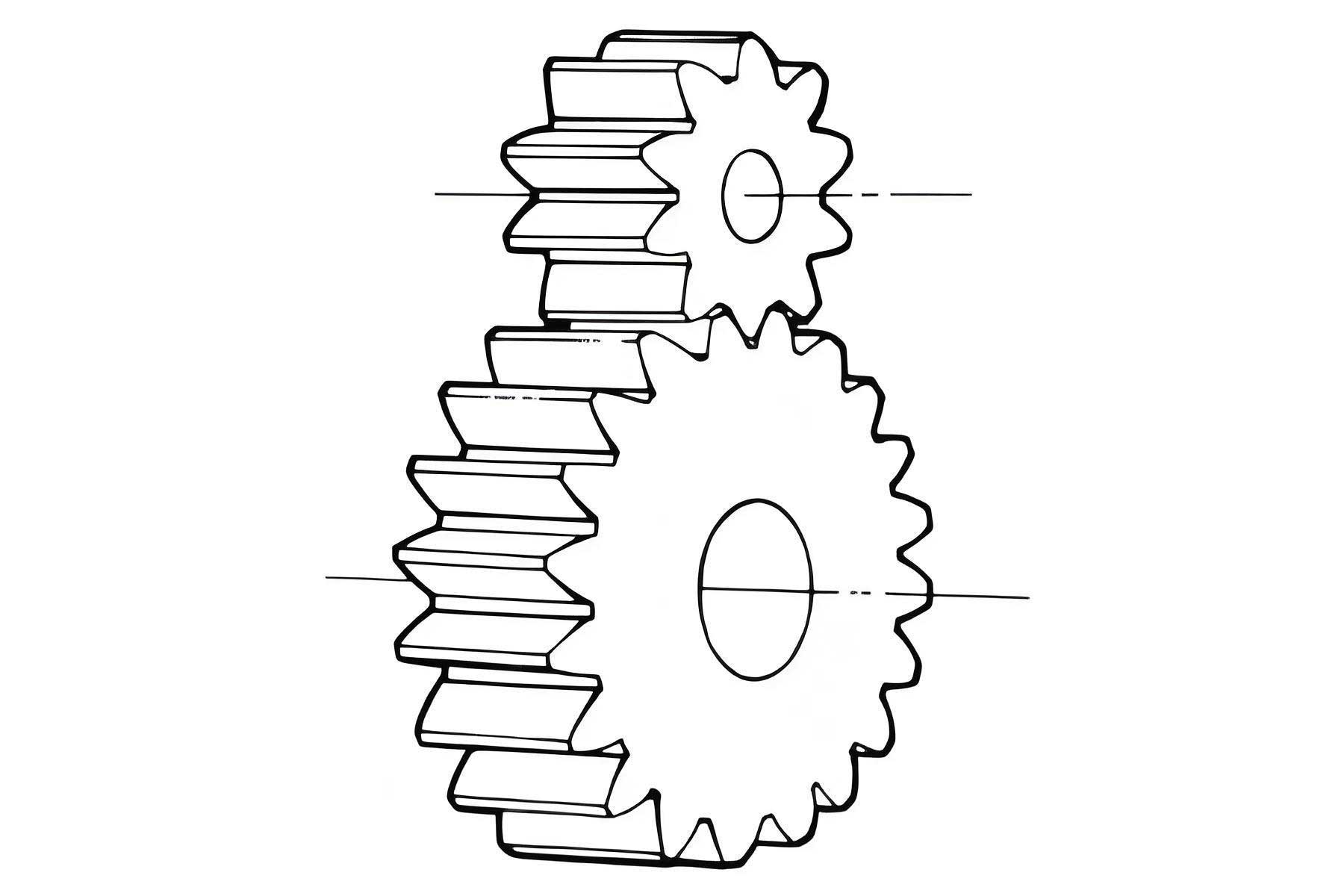
The involute curve is the foundation of modern spur gear design, as it ensures smooth and constant velocity transmission between meshing gears. From a mathematical perspective, the involute of a circle is defined by tracing a point on a taut string as it unwinds from the circle. For spur gears, this circle is the base circle, and the involute form determines the tooth profile. The parametric equations for an involute curve are given by:
$$ x = r_b (\cos(\theta) + \theta \sin(\theta)) $$
$$ y = r_b (\sin(\theta) – \theta \cos(\theta)) $$
Here, \( r_b \) represents the base radius of the spur gear, and \( \theta \) is the involute angle parameter, typically measured in radians. These equations describe the path of a point on the involute relative to the base circle center. In Solid3000, I can input these equations directly using the “Equation Curve” function to generate the curve. This capability is pivotal for creating accurate spur gear teeth, as it allows me to define the geometry parametrically. The base radius is derived from the gear’s module and number of teeth, which are key parameters in spur gear design. By adjusting these parameters, I can model spur gears of different sizes and specifications, ensuring that the involute profile adheres to standard gear theory.
To design a spur gear, several geometric parameters must be calculated based on the module (m) and number of teeth (z). The module is a fundamental parameter that defines the size of the spur gear teeth, and it is standardized to ensure compatibility. The following table summarizes the essential formulas for spur gear dimensions, which I use consistently in my modeling process:
| Parameter | Symbol | Formula | Description |
|---|---|---|---|
| Module | m | Given | Defines tooth size for spur gear |
| Number of teeth | z | Given | Determines gear size and ratio |
| Pitch diameter | d | $$ d = m \cdot z $$ | Reference diameter for spur gear meshing |
| Base diameter | d_b | $$ d_b = d \cdot \cos(\alpha) $$ | Diameter of base circle for involute spur gear, where \( \alpha \) is pressure angle (typically 20°) |
| Addendum diameter | d_a | $$ d_a = d + 2m $$ | Outer diameter of spur gear |
| Dedendum diameter | d_f | $$ d_f = d – 2.5m $$ | Root diameter of spur gear (for standard full-depth teeth) |
| Circular pitch | p | $$ p = \pi \cdot m $$ | Distance between adjacent teeth on spur gear pitch circle |
| Tooth thickness | t | $$ t = \frac{p}{2} $$ | Thickness of spur gear tooth at pitch circle |
These formulas are critical for defining the spur gear’s geometry before modeling in Solid3000. For example, if I want to design a spur gear with a module of 4 mm and 22 teeth, the pitch diameter is 88 mm, the addendum diameter is 96 mm, and the dedendum diameter is 78 mm, assuming a standard pressure angle of 20°. This parametric approach allows me to quickly adapt the spur gear design for different requirements, such as varying torque loads or space constraints. In Solid3000, I can embed these formulas into sketches or use them to drive dimensions, enabling a fully parametric model of the spur gear.
Now, let me walk through the detailed steps for modeling a spur gear in Solid3000, using the example of a spur gear with m=4 and z=22. The process begins with creating a new part file. I start by accessing the “Equation Curve” tool from the curve toolbar. In the dialog box, I select or input the involute equations. Solid3000 allows me to load predefined equations, including the involute curve. I set the parameters, such as the base radius, which for this spur gear is calculated as \( r_b = \frac{d_b}{2} = \frac{d \cos(\alpha)}{2} \). With \( \alpha = 20^\circ \), \( d = 88 \) mm, so \( d_b = 88 \cdot \cos(20^\circ) \approx 82.66 \) mm, and \( r_b \approx 41.33 \) mm. I input this value and generate the involute curve in the XY plane. This curve represents one side of a spur gear tooth profile.
Next, I create a sketch on the XY plane to define the spur gear’s circles. Using the sketch tools, I draw the base circle, addendum circle, and dedendum circle based on the calculated diameters. I then use the “Map Entity Edge” function to project the involute curve into the sketch, converting it into a sketch entity. This step is crucial for integrating the involute into the spur gear profile. However, I must ensure that the sketch is fully constrained. Since the involute is a complex spline, I add reference points at key intersections, such as where the involute meets the base circle. I apply constraints like “Fix” to these points to stabilize the geometry. For the spur gear tooth root, I draw a fillet with a radius of approximately \( 0.38m \), which is standard for reducing stress concentration. I trim unnecessary lines and set some as construction geometry to keep the sketch clean.
After completing the tooth profile sketch, I proceed to create the 3D geometry of the spur gear. I use the “Extrude” feature to convert the sketch into a solid. For a spur gear, I typically extrude the profile to the desired face width, ensuring that the teeth are straight and parallel to the axis—a defining characteristic of spur gears. In Solid3000, I can choose the “Extrude to Face” option to match the gear’s thickness precisely. Once a single tooth is created, I employ the “Circular Pattern” tool to replicate it around the gear axis. The number of instances equals the number of teeth (z=22 for this spur gear), and the pattern is centered on the gear’s axis. This results in a complete spur gear model with accurate involute teeth. The table below summarizes the key modeling steps for spur gear creation in Solid3000:
| Step | Action | Details for Spur Gear | Solid3000 Tool |
|---|---|---|---|
| 1 | Define parameters | Calculate module, teeth number, diameters for spur gear | Formula input or manual calculation |
| 2 | Generate involute | Use equation curve with base radius for spur gear | Equation Curve |
| 3 | Create sketch | Draw circles and map involute for spur gear tooth | Sketch, Map Entity Edge |
| 4 | Add constraints | Fix points and dimensions for spur gear profile | Constraints toolbar |
| 5 | Extrude tooth | Form 3D tooth of spur gear | Extrude |
| 6 | Pattern teeth | Array tooth around spur gear axis | Circular Pattern |
| 7 | Finalize model | Add hub, keyway, etc., to spur gear as needed | Additional features |
Throughout this process, I rely on parametric relationships to maintain design intent. For instance, if I modify the module or number of teeth, the spur gear model updates automatically because the dimensions are linked to formulas. This parametric capability is especially valuable when designing spur gears for different applications, such as high-speed transmissions or heavy-duty machinery. Solid3000’s sketching environment supports dimensional constraints and equations, allowing me to input relationships like \( d_a = d + 2m \) directly. This ensures that the spur gear remains consistent with engineering standards, such as those outlined in GB/T 1356-1988 for involute cylindrical gear basic racks. By leveraging these tools, I can efficiently iterate on spur gear designs without manually redrawing geometry.
In addition to the basic modeling steps, I often incorporate advanced features to enhance the spur gear model. For example, I might add fillets to tooth roots to reduce stress concentrations, or apply chamfers to edges for easier manufacturing. Solid3000 provides tools for these modifications, such as the “Fillet” and “Chamfer” commands. When modeling a spur gear for analysis, I also consider material properties and loads. While Solid3000 primarily focuses on geometric modeling, its integration with simulation software allows for stress analysis on spur gear teeth. This is crucial for ensuring that the spur gear can withstand operational forces without failure. The involute profile of spur gears minimizes friction and wear, but accurate modeling is key to validating performance. By using Solid3000, I can export the spur gear model in formats like STEP or IGES for use in finite element analysis (FEA) software, enabling a comprehensive design evaluation.
The equation-driven approach in Solid3000 offers several advantages for spur gear design. Unlike methods that rely on approximate sketches or imported geometry, this method ensures mathematical precision. The involute curve is generated from first principles, leading to a spur gear with optimal meshing characteristics. I have found that this method reduces errors in tooth geometry, which is critical for spur gears in precision applications like robotics or aerospace. Moreover, by avoiding external plugins, I maintain full control over the design process and can customize the spur gear for specific needs. For instance, I can modify the pressure angle or add profile shifts to create non-standard spur gears for specialized machinery. The flexibility of Solid3000’s equation curve function allows me to experiment with different involute parameters, enhancing my understanding of spur gear dynamics.
To further illustrate the mathematical foundation, let’s delve into the geometry of spur gears. The involute function is often expressed in terms of the pressure angle \( \phi \). For a spur gear, the relationship between the roll angle \( \theta \) and pressure angle is given by:
$$ \theta = \tan(\phi) – \phi $$
This equation is derived from the involute definition and is used to calculate the tooth thickness at any radius. In practice, when modeling a spur gear in Solid3000, I use this to verify that the tooth profile is correct. The tooth thickness on the pitch circle is a critical parameter for spur gear meshing, as it affects backlash and load distribution. Using the formulas from the table above, I can ensure that the spur gear teeth are proportioned correctly. For example, the circular pitch \( p = \pi m \) must be evenly divided around the pitch circle, and the tooth thickness should be half of this value for a standard spur gear. Solid3000’s sketching tools allow me to apply angular dimensions to enforce these relationships, resulting in a spur gear that meets design specifications.
Another aspect of spur gear modeling is the creation of the gear blank—the body of the gear without teeth. In Solid3000, I typically start by extruding a cylinder to the dedendum diameter to form the gear blank. Then, I subtract the tooth profiles to cut the teeth, or I add them as protrusions. This approach mimics the manufacturing process for spur gears, such as hobbing or shaping. By modeling the spur gear in this way, I can generate drawings that include manufacturing notes, such as tooth specifications and tolerances. Solid3000’s drafting module supports detailed annotations, making it easy to produce production-ready drawings for spur gears. I often include tables in the drawing that list key parameters like module, number of teeth, pressure angle, and quality grade for the spur gear. This documentation is essential for communication with manufacturers and ensures that the spur gear is produced accurately.
When working with spur gears in assemblies, Solid3000’s mate constraints enable precise positioning. For example, I can mate two spur gears by aligning their axes and setting the center distance based on the pitch diameters. The software calculates the kinematic relationships, allowing me to simulate motion and check for interferences. This is particularly useful for designing gear trains involving multiple spur gears. I can also perform collision detection to ensure that the teeth of meshing spur gears do not clash, which is vital for smooth operation. The ability to visualize the spur gear assembly in 3D helps identify issues early in the design phase, saving time and resources. Moreover, Solid3000’s standard parts library includes bearings and shafts that complement spur gear assemblies, facilitating a holistic design approach.
In conclusion, modeling spur gears with Solid3000 is a robust and efficient process that leverages the software’s core functionalities. From generating involute curves using equation-driven tools to patterning teeth with circular arrays, each step is designed to ensure accuracy and flexibility. The parametric nature of the method allows for easy modifications, making it suitable for designing spur gears across various industries. By relying on built-in features rather than external plugins, I gain a deeper understanding of spur gear geometry and can tailor designs to specific requirements. Solid3000’s compatibility with other CAD systems and its comprehensive standard library further enhance its utility for spur gear projects. As spur gears continue to be a cornerstone of mechanical transmission systems, mastering such modeling techniques is invaluable for engineers and designers seeking to optimize performance and reliability. Through this detailed exploration, I hope to inspire others to adopt Solid3000 for their spur gear design needs, embracing the power of domestic CAD software in advancing engineering innovation.