
In the realm of mechanical design, the accurate modeling of cylindrical gears is paramount for ensuring the reliability and efficiency of transmission systems. As a mechanical engineer, I have often encountered challenges in creating precise three-dimensional models of cylindrical spur gears using CAD software. This article details an optimized parametric modeling approach for cylindrical spur gears in SolidWorks, leveraging equation-driven curves and global variables to enhance accuracy and flexibility. The method addresses common pitfalls such as non-standard involute profiles and asymmetric layouts, enabling the generation of high-fidelity cylindrical gear models suitable for finite element analysis and motion simulation. Throughout this discussion, I will emphasize the importance of cylindrical gears in mechanical applications and demonstrate how this optimization streamlines the design process.
Cylindrical gears, particularly spur types, are ubiquitous in machinery due to their ability to transmit power with high efficiency and precise speed ratios. However, achieving exact geometric representation in digital models is crucial for advanced engineering analyses. Traditional methods in SolidWorks, such as using Toolbox plugins or approximating involutes with arcs, often compromise accuracy. Alternatively, external plugins like GearTrax can generate standard involutes but lack seamless parametric updates within SolidWorks. My approach overcomes these limitations by integrating mathematical formulations directly into the software, ensuring that the cylindrical gear model remains fully parametric and adaptable to design changes. The core of this method lies in the precise formulation of the involute curve, which I will elaborate on in the following sections.
The involute curve is fundamental to cylindrical gear tooth geometry, defined as the trajectory of a point on a straight line rolling without slippage on a base circle. The standard parametric equations in Cartesian coordinates are given by:
$$ x = \frac{D_b}{2} (\theta \sin \theta + \cos \theta) $$
$$ y = \frac{D_b}{2} (\sin \theta – \theta \cos \theta) $$
Here, $D_b$ represents the base circle diameter, and $\theta$ is the roll angle in radians. While these equations yield an accurate involute, the resulting tooth profile is not symmetric about the coordinate axes, complicating assembly and alignment in CAD environments. To rectify this, I apply a rotational transformation to the involute, ensuring symmetry about the x-axis. This rotation is derived from gear geometry principles, where the symmetry line of a tooth must align with a standard reference plane.
Consider a point $(x, y)$ rotated by an angle $\beta$ around the origin to obtain $(x’, y’)$. The transformation equations are:
$$ x’ = x \cos \beta – y \sin \beta $$
$$ y’ = x \sin \beta + y \cos \beta $$
The rotation angle $\beta$ is calculated based on gear parameters. For a cylindrical spur gear with pressure angle $\alpha$ (in radians) and tooth count $Z$, the angle $\beta$ ensures symmetry. From gear theory, the roll angle $\theta$ at the point where the involute meets the pitch circle is $\theta = \tan \alpha$. The half-angle between adjacent teeth on the pitch circle is $\gamma = \frac{90^\circ}{Z}$. Thus, $\beta$ is computed as:
$$ \beta = \alpha + \gamma – \theta = \alpha + \frac{90^\circ}{Z} – \tan \alpha \cdot \frac{180^\circ}{\pi} $$
Converting to radians for use in SolidWorks equations:
$$ \beta = \left( \alpha + \frac{90}{Z} – \tan \alpha \cdot \frac{180}{\pi} \right) \cdot \frac{\pi}{180} $$
Substituting into the transformation, the optimized involute equations become:
$$ x = \left[ \frac{D_b}{2} (\theta \sin \theta + \cos \theta) \right] \cos \beta – \left[ \frac{D_b}{2} (\sin \theta – \theta \cos \theta) \right] \sin \beta $$
$$ y = \left[ \frac{D_b}{2} (\theta \sin \theta + \cos \theta) \right] \sin \beta + \left[ \frac{D_b}{2} (\sin \theta – \theta \cos \theta) \right] \cos \beta $$
These equations produce an involute curve that is symmetric about the x-axis, facilitating easier assembly and modeling of cylindrical gears. To implement this in SolidWorks, I utilize the “Equation Driven Curve” tool with parametric input, linking variables to a global parameter set for full control.
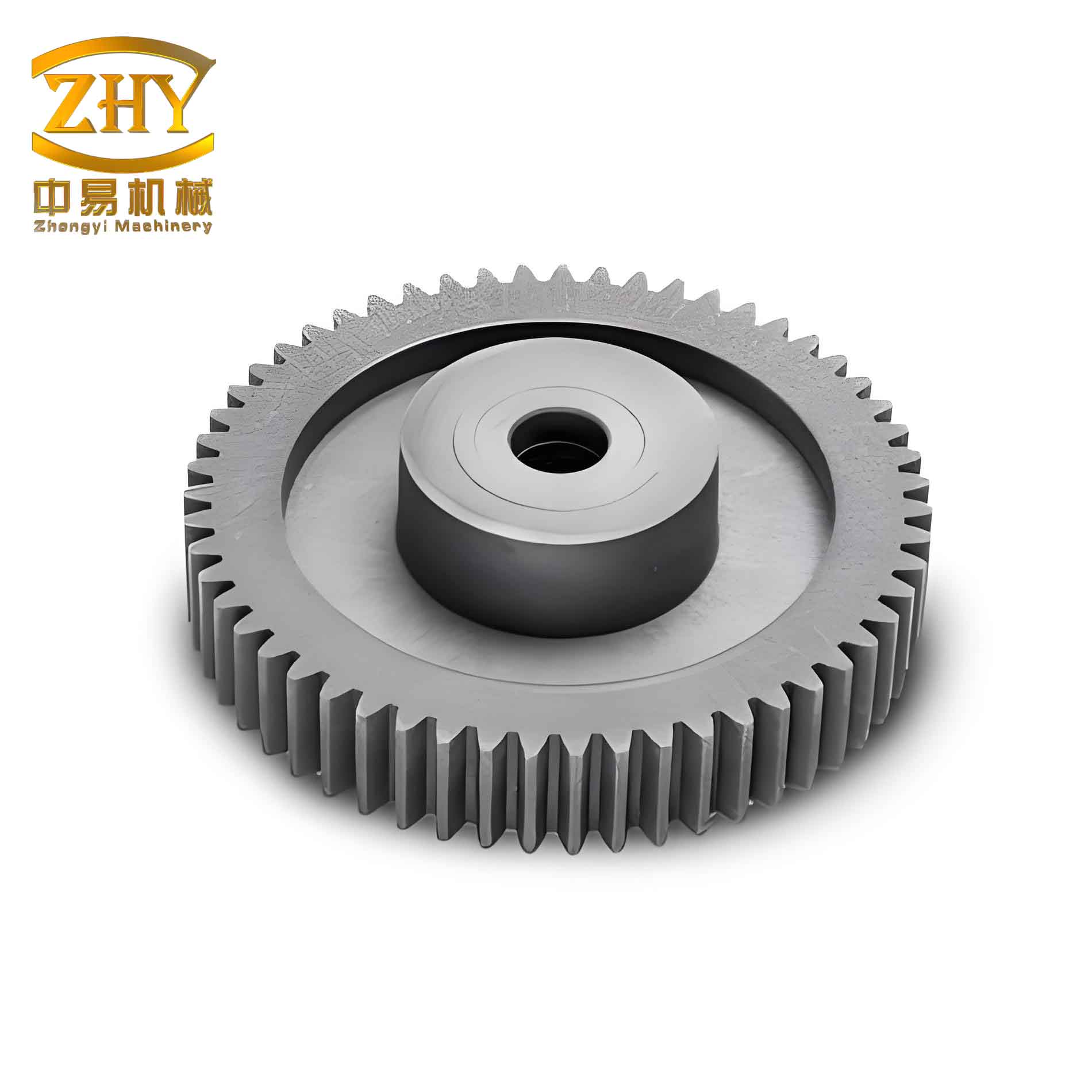
The parametric modeling of cylindrical spur gears begins with defining global variables in SolidWorks. This allows for quick modifications to key gear parameters, ensuring that the entire model updates automatically. I create a table of standard cylindrical gear parameters and their formulas, as shown below:
| Parameter | Symbol | Formula | Example Value |
|---|---|---|---|
| Module | $m$ | Input variable | 2 mm |
| Number of Teeth | $Z$ | Input variable | 50 |
| Pressure Angle | $\alpha$ | Input variable | 20° |
| Addendum Coefficient | $h_a^*$ | Input variable | 1.0 |
| Dedendum Coefficient | $c^*$ | Input variable | 0.25 |
| Pitch Diameter | $d$ | $d = m Z$ | 100 mm |
| Base Diameter | $D_b$ | $D_b = d \cos \alpha$ | 93.97 mm |
| Addendum Diameter | $D_a$ | $D_a = d + 2 h_a^* m$ | 104 mm |
| Dedendum Diameter | $D_f$ | $D_f = d – 2 m (h_a^* + c^*)$ | 95 mm |
| Face Width | $B$ | Input variable | 20 mm |
| Rotation Angle | $\beta$ | $\beta = \left( \alpha + \frac{90}{Z} – \tan \alpha \cdot \frac{180}{\pi} \right) \cdot \frac{\pi}{180}$ | 0.026 rad |
In SolidWorks, I access the “Equations” manager and input these as global variables, using expressions like `”D_b” = “d” * cos(“alpha”)` to establish dependencies. This parametric framework ensures that any change in, say, module or tooth count propagates through the entire cylindrical gear model, maintaining geometric consistency. The advantage of this method is evident when designing multiple variants of cylindrical gears, as it eliminates repetitive modeling steps.
With global variables set, I proceed to sketch the gear profiles. I create four concentric circles representing the addendum, pitch, dedendum, and base circles, dimensioning each with links to the global variables (e.g., `”Da”` for the addendum circle). Next, I generate the involute curve using the “Equation Driven Curve” feature. For the parametric equations, I input the optimized formulas for `x` and `y` as functions of `t` (where `t` represents $\theta$), with `t1` = 0 and `t2` = $\pi$ to define the roll angle range. This creates a precise involute segment that forms one side of a tooth flank on the cylindrical gear. I apply a “Fix” constraint to the curve to fully define the sketch.
To construct the three-dimensional cylindrical gear, I extrude the addendum circle sketch to form the gear blank, using the face width `B` as the extrusion depth. This creates a solid cylinder representing the gear body. For tooth generation, I sketch on one face of the blank, converting the involute curve and circles into sketch entities. I then trim and connect segments to form a closed profile for half a tooth space, ensuring it extends from the dedendum to the addendum circle. This profile is extruded as a cut through the gear blank, creating a single tooth gap. I mirror this cut across the mid-plane to complete one full tooth space, and apply a fillet at the tooth root with a radius of `0.38 * m` to reduce stress concentrations, a critical consideration for cylindrical gear durability.
The final step involves patterning the tooth space around the gear axis. Using the “Circular Pattern” feature, I replicate the cut and fillet features with an instance count equal to the tooth count `Z`, linked to the global variable. This yields a fully defined cylindrical spur gear model with accurate involute teeth. However, this process assumes the base circle is smaller than the dedendum circle, which holds true for gears with tooth counts greater than 41. For smaller cylindrical gears, the involute originates outside the dedendum circle, causing modeling failures if not addressed.
To handle cylindrical gears of any tooth count within a single model file, I implement parameter compression using conditional statements in SolidWorks. This leverages the `IF` function to suppress or unsuppress features based on the tooth count. The logic is expressed as:
$$ \text{Feature State} = \text{IF}(“Z” > 41, \text{“suppressed”}, \text{“unsuppressed”}) $$
In practice, I create two sets of features: one for gears with $Z > 41$ and another for $Z \leq 41$. For the latter, I modify the sketch to include a tangent line from the involute start point to the dedendum circle, ensuring a closed contour. I then apply the `IF` function in the Equations manager to control feature compression. For example, for a feature named “Cut-Revolve1”, I set its value to `=IF(“Z”<=41, “suppressed”, “unsuppressed”)`. This allows the model to dynamically adjust based on the input tooth count, enabling a universal cylindrical gear template. The table below summarizes the feature compression logic:
| Tooth Count Condition | Feature Set Activated | Action |
|---|---|---|
| $Z > 41$ | Standard involute cut | Features unsuppressed |
| $Z \leq 41$ | Modified involute cut with tangent line | Standard features suppressed, modified features unsuppressed |
This approach ensures robust modeling of cylindrical spur gears across all tooth counts without manual intervention. The parametric system updates automatically when global variables are modified, making it ideal for iterative design processes. For instance, changing the module from 2 mm to 3 mm instantly regenerates the cylindrical gear with correct proportions, saving significant time compared to rebuilding models from scratch or using external plugins.
The benefits of this optimized parametric modeling method are multifold. First, it guarantees geometric accuracy by employing exact involute equations, which is essential for stress analysis and dynamic simulation of cylindrical gears. Second, the symmetry about the reference axes simplifies assembly operations in larger mechanical systems. Third, the use of global variables and conditional compression creates a versatile template that accommodates any standard cylindrical spur gear configuration. This reduces file management overhead, as designers can maintain a single SolidWorks part file for all cylindrical gear variants. Additionally, the method aligns with best practices in parametric design, promoting efficiency and consistency in engineering workflows.
To further illustrate the mathematical rigor, I delve into the derivation of the involute equations. The involute of a circle is defined parametrically as:
$$ x = r_b (\cos \theta + \theta \sin \theta) $$
$$ y = r_b (\sin \theta – \theta \cos \theta) $$
where $r_b = D_b / 2$ is the base radius. The rotation transformation applied earlier ensures symmetry, but it is also insightful to consider the polar form of the involute, often used in gear design. In polar coordinates $(r, \phi)$, the involute can be expressed as:
$$ r = \frac{r_b}{\cos \phi} $$
$$ \phi = \theta – \arctan \theta $$
This form highlights the relationship between the roll angle and the pressure angle in cylindrical gears. For a cylindrical spur gear, the pressure angle $\alpha$ at the pitch circle is constant, and the involute shape ensures smooth meshing with other gears. The parametric approach in SolidWorks encapsulates these relationships, allowing for precise control over tooth geometry.
In terms of implementation, I recommend creating a detailed design table within SolidWorks to document parameters. This table can be exported or linked to external calculations, enhancing traceability. For example, critical performance metrics of cylindrical gears, such as contact ratio or bending strength, can be incorporated as derived global variables. The contact ratio $m_c$ for a cylindrical spur gear pair is given by:
$$ m_c = \frac{\sqrt{R_{a1}^2 – R_{b1}^2} + \sqrt{R_{a2}^2 – R_{b2}^2} – C \sin \alpha}{p_b} $$
where $R_a$ and $R_b$ are addendum and base radii, $C$ is the center distance, and $p_b$ is the base pitch. By embedding such formulas, the model becomes not just a geometric representation but a comprehensive design tool for cylindrical gears.
Moreover, this method can be extended to other gear types, such as helical or bevel gears, by adapting the equations and sketches. For helical cylindrical gears, the involute surface is generated by sweeping the profile along a helical path. The parametric equations become more complex, involving helix angles, but the core principle of using equation-driven curves remains applicable. This scalability underscores the power of parametric modeling in SolidWorks for diverse mechanical components.
In conclusion, the optimized parametric modeling approach for cylindrical spur gears in SolidWorks represents a significant advancement over conventional techniques. By integrating exact involute equations with rotational transformations and conditional feature compression, I have developed a method that ensures accuracy, symmetry, and flexibility. This approach is particularly valuable for engineers involved in the design and analysis of cylindrical gears, as it streamlines the modeling process and enhances model fidelity. The use of global variables allows for rapid customization, making it suitable for both prototyping and production environments. As mechanical systems continue to demand higher precision, such parametric methodologies will play a crucial role in achieving efficient and reliable gear designs. I encourage practitioners to adopt this optimized workflow to elevate their CAD practices and improve outcomes in cylindrical gear applications.
Looking ahead, future enhancements could include integrating this parametric model with simulation tools for real-time performance evaluation. For instance, linking the SolidWorks model to finite element analysis software could automate stress calculations for cylindrical gears under load. Additionally, the method could be adapted for educational purposes, helping students grasp the intricacies of gear geometry through interactive modeling. Ultimately, the goal is to foster a more integrated and intelligent design ecosystem for cylindrical gears and other mechanical elements, driving innovation in engineering.