
In modern engineering design, the creation of three-dimensional parametric models for standard components is foundational for CAD/CAM/CAE integration and various virtual or digital engineering applications. Among these components, the straight bevel gear is a critical element in power transmission systems, especially where intersecting shafts are involved. As an engineer who has extensively worked with Pro/ENGINEER, I find its robust capabilities in complex surface modeling, assembly, and secondary development through Program indispensable. This article details my approach to achieving fully parametric 3D modeling of straight bevel gears within Pro/ENGINEER. By inputting basic parameters such as module, number of teeth, face width, and pressure angle, a corresponding three-dimensional gear model can be automatically generated, paving the way for subsequent engineering analyses and manufacturing processes. The core innovation lies in employing spherical coordinates for tooth surface mathematical modeling, which significantly simplifies the entire construction process.
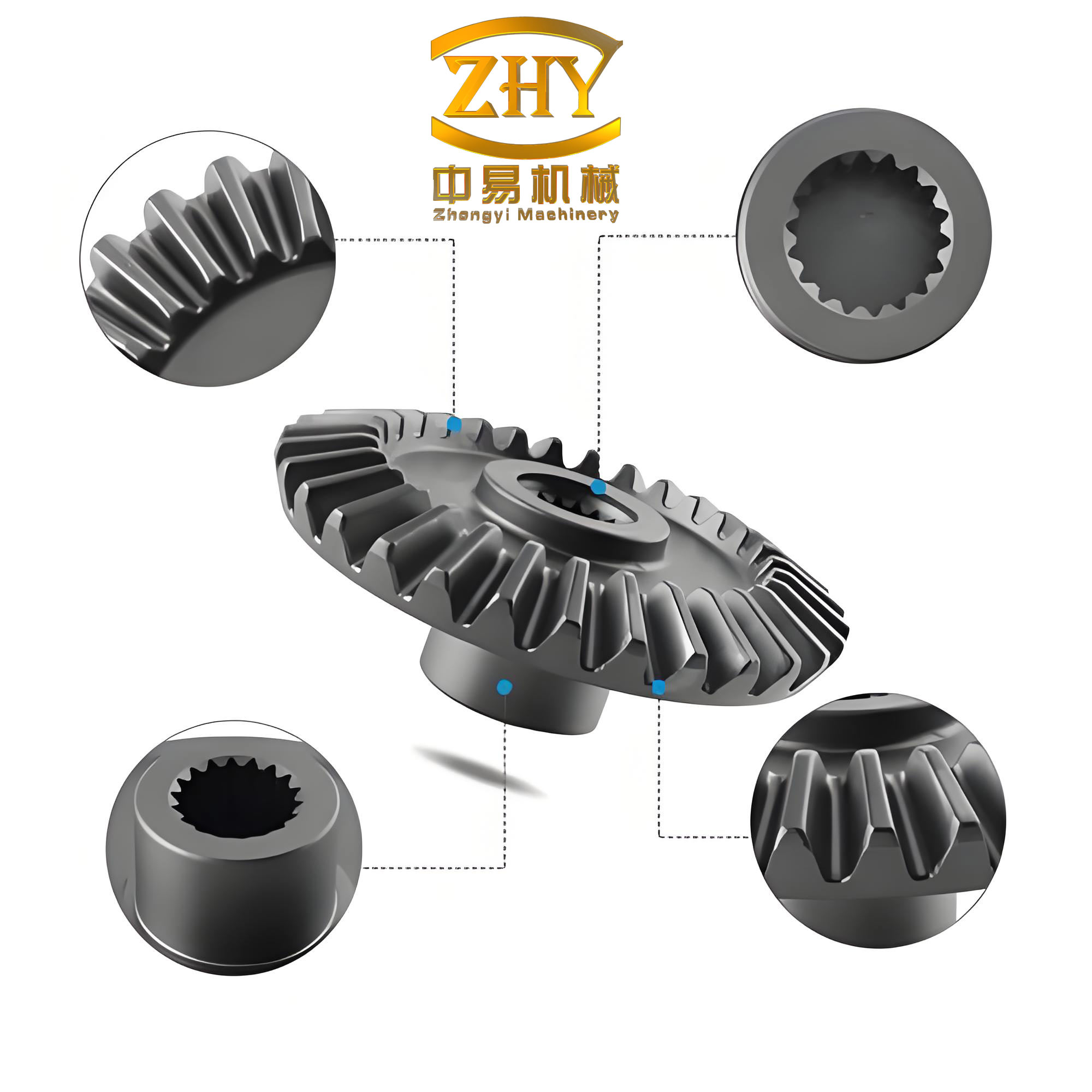
The theoretical tooth profile of a straight bevel gear is a spherical involute surface. Traditional Cartesian coordinate methods can lead to complex expressions, but using spherical coordinates ($\rho$, $\theta$, $\phi$) within Pro/ENGINEER’s curve-from-equation function streamlines this immensely. In this system, the radial distance $\rho$, the azimuthal angle $\theta$, and the polar angle $\phi$ can all be defined as functions of a parameter $t$. For the large end tooth profile of a straight bevel gear, the foundational spherical coordinate equations are:
$$ \rho = R; \quad \theta = \delta; \quad \phi = \beta_{sphere} $$
Here, $R$ is the spherical radius (a constant related to gear dimensions), $\delta$ is the cone angle (varying from root cone to face cone), and $\beta_{sphere}$ is the offset angle for any point on the spherical involute. The spherical radius $R$ is calculated from the gear data:
$$ R = \frac{m \cdot z_1}{2} \cdot \sqrt{1 + \left(\frac{z_2}{z_1}\right)^2} $$
where $m$ is the module, $z_1$ is the number of teeth on the gear being modeled, and $z_2$ is the number of teeth on the mating gear. The key expression for $\beta_{sphere}$ is derived from spherical trigonometry:
$$ \beta_{sphere} = \frac{1}{\sin \delta_b} \cdot \arccos\left[\frac{\cos(\delta_p)}{\cos(\delta_b)}\right] – \arccos\left[\frac{\tan(\delta_b)}{\tan(\delta_p)}\right] $$
In this formula, $\delta_p$ represents the cone angle at any arbitrary point $p$ on the spherical involute, and $\delta_b$ is the base cone angle of the straight bevel gear. This mathematical representation forms the bedrock for generating the space curves needed to construct the tooth surfaces.
My parametric modeling strategy follows a structured sequence: first, create spatial curves for the edges of a single tooth surface using the equations above; second, use these curves to construct individual surface patches; third, merge these patches into a complete tooth surface; fourth, replicate this surface to form all teeth; fifth, convert the surface model into a solid body. Crucially, the process must account for whether the base cone is larger or smaller than the root cone, as the tooth profile differs in the root region. Finally, the gear’s central cone, bore, and keyway are added. Parameterization is achieved by linking all dimensional parameters to input variables via Pro/ENGINEER’s Relation and Program tools. The following sections elaborate on each step.
Establishing the Mathematical Foundation and Key Parameters
Before diving into the Pro/ENGINEER operations, it’s essential to define all necessary parameters and their relationships. The design of a straight bevel gear involves numerous interrelated geometric parameters. The table below summarizes the primary input variables and key derived parameters used in the modeling process.
| Symbol | Description | Relationship or Formula |
|---|---|---|
| $m$ | Module | Primary Input |
| $z$ | Number of Teeth | Primary Input |
| $b$ | Face Width | Primary Input ($chikuan$) |
| $\alpha$ | Pressure Angle | Primary Input |
| $R$ | Outer Cone Distance (Sphere Radius) | $R = \frac{m \cdot z}{2 \sin \delta}$ where $\delta$ is pitch cone angle |
| $\delta$ | Pitch Cone Angle | $\delta = \arctan(z / z_{mate})$ for 90° shaft angle |
| $\delta_a$ | Face Cone Angle ($dzanga$) | $\delta_a = \delta + \theta_a$ (Addendum angle) |
| $\delta_f$ | Root Cone Angle ($gzangf$) | $\delta_f = \delta – \theta_f$ (Dedendum angle) |
| $\delta_b$ | Base Cone Angle ($jzang$) | $\delta_b = \arccos(\cos \delta \cdot \cos \phi_n)$, $\phi_n$ is normal pressure angle. |
| $\beta_{sphere}$ | Spherical Involute Offset Angle | As defined in Equation (2) above. |
These parameters are interconnected. For instance, the addendum and dedendum angles are calculated from the module and a clearance factor. In Pro/ENGINEER’s Program and Relation editor, I define these as algebraic relations so that changing the primary inputs automatically updates all derived dimensions, ensuring a fully associative and parametric straight bevel gear model.
Step-by-Step Creation of a Single Tooth Surface Model
The construction begins with generating the precise space curves that bound a single tooth flank. All curves are created using the ‘Datum Curve > From Equation’ feature, selecting a spherical coordinate system.
Step 1: Generating the Large-End Spherical Involute Curves. The first curve corresponds to one side of the tooth at the large end (outer diameter). The spherical coordinate equations are implemented as follows, with $t$ varying from 0 to 1:
$$ \rho = R $$
$$ \theta = \delta_f + t \cdot (\delta_a – \delta_f) $$
$$ \phi = \frac{\arccos\left(\frac{\cos(\delta_f + t \cdot (\delta_a – \delta_f))}{\cos \delta_b}\right)}{\sin \delta_b} + \arccos\left(\frac{\tan \delta_b}{\tan(\delta_f + t \cdot (\delta_a – \delta_f))}\right) $$
In Pro/ENGINEER’s equation editor, the inverse cosine function acos() can be problematic in some versions. A practical workaround I employ is to use the inverse sine function asin() with appropriate trigonometric conversions to ensure robustness. This curve defines the active involute profile from the root to the tip at the large end. To create the opposite flank of the same tooth, the sign of the $\phi$ coordinate is reversed, and an angular offset corresponding to the tooth thickness angle at the large end is added. Let’s denote the tooth thickness half-angle at the pitch cone as $\gamma$. The equation for the second large-end involute becomes:
$$ \rho = R; \quad \theta = \delta_f + t \cdot (\delta_a – \delta_f); \quad \phi = -\left[ \text{Original } \phi \text{ expression} \right] + 2\gamma $$
Step 2: Generating the Small-End Spherical Involute Curves. The process is repeated for the small end (inner diameter) of the straight bevel gear tooth. The only change is the radial distance $\rho$, which is reduced by the face width $b$. The equations are:
$$ \rho = R – b $$
$$ \theta = \delta_f + t \cdot (\delta_a – \delta_f) $$
$$ \phi \text{ expression remains identical to Step 1 for one flank, and modified for the other.} $$
Step 3: Creating the Tip and Root Arc Curves. The tooth profile is bounded by circular arcs at the tip (face cone) and root (root cone). For the large-end tip arc:
$$ \rho = R; \quad \theta = \delta_a; \quad \phi = \phi_{start} + t \cdot (\phi_{end} – \phi_{start}) $$
Here, $\phi_{start}$ and $\phi_{end}$ are the $\phi$-angle coordinates of the endpoints where the tip arc meets the two large-end involute curves. Their values are calculated from the spherical involute equations by setting $\theta = \delta_a$. Similarly, the large-end root arc is:
$$ \rho = R; \quad \theta = \delta_f; \quad \phi = \gamma_f + t \cdot \Delta\gamma_f $$
where $\gamma_f$ is the root cone spread angle and $\Delta\gamma_f$ is the root cone tooth thickness angle. Identical logic with $\rho = R – b$ is applied to generate the small-end tip and root arcs.
Step 4: Connecting the Ends with Straight Lines. Four straight lines are needed to connect the large-end and small-end profiles along the cone generators. These are also defined as curves from equation in spherical coordinates. For the two lines along the face cone (tip):
$$ \rho = R + t \cdot ((R – b) – R) = R – t \cdot b; \quad \theta = \delta_a; \quad \phi = \phi_{start} \text{ (for one line)} $$
$$ \rho = R – t \cdot b; \quad \theta = \delta_a; \quad \phi = \phi_{end} \text{ (for the other line)} $$
For the two lines along the root cone:
$$ \rho = R – t \cdot b; \quad \theta = \delta_f; \quad \phi = \gamma_f $$
$$ \rho = R – t \cdot b; \quad \theta = \delta_f; \quad \phi = \gamma_f + \Delta\gamma_f $$
Step 5: Constructing the Tooth Surface Patches. With all bounding curves defined, the surface of a single tooth flank can be created. I use the ‘Create Surface > New > Advanced > Boundaries > Blended Surface’ command. For the main involute region, I select the four boundary curves: the large-end involute, the small-end involute, and the two connecting lines. This forms one contiguous surface patch. This process is repeated for the other involute flank and for the fillet region near the root if necessary. Finally, all individual surface patches belonging to one tooth are merged into a single quiltted surface using ‘Create Surface > Merge’. At this stage, a complete, water-tight surface model for one tooth of the straight bevel gear is achieved.
| Step | Curve Type | Spherical Coordinate Equations (Key Parts) | Purpose |
|---|---|---|---|
| 1 | Large-End Involute (Side A) | $\rho=R$, $\theta$ varies root to face, $\phi$ from involute eqn. | Defines active tooth profile at outer diameter. |
| 1b | Large-End Involute (Side B) | $\phi$ sign reversed and offset added. | Defines opposite active tooth profile. |
| 2 | Small-End Involute (Both Sides) | $\rho=R-b$, $\theta$ and $\phi$ as in Step 1. | Defines active tooth profile at inner diameter. |
| 3 | Large-End Tip Arc | $\rho=R$, $\theta=\delta_a$, $\phi$ varies between limits. | Connects tips of the two large-end involutes. |
| 3b | Large-End Root Arc | $\rho=R$, $\theta=\delta_f$, $\phi$ varies between limits. | Connects roots of the two large-end involutes. |
| 3c | Small-End Tip & Root Arcs | $\rho=R-b$, $\theta=\delta_a$ or $\delta_f$. | Connects profiles at the small end. |
| 4 | Four Connecting Lines | $\rho=R-t\cdot b$, $\theta$ constant ($\delta_a$ or $\delta_f$), $\phi$ constant. | Connects large-end and small-end curves along cone generators. |
Completing the Full Gear Model: Replication and Solidification
Once a single tooth surface is complete, the next phase is to replicate it around the gear axis to form the entire set of teeth.
Step 1: Copying the Tooth Surface. Using ‘Create Surface > Transform > Move Copy’, I copy the merged tooth surface quil. Typically, a rotational copy is performed. The copy is rotated about the gear axis by an angle equal to the circular pitch, i.e., $360^\circ / z$.
Step 2: Patterning All Teeth. With one original and one copied tooth surface present, I use the ‘Pattern’ feature. Selecting the copied tooth surface as the pattern leader, I choose an axial pattern, specifying the total number of instances as the number of teeth $z$ and the incremental angular dimension as $360/z$. Pro/ENGINEER then automatically generates the complete set of tooth surfaces arranged in a circle.
Step 3: Converting Surfaces to a Solid. The final step for the toothed portion is to convert the complex surface quilt into a solid body. This is achieved via ‘Create Solid > Protrusion > Use Quilt’. I first select the original tooth surface quilt, then add the patterned surfaces to the selection. Pro/ENGINEER stitches all these surfaces together and fills the interior volume, creating a solid gear blank with all teeth formed. This solid model of the straight bevel gear’s toothed rim is now ready for boolean operations with the gear’s central body.
Handling the Special Case: Base Cone Larger than Root Cone
The procedure described above assumes the base cone angle $\delta_b$ is smaller than the root cone angle $\delta_f$. This is common, but for straight bevel gears with certain combinations of pressure angle and number of teeth, the base cone can be larger than the root cone ($\delta_b > \delta_f$). In this scenario, the spherical involute profile does not exist in the region from the base cone down to the root cone. This region must be filled with a different curve, typically a circular arc, to complete the tooth root form.
The modeling approach requires creating additional curves for this root filler region. Using the curve-from-equation method with spherical coordinates:
For the large-end filler arcs:
$$ \rho = R; \quad \theta = \delta_b + t \cdot (\delta_f – \delta_b); \quad \phi = 0 \quad \text{(for one edge)} $$
$$ \rho = R; \quad \theta = \delta_b + t \cdot (\delta_f – \delta_b); \quad \phi = \Delta\gamma_b \quad \text{(for the other edge)} $$
where $\Delta\gamma_b$ is the tooth thickness angle at the base cone. Similarly, for the small end:
$$ \rho = R – b; \quad \theta = \delta_b + t \cdot (\delta_f – \delta_b); \quad \phi = 0 $$
$$ \rho = R – b; \quad \theta = \delta_b + t \cdot (\delta_f – \delta_b); \quad \phi = \Delta\gamma_b $$
These new arcs are then connected to the existing involute curves using ‘Datum > Composite’ to form continuous boundary curves. The surface creation process using ‘Boundaries > Blended Surf’ proceeds identically, but now the set of boundary curves includes these filler arcs instead of the involute segments in the root region. The rest of the process—merging surfaces, copying, patterning, and solidifying—remains exactly the same as for the standard case. This dual-approach ensures the parametric model can accurately represent any straight bevel gear geometry.
Implementing Full Parameterization Using Relations and Program
The true power of this methodology is unleashed through Pro/ENGINEER’s parameterization tools: Relations and Program. Every dimension used in the sketch features, curve equations, and pattern definitions must be linked to a set of master input parameters.
Using Relations: During feature creation, I use ‘Relation > Switch Dim’ to display the symbolic names of dimensions (e.g., `d7`, `d12`). Then, in the Relations editor, I assign these symbols meaningful algebraic expressions based on the input parameters. For example:
/* Relations for a straight bevel gear */
R = m * z / (2 * sin( delta ))        /* Outer cone distance */
delta_a = delta + atan( ha / R )      /* Face cone angle, ha is addendum */
delta_f = delta - atan( hf / R )      /* Root cone angle, hf is dedendum */
delta_b = asin( sin(delta) * cos(alpha) ) /* Base cone angle */
phi_start_large = ... /* Calculated from involute equation at theta=delta_a */
Using Program for High-Level Control: The Program module allows embedding logic directly into the part model. I edit the design program to include input prompts, relational assignments, and conditional statements. A simplified structure of the Program is:
INPUT
  MODULE           NUMBER
  TEETH_NUMBER     NUMBER
  FACE_WIDTH       NUMBER
  PRESSURE_ANGLE   NUMBER
  ... /* other inputs */
END INPUT

RELATIONS
  /* All relations defined above are placed here */
END RELATIONS

IF delta_b < delta_f
  /* Execute the standard feature sequence for base cone smaller than root cone */
  ADD FEATURE ... /* Internal ID for standard tooth features */
ELSE
  /* Execute the alternative feature sequence for base cone larger than root cone */
  ADD FEATURE ... /* Internal ID for alternative tooth features */
ENDIF
This `IF-ELSE-ENDIF` block is crucial. It allows the model to automatically regenerate using the correct set of tooth-forming features based on the computed geometry, making the straight bevel gear model intelligent and universally applicable.
Creating the Central Cone Body, Bore, and Keyway
The toothed rim is only part of a complete straight bevel gear. The central supporting cone and mounting features must be added. This is straightforward using standard solid modeling features.
I create a new solid protrusion using the ‘Revolve’ option. I sketch a half-profile of the gear’s central web and hub on a plane through the axis. The dimensions of this profile (e.g., back cone distance, web thickness, hub diameter) are initially sketched arbitrarily but are immediately parameterized using Relations. For instance, the hub diameter might be set as a function of the shaft diameter input. Revolve this profile 360° to create the solid central body.
To subtract the bore and keyway, I use a cut feature. First, a coaxial hole is created using ‘Create Solid > Cut > Extrude’ with a circular sketch. Its diameter is controlled by a relation to an input ‘BORE_DIA’. Next, the keyway is created as another cut, typically extruded from a sketch on the hub face. The keyway width and depth are linked to standard keyway dimensions based on the bore size. These features are also fully parameterized via Relations, ensuring the entire gear assembly updates cohesively.
Regenerating the Model with New Parameters
After the complete parametric model of the straight bevel gear is built and all Relations and Program logic are in place, generating a new gear instance is simple. I initiate ‘Regenerate > Enter’, and the system prompts for the INPUT variables defined in the Program. Upon entering new values for module, number of teeth, face width, pressure angle, bore size, etc., Pro/ENGINEer recalculates all relations, follows the conditional logic in the Program, and regenerates the entire 3D geometry. Within moments, a new, accurate solid model of a straight bevel gear tailored to the specified parameters appears. This model is directly usable for finite element analysis, assembly simulation, or generating CNC toolpaths for manufacturing.
Conclusions and Broader Implications
The parametric 3D modeling of complex components like the straight bevel gear is indispensable for advanced engineering workflows. The method I have detailed, leveraging Pro/ENGINEER’s spherical coordinate capability for curve definition, blended boundary surfaces for patch creation, and intelligent Program logic for handling geometric variants, provides a robust and efficient solution. The use of spherical coordinates fundamentally simplifies the mathematical description of the spherical involute tooth form, which is the core geometry of a straight bevel gear.
Key techniques that made this possible include: the strategic use of ‘Curve from Equation’ with spherical coordinate functions; constructing complex surfaces from boundary curves; merging multiple surface quilts; and, most importantly, the integration of Pro/ENGINEER’s Relations and Program to create a fully associative, rule-driven model. The conditional `IF` statement in the Program elegantly manages the two possible tooth root geometries, ensuring the model’s generality.
This parametric approach offers tremendous benefits. It drastically reduces the time required to generate new gear designs, minimizes human error, and ensures geometric consistency. The resulting 3D model serves as a perfect digital twin for the physical straight bevel gear, enabling virtual testing, interference checking in assemblies, and direct manufacturing. The principles and steps outlined here—particularly the focus on spherical coordinate modeling and feature-based parameterization—are not limited to straight bevel gears. They can be readily adapted to model other types of bevel gears (like spiral bevel gears with modifications to the $\phi$ function) or any complex spatial surface defined by mathematical equations in Pro/ENGINEER. Mastering these techniques empowers engineers to build sophisticated, intelligent part libraries that form the backbone of modern digital product development.