
In the domain of mechanical design, particularly within the framework of 2D technical drawings, the creation of standard components for transmission systems represents a recurrent and time-intensive task. Manual drafting of these elements is not only prone to human error but also diverts valuable engineering time from more innovative structural design work. To address this inefficiency, I developed a parameterized drawing solution for a fundamental yet complex transmission component: the screw gear assembly, commonly known as a worm and worm gear drive. This project leverages the embedded AutoLISP programming environment within AutoCAD to automate the generation of these components directly within assembly drawings, significantly accelerating the design cycle.
The screw gear mechanism is indispensable for applications requiring high reduction ratios, compact design, and quiet operation between non-parallel, non-intersecting shafts. Its geometry, however, is defined by a specific set of interrelated parameters. Automating its creation requires a robust parametric model where all derived dimensions are functions of a few key user inputs.
The core of my implementation is a parametric program that, upon execution, prompts the user for essential design parameters through a custom dialog box. Based on these inputs, the program calculates all necessary geometric dimensions, establishes the appropriate coordinate points, and executes a series of AutoCAD drawing commands to produce fully defined front and sectional side views of the screw gear pair. The primary goal was to create a tool that is both powerful and accessible, requiring minimal programming knowledge from the end-user while offering maximum flexibility in generating diverse screw gear configurations.
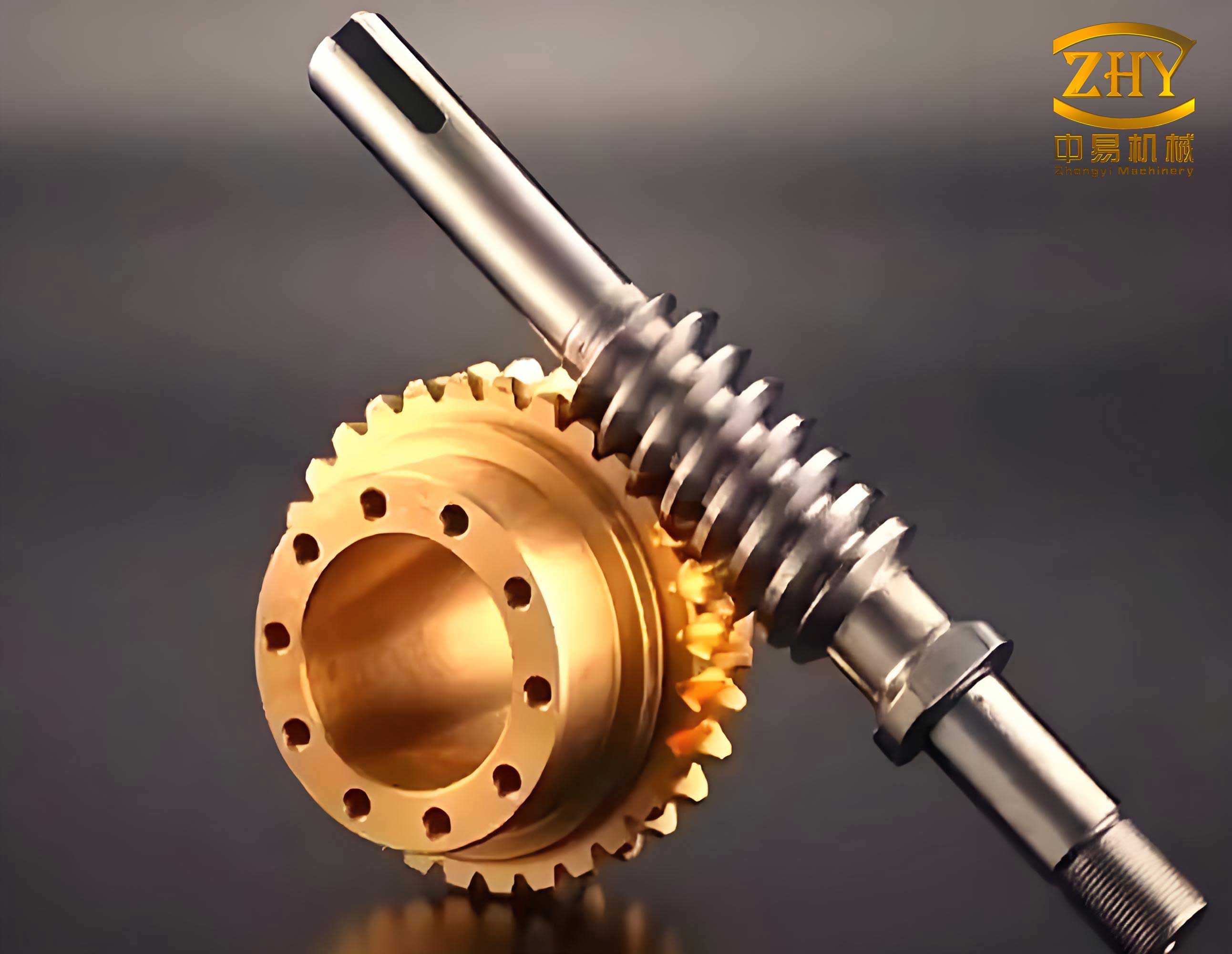
The automation process begins with the definition of a mathematical model. For a standard cylindrical screw gear pair, the fundamental parameters provided by the designer are: axial module (m), number of worm threads (z1), number of gear teeth (z2), diameter factor (q), rotation angle for the assembly (α), reference insertion point (P), gear bore diameter (dm), keyway width (B1), and keyway depth (T1). From these, all other critical dimensions for both the worm and the gear are calculated programmatically.
The mathematical model for the worm (screw) is summarized in the following table:
| Worm Parameter | Formula |
|---|---|
| Pitch Diameter (d1) | $$d1 = m \cdot q$$ |
| Addendum (ha) | $$ha = m$$ |
| Dedendum (hf) | $$hf = 1.2 \cdot m$$ |
| Tip Diameter (da1) | $$da1 = d1 + 2 \cdot ha = m(q + 2)$$ |
| Root Diameter (df1) | $$df1 = d1 – 2 \cdot hf = m(q – 2.4)$$ |
| Length of Threaded Portion (L) | $$L = \begin{cases} 16m & \text{for } z1 = 1, 2 \\ 20m & \text{for } z1 = 3, 4 \end{cases}$$ |
Similarly, the key dimensions for the worm gear are derived as follows:
| Worm Gear Parameter | Formula |
|---|---|
| Center Distance (a) | $$a = \frac{m(q + z2)}{2}$$ |
| Pitch Diameter (d2) | $$d2 = m \cdot z2$$ |
| Tip Diameter (da2) | $$da2 = d2 + 2 \cdot ha = m(z2 + 2)$$ |
| Root Diameter (df2) | $$df2 = d2 – 2 \cdot hf = m(z2 – 2.4)$$ |
| Gear Face Width (B) | $$B = \begin{cases} 0.67 \cdot da1 & \text{for } z1 = 1 \\ 0.75 \cdot da1 & \text{for } z1 = 2, 3, 4 \end{cases}$$ |
With these formulas embedded in the AutoLISP code, the program transforms a handful of input numbers into a complete set of coordinates that define the轮廓 of the screw gear assembly. The programming logic follows a structured flow: initialize, collect user data via a dialog, compute all geometries, set the drawing environment, execute the drawing commands, and finally restore the original environment. A critical consideration was ensuring the program integrates seamlessly into an ongoing assembly drawing project. Therefore, the code is designed to be non-disruptive; it temporarily modifies settings like object snap (OSMODE) and current layer, but always restores them to their original state upon completion. For instance, before changing layers, the program checks for the existence of a “thick lines” layer. If it doesn’t exist in the current drawing, the operation defaults to layer “0”, leaving final line-type adjustments to the designer.
The user interface is a crucial component for accessibility. I designed a dialog box using the Dialog Control Language (DCL), which presents a clean form for data entry. The dialog is structured with rows and columns containing edit boxes for each primary parameter, such as module, number of threads, and diameter factor. Buttons are included for actions like picking an insertion point directly from the drawing screen. The link between this visual interface and the driving LISP program is established through ‘key’ attributes. The code snippet below shows a simplified version of the DCL structure and the corresponding LISP functions that handle data acquisition and the drawing sequence.
DCL Dialog Definition (Excerpt):
ptwg:dialog {
  label = "Enter Screw Gear Parameters";
  :column {
    :edit_box { label = "Module &M:"; key = "M_box"; }
    :edit_box { label = "Worm Threads &Z1:"; key = "Z1_box"; }
    :edit_box { label = "Gear Teeth &Z2:"; key = "Z2_box"; }
    :edit_box { label = "Diameter Factor &Q:"; key = "Q_box"; }
    :button { label = "Pick Insertion Point <"; key = "pick"; }
    }
  ok_cancel;
}
LISP Control Functions (Excerpt):
(defun c:SCREWGEAR ()
  ; Load dialog and initialize
  (setq dcl_id (load_dialog "screwgear.dcl"))
  (if (not (new_dialog "ptwg" dcl_id)) (exit))
  ; Set initial tile values
  (set_tile "M_box" "2.0")
  (set_tile "Z1_box" "2")
  ; Define action for "Pick" button
  (action_tile "pick" "(get_point)")
  ; Define action for "OK" button
  (action_tile "accept" "(get_data) (done_dialog 1)")
  (start_dialog)
  (unload_dialog dcl_id)
  ; Proceed to draw if OK was pressed
  (if (= userclick 1)
    (draw_screwgear)
  )
  (princ)
)

(defun get_data ()
  ; Retrieve values from dialog tiles
  (setq m (atof (get_tile "M_box")))
  (setq z1 (atoi (get_tile "Z1_box")))
  (setq z2 (atoi (get_tile "Z2_box")))
  (setq q (atof (get_tile "Q_box")))
)
The heart of the automation lies in the `draw_screwgear` function and its subroutines. This function uses the calculated dimensions to construct geometry point-by-point. It employs basic AutoCAD commands wrapped in LISP syntax. The `polar` function is extensively used to find points relative to known points using angle and distance. Standard AutoCAD commands like `line`, `circle`, `trim`, and `bhatch` are invoked via the `command` function. For example, drawing the outer contour of the worm gear in the side view involves calculating the center point, then drawing concentric circles for the tip, pitch, and root diameters, followed by trimming and adding the keyway detail based on the bore diameter, keyway width, and depth.
To manage the complexity and offer variants, I extended the system beyond the standard cylindrical screw gear. Different types of screw gear sets, such as double-enveloping or hourglass worm sets, have distinct geometric models. Implementing these required separate but conceptually similar parametric programs. To provide a unified access point for the designer, I created a custom menu using a CUI (Custom User Interface) file. This menu, which can be loaded into AutoCAD’s interface, lists available screw gear types (e.g., “Standard Worm,” “Double-Enveloping Worm Gear,” “Hourglass Worm”). Selecting an item from this menu loads the corresponding LISP routine and initiates its dialog, creating a streamlined workflow for the engineer.
The final output of the program is a precise, ready-to-use 2D representation of the screw gear pair. The views are generated on the correct planes, with appropriate layer management for different line types (thick, thin, hidden, hatching). The sectional view includes automatic hatching of cut surfaces. The entire assembly is inserted at the user-specified point and rotated by the specified angle, making it immediately usable within the context of a larger mechanical assembly drawing.
In practice, the benefits of this parametric approach are substantial. First, it ensures accuracy by eliminating manual calculation and drafting errors. Second, it promotes standardization, as every screw gear generated from the same inputs will be identical. Third, and most importantly, it saves an immense amount of time. A design change that would require redrawing the entire screw gear assembly from scratch can now be effected by simply modifying a few parameters in the dialog box and regenerating the views. This agility is crucial in iterative design processes and significantly shortens product development timelines.
Looking forward, the principles demonstrated in this screw gear parameterization project are applicable to a vast array of standard mechanical components. The methodology of defining a parametric mathematical model, creating a user-friendly dialog for input, and using AutoLISP to drive native CAD commands is a powerful template for automation. Potential enhancements could include integrating this tool with external databases of standard part sizes, adding 3D solid model generation capabilities, or linking it with calculation modules for stress analysis and lubrication checks specific to the screw gear design. The core achievement, however, remains the effective encapsulation of expert screw gear geometry knowledge into an automated, reliable, and efficient software tool that empowers designers to focus on innovation rather than repetitive drafting tasks.