
In my extensive experience with mechanical transmission systems, I have found that the bevel gear is an indispensable component for transmitting power and motion between intersecting shafts. Its unique conical geometry, where teeth taper from a larger outer diameter to a smaller inner one, presents a significant modeling challenge. Traditional, one-off modeling approaches for each new bevel gear specification are notoriously time-consuming and prone to error. This inefficiency directly impacts the entire product development cycle. To address this, I have systematically employed a parametric design methodology within the Creo environment. This approach, coupled with subsequent motion simulation, has revolutionized my workflow, allowing for rapid, accurate model generation and virtual validation of the entire bevel gear transmission system before any physical prototype is built.
The core philosophy of my parametric design process is to encapsulate the engineering logic of the bevel gear into a series of rules and relationships. Instead of manually drawing each curve and surface, I define a set of fundamental driving parameters. Modifying these parameters automatically triggers a cascade of recalculations and regenerations, instantly producing a new, fully defined three-dimensional model. This is not merely a convenience; it is a fundamental shift towards design automation and knowledge reuse, ensuring consistency and freeing up valuable engineering time for higher-level analysis and innovation.
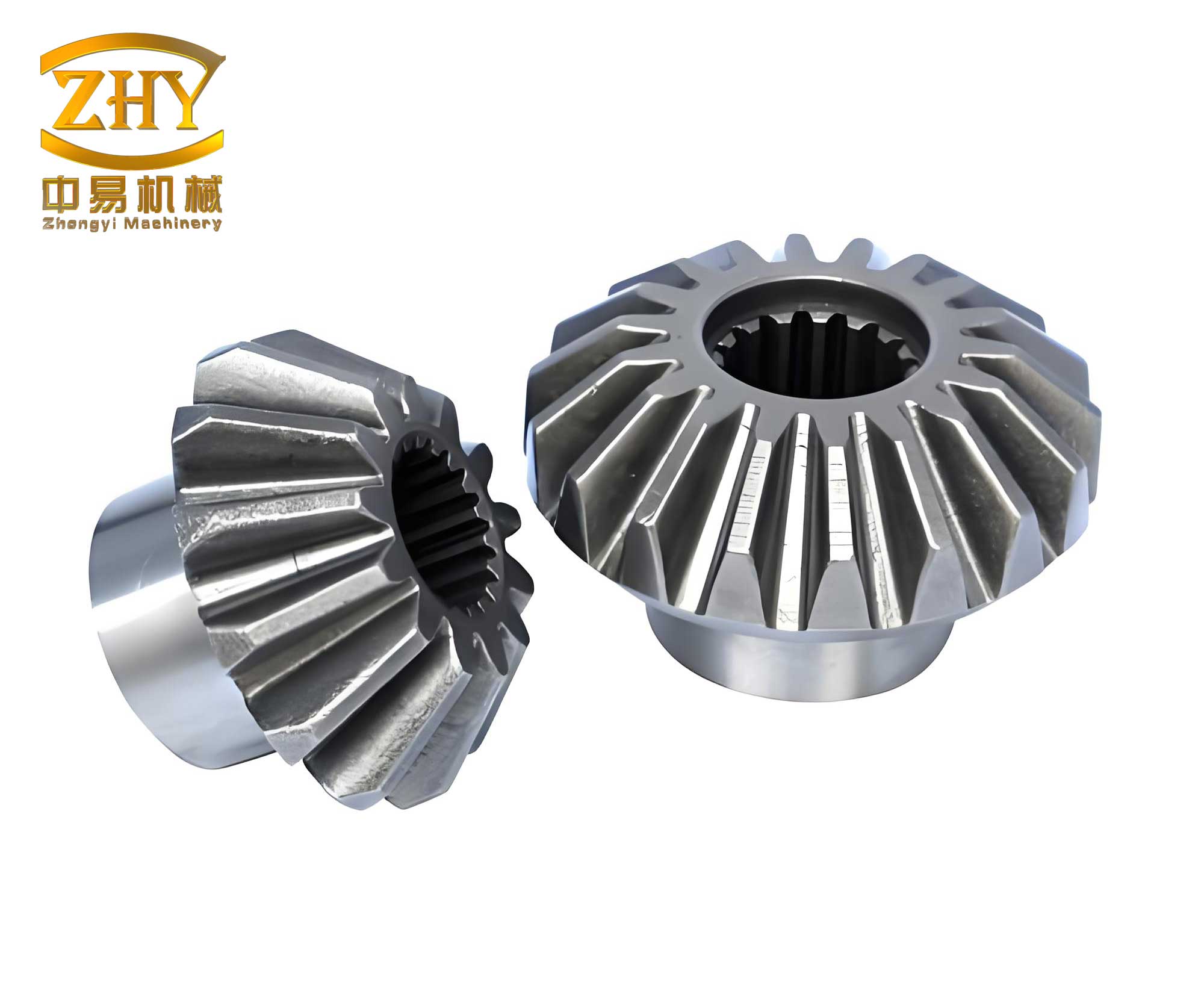
Fundamentals of Bevel Gear Geometry and Parametric Foundation
The journey of creating a robust parametric model begins with a clear understanding of the bevel gear‘s geometry. The shape and size of every feature on the gear are derived from a relatively small set of primary design inputs. In my standard setup, I classify these parameters into two groups: Independent Input Parameters and Dependent Calculated Parameters.
| Parameter Symbol | Parameter Name | Description & Typical Value |
|---|---|---|
| m | Module | Fundamental size parameter (e.g., 3 mm, 5 mm, 7 mm). Determines tooth size. |
| Z | Number of Teeth | Count of teeth on the gear (e.g., 20, 21, 40). |
| α (alpha) | Pressure Angle | Angle between the line of action and the tangent to the pitch circle. Standard is 20°. |
| β (beta) | Spiral Angle | For spiral bevel gears, the angle of tooth curvature. 0° for straight bevel gears. |
| b | Face Width | Length of the tooth along the pitch cone generator (e.g., 20 mm, 55 mm). |
| hax | Addendum Coefficient | Ratio of addendum to module (typically 1.0 for standard gears). |
| cx | Dedendum (Clearance) Coefficient | Ratio of dedendum/clearance to module (typically 0.25). |
| Σ | Shaft Angle | Angle between the two shafts (commonly 90°). |
These independent parameters are the levers I pull to define a new bevel gear. From them, dozens of dependent geometrical parameters are calculated. This is where the power of parametrics lies. I define these relationships explicitly within Creo’s relation editor. Below are the critical geometric relations for a straight bevel gear (where β = 0), which form the mathematical backbone of the model.
1. Pitch Cone Angle (δ): For a pair of bevel gears with shaft angle Σ = 90°, the pitch cone angles for the pinion (δ1) and gear (δ2) are:
$$ \delta_1 = \arctan\left(\frac{Z_1}{Z_2}\right) $$
$$ \delta_2 = 90^\circ – \delta_1 $$
Where Z1 and Z2 are the tooth counts of the pinion and gear, respectively.
2. Reference Diameters and Cone Distance:
$$ d = m \cdot Z \quad \text{(Pitch Diameter at the large end)} $$
$$ R = \frac{d}{2 \sin \delta} \quad \text{(Reference Cone Distance, or outer cone distance)} $$
3. Tooth Addendum (ha) and Dedendum (hf):
$$ h_a = h_{ax} \cdot m $$
$$ h_f = (h_{ax} + c_x) \cdot m $$
$$ h = h_a + h_f \quad \text{(Total Tooth Depth)} $$
4. Angles to Locate Key Circles: The addendum, pitch, and dedendum surfaces are cones with a common apex. Their angles are found relative to the pitch cone.
$$ \theta_a = \arctan\left(\frac{h_a}{R}\right) \quad \text{(Addendum Angle)} $$
$$ \theta_f = \arctan\left(\frac{h_f}{R}\right) \quad \text{(Dedendum Angle)} $$
$$ \delta_a = \delta + \theta_a \quad \text{(Face Angle)} $$
$$ \delta_f = \delta – \theta_f \quad \text{(Root Angle)} $$
5. Diameters at Large and Small Ends: Crucially, these diameters are not constant but vary linearly along the tooth.
Large End (Back Cone):
$$ d_a = d + 2h_a \cos \delta \quad \text{(Tip Diameter)} $$
$$ d_f = d – 2h_f \cos \delta \quad \text{(Root Diameter)} $$
Small End (Front Cone): Requires calculating the adjusted cone distance at the inner face (R – b).
$$ R_{inner} = R – b $$
$$ d_{a\_inner} = 2 R_{inner} \sin \delta_a $$
$$ d_{inner} = 2 R_{inner} \sin \delta $$
To manage this complexity, I organize the key relations in a table within the CAD system or a companion document.
| Relation Category | Example Relations (Creo Syntax) |
|---|---|
| Primary Inputs | M=5, Z=21, ALPHA=20, B=30, HAX=1.0, CX=0.25 |
| Derived Angles | DELTA=ATAN(Z/Z_MATE) THETA_A=ATAN((HAX*M)/(D/(2*SIN(DELTA)))) DELTA_A=DELTA+THETA_A |
| Key Diameters (Large End) | D=M*Z DA=D+2*HAX*M*COS(DELTA) DF=D-2*(HAX+CX)*M*COS(DELTA) |
| Feature Dimensions | D0=D/(2*TAN(DELTA)) /*Backcone distance to apex*/ D25=0.8*(HAX+CX)*M /*Web thickness logic*/ D51=360/Z /*Pattern increment*/ |
The Parametric Modeling Workflow for a Single Bevel Gear
With the parameters and relations defined, I construct the 3D model in a structured, feature-based sequence. This process ensures the model is stable, easy to modify, and captures design intent.
Step 1: Skeleton Curves and Datum Geometry. I begin by creating a part file and declaring all the parameters (m, Z, alpha, etc.). I then enter the relations discussed above. Next, I sketch the gear’s cross-sectional profile on the FRONT plane. This sketch is heavily driven by parameters (like D, DELTA, B) and relations to create the pitch cone, back cone, and front face. From this sketch, I generate critical datum axes and points, such as the gear axis and the apex point of all conical surfaces.
Step 2: Creating the Tooth Profile at the Large End. This is the most intricate step. On a datum plane perpendicular to the pitch cone at the large end, I sketch the tooth space.
- I draw four concentric circles defined by the calculated diameters: the tip circle (da), pitch circle (d), base circle (db = d * cos α), and root circle (df).
- Using a datum coordinate system at the center, I define an involute curve for one side of the tooth. The parametric equation for an involute in Creo is typically written as a Cartesian equation:
$$ x = r_b * (\cos(t * \theta_{span}) + (t * \theta_{span} * \pi / 180) * \sin(t * \theta_{span})) $$
$$ y = r_b * (\sin(t * \theta_{span}) – (t * \theta_{span} * \pi / 180) * \cos(t * \theta_{span})) $$
$$ z = 0 $$
Where rb is the base radius (db/2), t is the system parameter (0 to 1), and θspan defines the length of the involute segment. - I mirror this involute curve about a centerline defined by half the tooth thickness angle (360/(4Z)) to create the full tooth space profile. This profile is then trimmed between the tip and root circles.
Step 3: Replicating the Profile at the Small End. I repeat Step 2 on another datum plane positioned at the inner face width, using the smaller diameters (da_inner, dinner, df_inner) to sketch the corresponding tooth space profile.
Step 4: Generating the 3D Tooth Space (Slot). Using the “Swept Blend” or “Boundary Blend” command, I select the large-end profile and the small-end profile as cross-sections. I guide the blend along a straight line (for straight bevel gears) or a curved trajectory (for spiral bevel gears). The result is a single, precise 3D cavity representing the space between two teeth.
Step 5: Completing the Gear Body. I revolve the main conical back surface using the initial skeleton sketch. Then, I use the 3D tooth space as a cutter in a subtraction operation to carve out the first slot. Finally, I apply a polar pattern feature around the gear axis, using the relation `P=Z` for the number of instances and `360/Z` for the angular increment. Creo instantly patterns the single tooth space to create all Z teeth. Additional features like hubs, keyways, and mounting holes are added parametrically, often linked to the module or shaft diameter.
From Assembly to Motion Simulation
The true test of a bevel gear design lies in its interaction within a transmission system. Creating a pair of parametrically defined gears is only half the solution. I must assemble them correctly and analyze their motion.
Assembly with Constraints. I create a new assembly file. First, I place the housing or define critical datum geometry representing the fixed axes of the two shafts, respecting the defined shaft angle Σ (e.g., 90°). When inserting the first bevel gear (e.g., the gear), I align its axis to the corresponding assembly axis and mate its back cone apex to the theoretical intersection point of the two axes. The pinion is assembled similarly, ensuring its pitch cone surface is correctly mated (tangent) to the gear’s pitch cone. This establishes the fundamental kinematic relationship.
Defining the Gear Pair Connection. Within Creo’s “Mechanism” module, standard assembly constraints are insufficient for motion. I define a “Gear Pair” connection. This involves:
- Selecting the two rotational axes belonging to the pinion and gear.
- Defining the gear ratio. For simple analysis, I use the “User Defined” ratio and input the speed ratio based on tooth counts:
$$ \text{Gear Ratio} = \frac{\omega_{pinion}}{\omega_{gear}} = \frac{Z_{gear}}{Z_{pinion}} $$
This tells the software the precise kinematic relationship between the two axes, independent of the physical tooth geometry.
Applying a Servo Motor. To drive the simulation, I apply a servo motor to one of the gear axes, typically the input pinion axis. I can define its motion profile: constant velocity (e.g., 360 deg/sec), oscillating, or a more complex function defined by an equation.
Running the Simulation and Analysis. With the gear pair and motor defined, I run a “Kinematic” or “Dynamic” analysis. Creo calculates the motion over a specified duration. This is where the virtual validation occurs. The software visually animates the rotation of the bevel gear pair. More importantly, I can command an “Interference Check” throughout the motion cycle. Any unintended contact between teeth, indicating flawed geometry or incorrect assembly, is immediately highlighted. This is a powerful tool for verifying the accuracy of the parametric model itself.
Beyond interference, I can measure and graph critical performance metrics over time, providing deep insight into system behavior without physical testing.
| Analysis Type | Measurable Quantities | Design Insight Provided |
|---|---|---|
| Position Analysis | Angular displacement of driver/follower. | Verifies correct speed ratio and full rotation capability. |
| Velocity Analysis | Angular velocity of follower. | Confirms constant ratio (for straight teeth) or smooth variation (for spiral teeth). |
| Acceleration Analysis | Angular acceleration. | Reveals sudden changes (jerks) which indicate poor contact or meshing issues. |
| Interference Check | Volume of overlap between components. | The primary tool for verifying tooth geometry and assembly alignment. |
| Trace Curve / Path | Path of a point on a tooth flank. | Visualizes the contact path and potential undercutting. |
Integrating Parametric Design with Motion Simulation: A Practical Workflow
The greatest efficiency is realized when parametric design and motion simulation are not isolated steps but parts of an integrated, iterative loop. My standard workflow exemplifies this synergy:
1. Initial Sizing and Parameter Definition: Based on torque, speed, and space constraints, I determine initial values for m, Z1, Z2, and b.
2. Parametric Model Generation: I input these parameters into my master bevel gear part templates. The pinion and gear models are generated automatically in seconds.
3. Assembly and Simulation Setup: I assemble the gears into a standard test fixture assembly file, define the gear pair, and apply a servo motor.
4. First-Pass Simulation and Check: I run an interference check over one full mesh cycle. If interference is found, it usually indicates an error in the geometric relations (e.g., incorrect addendum/dedendum calculation) or an assembly constraint issue.
5. Design Iteration: If performance is unsatisfactory—for instance, if the contact pattern seems poor or stresses are high—I return to Step 1. I change a key parameter, such as increasing face width `b` for strength or adjusting the spiral angle `β` for smoothness. Because the model is fully parametric, I simply update the parameters and regenerate. The 3D model, the assembly, and the simulation definition all update automatically.
6. Final Validation: After a few iterations, I arrive at an optimized design. I run extended simulations to graph velocities, accelerations, and ensure zero interference over many cycles. This virtual prototype gives me high confidence before releasing drawings for manufacturing.
This integrated approach fundamentally reduces cost and risk. The “build-test-break” cycle is moved from the physical workshop to the digital realm, where iterations are fast and cheap. For a bevel gear transmission, where tooling and manufacturing costs are significant, this upfront validation is invaluable.
Advanced Applications and Future Directions
The basic framework for straight bevel gear parametrics and simulation can be extended to more complex and high-performance variants.
Spiral and Hypoid Gears: The parametric model can be enhanced to include the spiral angle β. The tooth profiles are not mirrored but offset, and the sweep trajectory becomes a circular arc. The fundamental relations become more complex, involving factors like mean spiral angle and pitch cone development, but the parametric principle remains identical. Motion simulation for spiral bevel gears is even more critical, as it reveals the smoother transmission of motion and more gradual load transfer compared to straight teeth.
Load and Stress Analysis Integration: While kinematic simulation checks for motion and gross interference, it does not calculate stresses. The logical next step is to use the parametrically generated, simulation-validated geometry in Finite Element Analysis (FEA). I can transfer the gear model directly into Creo Simulate or another FEA package to perform tooth contact analysis (TCA) and bending stress calculations under load. Parametric design ensures that any geometric change made to improve kinematic performance is automatically reflected in the FEA model, creating a seamless CAE chain.
Automation and Knowledge Templates: The ultimate goal is full automation. The relationships and workflows I’ve described can be packaged into Creo’s Programming Toolkits or via Mapkeys. An engineer could run a custom dialog box, input the basic requirements (power, ratio, shaft angle), and the system would automatically calculate optimal parameters, generate the gear pair models, assemble them, run a standard battery of motion and interference checks, and even produce a preliminary report. This elevates the process from parametric modeling to knowledge-based engineering (KBE).
In conclusion, the parametric design and motion simulation of bevel gear systems represents a mature and highly effective digital engineering methodology. By capturing the complex geometry of the bevel gear in a network of formulas and rules, I can generate accurate 3D models with unprecedented speed and consistency. Subsequently, by leveraging motion simulation tools within the same digital environment, I can validate the kinematic performance and detect geometric conflicts long before physical manufacturing begins. This integrated digital prototype loop—design, simulate, iterate—significantly reduces development time, lowers prototyping costs, and increases the reliability of the final bevel gear transmission system. The principles outlined here form a robust foundation that can be adapted and expanded to tackle increasingly complex gear designs and multi-physics analyses in the pursuit of optimal mechanical power transmission solutions.