
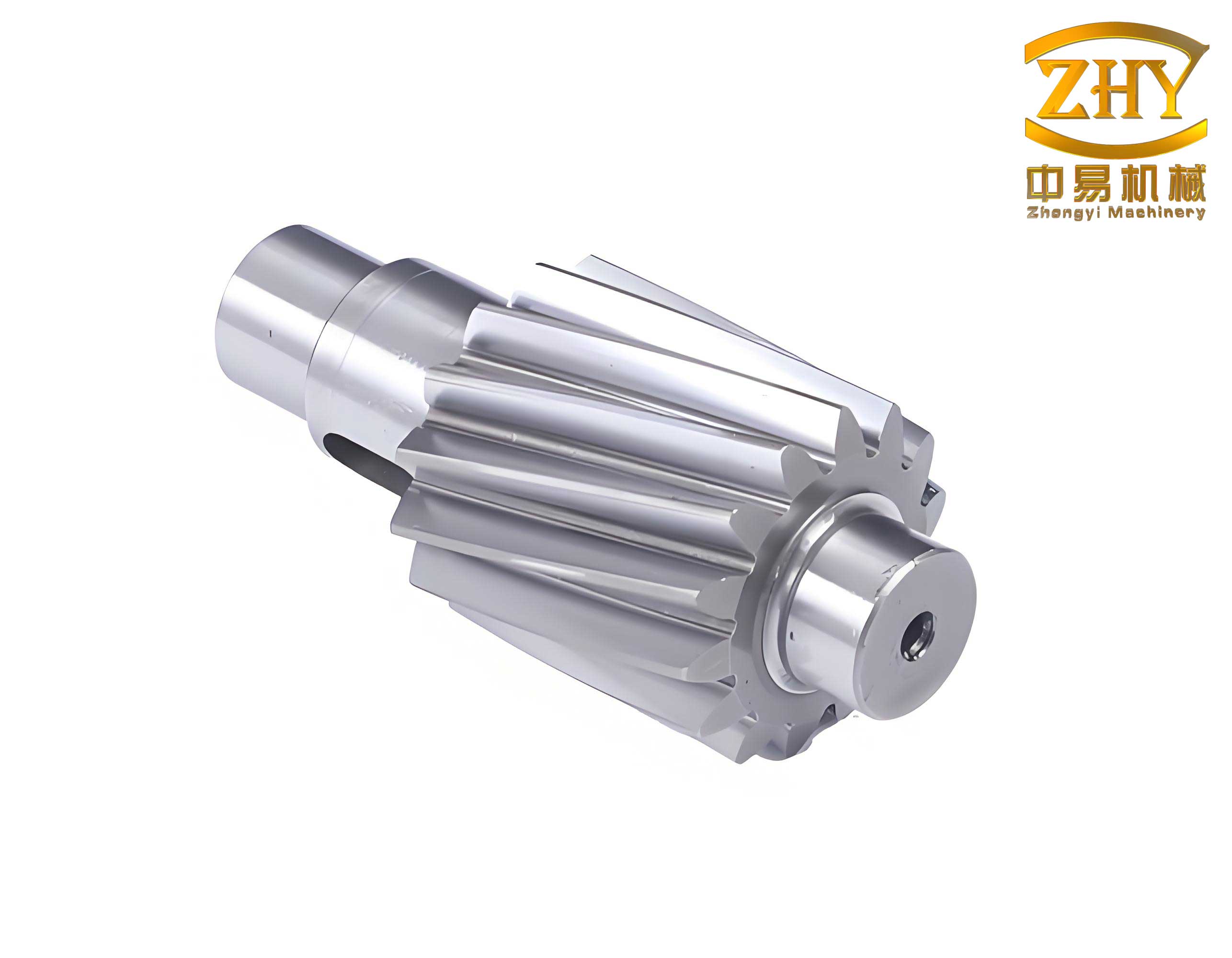
In the domain of mechanical power transmission, gear shafts are fundamental and ubiquitous components. They serve the critical function of integrating a gear with supporting journals into a single, rigid unit, effectively transmitting torque and motion while bearing radial loads. The design of these components, while conceptually straightforward—often comprising a central gear element flanked by one or more cylindrical or conical journals—can become a repetitive and time-consuming task in a digital design environment. This is particularly true when dealing with product families or variants where the basic geometry remains constant but dimensional parameters change. To address this inefficiency, the application of parametric design principles offers a powerful solution. By defining a model through a set of governing variables and relationships, a single digital template can be adapted to generate a vast array of specific instances automatically. This treatise delves into the research and development of a dedicated parametric design system for gear shafts, built upon the Solid Edge CAD platform and automated using Visual Basic for Applications. The core objective is to streamline the modeling process, enhance design consistency, and significantly boost productivity for engineers working with these common yet vital mechanical elements.
The efficacy of any parametric system hinges on its foundational architecture and the methodology used to drive geometric changes. In this implementation, the system is constructed on the client-server model facilitated by ActiveX Automation (now more commonly referred to as COM automation). Within this framework, Solid Edge acts as the automation server, exposing its vast array of objects, methods, and properties that control everything from document creation to feature modeling. The client, a custom application developed in Visual Basic (VB), acts as the control logic. It acquires design input from the user, performs necessary calculations, and then instructs Solid Edge by calling these exposed methods to construct or modify the 3D model procedurally. This approach is distinct from simply driving variables in a pre-built template; it involves the programmatic generation of the entire part from scratch. While more complex to code, this method offers superior flexibility and control, capable of handling a wider range of gear shafts configurations, including those with varying numbers of journal segments and auxiliary features.
The logical sequence for modeling a gear shaft can be decomposed into two primary, sequential tasks: the generation of the gear element and the generation of the attached journals. The system’s user interface is designed to reflect this, presenting separate input panels for gear data and journal data. A typical workflow is initiated by the user specifying the gear parameters, followed by defining the parameters for journals on either one or both sides of the gear.
Mathematical Foundation and Gear Tooth Generation
The accurate creation of the involute tooth profile is the most computationally intensive aspect of modeling gear shafts. The involute curve is defined as the trace of a point on a taut string as it is unwound from a base circle. For parametric modeling, a Cartesian coordinate system is established on the sketch plane where the gear profile will be drawn. The center of the gear \(O_1\) is placed at the origin (0,0). The positive X-axis is aligned with the centerline of a tooth (or a tooth space, depending on the chosen starting point). The coordinates \((x, y)\) of any point \(K_s\) on the involute curve can be calculated using the following set of parametric equations:
$$ r_k = \frac{r_b}{\cos(\alpha_k)} $$
$$ \theta_k = \operatorname{inv}(\alpha_k) = \tan(\alpha_k) – \alpha_k $$
$$ \delta_k = \delta – (\theta_k – \theta) $$
$$ x = r_k \cdot \cos(\delta_k), \quad y = r_k \cdot \sin(\delta_k) $$
Where:
\(r_b\) is the base circle radius (\(r_b = r \cdot \cos(\alpha)\)), where \(r\) is the pitch radius and \(\alpha\) is the pressure angle (commonly 20° or \(\pi/9\) radians).
\(\alpha_k\) is the pressure angle at the point \(K_s\) on the involute, varying from 0 at the base circle to \(\alpha_a\) at the addendum circle.
\(\delta\) is a constant angular offset, typically \(\pi / (2z)\) for positioning the curve relative to the tooth centerline, where \(z\) is the number of teeth.
\(\theta = \operatorname{inv}(\alpha)\) is the involute function of the standard pressure angle.
In practical software implementation, the continuous involute curve is approximated by a series of short, straight line segments. A key variable, \(n_E\), determines the number of discrete points sampled along the curve. The system calculates the coordinates for these \(n_E\) points using the equations above and then connects them sequentially using line-creation commands. A higher \(n_E\) yields a smoother, more accurate involute at the cost of increased computation time. The following table summarizes the primary gear parameters required by the system:
| Parameter Symbol | Description | Typical Units |
|---|---|---|
| \(m\) | Module | mm |
| \(z\) | Number of Teeth | – |
| \(B\) | Face Width | mm |
| \(\alpha\) | Pressure Angle | degrees or rad |
| \(c^*\) | Tip Relief / Chamfer | mm |
The procedural generation of the gear body within Solid Edge follows a well-defined algorithm. First, a cylindrical blank (protrusion) is created with a diameter equal to the gear’s addendum diameter and a height equal to the specified face width. Optional chamfers can be added to the front and back edges of this blank at this stage. Next, the profile for a single tooth space (the negative of a tooth) is sketched. This profile is bounded by arcs of the addendum and dedendum circles and includes the two approximated involute curves forming the flanks. This closed profile is then used to perform a “cutout” extrusion through the cylindrical blank, creating one empty tooth space. Finally, this cutout feature is patterned circularly around the central axis. The number of instances in this pattern is equal to the number of teeth \(z\), thereby completing the full gear geometry. This method ensures that all teeth are perfectly identical and geometrically dependent on the initial input parameters.
Automated Journal and Feature Generation
The second major phase in constructing the gear shaft model involves generating the supporting journals. Although the number, length, and diameter of these journal segments can vary widely, their fundamental shapes are regular, typically being right cylinders or frustums. This regularity makes them highly amenable to parametric generation. The system processes journals sequentially, starting from the gear face outward. For each journal segment \(i\), the system executes a standardized routine. A reference plane is first created parallel to the gear’s face, offset by the cumulative length of all previously generated journals plus the gear width. On this new plane, a circular profile is sketched with a diameter \(d_i\) as specified by the user. This profile is then extruded for a distance \(l_i\) (the journal length) to create the solid cylinder.
Following the creation of the basic cylindrical form, the system evaluates user input to determine if auxiliary features are required on that specific segment. These features are crucial for the functionality and manufacturability of real-world gear shafts. The table below categorizes common auxiliary features and their driving parameters:
| Feature Type | Purpose | Key Parameters |
|---|---|---|
| Chamfer | Ease assembly, remove sharp edges | Distance × Angle (e.g., 2 mm × 45°) |
| Fillet/Radius | Reduce stress concentration at shoulders | Radius value |
| Keyway | Transmit torque via a keyed connection | Width, Depth, Length, Axial Position |
| Retaining Ring Groove | Provide axial location for components | Width, Depth, Diameter |
Each feature is added programmatically. For instance, a chamfer is applied using the `AddEqualSetback` method on the relevant edge. A keyway is created by first sketching a rectangular profile on a tangent plane to the journal’s cylindrical surface, positioned according to axial (\(l_2\)) and angular (e.g., 0° from top) inputs, and then extruding it as a cutout. To ensure standardization, keyway dimensions (width, depth) can be automatically retrieved from an integrated database based on the journal’s nominal diameter, adhering to industry standards. This process repeats for each journal segment on one side of the gear, and then an identical logic is applied to generate the journals on the opposite side, if specified. The complete, high-level logic flow for the entire gear shaft generation system is captured in the algorithm below.
Algorithm: Parametric Gear Shaft Generation
1. Input: Acquire gear parameters (m, z, B, etc.) and journal array data from user interface.
2. Initialize Solid Edge: Create a new part document and obtain the application object.
3. Create Gear Blank: Sketch and extrude cylinder (Diameter = Addendum Dia, Height = B).
4. Optionally Add Gear Chamfers.
5. Generate Tooth Space Profile:
a. Calculate addendum, dedendum, and base circle radii.
b. Sample \(n_E\) points on one involute flank using the coordinate equations.
c. Mirror to create the second flank and connect with root/tip arcs to form closed profile.
6. Create First Tooth Space: Perform extruded cutout using the profile from step 5.
7. Pattern Teeth: Create circular pattern of the cutout with \(z\) instances.
8. For each side of the gear (Left/Right):
a. Set cumulative length \(L_{cum} = B\).
b. For each journal segment \(i\) on this side:
i. Create reference plane offset by \(L_{cum}\).
ii. Sketch circle with diameter \(d_i\).
iii. Extrude profile for length \(l_i\).
iv. If chamfer specified: Add to end edge.
v. If keyway specified: Sketch rectangle on tangent plane, extrude cut.
vi. Update \(L_{cum} = L_{cum} + l_i\).
9. Output: Final 3D parametric model of the gear shaft in Solid Edge.
System Application and Practical Workflow
To concretely illustrate the application of this parametric system, consider the design of a specific gear shaft. The component features a central spur gear with a module of 2 mm and 25 teeth, resulting in a pitch diameter of 50 mm. The gear face width is 84 mm, and its edges have a 3×45° chamfer. On the left side, two journal segments are required: the first with a diameter of 40 mm and length of 15 mm, and the second adjacent to the gear with a diameter of 32 mm and length of 21 mm; both have 2×45° end chamfers. The right side features three journals: diameters of 40 mm, 32 mm, and 28 mm, with lengths of 15 mm, 21 mm, and 60 mm respectively, all with 2×45° end chamfers. Furthermore, the third journal (Ø28 mm) requires a standard keyway with a length of 32 mm, positioned axially 24 mm from its outer end, and aligned at the top (0° angular position).
The designer’s task is greatly simplified. Instead of manually sketching and extruding each feature, they interact solely with the VB application’s forms. They populate the gear parameter fields, then add journal entries for the left and right sides, specifying dimensions and checking boxes for chamfers. For the keyway, upon selecting the feature for the Ø28 mm journal, the system can auto-populate the width and depth from its database, leaving only the length and positioning parameters for the user to enter. Upon executing the generation routine, the system orchestrates hundreds of Solid Edge API calls in the background, culminating in the automatic creation of the complete, detailed 3D model within a minute or two. This represents a dramatic reduction in effort compared to manual interactive CAD modeling.
Advantages, Challenges, and Future Directions
The implementation of a dedicated parametric design system for gear shafts confers several significant advantages. Primarily, it drastically accelerates the design cycle for families of similar components, enabling rapid configuration and prototyping. This is invaluable in environments requiring frequent customization or variant design. Secondly, it enforces design consistency and reduces human error. All models generated from the system adhere to the same geometric rules and relationships, ensuring that calculations for involutes, gear meshing fundamentals, and standard feature sizes are always correct. Thirdly, it democratizes complex modeling tasks. Engineers or drafters who may not be experts in the intricacies of involute geometry or advanced CAD feature patterning can still produce accurate, production-ready models of gear shafts by simply understanding the input parameters.
However, developing such a system is not without challenges. The initial development effort is substantial, requiring deep knowledge of both the CAD software’s API and the underlying mechanical engineering principles. Debugging procedural generation code can be more complex than debugging a static model. Furthermore, the system’s flexibility, while a strength, is also a boundary; it is specifically tailored for gear shafts with spur gears and cylindrical/conical journals. Highly unconventional shaft geometries would fall outside its scope and require manual modeling or a separate system.
The future evolution of this system points toward several promising directions. Integration with higher-level design automation and Product Lifecycle Management (PLM) systems could allow parameters to be driven directly from engineering calculations or bill-of-materials (BOM) configurations. Expanding the gear library to include helical gears, bevel gears, or worm wheels would significantly broaden its applicability. Incorporating finite element analysis (FEA) preprocessing—such as automatically applying loads, constraints, and meshing for stress analysis on the generated gear shafts—would create a seamless design-to-validation workflow. Finally, moving towards a knowledge-based engineering (KBE) approach, where the system encapsulates not just geometry but also manufacturing rules, material selection guidelines, and cost estimation logic, would elevate it from a modeling tool to a comprehensive design advisor for power transmission components.
In conclusion, the parametric design system for gear shafts, developed by leveraging the automation capabilities of Solid Edge through Visual Basic, stands as an effective solution to a common engineering design bottleneck. It translates the repetitive, detailed task of 3D CAD modeling into a streamlined, parameter-driven process. By capturing engineering intent and geometric relationships in code, it ensures accuracy, promotes standardization, and frees designers to focus on higher-level conceptual and analytical work. As manufacturing continues its trajectory towards digitalization and mass customization, the role of such targeted, intelligent design automation tools will only become more central in the efficient development of precision mechanical components like gear shafts.