
In modern mechanical engineering, the design of precision components like helical gears is critical for ensuring efficient and reliable power transmission in various industrial applications. As a design engineer, I have extensively utilized UG software, a comprehensive CAD/CAM/CAE platform developed by Siemens, to implement parametric modeling techniques. This approach allows for the creation of adaptable and accurate digital prototypes, particularly for complex geometries such as involute helical gears. In this article, I will share my methodology for achieving precise parametric design of helical gears within the UG environment, emphasizing the use of expressions, law curves, and helical functions. This method not only streamlines the design process but also serves as a valuable reference for parameterizing other mechanical transmission components like different gear types and worm drives.
The helical gear, characterized by its angled teeth, offers significant advantages over spur gears, including smoother operation, reduced noise and vibration, higher load capacity, and longer service life. These benefits make helical gears indispensable in automotive transmissions, industrial machinery, and aerospace systems. However, their complex geometry, which involves a combination of involute profiles and spiral trajectories, poses challenges in digital modeling. Parametric design addresses these challenges by linking geometric dimensions to mathematical equations, enabling automatic updates when parameters change. UG software excels in this regard due to its robust parametric capabilities, which surpass those of other CAD tools like Pro/E or SolidWorks in terms of flexibility and integration. My design process revolves around establishing a fully associative model where all features are driven by a set of core parameters, ensuring that any modification propagates seamlessly throughout the entire helical gear assembly.
The foundation of parametric design for helical gears lies in defining the basic geometric parameters. For a standard involute helical gear, six primary parameters govern its shape and dimensions: the number of teeth (denoted as z), the normal module (mn), the normal pressure angle (αn), the helix angle (β), the addendum coefficient (han*), and the clearance coefficient (cn*). In cases of non-standard or modified gears, additional factors like the profile shift coefficient (x) may be introduced, but for this discussion, I focus on a standard helical gear with x = 0. These parameters are interrelated through a series of derived equations that calculate other critical dimensions, such as the pitch diameter, base diameter, addendum diameter, and dedendum diameter. To illustrate, I have compiled these relationships into a comprehensive table below, which serves as a quick reference for the key formulas involved in helical gear design.
| Parameter | Symbol | Formula | Description |
|---|---|---|---|
| Number of Teeth | z | Input value | Fundamental design parameter |
| Normal Module | mn | Input value | Standardized size parameter in normal plane |
| Normal Pressure Angle | αn | Input value (typically 20°) | Angle defining tooth profile inclination |
| Helix Angle | β | Input value (e.g., 15°) | Angle of tooth spiral relative to gear axis |
| Addendum Coefficient | han* | Input value (typically 1) | Factor for addendum height calculation |
| Clearance Coefficient | cn* | Input value (typically 0.25) | Factor for dedendum clearance |
| Addendum Height | ha | ha = (han* + x) · mn | Height from pitch circle to tooth tip |
| Dedendum Height | hf | hf = (han* + cn* – x) · mn | Height from pitch circle to tooth root |
| Pitch Diameter | d | d = mn · z / cos(β) | Diameter of imaginary pitch circle |
| Base Diameter | db | db = d · cos(αt) where αt is transverse pressure angle | Diameter of base circle for involute generation |
| Addendum Diameter | da | da = d + 2 · ha | Diameter of outer tooth tips |
| Dedendum Diameter | df | df = d – 2 · hf | Diameter of tooth roots |
| Transverse Pressure Angle | αt | tan(αt) = tan(αn) / cos(β) | Pressure angle in transverse plane |
| Gear Width | b | Input value (e.g., 50 mm) | Axial length of the helical gear |
In my practical example, I set the following values for a standard helical gear: z = 37, mn = 4 mm, αn = 20°, β = 15°, b = 50 mm, han* = 1, and cn* = 0.25. With these inputs, the derived dimensions are computed automatically. The first step in UG is to input these parameters into the Expressions dialog box, which acts as the control center for all mathematical relationships. This feature allows me to define variables and equations that drive the entire model. For instance, I create expressions for the pitch diameter (d), base diameter (db), addendum diameter (da), and dedendum diameter (df) using the formulas listed above. This establishes a parametric framework where any change in, say, the number of teeth or helix angle automatically updates all dependent dimensions, ensuring consistency and accuracy in the helical gear design.
Once the expressions are defined, I proceed to sketch the fundamental circles that form the basis of the helical gear tooth profile. In the UG sketching environment, I select the XC-YC plane as my reference and draw four concentric circles representing the pitch circle, addendum circle, base circle, and dedendum circle. Using geometric constraints, I fix their centers at the coordinate origin, and then apply dimensional constraints linked to the expressions for d, da, db, and df. This ensures that the circles adjust dynamically based on the input parameters. These circles are crucial as they define the boundaries for the tooth profile: the addendum circle marks the outermost extent of the teeth, the dedendum circle indicates the root, the pitch circle is the reference for meshing, and the base circle is essential for generating the involute curve. This step lays the groundwork for constructing the precise geometry of the helical gear.
The next phase involves creating the involute profile, which is the heart of gear tooth design. The involute curve is defined mathematically by a set of parametric equations derived from the geometry of the base circle. In UG, I use the Law Curve function to generate this curve based on the following equations, where t is a parameter ranging from 0 to 1, and θ is the roll angle in degrees:
$$ r = \frac{d_b}{2} $$
$$ t = 0 \text{ to } 1 $$
$$ \theta = 90 \cdot t $$
$$ s = r \cdot \theta \cdot \frac{\pi}{180} $$
$$ x_t = r \cdot \cos(\theta) + s \cdot \sin(\theta) $$
$$ y_t = r \cdot \sin(\theta) – s \cdot \cos(\theta) $$
$$ z_t = 0 $$
Here, s represents the unwrapped arc length from the base circle, and (x_t, y_t, z_t) are the coordinates of the involute curve. By inputting these equations into the Law Curve dialog, UG generates a precise involute segment spanning 90 degrees. This curve is then projected onto the sketch plane to integrate it with the previously drawn circles. To form a single tooth space, I need to mirror and array this involute profile. First, I draw a reference line from the origin to the intersection of the involute and the pitch circle. Then, using the Array Curve command, I create additional reference lines to define the symmetry axes. The involute is mirrored across one of these lines to produce the opposite flank, and both flanks are arrayed circularly around the gear center with an angular pitch of 360/z degrees. Finally, I trim the curves and add fillets at the tooth root (e.g., radius R0.4 mm) to reduce stress concentration, resulting in a complete 2D profile of one tooth space for the helical gear.
With the 2D tooth profile established, I move on to incorporating the three-dimensional helical aspect. The helix of a helical gear is defined by its lead, which depends on the helix angle and gear width. In UG, I use the Helix function to create a spiral curve that guides the tooth profile along the axial direction. To maintain parametric associativity, I define additional expressions for the helix parameters. For instance, the lead (L) of the helix is calculated as:
$$ L = \frac{\pi \cdot d}{\tan(\beta)} $$
However, for the UG Helix command, I often use a simplified approach by setting the pitch (p) equal to the lead and the number of turns based on the gear width. Alternatively, I can directly input the helix angle and diameter. In my example, I create an expression for the helical path length and then generate a helix with a diameter equal to the pitch diameter (d) and a pitch calculated from the helix angle. This helix curve serves as a sweep path for transforming the 2D tooth profile into a 3D helical shape. The seamless integration of this helical feature is what distinguishes a helical gear from a spur gear, enabling smoother engagement and higher load distribution.
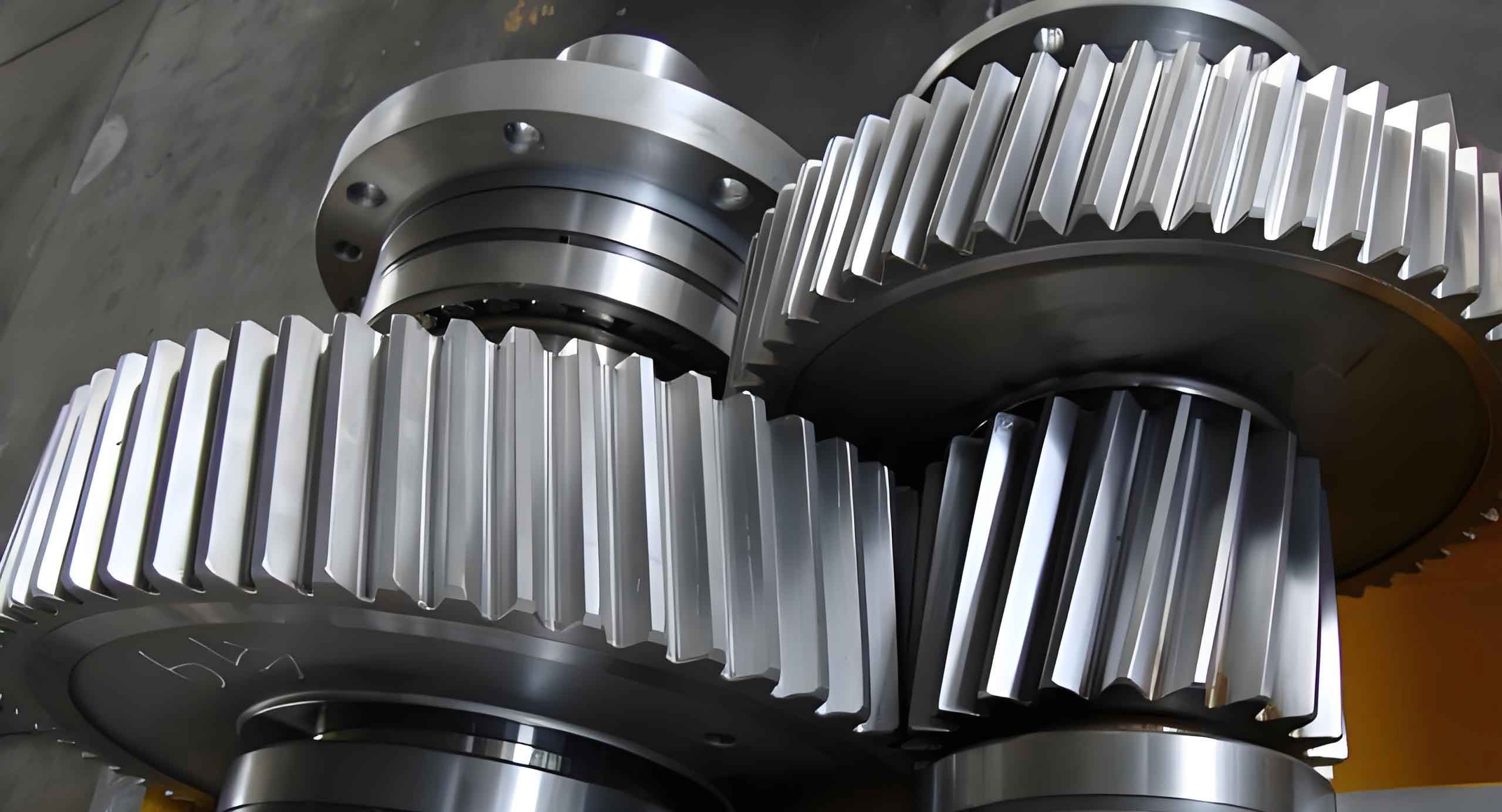
Now, I proceed to generate the 3D solid model of the helical gear. Using the Sweep command in UG, I select the 2D tooth space profile as the section curve and the helix as the guide curve. This operation creates a solid representation of one tooth gap with a helical twist. Then, I extrude the addendum circle to form the gear blank, and perform a Boolean subtraction to cut out the tooth gap. To replicate the tooth gaps around the entire gear, I use the Circular Array feature, specifying the number of instances equal to the number of teeth (z) and an angular spacing of 360/z degrees. This results in a full set of helical teeth cut into the gear blank. For added realism and functionality, I may incorporate other features such as hubs, keyways, or bolt holes. For example, I can create a central bore with a keyway according to ISO standards, and add mounting flanges or lightening holes as needed. All these features are driven by parametric expressions, so modifying the gear size or number of teeth automatically adjusts the entire model, including ancillary details. This parametric associativity is a hallmark of efficient helical gear design in UG, reducing errors and saving time during design iterations.
To further illustrate the parametric relationships, I have summarized the core equations and their interdependencies in the following table. This table encapsulates the mathematical foundation for designing an involute helical gear, highlighting how each parameter influences the others. Such a summary is invaluable for engineers seeking to customize helical gear designs for specific applications, whether in high-speed transmissions or heavy-duty machinery.
| Equation Type | Formula | Parameters Involved | Purpose in Helical Gear Design |
|---|---|---|---|
| Basic Dimension | $$ d = \frac{m_n \cdot z}{\cos(\beta)} $$ | mn, z, β | Calculates pitch diameter for helical gear meshing |
| Involute Generation | $$ x_t = r_b (\cos(\theta) + \theta \sin(\theta)), \quad y_t = r_b (\sin(\theta) – \theta \cos(\theta)) $$ | rb = db/2, θ | Defines tooth profile geometry for load distribution |
| Helical Path | $$ \text{Lead} = \pi \cdot d \cdot \cot(\beta) $$ | d, β | Determines axial advance per revolution for tooth spiral |
| Tooth Proportion | $$ h_a = m_n (h_{an}^* + x), \quad h_f = m_n (h_{an}^* + c_n^* – x) $$ | mn, han*, cn*, x | Sets addendum and dedendum heights for clearance and strength |
| Array Geometry | $$ \text{Angular Pitch} = \frac{360^\circ}{z} $$ | z | Spaces teeth evenly around helical gear circumference |
The parametric design methodology I have described offers numerous advantages for helical gear development. Firstly, it enables rapid prototyping and customization; by simply altering a few input values, I can generate a completely new helical gear model without redrawing from scratch. This is particularly useful in industries like automotive or aerospace, where gear specifications frequently change based on performance requirements. Secondly, the associative nature of the model ensures that all related features, such as the helix angle and tooth profile, remain synchronized, minimizing the risk of geometric inconsistencies. Thirdly, this approach facilitates integration with simulation and manufacturing modules within UG, allowing for stress analysis, kinematic studies, and CNC programming directly from the parametric model. For instance, I can perform finite element analysis (FEA) on the helical gear to evaluate tooth bending stress or contact patterns, and then use CAM tools to generate toolpaths for milling or grinding the gear teeth. This end-to-end workflow enhances productivity and ensures that the final physical helical gear meets exact design specifications.
In conclusion, the parametric design of involute helical gears using UG software is a powerful technique that combines mathematical precision with flexible modeling capabilities. As a design engineer, I have found that this method significantly streamlines the development process for helical gears, from initial concept to final production. By leveraging expressions, law curves, and helical functions, I can create accurate and adaptable models that respond dynamically to design changes. The tables and equations provided in this article summarize the key relationships that govern helical gear geometry, serving as a practical reference for practitioners. Moreover, this parametric framework extends beyond helical gears to other mechanical components like bevel gears, worm gears, and splines, making it a versatile tool in the engineer’s toolkit. As technology advances, the integration of parametric design with artificial intelligence and generative algorithms promises to further optimize helical gear performance, opening new frontiers in mechanical transmission systems. Therefore, mastering these techniques is essential for anyone involved in the design and manufacture of high-precision helical gears.