
In modern mechanical design, the ability to create accurate and modifiable three-dimensional models is paramount. As an engineer focused on gear systems, I have extensively utilized Pro/ENGINEER (Pro/E) for its robust parametric modeling capabilities. This article details my firsthand experience and methodology in performing parametric design for involute straight miter gears, a critical component in various power transmission systems, such as controlled-start planetary gear reducers. The parametric approach not only streamlines the design process but also facilitates subsequent assembly simulation and manufacturing preparation. Throughout this discussion, I will emphasize the application to miter gears, which are bevel gears with a shaft angle of 90 degrees, ensuring their design accuracy and adaptability.
Parametric design in Pro/E revolves around defining a set of controlling parameters and establishing mathematical relationships among them. For involute miter gears, this involves geometric parameters like module, number of teeth, pressure angle, and addendum and dedendum coefficients. By encoding these into the software, any change in a primary parameter automatically updates the entire gear model. This is particularly beneficial for miter gear designs, where iterative adjustments are common during the development of compact transmission assemblies. The core of my parametric modeling process begins with the input of fundamental design parameters and the derivation of dependent dimensions through relational equations.
I start by declaring the independent parameters in Pro/E’s parameter table. These form the foundation for all subsequent calculations and geometry generation. Below is a summary table of the key primary parameters used in defining a standard involute miter gear.
| Parameter Symbol | Description | Typical Value/Unit |
|---|---|---|
| m | Module | e.g., 3 mm |
| z | Number of Teeth | e.g., 20 |
| α | Pressure Angle | e.g., 20° |
| hax | Addendum Coefficient | 1 (for standard gears) |
| c | Clearance Coefficient | 0.25 (for standard gears) |
| x | Profile Shift Coefficient | 0 (for non-shifted gears) |
| b | Face Width | e.g., 20 mm |
| z_asm | Number of Teeth on Mating Gear | e.g., 20 (for a 1:1 miter pair) |
From these primary parameters, a series of dependent geometric dimensions are calculated using relational formulas. These formulas are entered into Pro/E’s relation editor, creating a dynamic link between parameters. The following set of equations is central to defining the miter gear’s profile. It is crucial to note that for a miter gear, the pitch cone angle δ is 45° since the shaft angle is 90° and the gear ratio is 1:1. However, the relations are written generally, with δ calculated from the tooth numbers.
The fundamental relations are as follows:
$$h_a = (h_{ax} + x) \cdot m$$
$$h_f = (h_{ax} + c – x) \cdot m$$
$$h = (2 \cdot h_{ax} + c) \cdot m$$
$$\delta = \arctan\left(\frac{z}{z_{asm}}\right)$$
For a standard miter gear pair where \(z = z_{asm}\), this simplifies to \(\delta = 45^\circ\).
$$d = m \cdot z$$
$$d_b = d \cdot \cos(\alpha)$$
$$d_a = d + 2 \cdot h_a \cdot \cos(\delta)$$
$$d_f = d – 2 \cdot h_f \cdot \cos(\delta)$$
Further dimensions related to the back-cone and virtual spur gear used for development are:
$$h_b = \frac{d – d_b}{2 \cdot \cos(\delta)}$$
$$r_x = \frac{d}{2 \cdot \sin(\delta)}$$
$$\theta_a = \arctan\left(\frac{h_a}{r_x}\right)$$
$$\theta_b = \arctan\left(\frac{h_b}{r_x}\right)$$
$$\theta_f = \arctan\left(\frac{h_f}{r_x}\right)$$
$$\delta_a = \delta + \theta_a$$
$$\delta_b = \delta – \theta_b$$
$$\delta_f = \delta – \theta_f$$
$$b_a = \frac{b}{\cos(\theta_a)}$$
$$b_b = \frac{b}{\cos(\theta_b)}$$
$$b_f = \frac{b}{\cos(\theta_f)}$$
$$D_0 = \frac{d}{2 \cdot \tan(\delta)}$$
These equations comprehensively define the gear’s macro-geometry. The parameter \(r_x\) represents the back-cone radius, which is essential for generating the involute profile on the developed tooth surface. The angles \(\delta_a\), \(\delta_b\), and \(\delta_f\) define the cone angles for the addendum, base, and dedendum circles, respectively. Proper calculation of these values ensures the accurate shape of the miter gear tooth from the heel to the toe.
With the parameters and relations established, the actual 3D modeling process in Pro/E begins. The first step is to create a set of datum curves that represent key circles at both the heel (large end) and toe (small end) of the miter gear blank. In a sketcher environment, I draw concentric circles corresponding to the addendum circle (\(d_a\)), pitch circle (\(d\)), base circle (\(d_b\)), and root circle (\(d_f\)). These circles are driven by the parameters defined earlier, ensuring they update automatically if any primary parameter changes. This step is critical for visually constraining the tooth profile generation.
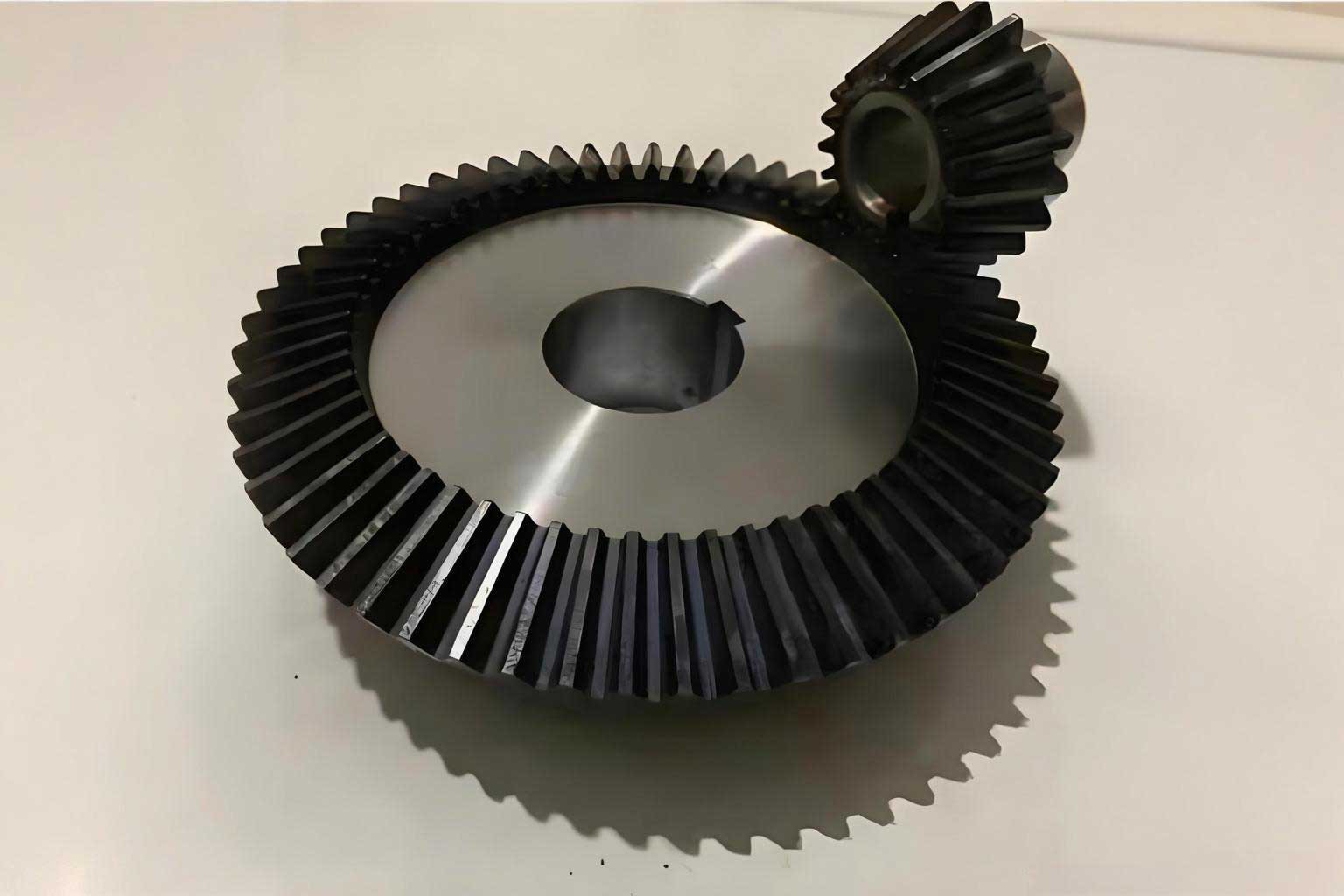
The core of the miter gear tooth form is the involute curve. To generate this precisely, I create a Cartesian coordinate system at the center of the concentric circles. Using Pro/E’s curve-from-equation function, I input the parametric equations for an involute. The equations are based on the base circle radius of the virtual spur gear derived from the miter gear’s back-cone geometry. The equations used are:
$$r = \frac{d_b}{\cos(\delta) \cdot 2}$$
$$\theta = t \cdot 60$$
$$x = r \cdot \cos(\theta) + r \cdot \sin(\theta) \cdot \theta \cdot \frac{\pi}{180}$$
$$y = r \cdot \sin(\theta) – r \cdot \cos(\theta) \cdot \theta \cdot \frac{\pi}{180}$$
$$z = 0$$
Here, \(t\) is a Pro/E system parameter that varies from 0 to 1, defining the segment of the involute curve to be drawn. This generates a precise involute profile for one side of a single tooth at the large end of the miter gear. This curve is then mirrored about a plane passing through the gear axis and the midpoint of the tooth space to create the opposite flank. The resulting two curves, along with the previously drawn circles, define the boundaries for the tooth profile sketch at the large end. A similar set of curves is generated for the small end by calculating dimensions based on the taper.
To create the solid 3D tooth, I employ Pro/E’s advanced feature command called “Swept Blend.” This feature requires at least two sections (sketches) and a trajectory. I sketch the tooth profile (the area bounded by the involute curves and the root arc) at both the large end and the small end. These two sections are placed at their respective axial locations along the gear blank, which is defined by the face width \(b\) and the pitch cone apex. The trajectory for the sweep is a straight line from the center of the large-end profile to the center of the small-end profile, aligned with the cone generatrix. The “Swept Blend” command then interpolates a smooth solid between these two sections, creating a single, accurate miter gear tooth. The robustness of this method lies in its full parametrization; altering the face width or cone angle automatically adjusts the sweep trajectory and section locations.
Once the first tooth is created, the entire gear is completed through a pattern operation. I select the axis of the gear blank as the pattern direction. In the pattern tool, I choose the “Axis” pattern type and input the number of instances as the parameter \(z\) (number of teeth). The angular increment is automatically calculated as \(360^\circ / z\). Pro/E then generates a circular pattern of the single tooth feature, creating a full set of teeth around the miter gear body. This pattern is also parametric. Changing the tooth count \(z\) in the parameter table will automatically update the pattern instance count and angular spacing, instantly regenerating the model with the new number of teeth. This demonstrates the immense power of top-down parametric design for components like miter gears, where design iterations are frequent.
The following table summarizes the major Pro/E feature operations and their corresponding parameters in the context of miter gear modeling. This highlights the seamless integration between dimensional drivers and geometric features.
| Modeling Step | Pro/E Feature/Tool | Key Driving Parameters | Purpose for Miter Gear |
|---|---|---|---|
| Parameter Definition | Parameters & Relations | m, z, α, hax, c, x, b, z_asm | Establish the mathematical foundation for all dimensions. |
| Datum Geometry | Sketcher (Circles) | d, da, db, df (via relations) | Create reference curves for tooth profile construction at both ends. |
| Involute Curve | Curve from Equation | db, δ (via r in equation) | Generate the precise involute tooth flank geometry. |
| Tooth Section | Sketcher (Profile) | Involute curves, root circle | Define the 2D boundary of a single tooth at large and small ends. |
| 3D Tooth Form | Swept Blend | Tooth sections, face width b, cone apex | Create a solid tooth that tapers from the large end to the small end. |
| Full Gear | Axis Pattern | Number of teeth z, gear axis | Replicate the single tooth around the circumference to complete the miter gear. |
The advantages of this parametric approach for miter gear design are multifold. Firstly, it ensures geometric consistency and accuracy. All tooth dimensions are derived from standard gear theory, eliminating manual calculation errors. Secondly, it offers unparalleled flexibility. Designing a family of miter gears for different modules or tooth counts becomes trivial—I simply create a generic model and then instantiate new parts by changing the parameter values in a table or via a program. This is invaluable in the development of controlled-start planetary reducers, where multiple similar but dimensionally different miter gears may be needed for optimization. Thirdly, it directly supports downstream processes. The fully parametric 3D model can be used for interference checking in virtual assemblies, generation of precise engineering drawings, and even as the basis for CNC machining code via Pro/E’s manufacturing module. The model’s associativity means that any design change propagates through drawings and manufacturing plans, maintaining data integrity.
In practice, to leverage this fully, I often create a user-defined feature (UDF) or a programmable model (using Pro/Program) for the miter gear. This encapsulates the entire modeling logic into a single, reusable entity. For instance, I can create an interactive dialog box that prompts the user for the basic parameters (module, tooth count, etc.) and then automatically generates the miter gear model. This promotes standardization and reduces modeling time for other team members working on related projects involving miter gears.
Furthermore, the parametric framework allows for easy incorporation of design variations. For example, while the described process is for a standard straight miter gear, the same principles can be extended to design spiral miter gears or miter gears with modified tooth profiles by adjusting the underlying equations and curve definitions. The initial investment in setting up the parameters and relations pays significant dividends across the product lifecycle. It is worth reiterating that the focus on miter gears in this methodology is due to their prevalence in right-angle drives where space is constrained and load must be transmitted efficiently at a 90-degree shaft angle. The parametric model ensures these specific gears are designed to precise specifications every time.
In conclusion, my experience with Pro/ENGINEER has solidified the critical importance of parametric design in modern mechanical engineering, particularly for complex components like involute miter gears. The process, from initial parameter definition through relational equation coding, datum curve creation, involute profile generation, swept blend solid modeling, and axial patterning, creates a fully integrated and intelligent digital prototype. This parametric miter gear model is not a static representation but a dynamic one that adapts to design changes, thereby accelerating the development cycle, reducing errors, and providing a robust foundation for simulation, assembly, and manufacturing. The methodology outlined here serves as a powerful template for the parametric design of a wide range of gear types, with the miter gear being a prime and frequently encountered example in transmission design projects.