
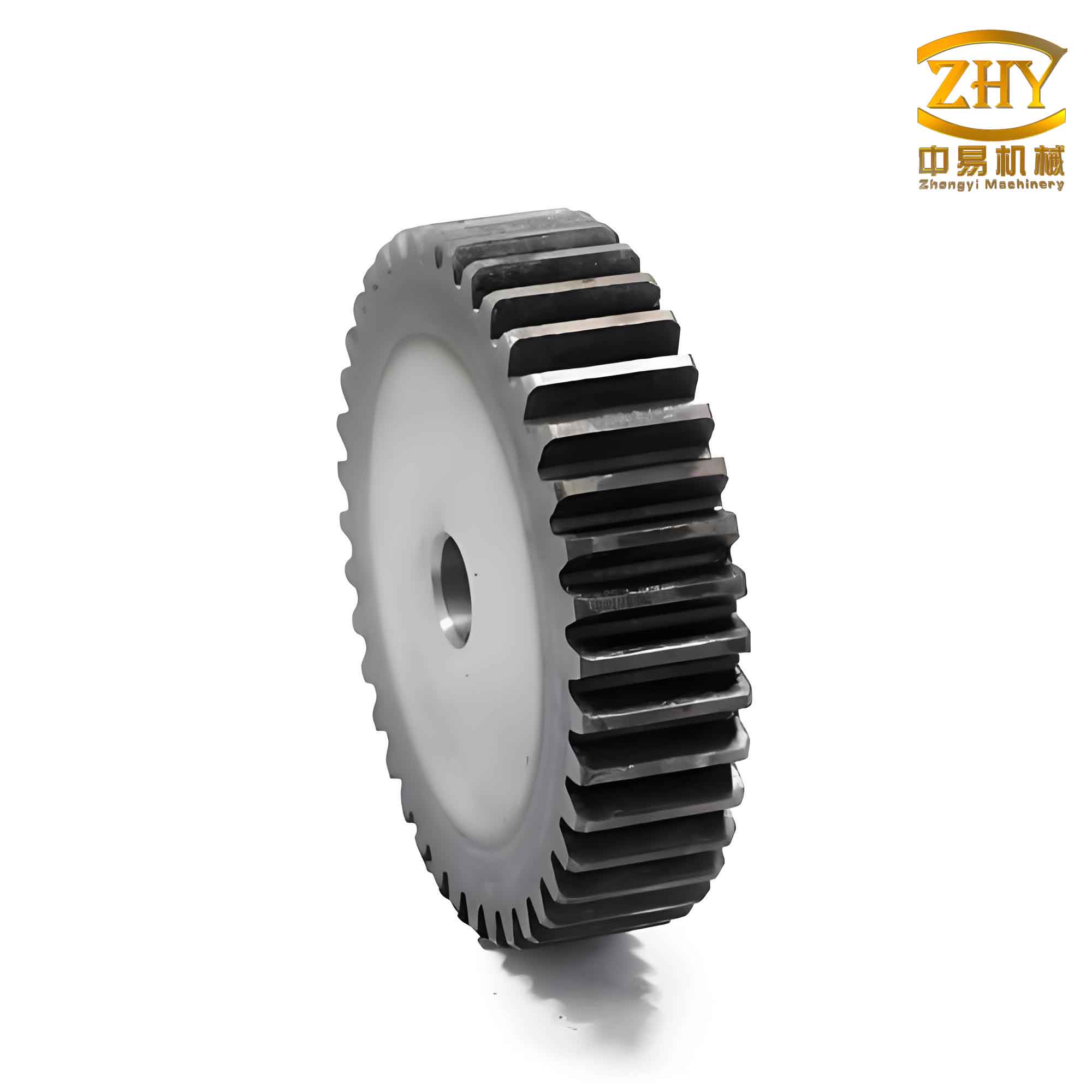
In the field of mechanical design and manufacturing, the creation of accurate and easily modifiable gear models is a fundamental task. Among various gear types, the spur and pinion gear arrangement is one of the most common, prized for its simplicity, reliability, and efficiency in transmitting motion and power between parallel shafts. However, the geometric complexity of an involute tooth profile presents a significant challenge in computer-aided design (CAD). Manually recreating gears for every new set of parameters is time-consuming and prone to error. This is where the power of parametric, feature-based CAD systems like PTC’s Pro/ENGINEER (Pro/E) becomes indispensable. In this article, I will detail a comprehensive methodology for the fully parametric solid design of standard involute spur gears, enabling the rapid and precise generation of any spur and pinion gear pair simply by modifying a few key input variables. This approach not only streamlines the design process but also creates a robust foundation for subsequent simulation, finite element analysis (FEA), and computer-aided manufacturing (CAM).
The Principle of Parametric Design in Pro/ENGINEER
At its core, parametric design in Pro/E is a process where the geometry of a model is driven by a set of defining parameters and the logical relationships between them. Instead of modeling a fixed shape, the designer creates an intelligent “recipe.” This recipe consists of features (extrusions, cuts, holes, etc.) whose dimensions and existence are controlled by variables. The system records every step of the model’s creation in a history tree and an associated program. When a parameter value is changed, Pro/E regenerates the model by replaying this history, recalculating all dependent dimensions through the established relationships. This allows a single generic model, or “template,” to generate an entire family of parts. For a complex component like a spur and pinion gear, this means that a meticulously constructed template can produce gears of any module, tooth count, or face width instantly, ensuring geometric consistency and adherence to theoretical standards.
Preparatory Work: Defining Parameters and Fundamental Relations
Before beginning the 3D modeling process, it is crucial to establish the mathematical foundation. A standard full-depth involute spur gear with a pressure angle (α) of 20°, a unit addendum coefficient (ha* = 1), and a dedendum coefficient (hf* = 1.25) is considered. The primary independent parameters that will drive our spur and pinion gear design are:
- Module (m): The fundamental scaling factor defining tooth size.
- Number of Teeth (Z): Determines the gear’s diameter and the spacing of teeth.
- Face Width (B): The axial length of the gear tooth.
- Pressure Angle (α): The angle defining the inclination of the tooth force; typically 20° or 14.5°.
From these independent parameters, all other critical geometric dimensions of the spur and pinion gear are derived. The following formulas are essential and will be encoded as “Relations” in Pro/E:
| Geometric Feature | Formula | Description |
|---|---|---|
| Pitch Diameter | $$d = m \cdot Z$$ | Reference diameter for gear mating. |
| Base Circle Diameter | $$d_b = d \cdot \cos(\alpha)$$ | Circle from which the involute profile is developed. |
| Addendum (Tooth Height) | $$h_a = m$$ | Radial height from pitch circle to tip. |
| Dedendum (Root Height) | $$h_f = 1.25 \cdot m$$ | Radial height from pitch circle to root. |
| Tip Diameter | $$d_a = d + 2h_a = m(Z + 2)$$ | Diameter of the gear’s outer cylinder. |
| Root Diameter | $$d_f = d – 2h_f = m(Z – 2.5)$$ | Diameter of the gear’s root cylinder. |
| Circular Pitch | $$p = \pi \cdot m$$ | Distance between corresponding points on adjacent teeth along the pitch circle. |
| Tooth Thickness (on Pitch Circle) | $$s = p / 2 = \pi m / 2$$ | Arc length of tooth on the pitch circle. |
The most critical element is the involute curve itself. In the Cartesian coordinate system, a parametric equation for an involute of a circle with radius \( r_b \) (the base circle radius) is:
$$x = r_b (\cos\theta + \theta \sin\theta)$$
$$y = r_b (\sin\theta – \theta \cos\theta)$$
where \( \theta \) is the roll angle in radians. This equation will be used directly within Pro/E’s “From Equation” curve creation tool.
Step-by-Step Parametric Modeling Procedure
Here, I will walk through the detailed process of building the parametric spur and pinion gear model. The goal is to create a template where changing `m`, `Z`, `B`, and `α` automatically regenerates a correct, fully-featured gear.
Step 1: Initial Setup and Parameter Declaration
Create a new part file. Navigate to Tools > Parameters. Add the following user parameters with initial arbitrary values. These are the driving inputs for our spur and pinion gear design.
| Parameter Name | Type | Initial Value | Description |
|---|---|---|---|
| M | Real Number | 2.0 | Module |
| Z | Integer | 20 | Number of Teeth |
| B | Real Number | 15.0 | Face Width |
| ALPHA | Real Number | 20.0 | Pressure Angle (Degrees) |
Step 2: Creating the Fundamental Sketched Circles
Create a datum plane (e.g., FRONT) and start a sketch. Draw four concentric circles, dimensioning their diameters arbitrarily as `sd0`, `sd1`, `sd2`, and `sd3`. Exit the sketch. Now, we link these sketch dimensions to our calculated gear geometry using Relations (Tools > Relations).
sd0 = M * (Z – 2.5) // Root Diameter (d_f)
sd1 = M * Z // Pitch Diameter (d)
sd2 = sd1 * cos(ALPHA) // Base Circle Diameter (d_b)
sd3 = M * (Z + 2) // Tip Diameter (d_a)
Upon regeneration, the four circles will resize according to the formulas, establishing the key diameters for our spur and pinion gear profile.
Step 3: Generating the Involute Tooth Profile
Go to Insert > Model Datum > Curve > From Equation. Select the coordinate system. Choose `Cartesian` as the coordinate system type. In the equation editor, input the involute equations. Note that Pro/E uses a variable `t` that runs from 0 to 1, and we must express `θ` in terms of `t`. A common approach is to let `θ` range from 0 to a suitable maximum (e.g., 60° or π/3 radians) to ensure the curve extends past the tip circle. The base radius `r_b` is `sd2 / 2`.
r = sd2 / 2
theta = t * 60 // 60 degrees max roll angle
x = r * cos(theta) + r * sin(theta) * theta * (pi / 180)
y = r * sin(theta) – r * cos(theta) * theta * (pi / 180)
z = 0
This creates one side of the involute curve for the spur and pinion gear tooth, originating from the base circle.
Step 4: Defining a Single Tooth Sketch
Create a new sketch on the same datum plane. First, use the `Use Edge` tool to reference the tip circle (d_a) and root circle (d_f). Then, use `Use Edge` to reference the involute curve created in Step 3. We need to trim this curve to form a closed loop. Create a point at the intersection of the involute curve and the pitch circle (d). This point is crucial as it defines the standard meshing point for a spur and pinion gear pair.
Now, we need the symmetric other side of the tooth. Create a centerline through the coordinate system origin. The tooth must be symmetric about a line that is half a tooth thickness (s/2) from the point where the involute meets the pitch circle. The angular tooth thickness on the pitch circle is:
$$\phi_s = \frac{s}{d/2} = \frac{\pi m}{mZ} = \frac{\pi}{Z} \text{ radians} = \frac{180}{Z} \text{ degrees}$$
Therefore, half of that is \(90/Z\) degrees. Create a centerline at an angle of \(90/Z\) degrees from the line connecting the origin to the pitch point. Mirror the involute segment about this centerline. Finally, trim all entities and connect the ends of the two involute segments with lines/arcs along the root circle to create a closed profile for a single tooth space.
Step 5: Creating the 3D Gear Body and First Tooth
This involves two extrude features:
1. Gear Blank: Extrude the root circle (d_f) sketch as a solid protrusion. For the extrusion depth, assign a dimension like `d4`. In Relations, set `d4 = B`. This creates the cylindrical blank of the spur and pinion gear.
2. First Tooth: Extrude the single tooth sketch from Step 4 as a solid protrusion. In the depth option, choose “To Selected” and pick the surface of the gear blank. This ensures the tooth height is always flush with the gear face. The angular position of this tooth sketch is controlled by its angular placement dimension in the sketch. We can relate this to the tooth count later if needed for patterning.
Step 6: Patterning to Create All Teeth
This is the most critical step for full automation. Select the tooth extrusion feature. Choose the Pattern tool. Select the “Axis” pattern type. Select the central axis of the gear. For the number of instances, input `Z`. For the angular increment between instances, input `360/Z`. Pro/E will then create a pattern of `Z` teeth, evenly spaced 360/Z degrees apart, completing the full set of teeth for the spur and pinion gear. This pattern is driven by the parameter `Z`; changing `Z` will automatically change the number of patterned teeth.
Step 7: Adding Secondary Features Parametrically (Optional)
A real spur and pinion gear often includes a hub, bore, keyway, chamfers, and fillets. These can also be made parametric. For example:
Bore Diameter: Add a parameter `BORE_DIA`. Create an extrusion cut for the bore, and in Relations, link its diameter dimension to `BORE_DIA`.
Keyway: The keyway width and depth can be linked to new parameters or related to the bore diameter via formulas from standards.
Fillets: Root fillet radii can be set as a function of the module, e.g., `R_fillet = 0.38 * M`. Add the fillet feature and link its radius dimension to this relation.
This makes the template a complete, manufacturing-ready model for any spur and pinion gear.
Application: Rapid Generation of a Spur and Pinion Gear Pair
The true power of this parametric model is realized when designing mating gears. Let’s assume we have saved our template as `spur_gear_template.prt`. To design a specific spur and pinion gear pair with a module of 3 mm, a pinion with 16 teeth, and a gear with 40 teeth, both with a 25 mm face width, the process is effortless.
- Open the template file.
- Go to Tools > Parameters.
- For the pinion: Set `M = 3`, `Z = 16`, `B = 25`. Click OK and regenerate the model. Save it as `pinion_z16_m3.prt`.
- Re-open the template (or use Pro/E’s family table functionality for even greater efficiency).
- For the gear: Set `M = 3`, `Z = 40`, `B = 25`. Regenerate. Save it as `gear_z40_m3.prt`.
In under a minute, you have a perfectly mated spur and pinion gear pair. Their center distance will correctly be:
$$a = \frac{m(Z_1 + Z_2)}{2} = \frac{3(16+40)}{2} = 84 \text{ mm}$$
This pair is immediately ready for assembly, motion simulation, or stress analysis.
Advantages and Integration with Downstream Processes
The parametric design methodology for spur and pinion gears offers profound benefits beyond mere modeling speed.
- Design Accuracy and Consistency: The model is derived from exact mathematical relations, eliminating human drafting error in the tooth form.
- Optimization: Parameters can be linked to analysis results. For example, an FEA study can calculate root bending stress. A relation can be written to ensure the face width `B` is automatically adjusted to keep stress below a threshold when `m` or `Z` changes.
- Automated Drawing Generation: In a fully parametric drawing, dimensions can be driven by the same parameters. Notes can display &M, &Z, etc., which update automatically.
- CAM Integration: A parametrically defined tooth profile provides a precise geometric definition for generating CNC toolpaths for hobbing or shaping, ensuring the manufactured spur and pinion gear matches the design intent perfectly.
- Foundation for Advanced Gearing: This template can be extended to create helical gears (by adding a helix angle parameter and using a swept blend), bevel gears, or non-standard tooth profiles, following the same parametric principles.
Conclusion
Mastering parametric design in Pro/ENGINEER for fundamental components like the spur and pinion gear is a transformative skill for a mechanical engineer or designer. The initial investment of time to create a robust, well-constrained template pays enormous dividends throughout the product development lifecycle. This article has provided a detailed, step-by-step framework for building such a model, from establishing the governing geometric and trigonometric relationships to implementing them using Pro/E’s features, relations, and patterning tools. By adopting this approach, designers can shift their focus from repetitive modeling tasks to higher-value activities like performance analysis, optimization, and system integration, all supported by a flexible and accurate digital model of their spur and pinion gear drives. The methodology ensures that design changes are propagated flawlessly, maintaining integrity from concept through to manufacturing, ultimately leading to higher quality, more reliable mechanical systems.