
In the realm of mechanical engineering and manufacturing informatization, the design and production of gear drives remain foundational. Among various gear types, the spur gear is one of the most prevalent due to its simplicity and efficiency in transmitting motion and power between parallel shafts. Throughout my career in mechanical design, I have often encountered the tedious and repetitive task of creating gear models from scratch. Traditional manual methods are not only time-consuming but also prone to errors, especially when dealing with complex geometries like the involute tooth profile. The advent of advanced computer-aided design (CAD) software has revolutionized this process. Specifically, UG (now part of Siemens NX) is a powerful, integrated CAD/CAE/CAM platform that supports parametric and feature-based modeling. In this article, I will detail a comprehensive method for designing three-dimensional models of involute spur gears using UG software. This approach leverages mathematical equations, parametric expressions, and solid modeling tools to automate and streamline the creation of accurate spur gear models, thereby enhancing design quality, reducing development cycles, and minimizing redundant work. The focus will be on the spur gear due to its widespread application, and I will emphasize key concepts and steps while incorporating tables and formulas for clarity.
Gear mechanisms are essential for transmitting motion and power between axes in space, and the spur gear is a fundamental component in many mechanical systems. The spur gear features straight teeth parallel to the gear axis, making it ideal for applications requiring high efficiency and straightforward manufacturing. However, the design of a spur gear hinges on the precise generation of its tooth profile, which is typically based on the involute curve. The involute curve is preferred in gear design because it ensures smooth and constant velocity ratio transmission, compensates for center distance variations, and facilitates manufacturing processes such as hobbing and shaping. In my experience, understanding the underlying mathematics of the involute is crucial for effective CAD modeling. The involute of a circle can be described using polar coordinates, where the curve is traced by a point on a taut string unwinding from a base circle. For a spur gear, the tooth flank follows this involute shape from the base circle to the addendum circle.
The parametric equations of the involute curve are derived from gear geometry. In polar coordinates, the involute is defined by the following equations, where $r_b$ is the base radius, $\alpha_k$ is the pressure angle at any point on the curve, $r_k$ is the radial distance, and $\theta_k$ is the unwinding angle (or roll angle):
$$ r_k = \frac{r_b}{\cos \alpha_k} $$
$$ \theta_k = \text{inv} \alpha_k = \tan \alpha_k – \alpha_k $$
Here, $\text{inv} \alpha_k$ denotes the involute function, which is critical in gear calculations. However, most CAD software, including UG, operates with Cartesian coordinates. Therefore, converting these polar equations to Cartesian form is necessary. Considering a coordinate system where the origin coincides with the gear center, the Cartesian parametric equations for the involute curve can be expressed as a function of a parameter $u$ (which represents the roll angle in radians). The equations are:
$$ x = x_c + r_b (\sin u – u \cos u) $$
$$ y = y_c + r_b (\cos u + u \sin u) $$
In these equations, $(x_c, y_c)$ is the center of the base circle, typically set to $(0,0)$ for simplicity, and $u$ varies from 0 to the angle where the involute reaches the addendum circle. For a standard spur gear, the base radius $r_b$ is calculated from the module $m$, number of teeth $z$, and pressure angle $\alpha$ using the relation $r_b = \frac{m z \cos \alpha}{2}$. The module is a key parameter defining gear tooth size, and the pressure angle is usually 20° for standard spur gears. To illustrate, let’s define the fundamental gear parameters in a table:
| Parameter | Symbol | Formula or Value | Description |
|---|---|---|---|
| Number of Teeth | $z$ | 21 (example) | Defines gear size and transmission ratio |
| Module | $m$ | 3 mm | Standard measure of tooth size |
| Pressure Angle | $\alpha$ | 20° | Angle between tooth profile and radial line |
| Base Radius | $r_b$ | $\frac{m z \cos \alpha}{2}$ | Radius of base circle for involute generation |
| Addendum Coefficient | $h_a^*$ | 1 | Factor for addendum height (standard) |
| Dedendum Coefficient | $c^*$ | 0.25 | Factor for dedendum height (standard) |
| Face Width | $B$ | 30 mm | Axial length of gear teeth |
Using these parameters, we can compute additional geometric dimensions for the spur gear. The pitch diameter $d$ is given by $d = m z$, the addendum diameter $d_a$ by $d_a = d + 2 m h_a^*$, and the dedendum diameter $d_f$ by $d_f = d – 2 m (h_a^* + c^*)$. These diameters define the key circles in gear geometry: the pitch circle (reference for motion), addendum circle (outermost circle), and dedendum circle (root circle). For our example with $z=21$, $m=3$ mm, $\alpha=20°$, we have:
$$ d = m z = 3 \times 21 = 63 \text{ mm} $$
$$ r_b = \frac{d \cos \alpha}{2} = \frac{63 \times \cos 20°}{2} \approx 29.58 \text{ mm} $$
$$ d_a = d + 2 m h_a^* = 63 + 2 \times 3 \times 1 = 69 \text{ mm} $$
$$ d_f = d – 2 m (h_a^* + c^*) = 63 – 2 \times 3 \times (1 + 0.25) = 63 – 7.5 = 55.5 \text{ mm} $$
These calculations form the basis for creating the spur gear model in UG. The next step involves translating these equations and parameters into UG’s modeling environment. UG software provides a robust set of tools for parametric design, including expression editors, curve generators, and solid feature operations. In my workflow, I start by defining all necessary variables and equations within UG’s expression dialog. This allows for easy modification and reuse of the spur gear design. Below, I outline the detailed process for building a complete 3D model of an involute spur gear.
First, launch UG and create a new part file. Then, navigate to the Expressions dialog (usually under Tools > Expressions). Here, I input the gear parameters and the involute equations as expressions. For clarity, I list the key expressions in a table format that mirrors the UG input:
| Expression Name | Formula / Value | Comment |
|---|---|---|
| alpha | 20 | Pressure angle in degrees |
| m | 3 | Module in mm |
| t | 0 | Parameter variable (0 to 1) |
| u | 90*t | Roll angle in degrees (converted to rad later) |
| z | 21 | Number of teeth |
| d | m*z | Pitch diameter |
| db | d*cos(alpha) | Base diameter (note: UG uses degrees by default for trig functions) |
| xt | (db/2)*cos(u) + (db/2)*rad(u)*sin(u) | X-coordinate of involute (rad(u) converts degrees to radians) |
| yt | (db/2)*sin(u) – (db/2)*rad(u)*cos(u) | Y-coordinate of involute |
| zt | 0 | Z-coordinate (for 2D curve in XY plane) |
In UG, the rad() function converts degrees to radians, which is essential since the trigonometric functions typically expect degrees in UG expressions unless specified otherwise. After entering these expressions, I click OK to confirm. The next step is to generate the involute curve using the Law Curve tool. Under Insert > Curve > Law Curve, I select the “By Equation” option for each coordinate. For X, I specify t as the parameter and xt as the function; similarly for Y and Z using yt and zt. This creates a segment of the involute curve corresponding to t from 0 to 1, which, due to our definition u=90*t, gives a 90-degree sweep of the involute. This segment is sufficient for defining one side of a gear tooth space.
With the involute curve generated, I switch the work view to the top view (XY plane) and proceed to draw the key circles: the addendum circle, pitch circle, and dedendum circle. Using the Circle tool, I create three circles centered at the origin (0,0) with diameters da, d, and df respectively. To compute these diameters within UG, I can add additional expressions: da = d + 2*m and df = d - 2*m*1.25 (since c^*=0.25 and h_a^*=1). These circles help in trimming and aligning the tooth profile. Now, I need to construct the complete tooth space轮廓. First, I draw a line from the origin to the intersection point of the pitch circle and the involute curve. This line represents a radial reference. Then, I use the Transform command (Edit > Transform) to rotate this line about the Z-axis by an angle of -(360/(4*z)) degrees, which is half the angular tooth thickness at the pitch circle for a standard spur gear. This rotated line serves as a mirror axis. I then mirror the involute curve across this line using the Transform command with the “Mirror Through a Line” option. This creates the opposite flank of the tooth space. After mirroring, I trim the involute segments and circles using the Trim Curve tool to form a closed loop representing a single tooth space. The trimming involves removing portions of the involute beyond the addendum circle and inside the dedendum circle, and connecting the root with a fillet if desired (though for simplicity, a straight root can be used).
Once the 2D tooth space profile is ready, I move to solid modeling. I start by creating a cylindrical blank representing the gear blank. Using Insert > Design Feature > Cylinder, I choose the “Diameter and Height” method, set the diameter to the addendum diameter da (e.g., 69 mm) and height to the face width B (30 mm), with the axis along Z-direction. This cylinder is the base body. Next, I extrude the tooth space profile to cut through the cylinder. Selecting the profile, I use Extrude (Insert > Design Feature > Extrude) and set the direction perpendicular to the profile plane (Z-axis), with a distance equal to the face width. In the Boolean operation, I choose “Subtract” and select the cylinder as the target. This results in a single tooth space (gap) on the gear blank. To create all teeth, I use the circular pattern feature. Under Insert > Associative Copy > Instance Feature, I select “Circular Array” and pick the extruded subtract feature as the feature to pattern. I specify the number of instances as the number of teeth z (21) and the angular spacing as 360/z degrees (approximately 17.1429°). The axis of rotation is the Z-axis through the origin. After confirming, UG generates all tooth spaces around the gear, resulting in a fully formed spur gear teeth. Finally, I add details like the hub, bore, and keyway. I sketch a circle for the bore on one of the gear faces, extrude it to cut a hole, and then sketch a keyway profile to cut a key slot. This completes the 3D solid model of the spur gear.
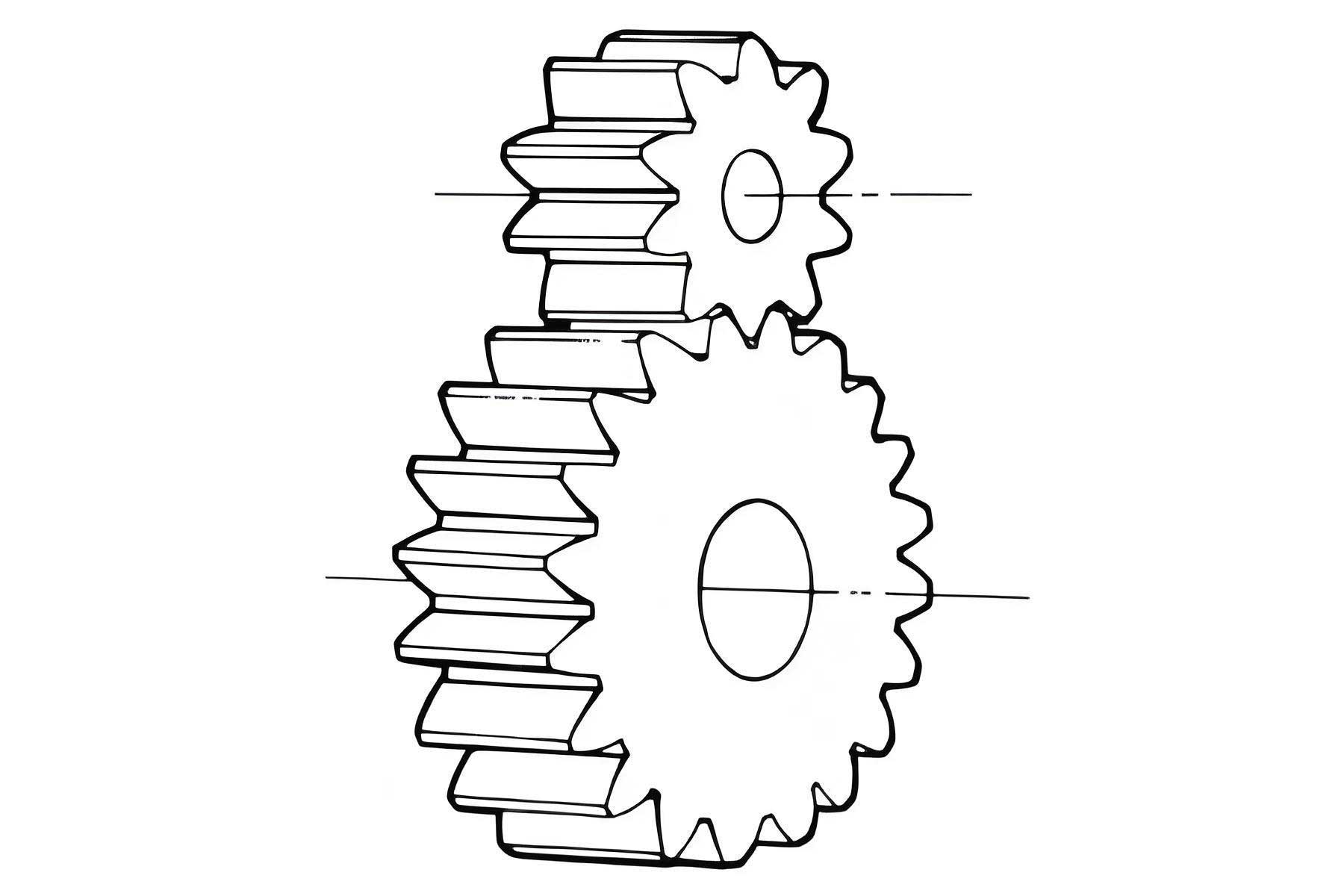
The image above illustrates a typical set of spur gears, showcasing their straight teeth and meshing arrangement. In my design, the final 3D model would resemble such gears, ready for further analysis or manufacturing. This parametric approach in UG offers significant advantages. For instance, if I need to modify the gear parameters (e.g., change the number of teeth or module), I simply update the expressions, and the entire model regenerates automatically. This is particularly useful in iterative design processes and variant management. Moreover, UG allows for advanced simulations such as finite element analysis (FEA) for stress evaluation or motion simulation for kinematic studies, all based on the accurate geometry of the spur gear model.
Beyond basic modeling, I often explore additional aspects to optimize spur gear design. For example, the tooth root fillet is critical for reducing stress concentrations. In standard spur gears, the fillet radius can be defined based on the tool geometry used in manufacturing. UG provides blend or fillet features to add these radii after the main extrusion. Additionally, considerations like backlash, tooth modifications (tip relief, crowning), and material properties can be incorporated into the model. UG’s parametric capabilities enable linking these factors to expressions, making the design adaptive. To demonstrate the scalability, I sometimes create a family of spur gears with varying parameters using UG’s part families or spreadsheet-driven design. This is invaluable in applications like gearbox design where multiple spur gears with different sizes must work together.
In the context of manufacturing informatization, the integration of CAD models with computer-aided manufacturing (CAM) is crucial. Once the spur gear model is finalized in UG, I can directly generate toolpaths for CNC machining or additive manufacturing. UG’s CAM module supports gear hobbing simulations, allowing me to visualize the cutting process and optimize production parameters. This seamless CAD/CAM workflow reduces errors and speeds up time-to-market. Furthermore, the 3D model can be used for 3D printing prototypes, enabling rapid testing and validation. The accuracy of the involute profile ensured by the mathematical equations guarantees that the manufactured spur gear will perform as intended in terms of motion transmission and load capacity.
To further elaborate on the mathematical foundation, let’s delve deeper into the involute function and its implications for spur gear design. The involute function $\text{inv} \alpha = \tan \alpha – \alpha$ is transcendental, meaning it cannot be solved algebraically for $\alpha$. In practice, I use iterative methods or built-in UG functions to handle this. For standard spur gears with pressure angle $\alpha = 20°$, $\text{inv} 20° \approx 0.014904$. This value is used in calculations of tooth thickness and spacing. The transverse tooth thickness at the pitch circle is given by $s = \frac{m \pi}{2}$ for standard gears, but with modifications, it can vary. In UG, I can control this by adjusting the angular position of the involute curves. Another important aspect is the contact ratio, which determines the smoothness of gear meshing. For a pair of spur gears, the contact ratio $\epsilon$ is calculated as:
$$ \epsilon = \frac{\sqrt{r_{a1}^2 – r_{b1}^2} + \sqrt{r_{a2}^2 – r_{b2}^2} – a \sin \alpha}{p_b} $$
where $r_{a1}$, $r_{a2}$ are addendum radii, $r_{b1}$, $r_{b2}$ are base radii, $a$ is center distance, and $p_b$ is base pitch. A contact ratio greater than 1 ensures continuous tooth contact. Using UG, I can compute these values from the model geometry to validate the design. Additionally, I often perform interference checks to ensure the teeth do not undercut, especially for spur gears with low tooth counts. The minimum number of teeth to avoid undercutting for a $20°$ pressure angle spur gear is 18 when using standard addendum, but with profile shifting, it can be reduced. UG’s analysis tools can visually detect interferences, aiding in design refinement.
In my experience, teaching this methodology to engineering students has shown that hands-on practice with UG fosters a deeper understanding of gear theory. I encourage learners to experiment with different parameters and observe how the spur gear model changes. For instance, increasing the module makes the teeth larger and stronger but reduces the number of teeth for a given diameter. Changing the pressure angle affects the tooth shape and load capacity; a higher pressure angle (e.g., 25°) results in stronger teeth but higher bearing loads. UG’s real-time updates make such explorations intuitive. Moreover, the ability to export the spur gear model to other software (e.g., ANSYS for FEA or MATLAB for dynamic analysis) enhances its utility in multidisciplinary projects.
Looking at broader applications, spur gears are ubiquitous in industries such as automotive, aerospace, robotics, and machinery. From simple timing mechanisms to complex transmission systems, the reliability of spur gears hinges on precise design and manufacturing. The 3D modeling approach described here aligns with Industry 4.0 trends, where digital twins of components enable virtual testing and optimization before physical production. By integrating the spur gear model into larger assemblies in UG, I can simulate entire gear trains, check for collisions, and evaluate performance under load. This reduces prototyping costs and accelerates innovation.
In conclusion, the use of UG software for creating involute spur gear three-dimensional models represents a significant advancement in mechanical design. By leveraging parametric equations and feature-based modeling, designers can automate the generation of accurate gear geometry, ensuring consistency and efficiency. The method detailed here—from defining expressions to patterning tooth spaces—provides a robust framework that can be adapted for other gear types like helical gears or bevel gears with modifications. The key takeaway is that embracing CAD tools like UG not only streamlines the design process but also enhances the overall quality and functionality of spur gears. As manufacturing continues to evolve towards greater informatization, such digital design practices will become indispensable for engineers seeking to innovate and optimize mechanical systems.