
In the field of power transmission, miter gears—a specific type of straight bevel gears with a shaft angle of 90 degrees and equal numbers of teeth—play a critical role in applications requiring efficient right-angle torque transfer. The precision forging of miter gears offers significant advantages, including improved mechanical properties, reduced material waste, and enhanced production efficiency. However, traditional design and manufacturing methods rely heavily on manual modeling and electrical discharge machining (EDM), leading to prolonged cycles, high costs, and inconsistent quality. To address these challenges, I developed an integrated CAD/CAM system tailored for miter gears, leveraging SolidWorks’ API and VB6.0 for seamless parametric modeling and automated NC code generation. This system streamlines the entire process from digital design to manufacturing, emphasizing the unique requirements of miter gears in precision forging.
The core of this system lies in its ability to automate the design and machining of miter gears, which are widely used in automotive differentials, aerospace mechanisms, and industrial machinery. By focusing on miter gears, the system optimizes gear geometry for forging, ensuring dimensional accuracy and surface finish. The integration of CAD and CAM modules enables a closed-loop workflow, reducing human error and accelerating production. In this article, I will detail the system’s architecture, key technologies, and functional modules, supplemented with formulas and tables to encapsulate critical parameters. Throughout, the term “miter gears” will be emphasized to highlight their specific application in this context.
The CAD/CAM system is structured into two primary components: the CAD module for geometric modeling and the CAM module for machining operations. The CAD module encompasses sub-modules for miter gear parametric modeling, assembly, forging blank design, and die cavity generation. The CAM module utilizes CAMWorks, a dedicated software for SolidWorks, to generate toolpaths and NC code for high-speed milling. The system’s workflow, illustrated in Figure 1, begins with inputting initial gear parameters, proceeds through automated modeling and assembly, and concludes with NC code output for die machining. This holistic approach ensures consistency and precision, particularly vital for miter gears where even minor deviations can impair meshing performance.
The system’s architecture is modular, allowing independent development and testing of each component while maintaining integration via parameterized interfaces. The CAD module employs parametric modeling techniques, driven by user-defined parameters such as module, number of teeth, pressure angle, and shaft angle. For miter gears, the shaft angle is fixed at 90 degrees, simplifying calculations but demanding high accuracy in die design. The CAM module, on the other hand, relies on database-driven machining parameters to optimize tool selection and cutting strategies. This division of labor aligns with engineering practices, enabling designers to focus on geometric optimization while manufacturing engineers handle process planning.
Key technologies underpinning the system include SolidWorks API for parametric modeling, ADO database for data management, and “top-down” design methodologies. The SolidWorks API, accessible through VB6.0, allows dynamic generation of gear models by calling functions such as CreateCircle, Extrude, and Pattern. This enables rapid updates to gear geometry based on input parameters, essential for iterative design of miter gears. The ADO database stores machining parameters like tool diameter, spindle speed, and feed rate, facilitating seamless data exchange between modules. The top-down approach, where the overall product structure is modeled as a single part before decomposition, ensures global control over design intent, which is crucial for miter gears requiring precise alignment and load distribution.
To illustrate the parametric design process, consider the fundamental formulas for miter gears. Given that miter gears have equal numbers of teeth and a shaft angle of 90 degrees, the pitch cone angle for each gear is 45 degrees. The basic geometric parameters can be derived using the following equations:
1. Module ($m$): A key parameter defining tooth size, typically selected based on load requirements.
2. Number of teeth ($z$): For miter gears, $z_1 = z_2$, where $z_1$ and $z_2$ are the teeth counts of the two gears.
3. Pitch diameter ($d$): Calculated as $d = m \times z$.
4. Pitch cone angle ($\delta$): For miter gears, $\delta = 45^\circ$.
5. Cone distance ($R$): Given by $R = \frac{d}{2 \sin \delta}$. Since $\delta = 45^\circ$, $\sin 45^\circ = \frac{\sqrt{2}}{2}$, so $R = \frac{d}{\sqrt{2}} = \frac{m \times z}{\sqrt{2}}$.
6. Addendum ($h_a$) and dedendum ($h_f$): Usually, $h_a = m$ and $h_f = 1.25m$ for standard gears.
7. Tooth thickness ($s$): Approximately $s = \frac{\pi m}{2}$ at the pitch circle.
These formulas are embedded in the CAD module to automatically generate gear profiles. For instance, the tooth profile is constructed using involute curves, defined parametrically. The involute equation in polar coordinates is: $$ r_b = \frac{d_b}{2} = \frac{m z \cos \phi}{2} $$ where $r_b$ is the base radius, $d_b$ is the base diameter, and $\phi$ is the pressure angle (commonly 20°). The involute angle $\theta$ can be expressed as: $$ \theta = \tan \phi – \phi $$ This parametric approach ensures accurate tooth geometry for miter gears, which is critical for smooth meshing and minimal noise.
The CAD module’s interface, developed in VB6.0, provides a user-friendly environment for inputting gear parameters. As shown in Table 1, users can specify values for module, teeth number, pressure angle, face width, and other relevant factors. The system then computes derived parameters and generates the 3D model in SolidWorks. This automation reduces design time from hours to minutes, especially beneficial for miter gears that often require customization.
| Parameter | Symbol | Typical Value | Description |
|---|---|---|---|
| Module | $m$ | 2–10 mm | Defines tooth size; selected based on torque. |
| Number of Teeth | $z$ | 10–50 | Equal for both gears in miter gears. |
| Pressure Angle | $\phi$ | 20° | Standard angle for involute profile. |
| Shaft Angle | $\Sigma$ | 90° | Fixed for miter gears. |
| Face Width | $b$ | 0.3$R$ | Usually 30% of cone distance. |
| Addendum Coefficient | $h_a^*$ | 1.0 | For standard gears. |
| Dedendum Coefficient | $h_f^*$ | 1.25 | For clearance. |
Once the miter gear model is created, the system proceeds to the forging blank design module. Precision forging of miter gears involves forming near-net-shape blanks that minimize subsequent machining. The blank geometry accounts for material flow, draft angles, and forging allowances. Using the top-down approach, the gear model is used as a reference to generate the blank by adding thickness and fillets. The blank volume $V_b$ can be estimated as: $$ V_b = V_g + V_f $$ where $V_g$ is the gear volume and $V_f$ is the flash volume (typically 10–15% of $V_g$). The blank diameter $D_b$ is derived from the gear’s outer diameter $D_o$: $$ D_b = D_o + 2 \times \text{allowance} $$ Allowances range from 1–3 mm depending on material and forging process. This module ensures that the blank is optimized for die filling, reducing defects in forged miter gears.
The die cavity generation module then creates the forging die based on the blank model. By assembling the blank with a die base in SolidWorks and using Boolean operations, the cavity is extracted. This process is automated through API calls, ensuring precise replication of gear geometry. For miter gears, the die cavity must accommodate the conical shape and tooth profiles, requiring high surface finish to reduce friction during forging. The cavity depth $h_c$ is calculated as: $$ h_c = h_g + c $$ where $h_g$ is the gear height and $c$ is the clearance (0.1–0.5 mm). The system also applies draft angles of 1–3° to facilitate part ejection.
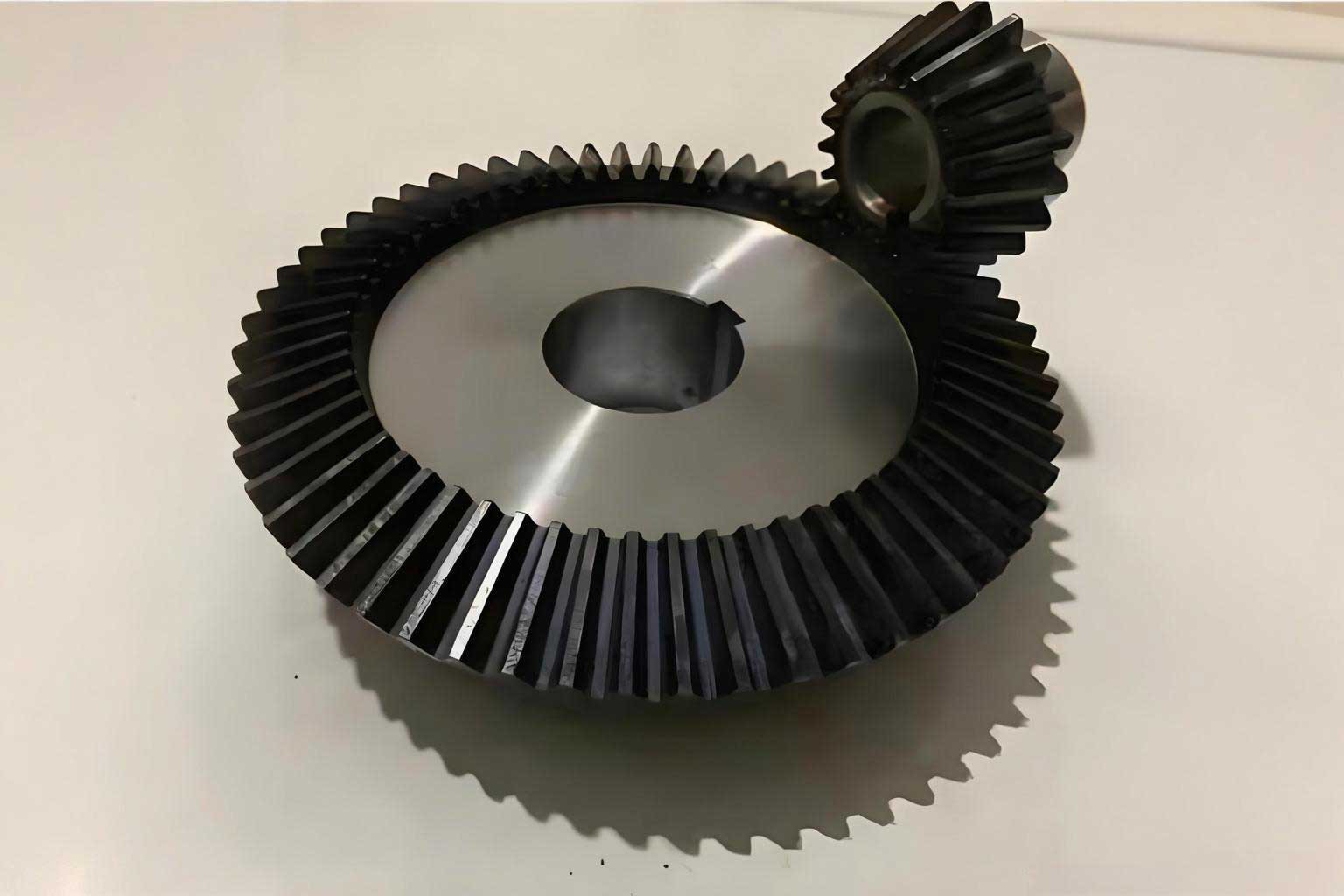
Transitioning to the CAM module, the die cavity model is imported into CAMWorks for toolpath generation. CAMWorks employs feature recognition technology to automatically identify machining regions, such as pockets and contours, which is particularly useful for the complex geometry of miter gear dies. The machining parameters are retrieved from an ADO database, which stores tool data and cutting conditions. Table 2 lists typical machining parameters for die cavity milling, emphasizing tools used for roughing, semi-finishing, and finishing operations. These parameters are critical for achieving the required accuracy and surface quality for miter gear forging dies.
| Tool Name | Tool Diameter (mm) | Tool R-angle (mm) | Cutting Depth (mm) | Stepover Percentage (%) | Spindle Speed (rpm) | Feed Rate (mm/min) |
|---|---|---|---|---|---|---|
| EM12R6 | 12 | 6 | 0.5 | 75 | 3500 | 600 |
| EM6R2 | 6 | 2 | 0.5 | 75 | 3500 | 600 |
| EM3R1 | 3 | 1 | 0.2 | 3500 | 7500 | 250 |
| BM1R0.5 | 1 | 0.5 | 0.1 | 7500 | 7500 | 60 |
The ADO database connectivity is implemented using VB6.0’s ADO control, enabling dynamic data binding. This allows the CAM module to adapt to different tooling setups without code modification. For instance, when machining miter gear dies, tools with smaller diameters and corner radii are selected for finishing tooth profiles to achieve tight tolerances. The database query might look like: SELECT * FROM ToolTable WHERE ToolDiameter <= 3 to retrieve finishing tools. This flexibility enhances the system’s applicability across various miter gear sizes.
In the CAM module, toolpaths are generated based on the selected strategies. For roughing, adaptive clearing is used to remove bulk material efficiently, with toolpaths optimized to minimize tool wear. The material removal rate $MRR$ can be estimated as: $$ MRR = d_c \times w \times f $$ where $d_c$ is the cutting depth, $w$ is the stepover width, and $f$ is the feed per tooth. For semi-finishing and finishing, contour parallel paths are employed to achieve smooth surfaces. The scallop height $h_s$, which affects surface finish, is given by: $$ h_s = R – \sqrt{R^2 – \left(\frac{w}{2}\right)^2} $$ where $R$ is the tool radius. By controlling $w$, the system ensures $h_s$ is within acceptable limits (e.g., < 0.01 mm for miter gear dies).
After toolpath generation, CAMWorks posts the data to generate NC code in standard formats like G-code. This code directs CNC milling machines to produce the die cavity. The NC code includes commands for tool changes, spindle control, and coordinated movements. For example, a typical G-code segment for milling a miter gear die might be:
G01 X10 Y20 Z-5 F600
G02 X20 Y30 I10 J0
This automation eliminates manual programming errors and reduces lead time. The system also simulates machining to detect collisions, which is vital for complex miter gear geometries where tool access can be limited.
Beyond core modules, the system incorporates additional features for validation and optimization. Finite element analysis (FEA) can be integrated to simulate forging loads and die stresses, ensuring durability. For miter gears, the forging force $F$ can be approximated using: $$ F = k \times \sigma \times A $$ where $k$ is a factor (typically 3–5), $\sigma$ is the material flow stress, and $A$ is the projected area. This helps in selecting press capacity and die material. Moreover, the system supports data export for 3D printing of prototype dies, facilitating rapid iteration.
The development environment, VB6.0 and SolidWorks API, provides a robust platform for customization. The API functions, such as Part.Extrude and Assembly.AddComponent, are wrapped in VB subroutines to automate repetitive tasks. For instance, creating a miter gear tooth involves sketching an involute curve, extruding it, and patterning it around the cone. The code snippet below illustrates this:
Dim swApp As Object
Set swApp = CreateObject("SldWorks.Application")
Dim part As Object
Set part = swApp.NewDocument("C:\Templates\gear.prtdot", 0, 0, 0)
part.SketchManager.CreateCircle 0, 0, 0, m * z / 2
part.FeatureManager.FeatureExtrusion True, False, False, 0, 0, b, 0
This parametric approach allows rapid generation of miter gear variants, supporting mass customization.
In terms of system performance, the CAD/CAM system significantly reduces design and manufacturing time for miter gears. Traditional methods might take days for die design and machining, whereas this system accomplishes it in hours. The automation also improves accuracy; for example, tooth profile errors can be controlled within ±0.02 mm, compared to ±0.1 mm with EDM. This precision is crucial for miter gears, which require exact 90° meshing to avoid backlash and vibration.
To further enhance the system, future work could involve integrating cloud-based databases for collaborative design and real-time machining adjustments. Additionally, machine learning algorithms could be incorporated to optimize toolpaths based on historical data, especially for diverse miter gear applications. The system’s modularity allows such expansions without overhauling existing components.
In conclusion, this CAD/CAM system for miter gears precision forging represents a significant advancement in gear manufacturing technology. By leveraging SolidWorks API and VB6.0, it automates the entire workflow from parametric design to NC code generation, emphasizing the unique needs of miter gears. The use of formulas and tables ensures systematic parameter management, while ADO database connectivity enables flexible machining. This system not only boosts productivity and accuracy but also reduces costs, making it a valuable tool for industries relying on high-quality miter gears. As manufacturing evolves, such integrated solutions will become increasingly vital for competitive advantage.