
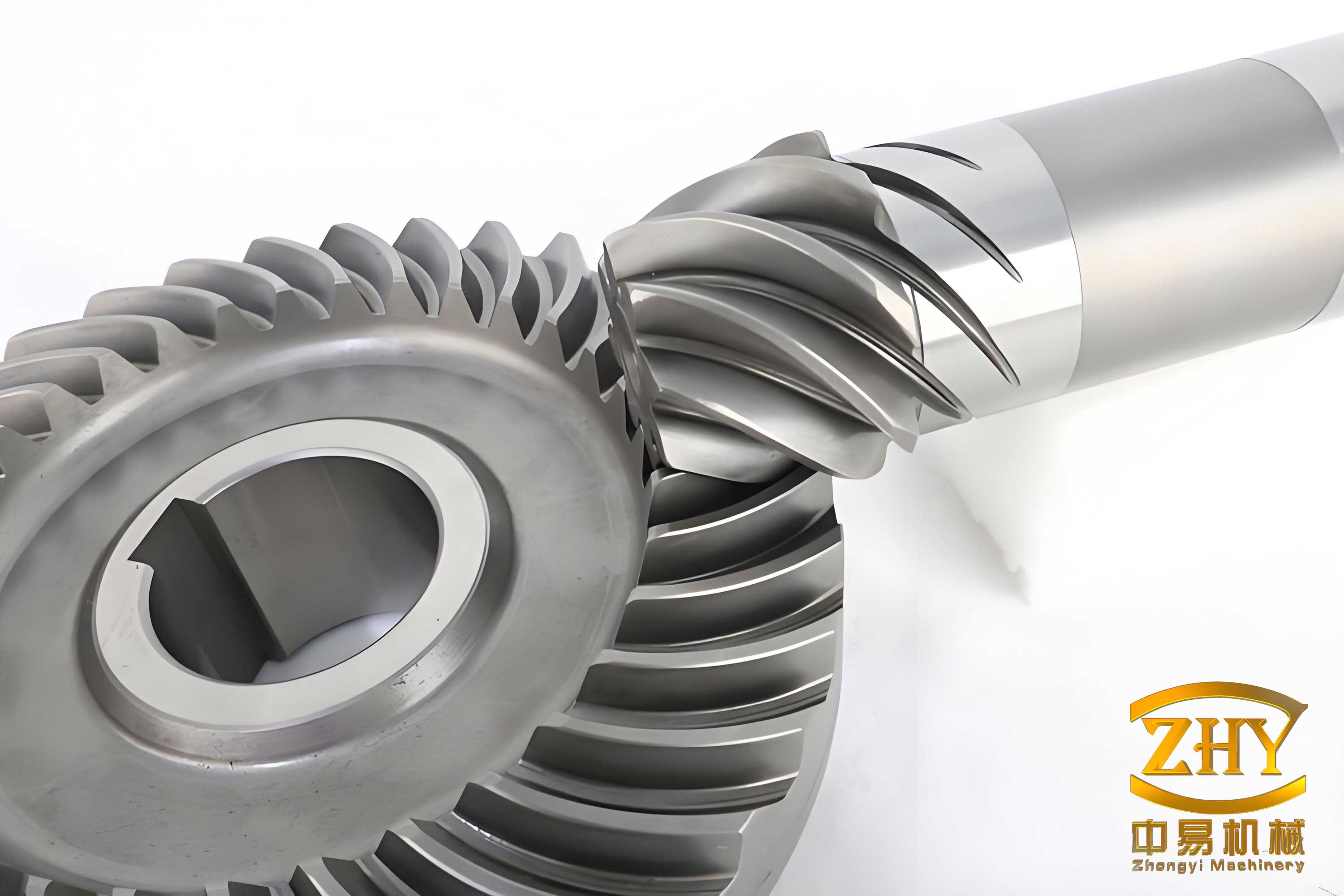
As a fundamental transmission component, spiral bevel gears are widely used in industries such as automotive, machine tools, and petroleum, chemical, and metallurgical mining machinery due to their high-speed, heavy-load, and low-noise transmission characteristics. However, the complex spatial curved tooth profile of spiral bevel gears presents numerous research challenges in geometric design, transmission analysis, and manufacturing. With the widespread application and development of computers, there is a growing need for precise three-dimensional solid models of spiral bevel gears to meet requirements for finite element analysis, mechanism motion analysis, and dynamic analysis. The accuracy of gear modeling directly affects the reliability of finite element analysis results and the manufacturing precision of gear products. Pro/E, a powerful 3D solid design software from PTC, offers extensive modules including solid design, part assembly, functional simulation, and machining. By leveraging its parametric design capabilities, users can generate 3D solid models of spiral bevel gears by simply inputting basic parameters such as module, number of teeth, spiral angle, pressure angle, and cutter radius. In this paper, we present a comprehensive method for parametric modeling of spiral bevel gears on the Pro/E platform, considering the influence of cutter position during the machining process. This approach enhances the design and manufacturing of spiral bevel gear products, and we will elaborate on the principles, methods, and implementation steps in detail.
The formation of the tooth line in spiral bevel gears is theoretically a spherical curve. However, since the sphere is non-developable, the tooth profile is difficult to accurately describe and manufacture. In practical machining, the tooth profile curve on the back cone, which is tangent to the sphere and orthogonal to the pitch circle, is used to approximate the spherical tooth profile. The machining of contracted spiral bevel gears involves a rolling process with a pair of bevel gears, utilizing an imaginary flat-top generating gear that meshes with the gear being machined. As shown in the following figure, the cutter (with radius $r_u$) has its axis at an angle $q$ to the generating gear. When the cutter and generating gear rotate together, the cutting motion of the cutter forms an arc-shaped groove on the conical surface of the workpiece. Based on the spiral angle, spiral bevel gears can be classified into general spiral, zero-degree spiral, and radial spiral bevel gears.
During the motion of the cradle and gear blank, the cutting trajectory of the cutter on the cradle must match the tooth line pattern on the generating gear. Therefore, the position and motion trajectory of the cutter on the cradle are uniquely determined. In machining spiral bevel gears on a conventional milling machine, the installation position between the cutter center and fixture is as described. The tool installation position is given by:
$$ H_0 = R^* \cos(\beta_c) $$
$$ V_0 = L_m – \frac{b}{2} – R^* \sin(\beta_c) $$
where $R^*$ is the cutter radius, $\beta_c$ is the mean spiral angle, $L_m$ is the pitch cone distance, and $b$ is the face width. These equations ensure proper cutter positioning for accurate tooth generation.
Parametric modeling of spiral bevel gears involves creating a model that can be automatically updated by modifying a set of driving parameters. The tooth part is the most complex and critical section of a gear. The process begins with defining user parameters, followed by creating datum curves using involute equations, constructing tooth slot profiles at the large and small ends, and then using sweep blend cut features along projection curves to form the gear teeth. Finally, the complete gear teeth are patterned to generate the full gear model. We will now detail each step in the context of Pro/E.
First, we set the basic parameters of the spiral bevel gear. The geometric dimensions of a spiral bevel gear depend on five fundamental parameters: module, number of teeth, pressure angle, addendum coefficient, and dedendum coefficient, along with additional parameters like face width, spiral angle, and modification coefficient. Therefore, before solid modeling, it is essential to define these basic parameters. In Pro/E, we use the Parameters dialog to create user-defined parameters. The following table summarizes the key parameters and their symbols:
| Parameter | Symbol | Description |
|---|---|---|
| Module | $m$ | Standard module size |
| Number of Teeth | $z$ | Number of gear teeth |
| Pressure Angle | $\alpha$ | Standard pressure angle |
| Addendum Coefficient | $h_a^*$ | Ratio of addendum to module |
| Dedendum Coefficient | $c^*$ | Ratio of dedendum to module |
| Face Width | $b$ | Width of the gear tooth |
| Mean Spiral Angle | $\beta_c$ | Spiral angle at the mean point |
| Modification Coefficient | $x$ | Profile shift coefficient |
| Cutter Radius | $R^*$ | Radius of the cutting tool |
After defining the parameters, we establish relations between geometric dimensions and basic parameters using Pro/E’s Relations feature. For example, the pitch diameter $d$ is given by $d = m \cdot z$, the addendum $h_a$ by $h_a = m \cdot (h_a^* + x)$, and the dedendum $h_f$ by $h_f = m \cdot (h_a^* + c^* – x)$. The cone angle $\delta$ for bevel gears is calculated based on the gear ratio. These relations ensure that the model updates automatically when parameters change.
Next, we create the basic curves and involute curves. The tooth line shape on the developed pitch cone is an arc, which is projected onto the pitch cone surface to form the projection curve for sweep blending. We start by sketching the arc on a datum plane based on the cutter position equations. In Pro/E, we use the Sketch tool to draw the arc with radius calculated from the cutter radius and spiral angle. The projection curve is then created by projecting this arc onto the pitch cone surface using the Project feature.
Subsequently, we create datum curves for the gear’s base circle, addendum circle, pitch circle, and dedendum circle at both the large and small ends. These circles are constructed using the Equation Curve feature or by sketching circles with diameters defined by relations. For instance, the base circle diameter $d_b$ is given by $d_b = d \cdot \cos(\alpha)$, where $d$ is the pitch diameter. The addendum circle diameter $d_a$ is $d_a = d + 2 \cdot h_a$, and the dedendum circle diameter $d_f$ is $d_f = d – 2 \cdot h_f$. At the small end, these diameters are adjusted based on the cone angle and face width.
To generate the involute curve for the tooth slot, we use the Curve from Equation feature. The involute equation in Cartesian coordinates is:
$$ x = r_b \cdot (\cos(\theta) + \theta \cdot \sin(\theta)) $$
$$ y = r_b \cdot (\sin(\theta) – \theta \cdot \cos(\theta)) $$
$$ z = 0 $$
where $r_b$ is the base radius, and $\theta$ is the involute angle parameter ranging from 0 to a maximum value. For the large end, $r_b = d_b / 2$, and for the small end, $r_b$ is scaled based on the cone distance. We input these equations into Pro/E’s equation editor to create the involute curves. By mirroring these curves, we obtain the complete tooth slot profile at each end.
With the profiles ready, we proceed to create the solid model. Using the Sweep Blend feature, we select the projection curve as the trajectory and the large-end and small-end tooth slot profiles as cross-sections. This feature performs a cut operation to remove material, forming a single tooth slot on the gear blank. The gear blank is typically a conical shape created by revolving a trapezoid sketch around the axis. The sweep blend ensures smooth transition between the two profiles along the curved path.
Once a single tooth slot is created, we use the Pattern feature to replicate it around the gear axis. The number of instances is set to the number of teeth $z$, and the angular increment is $360^\circ / z$. We define a relation for the angular increment to link it with the parameter $z$, ensuring that changes in tooth count automatically update the pattern. After patterning, we add features such as hub holes, keyways, and chamfers using Extrude Cut and other tools to complete the spiral bevel gear model.
To implement parametric design, we utilize Pro/E’s Program functionality. Program allows us to control the regeneration of the model by inputting parameters interactively. We edit the Program by adding input statements for key parameters. For example:
INPUT
Z NUMBER
“Enter the number of teeth:”
M NUMBER
“Enter the module:”
ALPHA NUMBER
“Enter the pressure angle:”
HA_STAR NUMBER
“Enter the addendum coefficient:”
C_STAR NUMBER
“Enter the dedendum coefficient:”
BETA_C NUMBER
“Enter the mean spiral angle:”
B NUMBER
“Enter the face width:”
X NUMBER
“Enter the modification coefficient:”
END INPUT
These prompts appear during regeneration, allowing users to modify parameters and regenerate the model accordingly. This enables rapid generation of spiral bevel gears with different specifications without recreating the entire model.
Virtual assembly of spiral bevel gear pairs is crucial for interference checking and motion analysis. In Pro/E, assembly can be performed using bottom-up or top-down approaches. We adopt a bottom-up method where individual gear models are created separately and then assembled in an assembly file. For a pair of mating spiral bevel gears, constraints are applied to align their axes and define their relative orientation. Typically, we use constraints such as Coincident for axes and surfaces, and Angle offsets for proper meshing. The assembly process ensures that the gears are positioned correctly based on their pitch cones and spiral directions.
Consider a pair of spiral bevel gears with parameters as shown in the table below. The larger gear has 45 teeth, and the smaller has 25 teeth, both with a module of 4.3 mm. Other parameters are consistent for proper meshing. After assembly, we can perform interference analysis to detect collisions and verify the correctness of the gear design.
| Parameter | Large Gear | Small Gear |
|---|---|---|
| Number of Teeth ($z$) | 45 | 25 |
| Module ($m$) | 4.3 mm | 4.3 mm |
| Face Width ($b$) | 32 mm | 32 mm |
| Pressure Angle ($\alpha$) | 20° | 20° |
| Addendum Coefficient ($h_a^*$) | 0.85 | 0.85 |
| Dedendum Coefficient ($c^*$) | 0.188 | 0.188 |
| Modification Coefficient ($x$) | -0.27 | 0.27 |
| Mean Spiral Angle ($\beta_c$) | 35° | 35° |
| Cutter Diameter | 152.4 mm | 152.4 mm |
| Spiral Direction | Left-hand | Right-hand |
The assembly constraints involve aligning the pitch cone apexes and ensuring the correct spiral direction for conjugation. Once assembled, the gear pair can be animated to simulate motion, and interference checks can confirm that the teeth mesh properly without collision. This virtual assembly capability in Pro/E enhances the design validation process for spiral bevel gears.
In summary, parametric modeling of spiral bevel gears using Pro/E offers significant advantages in design flexibility and accuracy. By considering cutter position in the machining process, we can create models that closely reflect actual manufacturing conditions. The use of parameters, relations, and programmability allows for quick updates and variations in gear design. Moreover, virtual assembly facilitates the verification of gear meshing and interference, leading to improved product quality. This methodology is valuable for the design, analysis, and manufacturing of spiral bevel gears, contributing to advancements in gear technology. Future work could integrate this parametric model with finite element analysis for strength evaluation or with CNC programming for direct manufacturing, further streamlining the development cycle for spiral bevel gears.
To elaborate on the mathematical foundations, the geometry of spiral bevel gears involves complex calculations. The tooth profile is based on spherical geometry, but for practicality, it is approximated using planar involutes on the back cone. The back cone distance $R_b$ is related to the pitch cone distance $L$ and cone angle $\delta$ by $R_b = L / \cos(\delta)$. The involute curve on the back cone is then projected onto the sphere. However, in Pro/E modeling, we simplify this by using the developed tooth line and projection curves as described.
The cutter position equations are critical for accurate tooth generation. The horizontal offset $H_0$ and vertical offset $V_0$ ensure that the cutter’s path matches the desired spiral angle and tooth depth. These offsets are derived from the gear geometry and cutter geometry. For instance, the mean spiral angle $\beta_c$ influences the curvature of the tooth line. The relationship between spiral angle and tooth line radius $R_c$ is given by $R_c = L_m / \sin(\beta_c)$, where $L_m$ is the mean cone distance. The cutter radius $R^*$ is typically chosen based on gear size and tooth curvature.
In Pro/E, when creating the involute curves, we use parametric equations. The involute function $\text{inv}(\alpha) = \tan(\alpha) – \alpha$ is often used in gear calculations. For a given pressure angle $\alpha$, the roll angle $\theta$ for the involute can be calculated. The parametric equations we used earlier are standard for generating involute profiles. To adapt these for bevel gears, we scale the radii based on the cone distance. For example, at a distance $s$ from the apex along the pitch cone, the local pitch radius $r_s$ is $r_s = s \cdot \sin(\delta)$. The base radius at that location is $r_{bs} = r_s \cdot \cos(\alpha)$.
Another important aspect is the tooth thickness. The circular tooth thickness $s_t$ on the pitch circle is given by $s_t = m \cdot (\pi/2 + 2 \cdot x \cdot \tan(\alpha))$. This thickness varies along the tooth length due to the conical shape. In our modeling, the tooth slot profile is defined by the involute curves that correspond to the tooth thickness at the large and small ends. We ensure that the profiles are symmetric about the tooth centerline.
The sweep blend feature in Pro/E requires careful selection of trajectory and cross-sections. The trajectory is the projection curve that represents the path of the tooth along the face width. This curve is typically a 3D curve obtained by projecting the arc onto the pitch cone. The cross-sections are sketches of the tooth slot at the two ends. Each cross-section must have the same number of entities to allow blending. We align the cross-sections with the trajectory using datum points.
For patterning, we use an axial pattern with an angular dimension. The relation for the angular increment $\Delta \theta$ is defined as $\Delta \theta = 360 / z$. In Pro/E, we can write this relation in the Relations dialog: `d# = 360 / z`, where `d#` is the dimension symbol for the angular increment. This ensures that when $z$ changes, the pattern updates automatically.
The Program feature in Pro/E is a powerful tool for parametric control. Beyond input parameters, we can include conditional statements to handle different design scenarios. For example, we can check if the gear is for driving or driven, and adjust parameters accordingly. The Program can also call external files or scripts for advanced calculations. This enhances the automation of spiral bevel gear design.
Virtual assembly in Pro/E uses constraints to define relative positions. For spiral bevel gears, we typically use a “gear pair” connection in Mechanism mode for motion analysis. However, for static assembly, we apply constraints such as: Coincident constraint between the gear axes, Tangent constraint between pitch cone surfaces, and Angle constraint to set the phase relationship. The assembly ensures that the gears are in correct meshing position, which is vital for interference checking.
Interference analysis can be performed using Pro/E’s Global Interference tool. This tool checks for overlapping volumes between components. For spiral bevel gears, we run interference analysis at various rotational positions to ensure no tooth collision occurs throughout the mesh cycle. This helps identify design errors early in the process.
Moreover, the parametric model can be exported for further analysis. For example, the geometry can be used in finite element analysis software like ANSYS for stress analysis. The accurate 3D model ensures that simulation results are reliable. Additionally, the model can be used to generate CNC code for machining, linking design directly to manufacturing.
In conclusion, the parametric modeling of spiral bevel gears in Pro/E, as detailed in this paper, provides a robust framework for efficient gear design. By integrating cutter position considerations, we enhance the model’s fidelity to real-world machining. The use of tables and formulas, as demonstrated, helps summarize key parameters and relationships. This approach not only speeds up the design process but also improves accuracy, supporting the development of high-performance spiral bevel gears for various industrial applications.