
In mechanical engineering, screw gears, specifically Archimedes worm and worm wheel pairs, are crucial components for transmitting motion and power between non-parallel shafts. As a design engineer, I have extensively utilized three-dimensional CAD software to enhance the design process. Among these tools, SolidWorks stands out for its parametric capabilities, which allow for efficient modeling and simulation. In this article, I will describe in detail the process of modeling and assembling Archimedes screw gears using SolidWorks 2010. The goal is to create accurate three-dimensional models that facilitate subsequent analyses, such as finite element analysis and dynamic simulation. By adopting a parametric approach, I aim to reduce design cycles and improve productivity. Throughout this discussion, I will emphasize the importance of screw gears in various applications, from automotive systems to industrial machinery, and how advanced CAD tools like SolidWorks can streamline their development.
The design of screw gears begins with a thorough theoretical analysis. For Archimedes screw gears, the worm’s tooth profile in the axial plane is trapezoidal, akin to a screw thread, while the worm wheel’s tooth profile in the mid-plane is involute. This configuration ensures smooth meshing and efficient power transmission. I will derive the mathematical equations governing these profiles and the helical paths, which are essential for accurate modeling. These equations form the foundation for creating three-dimensional representations in SolidWorks. The parametric nature of these equations allows for easy modification of gear parameters, such as module, number of teeth, and lead angle, making the design adaptable to different requirements. In the following sections, I will present these equations in LaTeX format and summarize key parameters in tables to enhance clarity and reference.
First, consider the worm, which is the driving element in screw gears. The axial cross-section of the worm tooth is trapezoidal, and its profile can be defined by key points. Based on the standard design parameters, the coordinates of these points in the axial plane are given by the following equations. Here, I assume the pressure angle $\alpha = 20^\circ$, module $m$, and other standard coefficients. The tooth profile is symmetric about the y-axis, so only one side needs to be defined explicitly. The equations for points 1 and 3 on the worm tooth profile are:
$$x_1 = \frac{p_a}{4} – h_f \tan \alpha, \quad y_1 = r_{f1} = r_1 – h_f$$
$$x_3 = \frac{p_a}{4} + h_a \tan \alpha, \quad y_3 = r_{a1} = r_1 + h_a$$
where $p_a = \pi m$ is the axial pitch, $h_f = (h_a^* + c^*) m$ is the dedendum, $h_a = h_a^* m$ is the addendum, $r_1 = m q / 2$ is the pitch radius of the worm, $h_a^* = 1$ is the addendum coefficient, $c^* = 0.2$ is the clearance coefficient, and $q$ is the diameter factor of the worm. Points 2 and 4 are symmetric to points 1 and 3, respectively, about the y-axis. These equations are critical for sketching the worm tooth cross-section in SolidWorks.
Next, for the worm wheel, the tooth profile in the mid-plane is an involute curve. The involute of a circle is defined by the base circle radius $r_b = r_2 \cos \alpha$, where $r_2 = m z_2$ is the pitch radius of the worm wheel, $z_2$ is the number of teeth on the worm wheel, and $\alpha$ is the pressure angle. The parametric equations for the involute curve are:
$$x = r_b \sin u – r_b u \cos u, \quad y = r_b \cos u + r_b u \sin u$$
where $u$ is the roll angle in radians. This curve generates the flank of the worm wheel tooth. Additionally, the helical path of the worm wheel, which corresponds to the worm’s helix, must be defined. The helix on the worm wheel’s pitch cylinder is derived from the worm’s helix. The parametric equations for this helical guide curve are:
$$x = a – r_1 \cos \theta, \quad y = r_1 \sin \theta, \quad z = r_1 \theta \tan \gamma$$
where $a = r_1 + r_2$ is the center distance, $\gamma$ is the lead angle of the worm (equal to the helix angle of the worm wheel, $\beta_2$), and $\theta$ varies from $-\pi/2$ to $\pi/2$ radians. These equations ensure that the worm wheel teeth are correctly aligned with the worm threads during meshing. To summarize the key parameters for a typical screw gear set, I present the following table:
| Parameter | Symbol | Value (Example) | Description |
|---|---|---|---|
| Module | $m$ | 4 mm | Basic size parameter |
| Worm Pitch Diameter | $d_1$ | 40 mm | Diameter of worm at pitch circle |
| Diameter Factor | $q$ | 10 | Ratio of pitch diameter to module |
| Lead Angle | $\gamma$ | 21°48’05” | Angle of worm helix |
| Number of Starts on Worm | $z_1$ | 1 | Number of threads on worm |
| Number of Teeth on Worm Wheel | $z_2$ | 40 | Teeth count on worm wheel |
| Worm Wheel Pitch Diameter | $d_2$ | 160 mm | Diameter of worm wheel at pitch circle |
| Center Distance | $a$ | 100 mm | Distance between worm and worm wheel axes |
| Face Width of Worm Wheel | $B$ | 30 mm | Width of worm wheel along axis |
With these theoretical foundations, I proceed to the modeling phase in SolidWorks. The process involves creating three-dimensional solid models of both the worm and the worm wheel separately, followed by their assembly. I will describe each step in detail, highlighting the use of parametric sketches and features. For the worm, modeling is relatively straightforward due to its simple helical structure. I start by creating a cylindrical base representing the worm’s outer diameter. Then, I define a helix based on the worm’s pitch diameter and lead angle. The critical step is sketching the tooth profile in an axial plane, which requires careful reference plane creation. Using the equations above, I draw the trapezoidal cross-section and then use the sweep cut feature to generate the helical tooth space. For multiple-start worms, I would array the cut feature around the axis. This parametric approach allows me to easily modify the worm design by changing the input parameters.
For the worm wheel, modeling is more complex due to the involute tooth profile and helical alignment. I begin by creating the wheel blank, which includes the hub and web structures as needed. Then, I generate the helical guide curves using the helix equations. The most intricate part is creating the tooth slot profile. In SolidWorks 2010, I use the equation-driven curve tool to define the involute profile based on the parametric equations. For instance, I input the x and y equations with parameter $u$ ranging from 0 to a value corresponding to the addendum circle. To ensure symmetry, I rotate the generated involute curve by an angle $\theta_0 = \phi – \tan \alpha – \frac{\pi \cdot 20}{180}$, where $\phi = \frac{\pi}{2 \cdot z_2}$. Then, I mirror this curve to create the opposite flank and trim it with the addendum and dedendum circles to form a closed contour. In practice, the root fillet is added to avoid stress concentration; I typically use a fillet radius of 2 mm. This profile is then swept along the helical guide curve using the sweep cut feature to create one tooth slot. Finally, I array this cut feature around the axis to generate all teeth. Additional details, such as bolt holes and keyways, can be added to complete the worm wheel model.
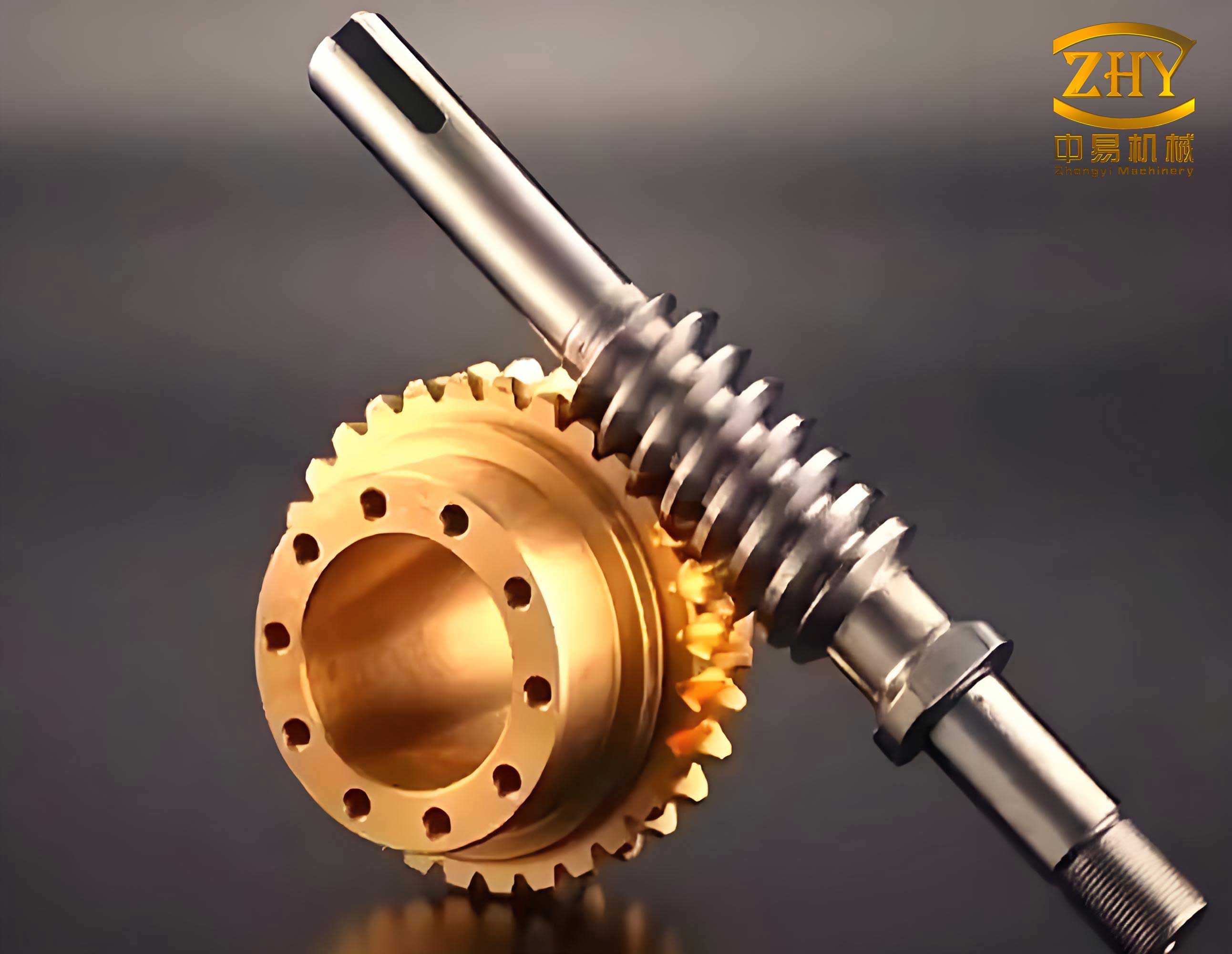
The assembly of screw gears in SolidWorks involves mating the worm and worm wheel in their correct spatial relationship. I start by inserting the worm wheel into the assembly workspace. Then, I add the worm and define mating conditions. A key mating is to align the worm’s axis with a constructed line in the worm wheel that represents the worm axis position. This ensures proper meshing. After defining constraints, I perform interference detection to verify that there are no collisions between the components. The parametric assembly allows for easy adjustment of the center distance or orientation if design changes are required. This virtual assembly process is crucial for validating the design before physical prototyping, saving time and resources.
To further illustrate the modeling steps, I summarize the workflow for both components in the following table:
| Component | Step | Description | SolidWorks Feature Used |
|---|---|---|---|
| Worm (Screw Gear) | 1 | Create cylindrical base (worm body) | Extruded Boss/Base |
| 2 | Define helix on pitch cylinder | Helix/Spiral Curve | |
| 3 | Sketch tooth profile in axial plane | Sketch (using equations) | |
| 4 | Perform sweep cut to generate tooth space | Swept Cut | |
| Worm Wheel | 1 | Create wheel blank (hub, web, rim) | Extruded Boss/Base, Revolved Features |
| 2 | Generate helical guide curves (two halves) | Equation-Driven Curve, Helix | |
| 3 | Sketch involute tooth profile in mid-plane | Equation-Driven Curve, Sketch Tools | |
| 4 | Perform sweep cut along helix for one tooth slot | Swept Cut | |
| 5 | Circular pattern to create all teeth | Circular Pattern |
The benefits of using SolidWorks for screw gear design are manifold. Parametric modeling enables rapid iteration; for example, if I need to change the module from 4 mm to 5 mm, I simply update the parameter $m$ in the equations, and the entire model regenerates accordingly. This flexibility is invaluable in custom gear design. Moreover, the three-dimensional models serve as input for advanced analyses. For instance, I can export the models to simulation software for stress analysis under load or for kinematic simulation to check motion transmission. The accuracy of the models, derived from precise mathematical equations, ensures reliable results in these analyses. Additionally, the assembly environment in SolidWorks allows for virtual testing of meshing behavior, identifying potential issues like undercutting or interference early in the design phase.
In conclusion, the modeling and assembly of Archimedes screw gears using SolidWorks represent a significant advancement in mechanical design methodology. By leveraging parametric tools and mathematical equations, I can create highly accurate three-dimensional models that streamline the entire product development cycle. The screw gears, essential for many mechanical systems, benefit from this approach through reduced design time, improved quality, and enhanced analysis capabilities. As a design engineer, I find that SolidWorks not only facilitates the creation of complex geometries like screw gears but also integrates seamlessly with downstream processes such as manufacturing and testing. This holistic approach underscores the importance of CAD software in modern engineering, and I anticipate further innovations in this field to continue driving efficiency and innovation in screw gear design and beyond.
To reinforce the theoretical aspects, I include additional equations and derivations. For example, the relationship between the lead angle $\gamma$ and the worm parameters is given by:
$$\tan \gamma = \frac{z_1 m}{d_1} = \frac{z_1}{q}$$
where $z_1$ is the number of starts on the worm. This equation highlights the interdependence of parameters in screw gears. Furthermore, the contact ratio in screw gears can be approximated by considering the length of action along the helix. A higher contact ratio generally leads to smoother operation and higher load capacity. These considerations are critical when optimizing screw gear designs for specific applications, such as high-torque transmissions or precision positioning systems.
In summary, the integration of SolidWorks into the design process for screw gears offers a robust framework for innovation. By combining mathematical rigor with advanced CAD capabilities, engineers can push the boundaries of gear technology, leading to more efficient and reliable mechanical systems. I encourage fellow designers to explore these techniques and contribute to the ongoing evolution of screw gear design.