
The precise and efficient manufacturing of complex components like the spiral gear represents a significant challenge in modern mechanical engineering. Traditional methods often fall short in terms of accuracy, surface finish, and production time. In my experience, leveraging a synergistic combination of advanced CAD and CAM software provides a powerful solution. This article details a proven methodology utilizing Siemens NX (UG) for design and Delcam PowerMILL for machining programming, creating a seamless digital workflow for the high-precision CNC manufacturing of spiral gears.
spiral gears, characterized by their helical teeth, offer superior performance in applications like fluid flow meters. Their meshing action is smoother and quieter compared to straight-cut gears, leading to reduced vibration and the ability to handle high-viscosity media. The complexity of their tooth geometry, however, demands sophisticated manufacturing techniques beyond conventional gear hobbing or milling.
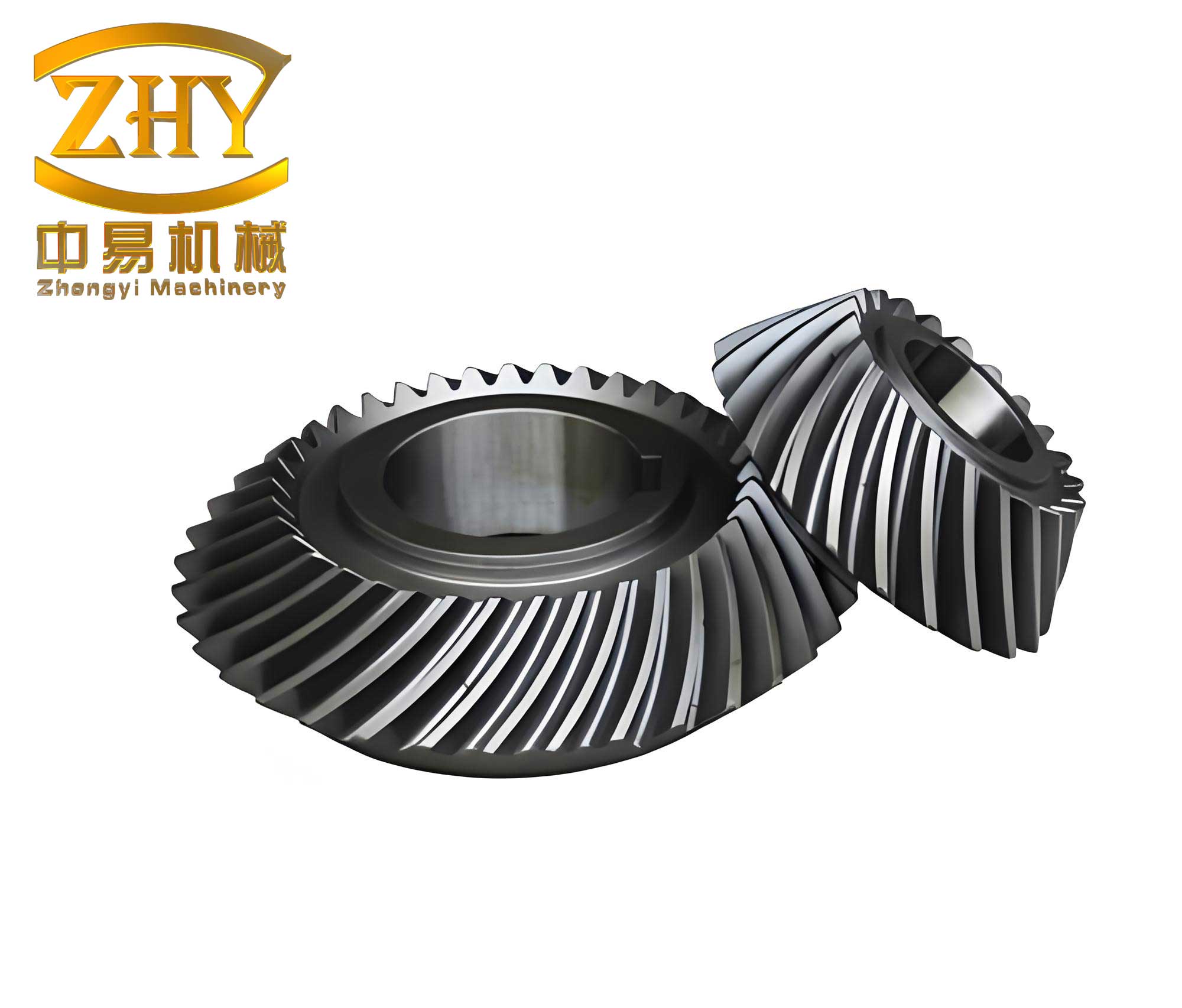
The core of this strategy lies in a dedicated digital thread: creating a precise 3D model in UG, seamlessly transferring it to PowerMILL for toolpath generation, and executing the program on a multi-axis CNC machine. This integrated approach not only streamlines the process from concept to component but also unlocks the ability to machine intricate spiral gear profiles that were previously difficult or costly to produce.
Phase 1: Precision CAD Modeling of the Spiral Gear in Siemens NX
The foundation of any high-quality machining process is an accurate digital model. For a spiral gear, the primary challenge in CAD is the accurate definition of the non-standard tooth profile. When the number of teeth is small (e.g., less than 5), as is common in meter applications, the gear becomes a non-standard “low-tooth-count” gear, requiring a fundamental construction from its basic geometric parameters.
The tooth form is based on an involute curve. The standard polar coordinate equation for an involute is derived from its rolling-line generation principle:
$$ r_k = \frac{r_b}{\cos\alpha_k} $$
$$ \theta_k = \tan\alpha_k – \alpha_k $$
Where:
\( r_k \) = radius vector to any point on the involute.
\( r_b \) = base circle radius.
\( \alpha_k \) = pressure angle at point k.
\( \theta_k \) = unfold angle of the involute segment AK.
Since CAD systems like UG primarily use Cartesian coordinates for curve input, a transformation is necessary. Let \( u \) be the roll angle, the angle through which the generating line has rolled from the start of the involute. It can be expressed as \( u = \alpha_k + \theta_k \). Knowing that \( \alpha_k = \arccos(r_b / r_k) \) and \( \theta_k = \tan(\alpha_k) – \alpha_k \), we can parameterize the equation for UG’s expression tool.
Setting the start angle \( a = 0 \) and the end angle \( b \) to the desired value covering from the root to the tip circle, and using UG’s system parameter \( t \) (which varies from 0 to 1), we define the running angle \( u = (1 – t)*a + t*b \). The final Cartesian equations entered into UG’s expression editor are:
$$ x_t = r_b \cdot \cos(u) + r_b \cdot u \cdot \sin(u) $$
$$ y_t = r_b \cdot \sin(u) – r_b \cdot u \cdot \cos(u) $$
Note: Ensure the angle \( u \) is in radians for the term \( r_b \cdot u \). Most CAD systems require the radian conversion explicitly if \( u \) is in degrees.
By creating this law curve, a precise segment of the gear’s involute tooth flank is generated. This curve is then mirrored, trimmed using the gear’s addendum and dedendum circles, and used in a helical sweep operation to create the solid tooth form. Repeating this tooth around the axis completes the core 3D solid model of the spiral gear. This model contains all necessary geometric data for subsequent manufacturing planning.
| Parameter | Symbol | Example Value | Role in CAD Modeling |
|---|---|---|---|
| Number of Teeth | z | 4 | Determines circular pattern count. |
| Module (or Pitch) | m | 8 mm | Defines tooth size scale. |
| Pressure Angle | α | 20° | Defines involute shape profile. |
| Helix Angle | β | 30° | Defines angle of tooth spiral. |
| Base Circle Diameter | d_b | ~60 mm | Fundamental for involute equation. |
| Tip Diameter | d_a | 127.4 mm | Bounds the outer edge of teeth. |
| Root Diameter | d_f | ~100 mm | Bounds the inner edge of tooth gaps. |
Phase 2: Data Transfer and Manufacturing Preparation
With the spiral gear model complete in UG, the next critical step is transferring it to the CAM environment without data loss. PowerMILL excels at accepting data from various sources. The recommended practice is to export the model from UG in a robust, neutral format such as STEP (AP214 is preferred as it retains solid model information) or IGES. This ensures geometric accuracy is maintained for the complex, double-curved surfaces of the spiral gear teeth.
Upon importing into PowerMILL, the first task is establishing the correct machining coordinate system. This is crucial for multi-axis machining. The workpiece coordinate system (WCS) for programming should be aligned logically with the part. A common approach is to set the Z-axis of the WCS coincident with the axis of the spiral gear, and the XY plane on a key datum face, such as one end of the gear.
However, a key consideration arises with 4-axis milling (X, Y, Z, A), where the part’s axis is aligned parallel to the machine’s X-axis (or A-axis centerline). In PowerMILL, the stock definition (e.g., a cylindrical blank) is always created aligned with the world Z-axis. To resolve this, I use the following workflow:
- Import the model and leave it in its original orientation.
- Create a cylindrical stock using the World Coordinates.
- Create a new User Coordinate System (UCS) aligned with the part’s axis as needed for toolpath calculation (e.g., Z along part axis).
- Program all toolpaths relative to this part-aligned UCS.
- During post-processing, the necessary rotational transformation is applied to output code suitable for the 4-axis machine’s kinematics.
This method clearly separates the stock definition from the programming coordinates, preventing confusion and ensuring the toolpaths are generated correctly relative to the part geometry. Before programming begins, a comprehensive manufacturing plan is essential.
| Process Stage | Primary Objective | Key Considerations | Machine Axis Used |
|---|---|---|---|
| 1. Setup & Workholding | Secure blank, establish datum. | Use a stepped mandrel engaging the Φ25mm bore. Employ one-chuck-one-center tailstock support for rigidity over the 175mm length. | N/A |
| 2. Roughing | Remove bulk material rapidly and efficiently from gear gaps. | Maximize Material Removal Rate (MRR) while maintaining stable cutting conditions. Use a robust tool. | 3+1 Axis (Indexed) |
| 3. Semi-Finishing | Remove remaining stock uniformly, prepare for finish pass. | Leave consistent, small stock allowance (e.g., 0.5mm). Improve geometric accuracy. | 4-Axis Simultaneous |
| 4. Finishing | Achieve final dimensions, form, and surface quality (Ra ≤ 3.2 μm). | Use fine stepovers, high spindle speed, optimized feed. Toolpath must be smooth and continuous. | 4-Axis Simultaneous |
Phase 3: CAM Programming Strategies in PowerMILL
PowerMILL’s strength is its vast array of dedicated, calculation-efficient strategies. For the spiral gear, the strategy choice is driven by geometry and the required surface quality.
3.1 Roughing Strategy: Reference Line Machining
The goal is to quickly evacuate material from the deep, narrow channels between the teeth. Instead of machining all gaps simultaneously, which can lead to excessive tool engagement and vibration, I program a single tooth gap and replicate the toolpath.
Method:
- Create a Reference Line (e.g., a curve along the valley floor of one tooth gap).
- Apply the Reference Line machining strategy. This strategy projects toolpaths onto the model based on the reference line’s shape, making it ideal for following elongated, curved features like a spiral gear gap.
- Set a large sideways stepover (e.g., 5-8mm) and a suitable down step (e.g., 2mm) to achieve aggressive stock removal.
- Use a Φ16mm ball-nose end mill for its strength and ability to match the concave profile.
- After generating the toolpath for one gap, use PowerMILL’s transform functions to rotationally copy this toolpath around the gear axis (e.g., 90° intervals for a 4-tooth gear). This is highly efficient.
| Parameter | Setting | Rationale |
|---|---|---|
| Tool | Φ16mm Ball Nose End Mill (4-Flute, Carbide) | Good rigidity, suitable for profiling. |
| Spindle Speed | 1800 rpm | Balances cutting speed and torque for heavy cuts. |
| Feed Rate | 1200 mm/min | Aggressive feed for high MRR. |
| Stepover (Sideways) | 7 mm | Maximizes width of cut per pass. |
| Stepdown (Axial) | 2.5 mm | Controls depth of cut for stability. |
| Tolerance | 0.1 mm | Loose tolerance for fast calculation. |
| Stock Allowance | 1.0 mm | Leaves uniform material for semi-finish. |
3.2 Semi-Finishing & Finishing Strategy: Swarf Machining & 4-Axis Raster
After roughing, the goal is to create a near-net-shape and then achieve the final surface. For the helical flanks of a spiral gear, simultaneous 4-axis tool motion is ideal. The Swarf strategy (where the tool’s side is used) can be excellent for straight helical gears, but for the curved tooth profile of an involute spiral gear, a 4-Axis Rotary Raster or Rotary strategy is often more effective.
Method for Finishing:
- Select the Rotary finishing strategy in PowerMILL.
- Define the axis of rotation (the gear’s central axis).
- Choose a very fine stepover (e.g., 0.15-0.25mm) to ensure a smooth surface finish.
- Set a tight tolerance (e.g., 0.01mm) for high geometric accuracy.
- Use a sharp, Φ16mm ball-nose finishing end mill.
- Increase spindle speed significantly (e.g., 3000+ rpm) and reduce feed rate (e.g., 150-300 mm/min) for a fine finish.
The software automatically calculates a toolpath where the tool moves linearly along the Z-direction (parallel to the part axis) while the A-axis rotates continuously, maintaining optimal tool contact with the helical involute surface. The stepover is measured along the part’s circumference.
$$ \text{Axis Rotation per Step} (\Delta A) \approx \frac{360 \cdot \text{Stepover}}{\pi \cdot d_{\text{mach}}} $$
Where \( d_{\text{mach}} \) is the diameter at the machining contact point. This strategy generates a clean, continuous, and gouge-free path critical for the functional quality of the spiral gear.
| Parameter | Setting | Rationale |
|---|---|---|
| Tool | Φ16mm Ball Nose Finishing End Mill (2-Flute) | Sharp edge for fine finish, less friction. |
| Spindle Speed | 3200 rpm | High speed for good surface finish (SFM). |
| Feed Rate | 180 mm/min | Slow feed for precise contouring. |
| Stepover | 0.2 mm | Fine stepover for low Ra surface texture. |
| Tolerance | 0.01 mm | Tight tolerance for dimensional accuracy. |
| Stock Allowance | 0.0 mm | Machine to final model dimensions. |
Phase 4: Verification, Post-Processing, and Machining
Before generating any G-code, in-process verification is non-negotiable. PowerMILL’s integrated simulator is an indispensable tool. I run a full material removal simulation for each operation sequence. This allows me to visually check for:
- Gouging: Ensuring the tool does not cut into the designed part geometry.
- Collisions: Verifying that the toolholder, spindle, or machine components do not interfere with the part or fixtures.
- Air Cutting: Identifying and minimizing non-productive tool movement.
- Stock Remainder: Confirming that the semi-finish pass leaves a uniform allowance for the finish pass.
This virtual machining step saves immense time and cost by preventing errors on the actual machine tool.
Once all toolpaths are verified, they are processed through a post-processor. The post-processor is a crucial translator that converts PowerMILL’s generic toolpath data (CL data) into specific G-code instructions understandable by the target CNC controller (e.g., Fanuc, Siemens, Heidenhain). The post-processor for a 4-axis machine must correctly handle the linear (X,Y,Z) and rotary (A) axis movements, including any necessary plane rotations (G68.2/G69) or cylindrical interpolation commands, depending on the machine’s configuration.
The final NC program consists of structured code blocks defining tool changes, spindle speeds, feed rates, and the coordinated multi-axis moves that sculpt the spiral gear from the blank. A snippet of a finishing path might look like this, where the Z and A axes move simultaneously:
N100 G01 X92.75 Y-0.009 Z87.524 A0.0 F150.0
N101 Z23.476
N102 Z18.476 F10.0
N103 Z18.512 A-2.158 F150.0  (Simultaneous 4-axis move)
N104 Z18.907 A-3.203
N105 Z19.467 A-3.896
... (Continuous coordinated motion)
Conclusion: The Advantages of an Integrated CAD/CAM Workflow
The integration of Siemens NX and Delcam PowerMILL creates a highly effective digital manufacturing pipeline for complex components like the spiral gear. This methodology offers several compelling advantages:
- Accuracy and Repeatability: The mathematical definition of the involute in CAD and its precise translation into toolpaths ensures the manufactured gear conforms exactly to the design intent.
- Efficiency: Automated toolpath calculation, strategy optimization, and toolpath replication significantly reduce programming time compared to manual G-code programming.
- Flexibility: Design changes can be updated in the CAD model and quickly reflected in the CAM program, enabling rapid prototyping and iteration.
- Reliability: Comprehensive simulation minimizes the risk of costly crashes and scrapped parts on the shop floor.
- Surface Quality: Advanced finishing strategies capable of true simultaneous 4-axis motion produce superior surface finishes on the complex curves of the spiral gear.
Mastering this workflow requires not only software proficiency but also a deep understanding of machining principles, tooling, and multi-axis kinematics. The programmer must make informed decisions on cutting parameters, stepovers, and strategies based on the material (e.g., 40Cr steel) and machine tool capabilities. When executed correctly, this CAD/CAM integration moves the manufacturing of precision items like spiral gears from a challenging craft to a reliable, optimized engineering process, suitable for adoption in demanding production environments.