
The design and manufacture of high-performance gear transmissions for compact, high-load applications present significant engineering challenges. Among the various solutions, spiral gear transmissions, particularly face spiral gear sets, offer a compelling combination of advantages in terms of size, weight, power density, and operational smoothness. This article details a robust, software-centric methodology for modeling face spiral gears, leveraging the advanced motion simulation and parametric capabilities within Creo Parametric. This approach eliminates the traditional dependency on co-simulation with mathematical computing environments, streamlining the workflow and empowering designers to rapidly iterate and optimize designs through a fully visual and parameterized interface.
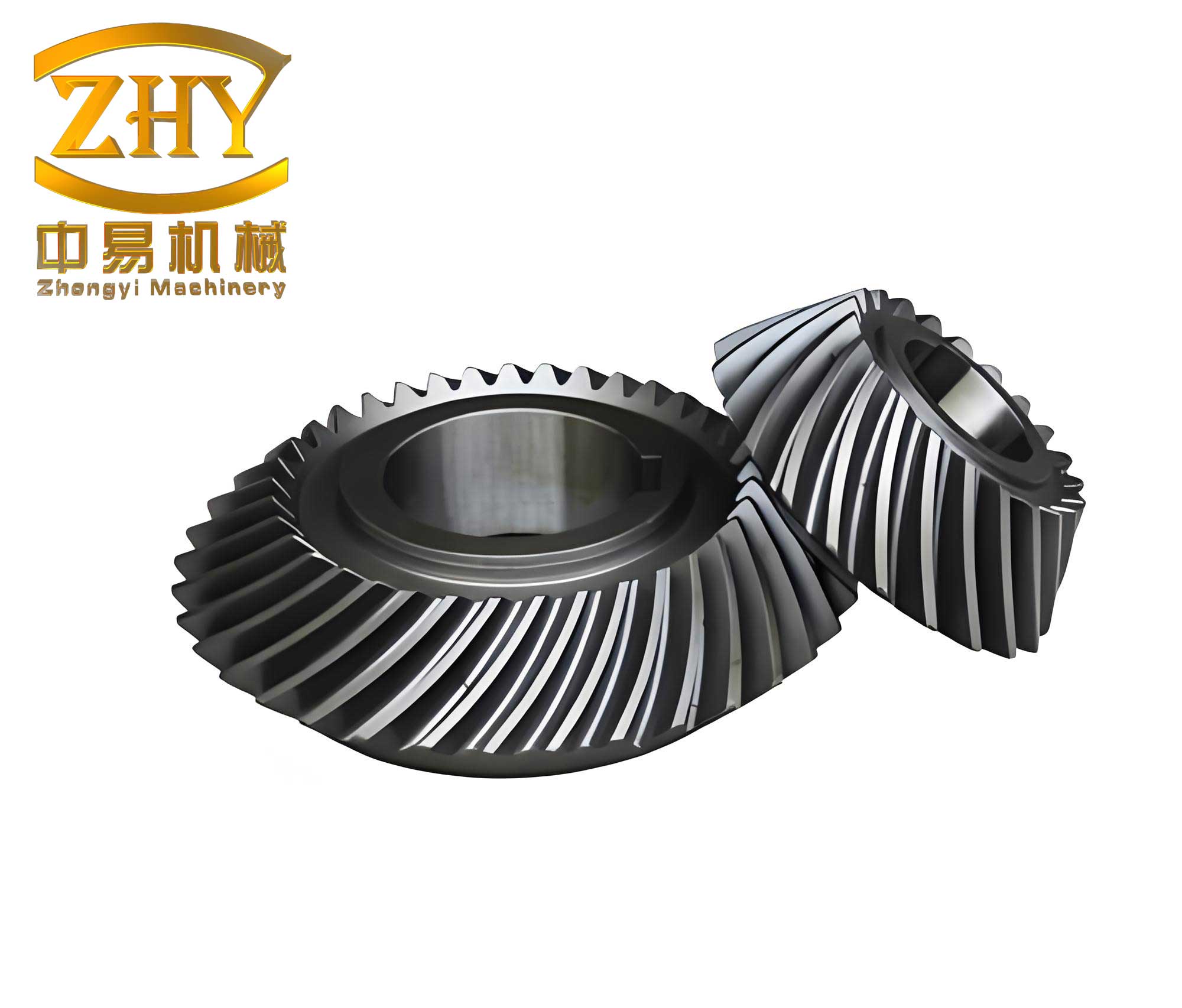
The fundamental geometry of a face spiral gear is generated via the conjugate action between a cutting tool and a gear blank. Conceptually, the tooth flanks of the face spiral gear are the envelope of all successive positions occupied by the cutting tool during a simulated machining process. This process involves two simultaneous motions: the revolution of the tool around the axis of the face spiral gear blank, and the rotation of the tool around its own axis. Accurately modeling this spatial kinematics is key to deriving the correct tooth geometry.
Kinematic Foundations for Spiral Gear Generation
The core of the motion envelope method lies in precisely defining the kinematic relationship between the cutter (a cylindrical spiral gear) and the workpiece (the face spiral gear blank). The primary design input is the transmission ratio. For a pair comprising a cylindrical spiral pinion and a face spiral gear, the ratio \( i \) is defined as:
$$ i = \frac{N_f}{N_p} $$
where \( N_f \) is the number of teeth on the face spiral gear and \( N_p \) is the number of teeth on the cylindrical spiral pinion (or the generating cutter). In the generation process, the cutter and the blank must maintain a strict angular velocity relationship that mirrors their intended meshing motion. Let \( \omega_c \) be the angular velocity of the cutter around its own axis (spin), and \( \omega_b \) be the angular velocity of the cutter carrier (or the equivalent revolution of the cutter around the blank’s axis). For a generation process that replicates correct meshing, the ratio must satisfy:
$$ \frac{\omega_b}{\omega_c} = \frac{1}{i} = \frac{N_p}{N_f} $$
For practical setup in motion simulation software, we often define the motion of the cutter relative to a stationary blank. If the cutter is to revolve around the blank axis at a speed \( \Omega_{rev} \) and rotate about its own axis at \( \Omega_{rot} \), the relationship becomes:
$$ \frac{\Omega_{rot}}{\Omega_{rev}} = i = \frac{N_f}{N_p} $$
Additionally, the spatial arrangement is crucial. The axis of the cylindrical spiral gear cutter is offset from the axis of the face spiral gear blank by a distance known as the mounting eccentricity, \( r_0 \). The cutter’s pitch cylinder must be tangent to the pitch plane (or a defined reference cone) of the blank. The nominal center distance \( a_0 \) during generation is typically related to the cutter’s geometry:
$$ a_0 = \frac{m_n \cdot N_p}{2 \cos \beta} $$
where \( m_n \) is the normal module and \( \beta \) is the helix angle of the spiral gear cutter. However, for face spiral gears, this distance is measured in the plane of the face gear’s pitch cone.
Defining the Spiral Gear Cutter Geometry
The cutting tool is a standard cylindrical spiral gear. Its parameters define the final tooth form of the generated face spiral gear. A comprehensive parameter set is required, which can be efficiently summarized in a table.
| Parameter Name | Symbol | Typical Value / Description |
|---|---|---|
| Number of Teeth | \( N_p \) | 9 (Often a small prime number to avoid repetition) |
| Normal Module | \( m_n \) | 1 mm |
| Normal Pressure Angle | \( \alpha_n \) | 20° |
| Helix Angle | \( \beta \) | 22.5° (Hand must be considered relative to gear) |
| Profile Shift Coefficient | \( x \) | 0.47 (Used to adjust tooth thickness and avoid undercut) |
| Face Width | \( B \) | 10 mm |
| Mounting Eccentricity | \( r_0 \) | 3 mm (Offset between tool and blank axes) |
The basic dimensions of the spiral gear cutter are calculated using standard helical gear formulas. The transverse module \( m_t \) is:
$$ m_t = \frac{m_n}{\cos \beta} $$
The reference pitch diameter \( d_p \) is:
$$ d_p = m_t \cdot N_p = \frac{m_n \cdot N_p}{\cos \beta} $$
The addendum \( h_a \) and dedendum \( h_f \) are calculated considering the profile shift:
$$ h_a = m_n (h_{a}^* + x) $$
$$ h_f = m_n (h_{a}^* + c^* – x) $$
where \( h_{a}^* \) is the addendum coefficient (usually 1) and \( c^* \) is the tip clearance coefficient (usually 0.25). A 3D model of a single, double-flanked tooth of this spiral gear cutter is created as the foundational solid for the subsequent motion simulation. This simplification (single tooth) significantly reduces computational load during envelope generation without sacrificing geometric accuracy for the conjugate surface.
Implementing Motion Envelope Simulation in Creo Parametric
The methodology is executed entirely within the Creo environment, following a structured assembly and simulation workflow.
Step 1: Assembly and Constraint Definition. An assembly is created containing the face gear blank (a simple cylindrical disk with inner and outer diameters defining the tooth rim limits) and the spiral gear cutter model. The cutter is assembled relative to the blank using constraints that define the critical spatial relationship: the axes are offset by distance \( r_0 \), and the cutter’s pitch cylinder is positioned tangent to the blank’s pitch diameter plane. A “pin” or “cylinder” connection is applied to the cutter, allowing only rotational degree of freedom around its own axis.
Step 2: Servo Motor Configuration for Kinematic Simulation. The mechanism module within Creo is activated. Two servo motors are defined to drive the simulated machining motion. The first motor drives the revolution of the cutter assembly (or the relative revolution motion) around the axis of the face spiral gear blank. The second motor drives the rotation (spin) of the spiral gear cutter around its own axis. The velocities for these motors are not arbitrary; they are calculated based on the required transmission ratio and a chosen base speed for the simulation. For instance, if we set the revolution angular velocity \( \Omega_{rev} \) to 2 deg/sec, the spin angular velocity \( \Omega_{rot} \) must be set to:
$$ \Omega_{rot} = i \cdot \Omega_{rev} = \left(\frac{N_f}{N_p}\right) \cdot \Omega_{rev} $$
For a ratio \( i = 45:9 = 5 \), and \( \Omega_{rev} = 2 \) deg/sec, we get \( \Omega_{rot} = 10 \) deg/sec. Both motors are configured to run for the same duration. The direction of rotation (clockwise/counterclockwise) must be consistent with the hand of the spiral gear helix to ensure proper generation.
| Motor | Driven Entity | Angular Velocity (Example) | Relationship |
|---|---|---|---|
| Motor 1 (Revolution) | Cutter Assembly (around Blank Axis) | \( \Omega_{rev} = 2 \) deg/sec | Base Reference Motion |
| Motor 2 (Rotation) | Spiral Gear Cutter (around its own Axis) | \( \Omega_{rot} = 10 \) deg/sec | \( \Omega_{rot} = i \cdot \Omega_{rev} \) |
Step 3: Motion Analysis and Envelope Generation. Before running the analysis, the initial position of the spiral gear cutter is adjusted so that it is just engaging with the outer or inner radius of the gear blank, avoiding initial interference. This position is saved as a snapshot and set as the initial condition for the analysis. A “Kinematic” analysis is defined with a termination time calculated to allow the cutter to traverse an angular distance equal to the circular pitch of the face spiral gear, effectively generating one complete tooth space. The critical step is to enable the “Create Motion Envelope” option. The envelope quality can be set to control the fineness of the resulting tessellated surface; a higher value produces a more accurate but computationally intensive mesh.
Step 4: Extracting and Processing the Conjugate Surface. Upon running the analysis, Creo generates a new part representing the motion envelope—the volume swept by the cutter. This envelope part is saved in a neutral format like IGES or STEP. It is then imported back into Creo. The imported geometry typically consists of a complex tessellated surface. Creo’s Import Data Doctor (IDD) mode provides powerful tools to repair this surface, trim away unwanted portions, and isolate the precise, conjugate surface that represents one tooth flank of the face spiral gear. This surface is the direct result of the spatial enveloping process of the spiral gear cutter.
Step 5: Solid Model Completion. The extracted conjugate surface is used as a reference to perform a cut (solidify or a Boolean subtraction) on the original gear blank, creating the first tooth space. Using the patterned geometry of the cylindrical spiral gear cutter as a reference for the enveloping process ensures high accuracy. This tooth space is then patterned circularly around the axis of the blank using the required number of teeth \( N_f \) for the face spiral gear. The final result is a fully parametric, solid 3D model of the face spiral gear.
Advantages of the Creo-Centric Methodology for Spiral Gear Design
This approach offers significant benefits over traditional methods that require coupling 3D CAD software with external mathematical solvers like MATLAB.
1. Reduced Operational Complexity and Barrier: The entire process, from kinematic definition to final solid model, is contained within a single, familiar CAD environment. Designers do not need to master multiple software packages or manage data exchange between them, reducing the skill threshold and potential for errors.
2. Full Parametric Control and Rapid Iteration: Every aspect of the design is parameter-driven: the spiral gear cutter’s geometry (module, pressure angle, helix angle, profile shift), the setup parameters (eccentricity \( r_0 \), axis angle), and the kinematic ratio. Modifying any driving parameter and regenerating the assembly automatically updates the entire kinematic simulation and the final gear geometry. This allows for rapid exploration of the design space, sensitivity analysis, and optimization for specific performance goals.
3. Unmatched Visualization and Interference Detection: The simulated motion of the spiral gear cutter is visually displayed in real-time. Designers can directly observe the path of the cutter relative to the blank, identifying potential gouging, undercutting, or insufficient material removal long before physical prototyping. This visual feedback is invaluable for validating the correctness of the setup and the health of the generated tooth form.
4. High-Fidelity Geometry: The motion envelope algorithm in Creo produces a highly accurate approximation of the true conjugate surface. By increasing the envelope quality setting, the precision of the generated spiral gear tooth flank can be enhanced to meet demanding tolerances.
Mathematical Insight into the Generated Spiral Gear Tooth Form
While the software handles the complex enveloping calculation, understanding the underlying geometry is beneficial. The surface of the cylindrical spiral gear cutter can be mathematically defined. A point on the involute tooth flank of a helical gear in the cutter’s coordinate system \( S_c(x_c, y_c, z_c) \) is given by a set of parametric equations involving the involute parameter \( \theta \) and the helical translation parameter \( u \).
The transverse involute profile coordinates are:
$$ x_{0} = r_b (\cos(\theta + \mu) + \theta \sin(\theta + \mu)) $$
$$ y_{0} = r_b (\sin(\theta + \mu) – \theta \cos(\theta + \mu)) $$
where \( r_b \) is the base radius and \( \mu \) is a phase angle. To account for the helix, the surface becomes:
$$
\begin{align*}
x_c &= x_{0} \cos(\psi) – y_{0} \sin(\psi) \\
y_c &= x_{0} \sin(\psi) + y_{0} \cos(\psi) \\
z_c &= p \psi
\end{align*}
$$
where \( \psi \) is the rotation parameter around the cutter axis and \( p = r_p \tan \beta \) is the helix parameter (\( r_p \) is the pitch radius).
During generation, this cutter surface undergoes a coordinated spatial motion defined by the revolution and rotation transforms. The family of surfaces generated in the coordinate system of the face gear blank \( S_f \) is represented by:
$$ \mathbf{r}_f(\theta, \psi, \phi) = \mathbf{M}_{fc}(\phi) \cdot \mathbf{r}_c(\theta, \psi) $$
where \( \mathbf{r}_c \) is the cutter surface point, \( \phi \) is the motion parameter (e.g., revolution angle), and \( \mathbf{M}_{fc}(\phi) \) is the 4×4 homogeneous transformation matrix encoding the revolution and timed rotation. The envelope of this family of surfaces, which is the spiral gear tooth surface, satisfies the equation of meshing:
$$ f(\theta, \psi, \phi) = \mathbf{n}_c \cdot \mathbf{v}_c^{(cf)} = 0 $$
Here, \( \mathbf{n}_c \) is the normal to the cutter surface and \( \mathbf{v}_c^{(cf)} \) is the relative velocity of the cutter with respect to the face gear blank, expressed in the cutter’s coordinate system. Creo’s motion envelope solver numerically computes the result of this complex differential geometry problem, delivering the final surface \( \mathbf{r}_f(\theta, \psi) \) with \( \phi \) eliminated.
Design Considerations and Application Potential for Spiral Gears
The face spiral gear designed via this method inherits the well-documented advantages of face gear drives, now combined with the benefits of helical tooth engagement. The continuous, gradual engagement of the spiral gear teeth results in higher contact ratios, often exceeding 2.0. This translates to smoother torque transmission, reduced vibration, and lower acoustic noise compared to straight-tooth face gears or bevel gears. Furthermore, the spiral face gear’s pairing with a cylindrical spiral pinion offers reduced sensitivity to axial alignment errors of the pinion, simplifying bearing arrangements and housing design.
This modeling technique is particularly powerful for designing compact, high-torque density transmissions for aerospace actuators, robotics, and specialized vehicle drivetrains where weight and volume are critical constraints. The ability to quickly adjust the spiral gear’s helix angle, pressure angle, and profile shift allows designers to tailor the contact pattern, bending strength, and resistance to undercut for specific load cases.
| Design Parameter | Primary Influence | Design Trade-off Consideration |
|---|---|---|
| Helix Angle (\( \beta \)) | Axial Thrust Force, Smoothness of Engagement, Contact Ratio | Higher angles increase smoothness and contact ratio but also increase axial bearing loads. |
| Profile Shift (\( x \)) | Tooth Thickness, Root Strength, Avoidance of Undercut | Positive shift strengthens the tooth but may alter the active profile and contact location. |
| Mounting Eccentricity (\( r_0 \)) | Effective Face Width, Conjugate Zone Location | Must be optimized to ensure full, healthy tooth contact across the desired face width. |
In conclusion, the integration of motion envelope simulation within Creo Parametric provides a potent and accessible framework for the design and development of advanced face spiral gears. This methodology replaces opaque mathematical scripting with an intuitive, visual, and fully parametric process. It empowers engineers to harness the significant performance benefits of spiral gear technology—such as high load capacity, compactness, and operational smoothness—while dramatically accelerating the design iteration cycle and improving first-pass accuracy through direct visualization of the gear generation process.