
The design of cylindrical screw gears, encompassing both the worm and the worm wheel, presents a significant engineering challenge characterized by complex calculations and intricate interdependencies among numerous geometric and performance parameters. Traditional manual design processes are not only time-consuming but also prone to human error, especially when iterative optimization is required. In recent years, the widespread application of computer technology has dramatically increased the level of automation in mechanical design. AutoCAD, a ubiquitous tool in the designer’s arsenal, offers a powerful platform for drafting. However, for the specialized task of screw gear design, its native functionality requires augmentation through the establishment of dedicated database modules and specialized management tools to streamline the entire workflow from calculation to modeling.
Fortunately, AutoCAD boasts an open architecture, allowing for deep customization and functional extension. One of the most effective methods for this is the use of integrated development tools like Visual LISP. This environment enables the secondary development of a specialized Computer-Aided Design (CAD) system tailored for screw gears. By leveraging the design principles of screw gears, we can construct a robust software module. Utilizing AutoCAD as the development platform, supported by a SQL Server database for managing standardized parts and material properties, and building upon AutoLISP’s automated drawing capabilities and interpolation techniques for querying tabular data, a comprehensive software module for screw gear transmission design can be established. The core objective is to achieve fully parametric design for ordinary cylindrical worm drives. Through parametric technology, the designer only needs to input a set of key, or “sensitive,” parameters. The computer then calculates all derived characteristics, stores them in a database, and finally, AutoLISP routines call upon these geometric dimensions to automatically generate detailed part drawings or three-dimensional solid models of the components.
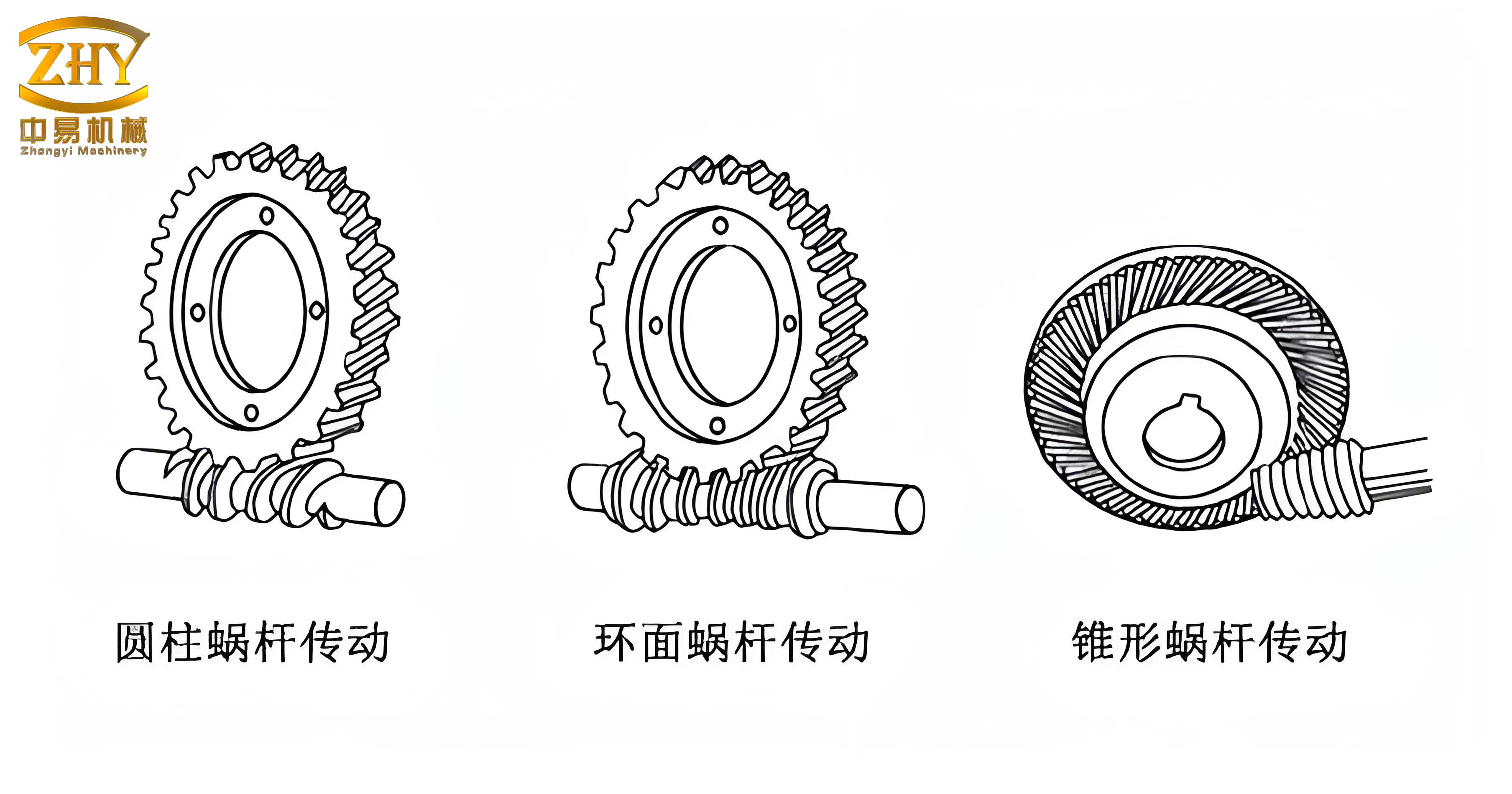
The development of a Cylindrical Worm Drive CAD System must adhere to software engineering principles, specifically the object-oriented methodology. The process can be segmented into four distinct phases: overall planning, system design, programming/testing, and operation/maintenance. The initial two phases focus on high-level architecture guided by systems engineering, while the latter two concentrate on the actual software construction guided by software engineering. A structured, object-oriented approach ensures the system is modular, maintainable, and extensible.
The system architecture for the screw gears CAD software is built around several core functional modules that work in concert. The primary modules include:
- Tabular and Graphical Data Processing Module: Handles interpolation and querying from standard databases (e.g., material properties, modulus series, tooth form factors).
- Geometric Parameter Design Module for Screw Gears: Performs all essential geometric calculations for both the worm and the worm wheel.
- Thermal Balance Calculation Module: Ensures the design meets thermal constraints to prevent lubrication failure.
- Automated Drawing and 3D Modeling Module: Generates 2D drawings and 3D models based on calculated parameters.
The overall design process flow within this system can be summarized as follows: input of known initial parameters, database queries and calculations, comprehensive design computation for the screw gears transmission, output of final design results, and the generation of production-ready drawings. This logical flow forms the backbone of the user’s interaction with the software.
Core Technologies Enabling Screw Gear Automation
1. The Power of AutoLISP within AutoCAD
AutoLISP, embedded within AutoCAD, is a potent tool for engineering analysis and geometric construction. It allows for the programming of complex calculation sequences specific to screw gears, such as determining center distances, tooth dimensions, and clearances. Furthermore, it provides direct commands to generate the geometry. While AutoCAD has built-in 3D primitives (cones, cylinders, spheres, tori), AutoLISP can programmatically generate complex shapes like helical surfaces, which are fundamental to modeling screw gears.
Using Visual LISP for object-oriented programming enhances this capability. Through the Visual LISP ActiveX interface, the application can intelligently integrate with other ActiveX-compliant programs, promoting an integrated and smart design environment. A critical aspect of user interaction is the design of intuitive input dialogs. For example, a dialog for selecting worm material can be driven by AutoLISP code that loads a Dialog Control Language (DCL) file, presents a list of material grades (e.g., 40Cr, 45, 20CrMnTi), captures the user’s selection, and passes the value to the calculation engine. This creates a professional and user-friendly interface, moving away from command-line-only input.
2. Data Handling: Interpolation and Database Techniques
Mechanical design relies heavily on standardized tables and graphs (e.g., selection of contact stress limits based on material and hardness). Some of these data relationships involve discrete values for both independent and dependent variables. For such data, establishing a relational database using systems like SQL Server is efficient for storage and querying. However, many engineering relationships are continuous. If a required value does not fall exactly on a tabulated node, interpolation is necessary. The software module employs fitting techniques like linear interpolation and more accurate methods like cubic spline interpolation to determine these intermediate values reliably.
A quintessential example of a continuous relationship in screw gears is the definition of the worm’s helix. The parametric equations for a point \( M(x, y, z) \) on a cylindrical helix (representing the worm thread) are fundamental to generating its 3D model:
$$
\begin{aligned}
X &= \left[ r_0 + \frac{h_g \cdot \alpha}{2\pi} \right] \times \cos(\alpha) \\
Y &= \left[ r_0 + \frac{h_g \cdot \alpha}{2\pi} \right] \times \sin(\alpha) \\
Z &= \pm \frac{\nu_g \cdot \alpha}{2\pi}
\end{aligned}
$$
Where:
\( r_0 \) = Base radius of the helix
\( \alpha \) = Helix angle parameter (varies from 0 to \( 2\pi n \))
\( \nu_g \) = Lead of the helix
\( h_g = |(r_1 – r_0) / n| \), with \( r_1 \) as the outer radius and \( n \) as the number of turns.
The sign for the Z-coordinate is positive for a right-hand helix and negative for a left-hand helix, a crucial distinction in screw gears design.
Parametric Design Methodology for Screw Gears
The parametric design process is the heart of the automation system for screw gears. It transforms a handful of user-defined inputs into a complete set of manufacturing specifications.
1. Input of Sensitive Parameters
The system guides the designer to input the key driving parameters of the transmission. These typically include:
- Input Power (\( P \)) and Input Speed (\( n_1 \))
- Desired Transmission Ratio (\( i \))
- Application-specific factors (load type, desired life, environmental conditions)
Based on these, the software initiates a sequence of calculations following established design standards (e.g., AGMA, ISO). The initial steps often involve selecting a tentative worm gear pair from standard series based on transmitted torque and ratio.
| Parameter | Symbol | Determination Method |
|---|---|---|
| Center Distance | \( a \) | Calculated from torque and material stress limits. |
| Axial Module / Worm Diametral Pitch | \( m \) / \( P_d \) | Selected from standard series based on calculated center distance and ratio. |
| Number of Worm Threads | \( Z_1 \) | Chosen by designer (1, 2, 4, etc.) based on ratio and efficiency requirements. |
| Number of Worm Wheel Teeth | \( Z_2 \) | \( Z_2 = i \cdot Z_1 \). Must be checked for undercutting. |
| Worm Pitch Diameter | \( d_1 \) | Selected from standard series related to module; influences stiffness and efficiency. |
| Diameter Factor / Lead Angle | \( q \) / \( \gamma \) | \( q = d_1 / m \). Lead angle: \( \gamma = \arctan( Z_1 / q ) \). Critical for efficiency and self-locking. |
2. Geometric Parameter Design and Calculation
Once the primary parameters are set, the system calculates the complete geometry of both the worm and the worm wheel. This involves a cascade of formulas. The user interface for this stage presents these parameters, allowing for review and potential manual override before finalization.
$$
\begin{aligned}
\text{Worm Pitch Diameter:} \quad & d_1 = q \cdot m \\
\text{Worm Lead:} \quad & p_z = \pi \cdot m \cdot Z_1 \\
\text{Worm Lead Angle:} \quad & \gamma = \arctan\left( \frac{p_z}{\pi d_1} \right) = \arctan\left( \frac{Z_1}{q} \right) \\
\text{Worm Wheel Pitch Diameter:} \quad & d_2 = m \cdot Z_2 \\
\text{Center Distance:} \quad & a = \frac{d_1 + d_2}{2} \\
\text{Worm Wheel Throat Diameter:} \quad & d_{a2} = d_2 + 2 \cdot h_{a2} \quad (\text{where } h_{a2} \text{ is addendum}) \\
\text{Worm Wheel Outer Diameter:} \quad & d_{e2} \leq d_{a2} + m
\end{aligned}
$$
These calculations are performed automatically, ensuring consistency and freeing the designer from tedious arithmetic.
3. Strength Calculation and Verification
The system must verify that the designed screw gears can withstand the applied loads. This involves checking both contact (wear) stress and bending stress for the worm wheel teeth, which is typically the weaker element. The formulas incorporate multiple factors (application factor, dynamic factor, load distribution factor) which are retrieved from the integrated databases or calculated based on geometry and speed.
Contact Stress Check:
The fundamental contact stress equation for worm gears is verified:
$$
\sigma_H = Z_E \sqrt{ \frac{9.81 \cdot K_A \cdot T_2}{d_1 \cdot d_2^2} } \leq [\sigma]_{H}
$$
Where \( Z_E \) is the elastic coefficient, \( K_A \) is the application factor, \( T_2 \) is the torque on the worm wheel, and \( [\sigma]_{H} \) is the allowable contact stress from material tables.
Bending Stress Check:
The bending stress at the root of the worm wheel tooth is calculated:
$$
\sigma_F = \frac{19.62 \cdot K_A \cdot T_2 \cdot Y_F \cdot Y_\beta}{d_1 \cdot d_2 \cdot m} \leq [\sigma]_{F}
$$
Where \( Y_F \) is the tooth form factor (from tables based on virtual number of teeth) and \( Y_\beta \) is the helix angle factor.
4. Thermal Balance Calculation
A critical, often overlooked, aspect of screw gear design is thermal capacity. Due to inherently high sliding friction, these transmissions generate considerable heat. In enclosed units, inadequate heat dissipation can lead to oil temperature rise, viscosity breakdown, and ultimately, failure due to scuffing or wear. The software module includes a thermal balance calculation to ensure the designed housing can dissipate the heat loss generated.
The heat generated \( H_{gen} \) is equal to the power loss:
$$ H_{gen} = 1000 \cdot P \cdot (1 – \eta) $$
where \( P \) is input power in kW and \( \eta \) is the transmission efficiency.
The heat dissipated \( H_{diss} \) through the housing surface is:
$$ H_{diss} = k_s \cdot A \cdot (t – t_0) $$
where \( k_s \) is the combined heat transfer coefficient, \( A \) is the effective surface area of the housing, \( t \) is the desired oil temperature, and \( t_0 \) is the ambient temperature.
The thermal balance requirement is \( H_{diss} \geq H_{gen} \). The software calculates the required surface area \( A \) or, given a housing design, checks the equilibrium temperature. The results, including efficiency, calculated oil temperature, and any necessary cooling area, are presented in a clear feedback interface to the designer.
| Parameter | Symbol | Typical Value/Range | Source |
|---|---|---|---|
| Transmission Efficiency | \( \eta \) | Calculated based on lead angle, materials, lubrication. | Calculation Module |
| Heat Transfer Coefficient | \( k_s \) | 8-17 W/(m²·°C) (still air) 14-24 W/(m²·°C) (good airflow) |
Database / User Input |
| Allowable Oil Temperature Rise | \( \Delta t = t – t_0 \) | 50-60 °C (for mineral oils) | Design Specification |
| Required Heat Dissipation Area | \( A \) | Calculated: \( A \geq \frac{1000 P (1-\eta)}{k_s \Delta t} \) m² | Output of Thermal Module |
Automated Drawing and 3D Modeling with AutoLISP
The final and most visually rewarding stage is the automatic generation of drawings and models. This is where the parametric data is transformed into precise geometry.
1. The Parametric Drawing Module
This module offers two primary modes of operation, providing flexibility to the designer:
- Fully Automatic Generation: The system directly uses the finalized calculation results from the design modules to generate the drawing. No further input is required.
- Interactive Parameter Input: The designer is presented with a graphical interface or command-line prompts corresponding to key dimensions of a standard screw gears drawing. By entering values (either the newly calculated ones or custom values), the drawing is regenerated on the fly. This is useful for creating variants or for educational purposes.
The interface for this module clearly labels each sensitive dimension (e.g., root diameter, face width, hub diameter), allowing for direct manipulation.
2. AutoLISP Routines for Geometry Creation
The core of the automated drawing lies in AutoLISP functions that encapsulate the drawing logic. These functions take the calculated parameters as arguments and issue a series of AutoCAD commands to create lines, arcs, circles, hatches, and dimensions. For 2D drawings, standard views (front, side) and section views are generated automatically, with proper layer management for different line types (continuous, center, hidden).
For 3D modeling, more advanced routines are used. A simplified example of an AutoLISP function to create a 3D polyline representing a worm’s helical thread path illustrates the concept. This function could serve as a basis for generating a sweep path for creating a solid worm thread:
(defun cspiral (n bpoint hfac k strad vfac / ang dist tp ainc dhinc dxinc cir dv)
  (setvar "cmdecho" 0)
  (setq cir (* 3.14159265 2))
  (setq ainc (/ cir k)) ; Angle increment per segment
  (setq ang 0.0)
  (if vfac
    (setq dist strad dv 0.0)
    (setq dist 0.0)
  )
  (if vfac
    (command "3dpoly" bpoint)
    (command "pline" bpoint)
  )
  (repeat n
    (repeat k
      (setq tp (polar bpoint (setq ang (+ ang ainc)) (setq dist (+ dist dhinc))))
      (if vfac
        (setq tp (list (car tp) (cadr tp) (+ dv (caddr tp)))
              dv (+ dv dvinc)
        )
      )
      (command tp)
    )
  )
  (command "")
  (princ)
)
This function, when fed with parameters like starting point (`bpoint`), number of turns (`n`), segments per turn (`k`), and lead increment (`dvinc`), creates a precise 3D spiral. In a full implementation, such a spiral would be used as a path along which a tooth profile is swept to create a solid model of the worm. Similar routines generate the worm wheel’s toroidal shape and its enveloping teeth.
3. Output Examples
The system is capable of producing production-ready 2D engineering drawings complete with title blocks, tolerances, and geometric dimensioning and tolerancing (GD&T) annotations as predefined by the user’s template. Furthermore, it can assemble the 3D models of the worm and worm wheel into a mating pair, allowing for visual interference checking and the creation of assembly drawings or exploded views. The ability to quickly generate both 2D and 3D representations from a single set of parameters is a powerful validation tool and dramatically accelerates the design-to-manufacturing process for screw gears.
Conclusion and Broader Implications
The development of a specialized CAD module for cylindrical screw gears using AutoLISP on the AutoCAD platform represents a significant step towards complete design automation for this complex mechanical element. By integrating a structured database, implementing robust calculation algorithms (including interpolation for data lookup), and harnessing the geometric power of AutoLISP for automated drafting, the traditional, labor-intensive design process is transformed. The parametric approach, where the designer inputs only a few key performance drivers, empowers rapid iteration, optimization, and exploration of design alternatives. The automatic generation of accurate 2D drawings and 3D models not only reduces errors and saves time but also creates a direct digital thread that can feed into downstream computer-aided manufacturing (CAM) and finite element analysis (FEA) processes. This methodology is not limited to screw gears; it provides a proven blueprint for the parametric automation of other complex mechanical components, leveraging the flexibility and ubiquity of AutoCAD to build highly specialized and efficient design tools.