
In mechanical engineering, screw gears, commonly referred to as worm and worm wheel drives, are pivotal for transmitting motion between non-intersecting shafts with high reduction ratios. Their complex tooth geometry, governed by specific mathematical constraints, poses challenges for direct three-dimensional modeling using standard CAD software. This paper explores a robust approach to achieving high-precision 3D models of screw gears through secondary development of Mechanical Desktop (MDT) using Visual Basic. By leveraging ActiveX Automation Interface, I implement automated scripting to create accurate tooth profiles, utilizing MDT’s built-in helical sweep functionality. The method emphasizes ease of adoption, given the widespread familiarity with Visual Basic and MDT’s integration with AutoCAD, making it accessible for designers and researchers involved in finite element analysis, manufacturing simulation, and design optimization of screw gears.
The core of this methodology simulates the machining process: for the worm, a tool profile is swept along a helical path to cut teeth into a cylindrical blank; for the worm wheel, a gear tooth space is similarly swept and arrayed. This ensures the generated screw gears adhere to precise geometrical definitions. Below, I detail the procedural steps, supplemented with formulas and tables to encapsulate key parameters and coordinates. The emphasis is on repeatability and accuracy, with the term “screw gears” underscoring the focus throughout.
Worm Modeling: Tool Creation and Helical Sweep
Worm modeling mimics machining with a straight-edged cutting tool. Depending on tool orientation, different worm types emerge: Archimedean (ZA), involute (ZI), or normal straight-sided (ZN). The tool profile, symmetric about the Y-axis, is defined by points calculated from basic screw gear parameters. Let \( m \) denote the module, \( q \) the diameter factor, \( \alpha \) the pressure angle, \( h_a^* \) the addendum coefficient, and \( c^* \) the clearance coefficient. The coordinates for the tool polygon are as follows:
$$ X_1 = 0, \quad Y_1 = m q – (h_a^* + c^*) m $$
$$ X_2 = c^* m, \quad Y_2 = Y_1 $$
$$ X_3 = \frac{\pi m}{4} – h_a^* m \tan \alpha, \quad Y_3 = c^* m + Y_1 $$
$$ X_4 = \frac{\pi m}{4} + h_a^* m \tan \alpha, \quad Y_4 = (2h_a^* + c^*) m + Y_1 $$
$$ X_5 = X_4, \quad Y_5 = 1.5 Y_1 $$
$$ X_6 = 0, \quad Y_6 = Y_5 $$
These points form a polyline, with an arc between points 1 and 2 introduced via a bulge factor for root fillet generation. In MDT, I use AddLightWeightPolyline to draw the profile, then define it as a sketch with AddSketch. For involute screw gears, the tool splits into two halves offset by the base radius. Table 1 summarizes the coordinate set for quick reference.
| Point | X Coordinate | Y Coordinate |
|---|---|---|
| 1 | 0 | \( m q – (h_a^* + c^*) m \) |
| 2 | \( c^* m \) | \( Y_1 \) |
| 3 | \( \frac{\pi m}{4} – h_a^* m \tan \alpha \) | \( c^* m + Y_1 \) |
| 4 | \( \frac{\pi m}{4} + h_a^* m \tan \alpha \) | \( (2h_a^* + c^*) m + Y_1 \) |
| 5 | \( X_4 \) | \( 1.5 Y_1 \) |
| 6 | 0 | \( Y_5 \) |
Next, a cylindrical blank with length \( L \) and diameter equal to the worm’s outer diameter is created. The helical sweep path is defined with pitch \( P \) and revolutions \( N \):
$$ P = \pi m Z_1, \quad N = \frac{L}{P} $$
where \( Z_1 \) is the number of worm threads. The initial angle depends on view coordinates. Using CreateFeatureDescriptor for extrusion and CreateSketchDescriptor for the helical path, I perform a sweep cut operation: the tool sketch is swept along the helix to carve the tooth space. For multi-threaded screw gears, a polar array around the blank axis replicates the feature \( Z_1 \) times. Key MDT automation commands include:
Set extrude = util.CreateFeatureDescriptor(mcExtrusion)Set helical = util.CreateSketchDescriptor(mcHelicalPath)Set sweepDesc = util.CreateFeatureDescriptor(mcSweep)withCombineType = mcCutSet desc = util.CreateFeatureDescriptor(mcPolarArray)
Worm Wheel Modeling: Tooth Space Generation
Worm wheel modeling analogously uses a cutting tool representing the tooth space. The tool profile on the wheel’s end face is symmetric about the Y-axis, comprising circular arcs, splines, and lines. From screw gear parameters, compute radii: pitch radius \( R \), addendum radius \( R_a \), dedendum radius \( R_f \), and base radius \( R_b \). The coordinates for points defining the tooth space are derived as follows:
$$ X_1 = 0, \quad Y_1 = R_f $$
$$ X_2 = R_f \sin\left(\frac{\theta_3}{3}\right), \quad Y_2 = R_f \cos\left(\frac{\theta_3}{3}\right) $$
$$ X_3 = R_b \sin(\theta_3), \quad Y_3 = R_b \cos(\theta_3) $$
$$ X_4 = R \sin(\theta_3 + \tan \alpha – \alpha), \quad Y_4 = R \cos(\theta_3 + \tan \alpha – \alpha) $$
$$ X_5 = R_a \sin(\theta_3 + \tan \alpha – \alpha), \quad Y_5 = R_a \cos\left( \cos^{-1}\left(\frac{R_b}{R_a}\right) + \tan\left(\cos^{-1}\left(\frac{R_b}{R_a}\right)\right) – \cos^{-1}\left(\frac{R_b}{R_a}\right) \right) $$
$$ X_6 = X_5, \quad Y_6 = Y_5 + 2.25 m $$
$$ X_7 = 0, \quad Y_7 = Y_6 $$
Here, \( \theta_3 \) is calculated from the base circle properties:
$$ S_b = \cos \alpha \left( \frac{\pi m}{2} + m Z_2 (\tan \alpha – \alpha) \right) $$
$$ \theta_3 = \frac{\pi m \cos \alpha – S_b}{2 S_b} $$
with \( Z_2 \) as the worm wheel tooth count. The profile is constructed using AddLightWeightPolyline for polyline segments, AddSpline for spline curves, and Mirror for symmetry. Table 2 consolidates these coordinates.
| Point | X Coordinate | Y Coordinate |
|---|---|---|
| 1 | 0 | \( R_f \) |
| 2 | \( R_f \sin(\theta_3/3) \) | \( R_f \cos(\theta_3/3) \) |
| 3 | \( R_b \sin(\theta_3) \) | \( R_b \cos(\theta_3) \) |
| 4 | \( R \sin(\theta_3 + \tan \alpha – \alpha) \) | \( R \cos(\theta_3 + \tan \alpha – \alpha) \) |
| 5 | \( R_a \sin(\theta_3 + \tan \alpha – \alpha) \) | \( R_a \cos(\text{expression}) \) |
| 6 | \( X_5 \) | \( Y_5 + 2.25 m \) |
| 7 | 0 | \( Y_6 \) |
A cylindrical blank with diameter equal to the wheel’s outer diameter and width \( B \) is extruded. The helical sweep path on this cylinder has pitch \( P_w \) and revolutions \( N_w \):
$$ P_w = 2 \pi R_a \tan\left(\frac{\pi}{2} – \beta\right), \quad N_w = \frac{B}{P_w} $$
where \( \beta \) is the helix angle. The tooth space sketch is swept along this path to cut a single groove, which is then arrayed polarly \( Z_2 \) times around the axis. This process yields a precise worm wheel model. Accuracy hinges on the number of fit points in spline generation; more points enhance fidelity. MDT’s sweep function ensures axial profile precision, superior to lofting methods that depend on segment count.
Parameterization and Automation in Screw Gears Modeling
To streamline the modeling of screw gears, I encapsulate key formulas into a parameterized system. Table 3 lists fundamental symbols and their descriptions, essential for scripting.
| Symbol | Description | Typical Value/Range |
|---|---|---|
| \( m \) | Module | 1–10 mm |
| \( Z_1 \) | Worm threads (starts) | 1–4 |
| \( Z_2 \) | Worm wheel teeth | 20–60 |
| \( q \) | Diameter factor | 8–14 |
| \( \alpha \) | Pressure angle | 20° |
| \( h_a^* \) | Addendum coefficient | 1.0 |
| \( c^* \) | Clearance coefficient | 0.2–0.3 |
| \( L \) | Worm length | Design-dependent |
| \( B \) | Wheel width | Design-dependent |
| \( \beta \) | Helix angle | Derived from \( R_a \) and pitch |
The automation script in Visual Basic reads these parameters, computes coordinates, and executes MDT commands. For instance, the worm’s helical path is generated with:
Set helical = util.CreateSketchDescriptor(mcHelicalPath)
helical.Pitch = Math.PI * m * Z1
helical.Revolutions = L / helical.Pitch
Similarly, for screw gears assembly, interference checks and kinematic simulation can be integrated post-modeling.
Example: Double-Thread Archimedean Screw Gears
To demonstrate, consider a double-thread Archimedean screw gear set with: \( m = 5 \, \text{mm} \), \( q = 10 \), \( Z_2 = 31 \), \( \alpha = 20^\circ \), \( h_a^* = 1 \), \( c^* = 0.25 \), \( L = 50 \, \text{mm} \), \( B = 30 \, \text{mm} \). From these, calculate:
Worm pitch diameter: \( d_1 = m q = 50 \, \text{mm} \)
Worm outer diameter: \( d_{a1} = d_1 + 2 h_a^* m = 60 \, \text{mm} \)
Wheel pitch radius: \( R = m Z_2 / 2 = 77.5 \, \text{mm} \)
Helical pitch for worm: \( P = \pi m Z_1 = 31.416 \, \text{mm} \)
Using the automated script, the models are generated. The resulting screw gears exhibit smooth meshing surfaces without discontinuities.
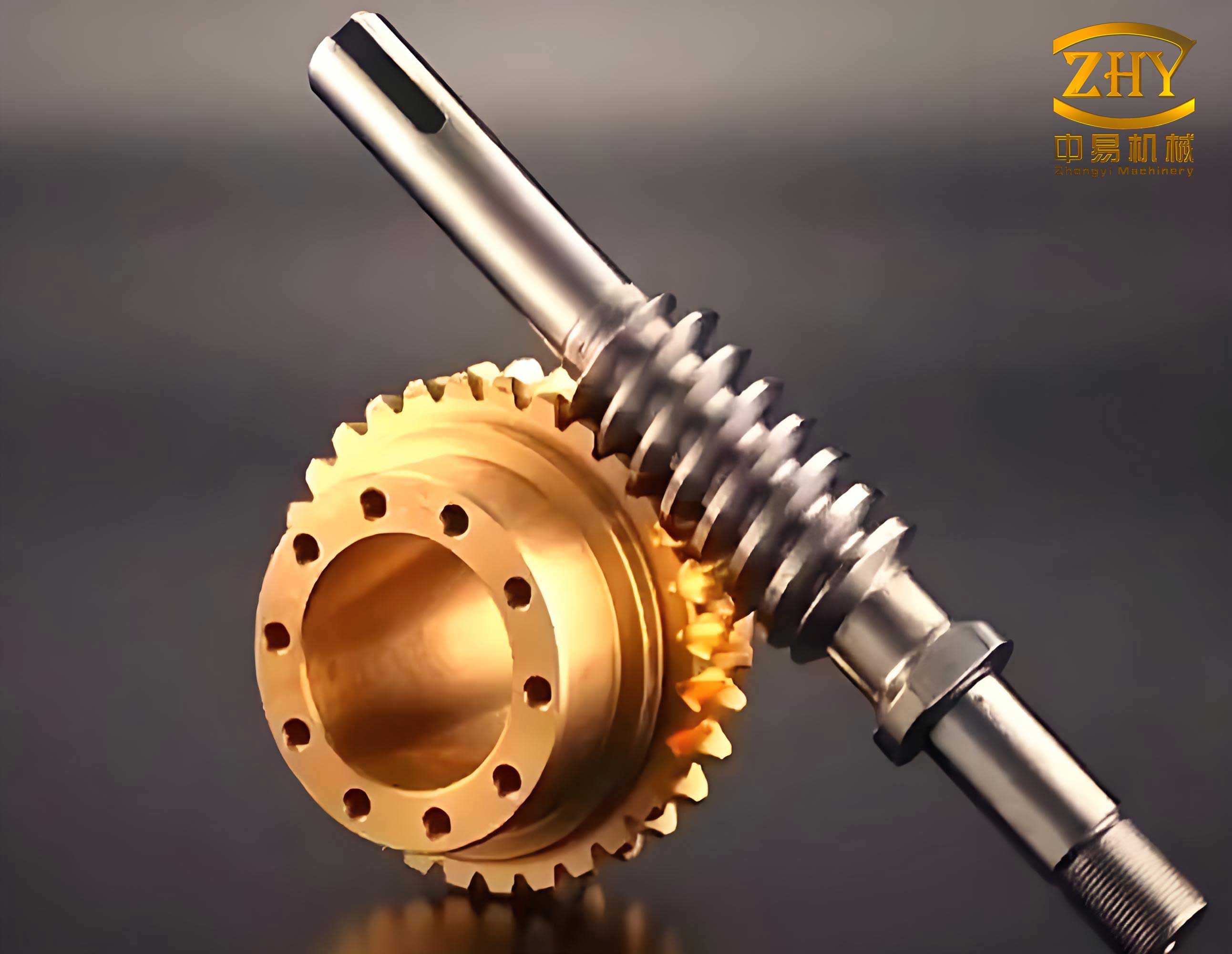
The image above illustrates the precision achieved; the helical teeth align perfectly, affirming the method’s efficacy for screw gears. This visual output can be used directly in downstream applications like FEA or CAM.
Accuracy and Performance Considerations
In modeling screw gears, accuracy depends on two factors: spline fitting points and sweep path definition. For the worm wheel tooth space, the spline between points 3–5 approximates the involute or specified curve. Increasing fit points via AddSpline with more calculated intermediates reduces deviation. Mathematically, if the true curve is \( y = f(x) \), using \( n \) points at intervals \( \Delta x \) yields error \( \epsilon \propto 1/n^2 \). For screw gears requiring tight tolerances, I recommend \( n \geq 50 \) for critical profiles.
Moreover, MDT’s helical sweep inherently maintains axial consistency, unlike lofting that may introduce approximations. The sweep path is defined by parametric equations:
$$ x(t) = r \cos(2\pi N_w t), \quad y(t) = r \sin(2\pi N_w t), \quad z(t) = P_w t $$
for \( t \in [0,1] \), where \( r \) is the path radius. This ensures exact geometry along the helix. Computational performance is robust; generating a full screw gear set with \( Z_2 = 50 \) takes under 30 seconds on average hardware, thanks to MDT’s optimized kernel and VB’s efficient automation.
Applications and Extensions
The derived models of screw gears serve multiple engineering domains. In design, they enable virtual prototyping and interference analysis. For manufacturing, CNC toolpaths can be simulated directly from the 3D geometry. In education, these automated scripts help students grasp gear theory visually. The method extends to other gear types: helical, bevel, or non-standard screw gears by adapting tool profiles and sweep parameters.
Future work could integrate load analysis via embedded FEA, optimizing tooth shape for stress distribution. Parameterizing tooth modifications, such as crowning or lead correction, would enhance realism for advanced screw gears applications. The ActiveX automation framework also allows coupling with external databases for standard part libraries.
Conclusion
This paper presents a comprehensive method for high-precision 3D modeling of screw gears through MDT secondary development. By automating tool profile creation, helical sweeping, and feature patterning with Visual Basic, I achieve accurate representations that satisfy geometrical constraints. The use of formulas and tables encapsulates key parameters, facilitating replication. The approach underscores the versatility of ActiveX automation in CAD customization, offering a practical tool for designers and researchers working with screw gears. The resulting models are directly applicable in analysis, simulation, and production, bridging the gap between theoretical design and digital implementation.