
In the field of mechanical engineering, the design and manufacturing of gears play a pivotal role in ensuring efficient power transmission. Among various gear types, spur and pinion gears, particularly the involute spur gears, are widely utilized due to their simplicity, reliability, and ease of manufacturing. However, the traditional design process for these gears can be tedious and error-prone, involving complex calculations and manual modeling. To address these challenges, we explore the parametric design approach using Creo software, which allows for automated and precise generation of spur and pinion gears based on user-defined parameters. This article delves into the fundamentals of parametric design, the mathematical foundations of involute gear geometry, and a step-by-step methodology for creating a robust database of spur and pinion gear models. By leveraging Creo’s capabilities, we aim to enhance design efficiency, accuracy, and flexibility, thereby supporting downstream applications such as simulation, finite element analysis, and manufacturing.
The significance of spur and pinion gears in mechanical systems cannot be overstated. They are essential components in transmissions, machinery, and automotive applications, where precise motion control and torque transmission are required. The involute tooth profile of spur and pinion gears ensures smooth engagement and constant velocity ratio, minimizing noise and wear. Despite these advantages, designing spur and pinion gears manually involves intricate steps, including defining tooth geometry, calculating dimensions, and creating 3D models. This process becomes even more cumbersome when multiple design iterations are needed. Parametric design, as implemented in Creo, offers a solution by automating the modeling process through programmable relationships and variables. In this article, we present a comprehensive guide to parametric design for standard spur and pinion gears, emphasizing the use of equations, tables, and Creo’s features to streamline the workflow. We will also discuss how this approach facilitates the optimization of spur and pinion gear pairs for various operational conditions.
Fundamentals of Involute Gear Geometry
To understand the parametric design of spur and pinion gears, it is crucial to grasp the mathematical basis of the involute curve. The involute is defined as the curve traced by a point on a taut string as it unwinds from a base circle. For spur and pinion gears, the tooth profile is typically an involute of a circle, which ensures conjugate action and minimal sliding friction. The Cartesian equations for the involute curve, as used in gear design, are expressed as follows:
$$ X = R \cos(\theta) + R \sin(\theta) \cdot \theta \cdot \frac{\pi}{180} $$
$$ Y = R \sin(\theta) – R \cos(\theta) \cdot \theta \cdot \frac{\pi}{180} $$
$$ Z = 0 $$
where \( R \) is the radius of the base circle, and \( \theta \) is the parameter ranging from 0 to 90 degrees (or more, depending on the gear geometry). These equations form the cornerstone for generating accurate tooth profiles in spur and pinion gears. In parametric design, we incorporate these equations into Creo’s relation set to dynamically create involute curves based on input parameters such as module, number of teeth, and pressure angle.
The structural parameters of standard spur and pinion gears are derived from basic gear theory. For a spur gear or pinion, key dimensions include the pitch diameter, base diameter, addendum circle, dedendum circle, and tooth thickness. Using standard values for addendum coefficient (1) and dedendum coefficient (0.25), we can define these parameters through equations. Table 1 summarizes the essential equations for spur and pinion gear design, where \( m \) is the module, \( z \) is the number of teeth, and \( \alpha \) is the pressure angle.
| Parameter | Equation | Description |
|---|---|---|
| Pitch Diameter (\( d_p \)) | \( d_p = m \cdot z \) | Diameter of the pitch circle. |
| Base Diameter (\( d_b \)) | \( d_b = d_p \cdot \cos(\alpha) \) | Diameter of the base circle. |
| Addendum Circle Diameter (\( d_a \)) | \( d_a = m \cdot z + 2m \) | Diameter of the addendum circle. |
| Dedendum Circle Diameter (\( d_f \)) | \( d_f = m \cdot z – 2.5m \) | Diameter of the dedendum circle. |
| Addendum (\( h_a \)) | \( h_a = m \) | Tooth addendum height. |
| Dedendum (\( h_f \)) | \( h_f = 1.25m \) | Tooth dedendum height. |
| Circular Pitch (\( p \)) | \( p = \pi \cdot m \) | Distance between adjacent teeth along the pitch circle. |
| Tooth Thickness (\( s \)) | \( s = \frac{\pi \cdot m}{2} \) | Thickness of a tooth at the pitch circle. |
| Space Width (\( e \)) | \( e = s \) | Width of the space between teeth at the pitch circle. |
These equations are vital for establishing the parametric relationships in Creo. By treating \( m \), \( z \), \( \alpha \), and gear width \( B \) as design variables, we can create a flexible model that adapts to different specifications for spur and pinion gears. The parameter \( B \) is often determined by structural requirements, such as load capacity and space constraints. In the context of spur and pinion gear pairs, these parameters must be coordinated to ensure proper meshing and performance.
Principles of Parametric Design in Creo
Creo, a leading CAD software, offers robust parametric design capabilities that enable “dimension-driven” modeling. The core idea is to create a model where geometry is controlled by parameters and relations, allowing for easy modification and regeneration. For spur and pinion gears, this means that once a base model is established, new gear variants can be generated simply by changing input values. Creo records the design steps in a program-like manner, forming a database of features and dimensions. This database can be accessed and modified through Creo’s relation editor, where we define mathematical relationships between parameters.
The parametric design process in Creo involves several key steps. First, we set up design variables (e.g., module, tooth count) and assign initial values. Second, we create geometric features, such as circles and curves, and link their dimensions to the variables via relations. Third, we use these features to build the gear tooth profile, typically starting with the involute curve. Finally, we pattern the tooth profile to complete the gear model. Throughout this process, Creo’s relation system ensures that all dimensions update consistently when variables are changed. This approach is particularly beneficial for spur and pinion gears, as it allows for rapid prototyping and optimization of gear pairs.
To illustrate, consider the relation for the base diameter in a spur gear or pinion: \( d_b = m \cdot z \cdot \cos(\alpha) \). In Creo, we would define a parameter named “d_b” and set its relation to this equation. Similarly, for the addendum circle, we might have “d_a = m*z + 2*m”. By embedding these relations, the model automatically adjusts when \( m \), \( z \), or \( \alpha \) is modified. This dynamic linkage reduces manual recalculations and minimizes errors, making it ideal for designing custom spur and pinion gears.
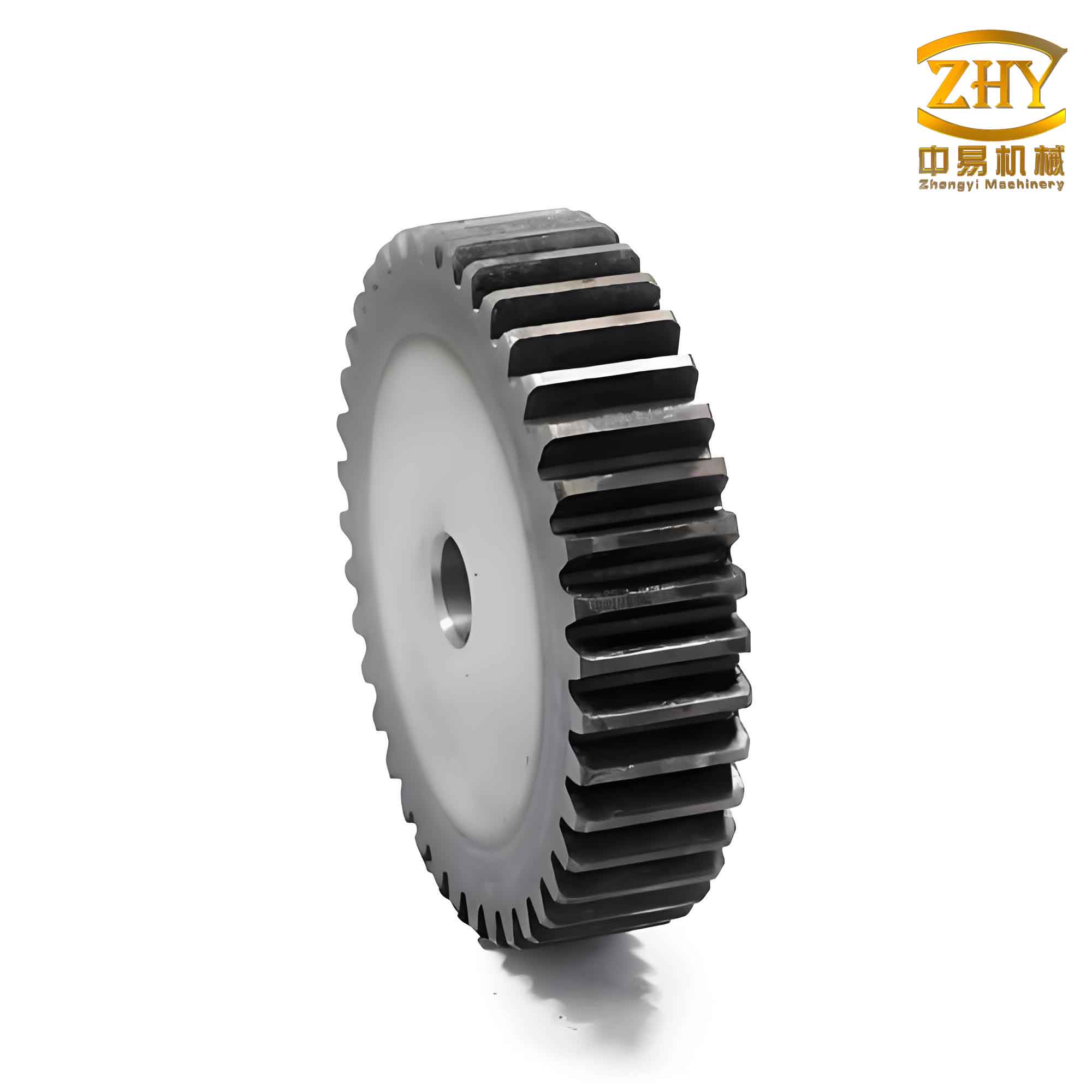
Step-by-Step Parametric Design of Spur and Pinion Gears
In this section, we detail the procedural steps for creating a parametric model of a standard spur gear or pinion in Creo. We assume a basic understanding of Creo’s interface and feature tools. The goal is to generate a fully defined gear model that can be regenerated with new parameters to produce different spur and pinion configurations.
Step 1: Variable Definition and Initialization
We begin by defining the design variables and assigning default values. For a standard spur gear, the key variables are module (\( m \)), number of teeth (\( z \)), pressure angle (\( \alpha \)), and gear width (\( B \)). In Creo, we use the Parameters dialog to create these variables. For example, we might set \( m = 1 \, \text{mm} \), \( z = 20 \), \( \alpha = 20^\circ \), and \( B = 5 \, \text{mm} \). These values serve as a starting point for our model. It is important to note that for spur and pinion gear pairs, these variables may differ between the gear and pinion, but the design process remains similar.
Step 2: Creation of Basic Circles
Using the sketcher in Creo, we draw four concentric circles to represent the addendum circle, pitch circle, base circle, and dedendum circle. The diameters of these circles are controlled by the relations from Table 1. We assign dimension symbols (e.g., d0 for dedendum circle diameter) and input the relations as follows:
$$ \text{d0} = m \cdot z – 2.5 \cdot m $$
$$ \text{d2} = m \cdot z $$
$$ \text{d1} = \text{d2} \cdot \cos(\alpha) $$
$$ \text{d3} = m \cdot z + 2 \cdot m $$
These relations ensure that the circles scale appropriately with the design variables. The resulting sketch provides the foundation for the tooth profile generation. For spur and pinion gears, these circles are critical for defining the meshing geometry.
Step 3: Generation of the Involute Curve
Next, we create the involute curve using the equation-driven curve feature in Creo. We input the Cartesian equations for the involute, parameterized by \( T \) (from 0 to 1). The equations are adapted to use the base radius \( R = d1 / 2 \). In Creo’s relation editor, we define:
$$ R = \text{d1} / 2 $$
$$ \theta = T \cdot 90 $$
$$ x = R \cdot \cos(\theta) + R \cdot \sin(\theta) \cdot \theta \cdot \frac{\pi}{180} $$
$$ y = R \cdot \sin(\theta) – R \cdot \cos(\theta) \cdot \theta \cdot \frac{\pi}{180} $$
$$ z = 0 $$
This produces an involute curve that starts at the base circle and extends outward. The curve is essential for forming the tooth flank of the spur gear or pinion.
Step 4: Development of a Single Tooth Surface
We extrude the involute curve along the gear axis to create a surface. The extrusion depth is set equal to the gear width \( B \), leading to the relation: \( \text{d4} = B \). We then extend this surface inward to the center of the gear, with a distance equal to the dedendum radius: \( \text{d5} = \text{d0} / 2 \). This forms a surface representing one side of a tooth.
To complete the tooth profile, we need to mirror the involute surface to create the symmetric opposite side. We first find the intersection point of the involute curve with the pitch circle (point A0). The angle corresponding to half the tooth thickness is \( 360 / (4 \cdot z) \), so we rotate the involute surface by this angle to align it with the tooth centerline. The relation for this angle is: \( \text{d6} = 360 / (4 \cdot z) \). After mirroring, we trim the surfaces to obtain a clean single-tooth cross-section.
We then extrude the dedendum circle to create a solid cylinder with height \( B \), using the relation: \( \text{d7} = B \). This cylinder serves as the gear blank. The single-tooth surface is merged with this cylinder to begin forming the gear body.
Step 5: Replication of Additional Teeth
To create the full set of teeth, we pattern the single-tooth surface around the gear axis. First, we copy the tooth surface by rotating it by one tooth pitch angle: \( \text{d8} = 360 / z \). This gives us a second tooth. Then, we use the pattern feature to array this tooth around the gear. The number of instances in the pattern is \( z – 1 \), as the first tooth is already present. We define the pattern increment relation as: \( \text{memb_i} = 360 / z \), where \( \text{memb_i} \) is the incremental angle for each instance.
The resulting pattern generates all teeth for the spur gear or pinion. It is important to avoid over-patterning; hence, we use \( z – 1 \) instances to prevent duplication. This step showcases the power of parametric design: by changing \( z \), the number of teeth updates automatically, and the pattern adjusts accordingly.
Step 6: Merging and Solidification
We merge all tooth surfaces with the gear blank using Boolean operations. This involves sequentially merging each tooth surface to create a unified body. After merging, we extrude the addendum circle to form a cap surface with height \( B \): \( \text{d10} = B \). Finally, we solidify the entire model to obtain a solid 3D gear. The completed spur gear or pinion is now fully parametric, with all dimensions linked to the initial variables.
Application and Variability of Parametric Models
The parametric model of spur and pinion gears allows for rapid generation of diverse gear configurations. By modifying the design variables, we can produce gears for different applications. For instance, increasing the module \( m \) results in larger teeth for higher load capacity, while adjusting the tooth count \( z \) changes the gear ratio in a spur and pinion pair. Table 2 demonstrates how varying parameters affects the gear geometry, using examples with different values of \( m \), \( z \), \( B \), and \( \alpha \).
| Case | Module \( m \) (mm) | Teeth \( z \) | Width \( B \) (mm) | Pressure Angle \( \alpha \) (degrees) | Resulting Gear Description |
|---|---|---|---|---|---|
| 1 | 1 | 20 | 5 | 20 | Small spur gear for light-duty applications. |
| 2 | 1.5 | 30 | 10 | 20 | Medium-sized pinion for industrial machinery. |
| 3 | 2 | 12 | 5 | 20 | Coarse-toothed spur gear for high-torque systems. |
| 4 | 1 | 40 | 8 | 14.5 | Fine-toothed pinion with reduced pressure angle for smooth operation. |
These variations highlight the flexibility of parametric design. Moreover, additional features such as keyways, fillets, and bolt holes can be incorporated into the model using similar parametric techniques. For spur and pinion gear pairs, we can extend the approach to design both gears simultaneously, ensuring proper meshing by relating their parameters. For example, the center distance between a spur gear and pinion can be calculated as \( a = \frac{m \cdot (z_1 + z_2)}{2} \), where \( z_1 \) and \( z_2 \) are the tooth counts of the gear and pinion, respectively. By including this relation in the model, we can automate the alignment and interference checking for spur and pinion assemblies.
Advanced Considerations for Spur and Pinion Gear Design
Beyond basic geometry, parametric design enables advanced analyses and optimizations for spur and pinion gears. For instance, we can integrate the gear model with Creo’s simulation tools to perform stress analysis, contact analysis, and dynamic studies. The parametric relationships allow us to quickly iterate designs based on performance criteria, such as minimizing weight or maximizing strength. Additionally, we can export the gear geometry to CAM software for manufacturing, where toolpaths can be generated automatically from the parametric model.
One key advantage is the ability to create a library of spur and pinion gear models. By saving different parameter sets, we can build a database that caters to various standards (e.g., ISO, AGMA). This library can be shared across teams, reducing design time and ensuring consistency. Furthermore, the parametric approach facilitates customization for non-standard spur and pinion gears, such as those with modified addendum or profile shifts.
To enhance the design process, we can incorporate optimization algorithms. For example, we might define an objective function to minimize the volume of a spur gear subject to stress constraints. Using Creo’s parametric capabilities, we can link variables to simulation results and automate optimization loops. This is particularly useful for designing lightweight spur and pinion gears for aerospace or automotive applications.
Mathematical Extensions for Gear Design
To further enrich the parametric model, we can include additional mathematical formulations. For spur and pinion gears, the tooth thickness at any radius \( r \) can be derived from the involute function. The tooth thickness \( s_r \) at radius \( r \) is given by:
$$ s_r = r \left( \frac{s}{r_p} + 2 \cdot (\text{inv}(\alpha) – \text{inv}(\alpha_r)) \right) $$
where \( s \) is the tooth thickness at the pitch circle, \( r_p \) is the pitch radius, \( \alpha \) is the pressure angle at the pitch circle, \( \alpha_r \) is the pressure angle at radius \( r \), and \( \text{inv}(x) = \tan(x) – x \) is the involute function. This equation allows for precise control of tooth geometry across the entire profile, which is crucial for high-performance spur and pinion gears.
Another important aspect is the calculation of contact ratio for spur and pinion gear pairs. The contact ratio \( \epsilon \) ensures smooth transmission of motion and is defined as:
$$ \epsilon = \frac{\sqrt{r_{a1}^2 – r_{b1}^2} + \sqrt{r_{a2}^2 – r_{b2}^2} – a \sin(\alpha)}{p \cdot \cos(\alpha)} $$
where \( r_{a1} \) and \( r_{a2} \) are the addendum radii of the gear and pinion, \( r_{b1} \) and \( r_{b2} \) are their base radii, \( a \) is the center distance, and \( p \) is the circular pitch. A contact ratio greater than 1 is desirable for continuous engagement. By embedding this formula as a relation in Creo, we can automatically evaluate the contact ratio for any spur and pinion pair and adjust parameters accordingly.
Integration with Manufacturing Processes
Parametric design of spur and pinion gears seamlessly connects with manufacturing. Once the 3D model is finalized, we can generate 2D drawings with automated dimensioning based on parameters. For CNC machining, the gear profile can be exported as G-code using post-processors. The parametric nature ensures that any design change propagates to the manufacturing data, reducing errors and lead time.
For additive manufacturing, parametric models allow for lightweight designs through lattice structures or topology optimization. We can modify the gear body to reduce material usage while maintaining strength, which is especially beneficial for custom spur and pinion gears in prototyping. Additionally, the design of spur and pinion gears for plastic injection molding can incorporate draft angles and shrinkage allowances as parametric features.
Conclusion
In summary, parametric design using Creo offers a powerful methodology for creating standard spur and pinion gears. By leveraging mathematical equations, relations, and feature-based modeling, we can automate the design process, improve accuracy, and facilitate rapid iteration. The approach detailed in this article covers the fundamentals of involute geometry, variable definition, and step-by-step modeling, culminating in a flexible database of spur and pinion gear models. This parametric framework not only enhances design efficiency but also supports advanced analyses and manufacturing preparations. As the demand for customized and high-performance gears grows, parametric design will continue to be a cornerstone in the development of spur and pinion systems, enabling engineers to innovate with confidence and precision.