
The design and development of mechanical power transmission systems, especially in heavy-duty industries, frequently involve the extensive use of gear trains. Among these, the spur and pinion gear pair stands as one of the most fundamental and widely employed configurations. A spur and pinion gear system typically refers to a gear pair where a smaller driving gear (the pinion) meshes with a larger driven gear to achieve speed reduction and torque multiplication. The repetitive nature of designing these components for various applications—each requiring different specifications like module, number of teeth, or face width—makes the traditional modeling approach incredibly labor-intensive and time-consuming.
This is where the power of parametric three-dimensional Computer-Aided Design (CAD) becomes indispensable. Modern software like Pro/ENGINEER (Pro/E) or its successor Creo Parametric utilizes a feature-based, parametric modeling paradigm. This approach allows designers to create intelligent models defined by a set of underlying parameters and mathematical relationships. By altering these parameters, the entire geometry regenerates automatically, enabling the rapid creation of a family of similar parts from a single master model. For spur and pinion gear design, this means a single, well-constructed model can generate an entire series of gears, dramatically reducing design cycles, minimizing errors, and optimizing the workflow. This article provides a detailed, step-by-step methodology for the parametric 3D design of standard involute spur gears using Pro/E, applicable to both the pinion and the larger gear in any spur and pinion gear assembly.
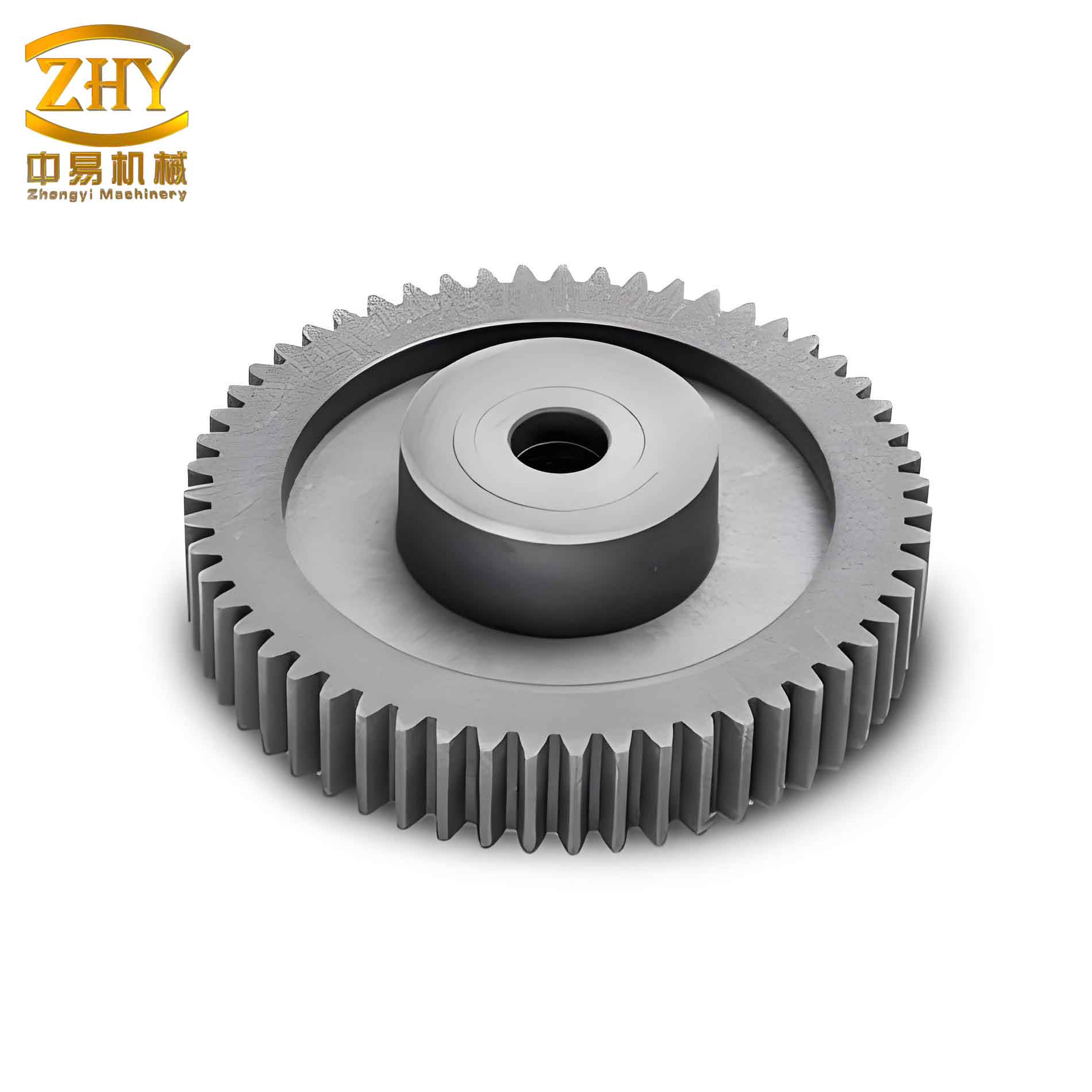
Fundamental Geometry of the Involute Spur Gear
Before delving into the software procedure, a clear understanding of the key geometric parameters is essential. The tooth profile of a standard spur gear is based on an involute curve, which ensures a constant velocity ratio during meshing. The primary parameters defining a spur gear are:
- Module (m): A fundamental parameter defining the size of the tooth. It is the ratio of the pitch diameter to the number of teeth. Gears in mesh must have the same module.
- Number of Teeth (z): The count of teeth on the gear.
- Pressure Angle (α): The angle between the line of action and the line tangent to the pitch circles of two meshing gears. Common values are 20° or 14.5°.
- Addendum Coefficient (ha*): Defines the height of the tooth above the pitch circle, typically 1.0 for standard gears.
- Dedendum Coefficient (c*): Defines the depth of the tooth below the pitch circle, typically 0.25 for clearance.
- Face Width (B): The axial length of the gear tooth.
From these primary parameters, critical diameters are derived, which form the basis for sketching the gear blank and generating the tooth profile. These relationships are crucial for parametric modeling:
Pitch Diameter: $$ d = m \cdot z $$
Addendum Diameter: $$ d_a = d + 2 \cdot h_a^* \cdot m $$
Dedendum Diameter: $$ d_f = d – 2 \cdot (h_a^* + c^*) \cdot m $$
Base Diameter: $$ d_b = d \cdot \cos(\alpha) $$
The involute curve itself is generated from the base circle. Its parametric equations in a Cartesian coordinate system (with the origin at the gear center) are fundamental for CAD modeling:
$$ x = r_b \cdot (\cos(\theta) + \theta \cdot \sin(\theta)) $$
$$ y = r_b \cdot (\sin(\theta) – \theta \cdot \cos(\theta)) $$
where \( r_b = \frac{d_b}{2} \) is the base radius, and \( \theta \) is the involute roll angle.
The Parametric Design Methodology in Pro/ENGINEER
The core philosophy is to first define the driving parameters, then create geometry that is fully constrained by these parameters through relations and equations. The following workflow outlines the complete process for creating a parametric spur and pinion gear model.
Step 1: Defining System Parameters
Initiate a new part file. The first action is to declare the user-defined parameters that will control the gear. Access Tools > Parameters. Create new real-number parameters and assign initial values as shown in the table below. These parameters act as the primary input variables for the entire model.
| Parameter Name | Symbol | Initial Value | Description |
|---|---|---|---|
| MODULE | m | 2.0 | Gear Module (mm) |
| NUM_TEETH | z | 30 | Number of Teeth |
| PRES_ANGLE | α | 20 | Pressure Angle (degrees) |
| ADD_COEFF | ha* | 1.0 | Addendum Coefficient |
| DED_COEFF | c* | 0.25 | Dedendum/Clearance Coefficient |
| FACE_WIDTH | B | 15.0 | Face Width (mm) |
Step 2: Creating Parameter-Driven Datum Curves
Create four concentric datum circles on the Front datum plane (e.g., using Sketch tool). Sketch circles of arbitrary diameter. After sketching, rename the diameter dimensions to meaningful symbolic names: d (pitch), da (addendum), df (dedendum), db (base).
Now, link these dimensions to the user parameters via relations. Access Tools > Relations. In the relations editor, input the following equations, which directly correspond to the fundamental gear geometry formulas:
$$ d = MODULE * NUM_TEETH $$
$$ da = d + 2 * ADD_COEFF * MODULE $$
$$ df = d – 2 * (ADD_COEFF + DED_COEFF) * MODULE $$
$$ db = d * cos(PRES_ANGLE) $$
Regenerate the model. The four circles will automatically resize according to the initial parameter values (m=2, z=30), establishing the foundational layout for the spur and pinion gear tooth.
Step 3: Generating the Involute Tooth Profile
This is a critical step. Create a datum curve by equation (Insert > Model Datum > Curve > From Equation). Select the default coordinate system and choose ‘Cylindrical’ as the coordinate type. In the equation editor, define the involute using a parameter ‘t’ that varies from 0 to 1. The equations below are adapted for Pro/E’s cylindrical coordinate system (r, theta, z):
/* For a standard right-hand involute */
$$ r = (db / 2) / cos( 55 * t ) $$
$$ theta = ( \tan( 55 * t ) * 180 / \pi ) – ( 55 * t ) $$
$$ z = 0 $$
Here, ’55*t’ is an empirical range (in degrees) that ensures the generated involute segment spans from the base circle to well beyond the addendum circle, suitable for most gear sizes. The resulting curve is one flank of a single tooth.
Step 4: Mirroring the Involute for a Complete Tooth Space
A single tooth space is bounded by two mirrored involute curves. To achieve this:
- Create a datum point (PNT0) at the intersection of the pitch circle curve (d) and the generated involute curve.
- Create a datum axis (A_1) through the center of the gear (e.g., at the intersection of FRONT and RIGHT planes).
- Create a datum plane (DTM1) passing through axis A_1 and point PNT0.
- Create another datum plane (DTM2) through axis A_1, rotated from DTM1 by an angle equal to \( \frac{90}{NUM\_TEETH} \) degrees. This angle is critical as it positions the mirror plane such that the mirrored involute will be spaced correctly for the given number of teeth. The relation for this angle (dimension d5, for example) must be added: $$ d5 = 90 / NUM\_TEETH $$
- Mirror the original involute curve using DTM2 as the reference plane.
Step 5: Creating the Gear Blank and First Tooth Space
Create a solid extrusion representing the gear blank. Use the addendum circle (da) as the sketch profile and extrude it symmetrically or one-sided to a depth equal to the FACE_WIDTH parameter (B). Ensure this extrusion dimension is also linked via a relation: $$ d6 = FACE\_WIDTH $$ (where d6 is the depth dimension’s symbolic name).
Next, create a cut extrusion to form the first tooth space. Sketch on the same plane as the gear blank. Use the ‘Use Edge’ or ‘Offset’ tool to reference the two involute curves, the addendum circle (da), and the dedendum circle (df). Close the sketch to form a tooth space profile, adding a small fillet at the dedendum for stress relief. Extrude this profile as a cut through the gear blank. This operation creates the first negative tooth space in the solid model.
Step 6: Pattern the Tooth Space to Create All Teeth
Select the tooth space cut feature and choose the Pattern tool. Select ‘Axis’ as the patterning type. Select the central axis A_1 as the reference axis. Enter 30 as the number of instances (for our initial z=30) and 360/30 = 12 degrees as the angular increment. Complete the pattern. All 30 tooth spaces are now created. Crucially, we must parameterize the number of instances in the pattern. Add a relation linking the pattern count (p18, for instance) to the NUM_TEETH parameter: $$ p18 = NUM\_TEETH $$.
The core parametric gear model is now complete. Modifying any of the initial parameters (like m or z) and regenerating will correctly resize the blank and recalculate the number of patterned teeth.
Step 7: Programmatic Control for Interactive Series Generation
To create a truly user-friendly gear generator, Pro/E’s ‘Program’ feature can be integrated. Access Tools > Program > Edit Design. Locate the INPUT and END INPUT statements in the program file. Insert the parameter names between them:
INPUT
  MODULE NUMBER
  "Enter the gear module (m):"
  NUM_TEETH NUMBER
  "Enter the number of teeth (z):"
  PRES_ANGLE NUMBER
  "Enter the pressure angle (alpha):"
  FACE_WIDTH NUMBER
  "Enter the face width (B):"
  ... (other parameters)
END INPUT
Save the program. Now, when the ‘Regenerate’ command is executed, the system will prompt the user to input new values for these parameters, enabling the instant creation of a new spur and pinion gear member within the same part file. This is the ultimate step for series generation.
Practical Application and Series Design
With the master model established, generating a series of gears for a specific drive system becomes trivial. For instance, to design a spur and pinion gear set with a 4:1 reduction ratio, one can start with the pinion.
- Open the master gear part file.
- Initiate regeneration and choose to input new values via the program.
- For the pinion, enter: m=3, z=16, B=20, etc. Regenerate to create the pinion. Save it as “Pinion_Z16_M3”.
- Re-open the master file, input values for the driven gear: m=3, z=64, B=20. Regenerate to create the larger spur gear. Save it as “SpurGear_Z64_M3”.
This process can be repeated ad infinitum for any required combination within the design space. All gears in the series are fully detailed 3D models with accurate involute tooth geometry, ready for assembly, interference checking, finite element analysis (FEA), or drafting. The table below exemplifies a potential gear series derived from a single model.
| Gear ID | Role | Module (m) | Teeth (z) | Pressure Angle (α) | Face Width (B) |
|---|---|---|---|---|---|
| G-001 | Pinion | 2.0 | 18 | 20° | 15 |
| G-002 | Spur Gear | 2.0 | 45 | 20° | 15 |
| G-003 | Pinion | 2.5 | 14 | 20° | 20 |
| G-004 | Spur Gear | 2.5 | 56 | 20° | 20 |
| G-005 | High-Speed Pinion | 1.5 | 24 | 25° | 12 |
Advanced Considerations and Extensions
The basic model can be significantly enhanced for more realistic engineering analysis and manufacturing preparation.
Tooth Modifications
Real-world gears often incorporate profile shifts (addendum modifications) to avoid undercutting in pinions with low tooth counts or to adjust center distances. This requires introducing a new parameter, the Profile Shift Coefficient (x), and modifying the addendum and dedendum diameter formulas accordingly:
Addendum Diameter (with shift): $$ d_a = d + 2 \cdot m \cdot (h_a^* + x) $$
Dedendum Diameter (with shift): $$ d_f = d – 2 \cdot m \cdot (h_a^* + c^* – x) $$
These relations can be seamlessly added to the existing parameter set, allowing the parametric model to generate both standard and non-standard spur and pinion gear variants.
Stress Analysis Integration
The accurate 3D model serves as a perfect foundation for Finite Element Analysis (FEA). Using Pro/E’s integrated Mechanica module or exporting to specialized FEA software, stress concentrations at the tooth root fillet and contact stresses on the tooth flank can be analyzed. Parametric studies can be conducted by varying the face width (B) or fillet radius and observing the effect on stress levels, leading to optimized designs for specific load cases common in a spur and pinion gear transmission.
Assembly and Motion Simulation
Parametric gear models can be assembled using standard constraints (e.g., aligning axes, setting gear pairs with defined transmission ratios in mechanism mode). This allows for dynamic interference checking throughout the meshing cycle and kinematic simulation to verify smooth motion transfer, ensuring the designed spur and pinion gear pair will function correctly before any physical prototype is manufactured.
Beyond Pro/E: Modern Tools and Automation
While the principles described are based on Pro/E, they are universally applicable to all major parametric CAD systems like SolidWorks (Equations, Design Tables), Siemens NX (Expressions), CATIA (Parameters & Formulas), and Autodesk Inventor (Parameters, iLogic). Many of these platforms offer even more streamlined tools for gear creation, such as built-in gear generators or powerful API scripting (e.g., VBA, Python) to automate the entire process. The fundamental workflow, however, remains rooted in the same logic: define parameters, establish geometric relations, create a base feature, and use patterns and programmatic control to achieve full associativity. This methodology transcends the specific software, forming the cornerstone of modern, efficient mechanical design for standardized components like the spur and pinion gear.
Conclusion
The parametric 3D design of spur gears represents a paradigm shift from repetitive, manual drafting to intelligent, rule-driven modeling. By meticulously defining system parameters such as module and tooth count, establishing robust mathematical relations for all critical dimensions, and leveraging features like equation-driven curves, patterning, and programmatic control, a single master model can become the source for an infinite series of geometrically accurate gears. This approach is particularly powerful for designing matched spur and pinion gear sets, where consistency and precise meshing are paramount. The resulting benefits are profound: drastic reductions in design time and effort, elimination of calculation and modeling errors, and the ability to respond rapidly to design changes or generate optimized variants for different performance criteria. Ultimately, mastering parametric design for fundamental components like gears empowers engineers to focus less on routine geometry creation and more on innovation, analysis, and system-level optimization in complex mechanical power transmission projects.