
As a mechanical engineer deeply immersed in the world of digital manufacturing, I have witnessed firsthand the transformative power of Computer-Aided Design and Computer-Aided Manufacturing (CAD/CAM). This technology is not merely a tool; it is the bridge that seamlessly connects conceptual design to physical reality, especially for precision components like spur and pinion gears. The ability to simulate the entire machining process digitally before a single piece of metal is cut represents a paradigm shift in manufacturing efficiency, cost reduction, and quality assurance. In this extensive guide, I will walk you through the complete methodology, from foundational principles to advanced simulation techniques, for implementing CAD/CAM to achieve virtual CNC machining of spur and pinion gears. We will leverage formulas, comparative tables, and detailed process descriptions to build a comprehensive understanding.
1. Foundations of CAD/CAM Integration for Gear Manufacturing
The synergy between CAD and CAM forms the backbone of modern manufacturing. CAD involves the creation of a precise digital model—a virtual blueprint that defines every geometric and functional aspect of a component. For a spur and pinion gear, this means accurately modeling the tooth profile, which is most commonly an involute curve. CAM, on the other hand, utilizes this digital model to plan, simulate, and generate the instructions (G-code) that drive CNC machine tools. The core value lies in the integrated workflow: any modification in the CAD model automatically cascades through the CAM process, updating toolpaths and G-code, thereby ensuring consistency and eliminating human translation errors from drawing to machine.
The CAM workflow for standard 2.5 to 3-axis machining, which is typical for many spur and pinion gear machining operations, follows a logical sequence. First, the solid model is created or imported in the CAD environment. Next, within the CAM module, manufacturing strategies are defined—this includes selecting cutting tools, defining fixturing, setting feed rates and spindle speeds, and choosing the actual toolpath patterns (e.g., contouring, pocketing). The software then calculates the precise trajectories the tool must follow, a process known as toolpath generation. Following this, a critical phase of virtual machining simulation is conducted to check for errors like tool collisions, excessive material, or inefficient motions. Only after successful simulation is the post-processor invoked to translate the universal toolpath data into machine-specific G-code. For more complex scenarios involving multi-axis machining (e.g., 4th or 5th axis milling for helical gears or bevel gears), the machine kinematics must often be defined earlier in the process, as they directly influence the feasible toolpath generation.
2. Critical Design Parameters and Mathematical Modeling of Spur Gears
Accurate modeling is the non-negotiable first step. The geometry of a standard involute spur gear is governed by a set of interrelated parameters. Understanding and correctly applying these parameters is essential for both functional design and manufacturable simulation.
The primary design parameters for a spur gear are:
- Module (m): A fundamental parameter representing the size of the tooth. It is essentially the ratio of the pitch diameter to the number of teeth. Gears mate correctly only if they have the same module.
- Number of Teeth (Z): Self-explanatory, it defines the gear ratio when paired with a mating pinion (a smaller gear).
- Pressure Angle (α): Typically 20° or 14.5°. This is the angle between the line of action (the common normal to the contacting tooth profiles) and the tangent to the pitch circle. It affects the tooth strength and tendency to undercut.
- Face Width (B): The axial length of the gear tooth.
From these, the key geometric diameters are derived:
$$
\begin{aligned}
\text{Pitch Diameter} \quad D_{pitch} &= m \times Z \\
\text{Base Diameter} \quad D_{base} &= D_{pitch} \times \cos(\alpha) \\
\text{Addendum} \quad h_a &= m \quad \text{(typically)} \\
\text{Dedendum} \quad h_f &= 1.25m \quad \text{(typically)} \\
\text{Outer Diameter} \quad D_{outer} &= D_{pitch} + 2h_a = m(Z + 2) \\
\text{Root Diameter} \quad D_{root} &= D_{pitch} – 2h_f = m(Z – 2.5)
\end{aligned}
$$
The heart of the gear tooth profile is the involute curve. Mathematically, an involute of a circle can be defined in parametric form. For a base circle of radius $R_b = D_{base}/2$, the coordinates of a point on the involute are given by:
$$
\begin{aligned}
x(t) &= R_b (\cos(t) + t \sin(t)) \\
y(t) &= R_b (\sin(t) – t \cos(t))
\end{aligned}
$$
where the parameter $t$ is the involute roll angle in radians. In polar coordinates, often useful for direct input in some CAD systems, the radius $\rho$ and angle $\theta$ for a given roll angle $t$ are:
$$
\rho = \frac{R_b}{\cos(t)}, \quad \theta = \tan(t) – t
$$
This curve defines the active, contacting flank of the gear tooth from the base circle to the addendum circle.
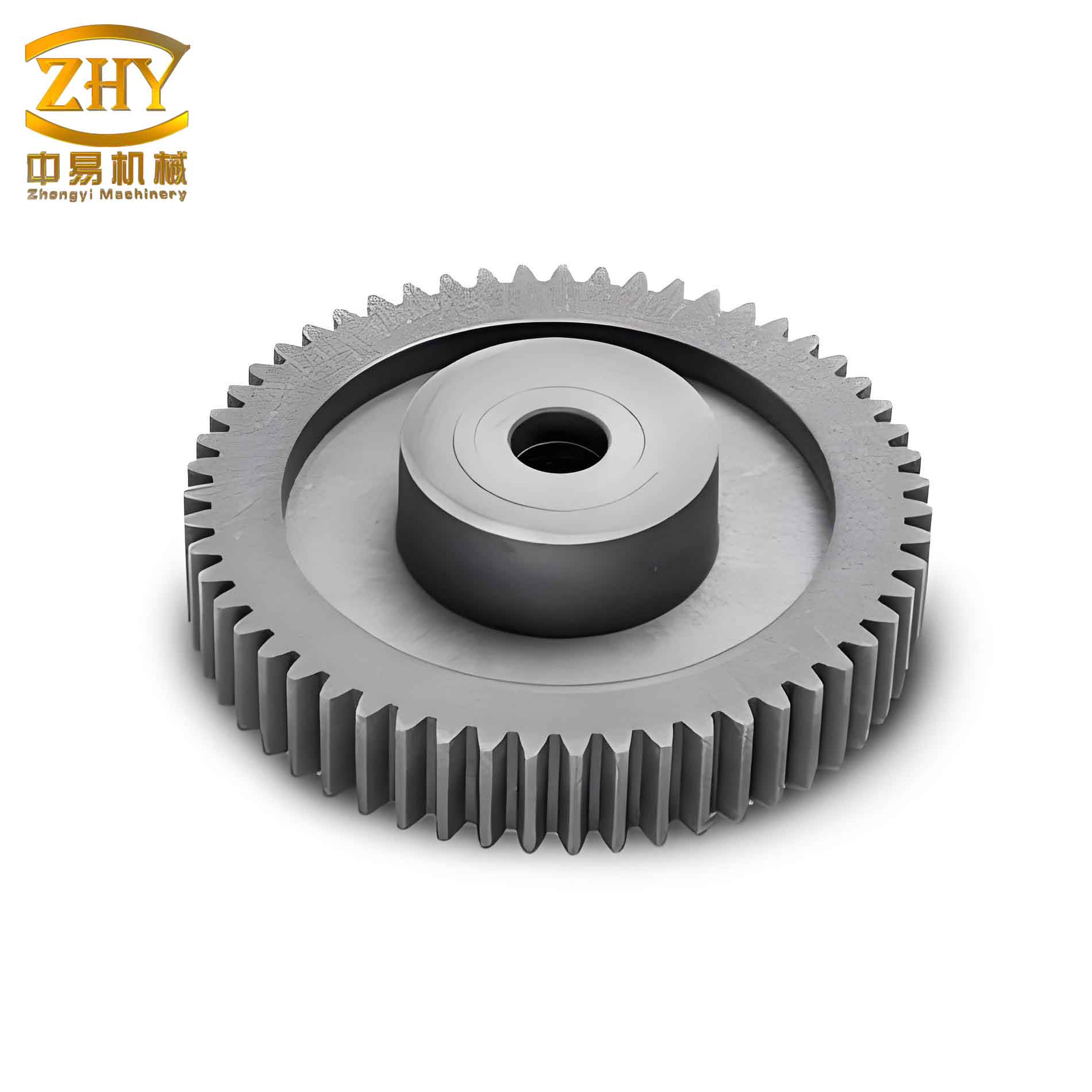
To create a manufacturable model, one must construct a single tooth profile bounded by the involute flanks, the addendum (tip) arc, the root fillet, and the sides of the gear blank. This profile is then patterned arrayed around the gear’s center axis by the number of teeth $Z$ to form the complete sketch, which is then extruded by the face width $B$ to create the 3D solid model. Specialized CAD software or dedicated gear toolkits within general CAD packages can automate this process, but understanding the underlying math is crucial for troubleshooting and custom designs.
| Parameter | Symbol | Spur Gear (Example) | Pinion (Example) | Unit |
|---|---|---|---|---|
| Module | m | 3 | 3 | mm |
| Number of Teeth | Z | 32 | 16 | – |
| Pressure Angle | α | 20° | 20° | degree |
| Pitch Diameter | D_p | 96.000 | 48.000 | mm |
| Base Diameter | D_b | 90.201 | 45.101 | mm |
| Outer Diameter | D_o | 102.000 | 54.000 | mm |
| Root Diameter | D_r | 88.500 | 40.500 | mm |
| Face Width | B | 30 | 35 | mm |
| Center Distance | a | $(D_{p1} + D_{p2})/2 = 72.00$ | mm | |
3. CAM Software Capabilities and Setup for Gear Machining
Modern CAM software, such as Autodesk Fusion 360, Siemens NX, SolidWorks CAM, or Mastercam, offers a suite of powerful functionalities tailored for complex machining. When preparing to machine a spur and pinion gear, I focus on several core capabilities:
3.1 Feature-Based and Contour-Based Machining: While basic gear blanks can be created with standard milling features, the tooth spaces require precise 2D or 3D contouring. The “2D Contour” or “Profile” milling operation is typically the workhorse for machining the tooth profile. The software allows you to select the sketched profile of the tooth gap (the inverse of the tooth) as the driving geometry. Critical parameters here include:
- Tool Selection: Choosing an end mill with a diameter smaller than the width of the tooth root (to avoid gouging the flanks). A ball-nose end mill may be used for smoother root fillets.
- Stepdown/Depth of Cut: Defining the axial depth of each cutting pass. For a 30mm face width, you might use a stepdown of 5mm, requiring 6 levels to complete the full depth.
- Stock to Leave: Setting a small amount of material (e.g., 0.1mm) for a subsequent finishing pass.
- Lead-in/Lead-out: Defining how the tool engages and retracts from the material to minimize tool marks and shock.
3.2 Toolpath Generation and Parameterization: The CAM system calculates the exact centerline path for the selected tool based on the chosen geometry and parameters. A significant advantage is parametric associativity. If I need to change the gear’s face width from 30mm to 40mm, I simply modify the extrusion in the CAD model. The CAM toolpath, being linked to that geometry, can be “regenerated” instantly to reflect the new depth without manually redefining all operations.
3.3 High-Speed Machining (HSM) Strategies: For efficient and high-quality machining of hardened steels or difficult alloys, HSM strategies are vital. These involve using lighter radial depths of cut (stepovers) with high feed rates and spindle speeds, and employing smooth, flowing toolpath patterns like trochoidal or adaptive clearing. These strategies reduce tool wear, minimize heat generation, and allow for faster material removal when machining the tough materials often used for a durable spur and pinion set.
3.4 Multi-Axis Capabilities: While a standard spur gear can be machined on a 3-axis mill, more complex gear types (helical, bevel) or the desire to use a form cutter perpendicular to the tooth flank require 4th or 5th-axis simultaneous motion. Advanced CAM software can generate these complex multi-axis toolpaths, accounting for the machine’s kinematic limits.
| CAM Operation | Primary Use in Gear Making | Key Parameters | Advantages | Limitations |
|---|---|---|---|---|
| 2D Contour / Profile | Machining the tooth profile outline. | Contour geometry, Stepdown, Feed rate. | Simple, fast calculation, precise control. | Limited to vertical side walls; requires multiple Z-levels for full depth. |
| Pocketing / Adaptive Clearing | Roughing out the material between teeth before profile finishing. | Stepover, Stepdown, Cutting mode (climb/conventional). | Efficient bulk material removal, protects tool. | Leaves scallops; requires a finishing pass. |
| 3D Contour / Swarf Cutting | Finishing complex tooth flanks (e.g., on bevel gears). | Drive surfaces, Tool axis control. | Can machine complex curved surfaces accurately. | Computationally intensive, requires 4/5-axis machine. |
| Drilling / Bore Machining | Creating the gear’s center bore and mounting holes. | Drill point geometry, Peck depth, Retract height. | Optimized for hole-making, includes chip-breaking cycles. | Only for cylindrical holes. |
4. Defining the Machining Strategy and Cutting Parameters
With the model ready, I now define the machining strategy. For a cylindrical spur gear blank, the sequence typically is: 1) Face milling the top surface, 2) Turning or boring the central hole and machining keyways (if not done on a lathe beforehand), 3) Roughing out the tooth gaps, 4) Semi-finishing the tooth profiles, and 5) Finishing the tooth profiles to final dimensions.
The most critical phase is machining the tooth spaces. I select a 2D contouring operation. The driving geometry is the closed loop representing one tooth gap. I set the machining parameters judiciously. For a 3-module steel gear, I might choose a 6mm diameter flat end mill for roughing and a 4mm diameter end mill for finishing. The axial stepdown is chosen based on tool strength and material; for the roughing pass, a 5mm stepdown is reasonable, requiring multiple Z-level passes ($B / \text{stepdown} = 30/5 = 6$ passes).
Cutting parameters are calculated or selected from tooling databases. A simplified calculation for spindle speed ($N$) and feed rate ($F$) is:
$$
\begin{aligned}
\text{Spindle Speed: } N \, (\text{rpm}) &= \frac{V_c \times 1000}{\pi \times D_t} \\
\text{Feed Rate: } F \, (\text{mm/min}) &= N \times f_z \times Z_t
\end{aligned}
$$
where:
- $V_c$ = Cutting Speed (m/min) – depends on workpiece and tool material (e.g., 80 m/min for mild steel with carbide).
- $D_t$ = Tool Diameter (mm).
- $f_z$ = Feed per Tooth (mm/tooth) – chip load (e.g., 0.05 mm/tooth).
- $Z_t$ = Number of Teeth on the cutter (e.g., 4 for a 4-flute end mill).
Thus, for a $D_t=6$mm tool, $V_c=80$ m/min, $f_z=0.05$ mm/tooth, $Z_t=4$:
$$
N = \frac{80 \times 1000}{\pi \times 6} \approx 4244 \, \text{rpm}, \quad F = 4244 \times 0.05 \times 4 \approx 849 \, \text{mm/min}
$$
In a virtual simulation, these values can be adjusted to see their effect on cycle time without any risk.
| Operation | Tool Description | Diameter (mm) | Flutes | Spindle Speed (rpm) | Feed Rate (mm/min) | Axial Stepdown (mm) | Radial Stepover (%) |
|---|---|---|---|---|---|---|---|
| Roughing Tooth Gaps | Carbide Flat End Mill | 6.0 | 4 | 4200 | 850 | 5.0 | 50 |
| Finishing Tooth Profiles | Carbide Flat End Mill | 4.0 | 4 | 6400 | 510 | Full Depth (30) | N/A (Contour) |
| Finishing Root Fillet | Carbide Ball End Mill | 3.0 | 4 | 8500 | 680 | 0.2 (Stepover) | N/A (3D Contour) |
| Drilling Bore | HSS Twist Drill | 25.0 | 2 | 1000 | 150 | Peck 5mm | N/A |
5. Simulation and Verification: The Virtual Machine Shop
This is perhaps the most crucial step in the CAD/CAM workflow. The simulation engine creates a dynamic, visual representation of the machining process. I use it to:
- Verify Toolpath Correctness: Visually confirm that the tool is cutting only the intended material and that the final shape resembles my gear design, especially the critical involute profile of the spur and pinion tooth.
- Check for Collisions: Detect any interference between the tool, tool holder, spindle, and the workpiece or machine fixtures. This prevents catastrophic and expensive crashes in the real machine.
- Optimize Cycle Time: Observe rapid movements and air cuts to identify opportunities for optimizing tool travel paths to reduce non-productive time.
- Validate Fixturing: Ensure the workpiece is properly supported and that clamps are not in the tool’s path.
Advanced simulators offer material removal simulation, showing the workpiece being cut away layer by layer, and even force estimation. After simulating all operations, I am left with a digital twin of the finished part, which I can measure and inspect virtually to ensure it meets all dimensional tolerances before committing to physical machining.
6. Post-Processing and G-Code Generation
Once the toolpaths are verified, the CAM software’s post-processor translates the generic toolpath data (coordinates, feed rates, tool changes) into a G-code program specific to the target CNC machine controller (e.g., Fanuc, Haas, Siemens Sinumerik). The post-processor is a critical, often customized, piece of software that accounts for the machine’s unique syntax, modal commands, and auxiliary functions (M-codes).
The generated G-code is a text file containing a series of blocks. Each block instructs the machine on a specific action. A snippet for a simple linear move in a tooth profile contour might look like this, where the tool moves to coordinates X, Y, and Z at feed rate F:
N10 G90 G54 G17
N20 S4200 M03
N30 G00 X-10. Y-15. Z5.
N40 G01 Z-5. F100
N50 X-8.452 Y-12.117 F850   (Begin contouring tooth profile)
N60 X-7.125 Y-12.894
N70 ...
...
N1500 G00 Z100.
N1510 M30
For a complex spur and pinion gear, the G-code file can easily run into thousands of lines. The post-processor ensures that circular interpolation commands (G02, G03) are correctly formatted for the smooth machining of curves, and that cutter compensation (G41, G42) is applied if used. It is a best practice to run the final G-code through a separate G-code simulator or the machine’s own graphical preview to perform one last check before loading it onto the physical CNC.
| G-Code | Function | Purpose in Gear Machining |
|---|---|---|
| G00 | Rapid Positioning | Fast movement between cuts, positioning above workpiece. |
| G01 | Linear Interpolation | Cutting straight lines (e.g., sides of gear blank, linear approximations). |
| G02 / G03 | Circular Interpolation (CW/CCW) | Machining the curved root fillets and approximating involute arcs. |
| G17 / G18 / G19 | Plane Selection (XY / ZX / YZ) | Sets the working plane for circular moves (G17 for standard milling). |
| G40 / G41 / G42 | Cutter Radius Compensation (Cancel/Left/Right) | Compensates for tool radius deviation, crucial for accurate profile dimensions. |
| G54 – G59 | Work Coordinate System Offsets | Defines the location of the gear blank on the machine table. |
| G90 / G91 | Absolute / Incremental Positioning | G90 is typically used for defining absolute coordinates from a datum. |
| M03 / M04 / M05 | Spindle Start (CW/CCW) / Stop | Controls spindle rotation. |
| M06 | Tool Change | Commands an automatic tool change to switch from roughing to finishing tools. |
| M08 / M09 | Coolant On / Off | Controls coolant flow during cutting. |
| M30 | Program End and Reset | Ends the program and resets to start. |
7. Practical Application and Workflow Summary
Let me summarize the end-to-end workflow for simulating the CNC machining of a spur and pinion set:
- Design Definition: Establish gear parameters (m, Z, α, B). Calculate derived dimensions (D_pitch, D_base, D_outer).
- CAD Modeling:
- Create a sketch on the XY plane.
- Draw the base circle and outer circle.
- Use equation-driven curve tools to generate the involute profile for one flank based on $D_{base}$.
- Mirror it to create the second flank, trim with tip and root circles, and add a root fillet.
- Use a circular pattern to create all Z teeth.
- Complete the sketch with the gear bore.
- Extrude the sketch by distance B to create the 3D solid model.
- CAM Setup:
- Define the stock (blank) geometry.
- Select machining operations: Facing, Drilling, and most importantly, 2D Contour for the teeth.
- For the contour operation, select the tooth gap sketch as the machining boundary.
- Define tool parameters (diameter, corner radius, flutes).
- Set cutting parameters: stepdown, stepover, spindle speed (S), feed rate (F). Use formulas for initial estimates.
- Generate the toolpath. The software will create a series of offset contours at multiple Z-levels.
- Simulation:
- Run a material removal simulation.
- Visually inspect for errors, measure critical dimensions on the virtual part (e.g., tooth thickness over pins).
- Verify no collisions occur.
- Post-Processing:
- Select the appropriate post-processor for your specific CNC machine.
- Generate the G-code file.
- (Optional) Run the G-code through a separate verifier.
- Physical Machining:
- Transfer G-code to the CNC machine.
- Set up workpiece, tools, and work offsets (G54, etc.).
- Perform a dry run (without cutting) or use single-block mode for final verification.
- Execute the program to machine the actual spur gear or pinion.
8. Advanced Considerations and Future Trends
The basic workflow for a standard spur gear is robust, but advanced applications push the boundaries. Machining high-hardness materials for heavy-duty spur and pinion drives requires considerations for tool wear simulation and the use of specialized cutting tools like carbide or CBN. The simulation can incorporate tool wear models to predict and plan for tool changes.
For high-volume production, the focus shifts to optimizing the entire process. This includes using custom form cutters (e.g., gear hobs simulated in CAM), which can generate all tooth spaces in a single operation per gear, drastically reducing cycle time. Simulation is key here to design the hob profile and verify its interaction with the gear blank.
Additive Manufacturing (AM) or hybrid (additive + subtractive) approaches are emerging trends. One could simulate 3D printing a near-net-shape gear blank, including internal lattice structures to reduce weight, and then use the CAM strategies discussed to finish-machine only the critical functional surfaces like the tooth flanks and bore. This hybrid digital thread, from generative design in CAD to additive and subtractive CAM, represents the future of efficient, customized gear manufacturing.
Finally, the integration of AI and cloud-based simulation is on the horizon. AI could automatically suggest optimal machining strategies and parameters for a given spur gear design and material, while cloud computing could allow for extremely high-fidelity, real-time simulations of complex multi-axis machining processes without demanding local computational resources.
In conclusion, the implementation of CAD/CAM for simulating the CNC machining of spur and pinion gears is a mature yet continuously evolving discipline. It encapsulates the entire journey from mathematical conception to physical realization. By mastering the parametric modeling of the involute profile, strategically applying CAM operations, rigorously simulating the process, and correctly generating machine code, engineers can achieve unprecedented levels of precision, efficiency, and confidence in manufacturing these fundamental mechanical components. The virtual world of CAD/CAM has become an indispensable proving ground, ensuring that the transition from digital model to physical spur and pinion drive is not only possible but predictable and perfect.