
I have long been interested in the way a screw gear drive transmits motion and power between two perpendicular but non-intersecting axes. The screw gear mechanism, often called a worm gear pair, offers a large transmission ratio and a very compact structure. Because of these advantages, the screw gear drive appears in many mechanical transmission systems, from small precision instruments to heavy industrial machines. In my own work, I use a three-dimensional parametric design platform to build accurate solid models of the screw gear pair. The platform I rely on is Pro/E 4.0, together with its Pro/program module. My goal is to create a fully parametric screw gear model that can be regenerated automatically whenever I change the variable design parameters. This approach shortens the design cycle and prepares the model for later finite element analysis and dynamic simulation.
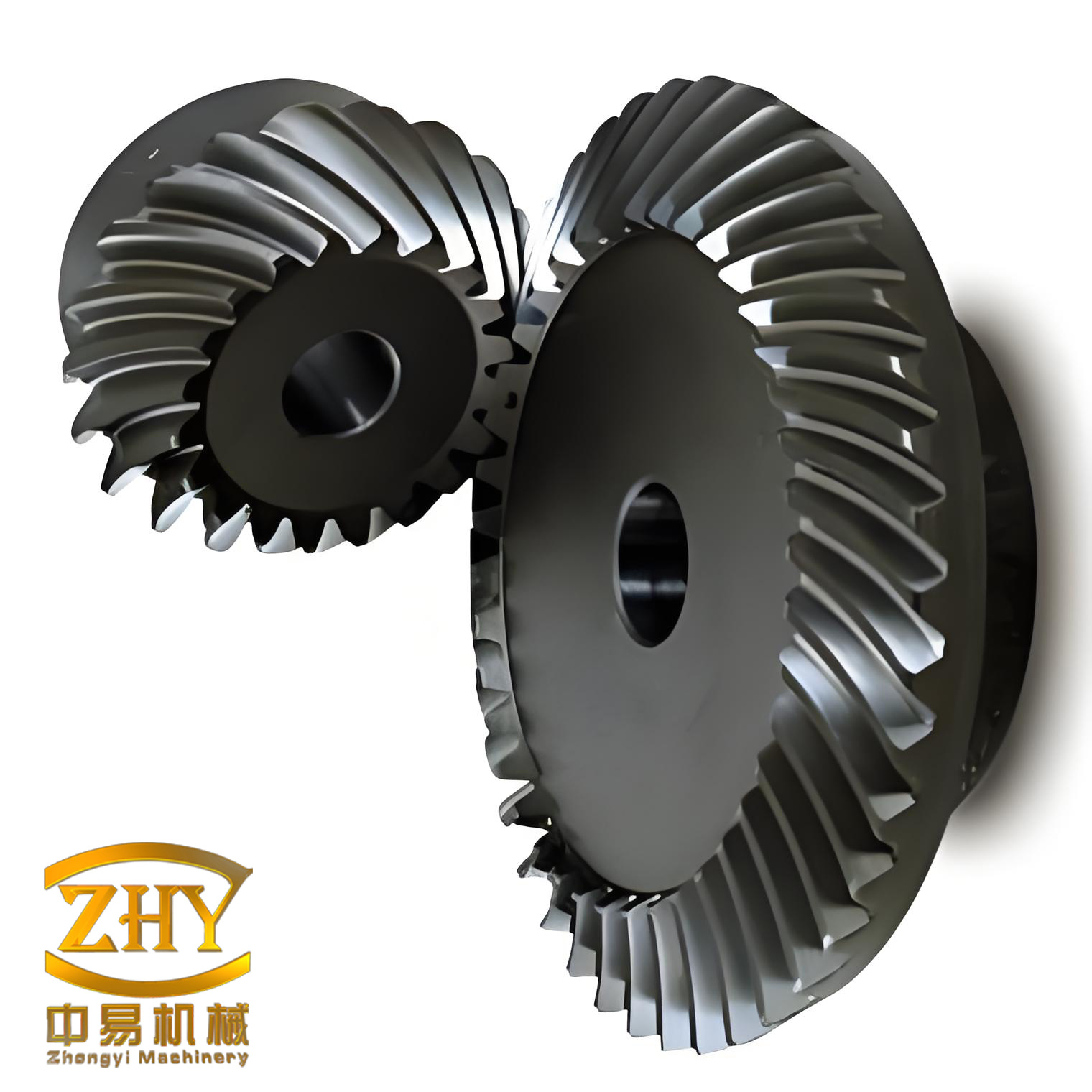
Parametric design is a powerful method that embeds design intent into a computer-aided design model. By using parameters, relations, and reference elements, I can capture the intent directly in the graphical model. When I build a screw gear model, I first identify the information variables that influence the structural features. I assign initial values to these variables so that they become adjustable parameters. The CAD software then solves the model analytically and produces the required screw gear geometry. Pro/E 4.0, developed by PTC, provides a robust environment for this task. It is widely used in electronics, machinery, mold design, industrial design, automotive engineering, and aerospace. I have found it especially suitable for the screw gear domain because the geometry of a screw gear is governed by a clear set of mathematical relations.
Before I start modeling, I must determine the basic parameters of the screw gear pair. The main parameters include the module \(M\), the number of worm threads \(Z_1\), the number of worm wheel teeth \(Z_2\), the reference diameter of the worm \(d_1\), the width of the worm wheel \(B\), the lead \(S\), and the center distance \(a\). These parameters directly affect the shape, transmission efficiency, and performance of the screw gear. Therefore, I treat them as variable design parameters. To satisfy the technical requirements of the screw gear, I must consider how each parameter changes the tooth profile. The parametric design flow and the main steps are summarized in the table below.
| Stage | Action | Purpose |
|---|---|---|
| 1 | Define screw gear design parameters | Establish variable inputs for the model |
| 2 | Create the main body of the worm wheel or worm | Provide the base solid for subsequent features |
| 3 | Create swept blend features | Form the helical teeth of the screw gear |
| 4 | Create involute curves | Define the precise tooth flank geometry |
| 5 | Create datum features | Support projections, axes, and planes |
| 6 | Add relations for the screw gear | Drive dimensions by mathematical formulas |
I begin with the worm wheel, which is the larger member of the screw gear pair. The worm wheel has a helical tooth form that meshes with the worm. I add the design parameters through the “Tools / Parameters” command. In addition to the variable parameters, I introduce several derived parameters: the base cylinder helix angle \(\gamma\), the helix angle \(\beta\), the transverse pressure angle \(\alpha_t\), the lead \(S\), the module \(M\), the lead angle \(q\), the normal pressure angle \(\alpha\), and the modification coefficient \(X_2\). I then use the “Tools / Relations” command to add the following relations for the screw gear.
$$\gamma = \arctan\left(\frac{Z_1}{q}\right)$$
$$\beta = \gamma$$
$$\alpha_t = \arctan\left(\frac{\tan\alpha}{\cos\beta}\right)$$
$$S = \pi Z_1 M$$
These relations ensure that the screw gear geometry remains consistent when I change the primary inputs. For example, if I increase the number of worm threads \(Z_1\), the lead angle \(\gamma\) changes, and the helix angle \(\beta\) follows. The transverse pressure angle \(\alpha_t\) then adjusts automatically. This is the essence of parametric design for the screw gear: a small set of driving parameters controls the entire tooth form.
Next, I create the basic circles of the worm wheel. The involute worm wheel has a reference circle, a base circle, a root circle, and a tip circle. I sketch four concentric circles in the sketch mode. I then add the following relations to achieve parametric size driving for the screw gear.
| Circle | Relation | Description |
|---|---|---|
| Reference circle diameter | \(d_3 = M Z_2\) | Pitch diameter of the worm wheel |
| Tip circle diameter | \(d_4 = d_3 + 2M\) | Outer diameter of the worm wheel |
| Base circle diameter | \(d_5 = d_3 \cos\alpha_t\) | Diameter of the involute base circle |
| Root circle diameter | \(d_6 = d_3 – 2.4M\) | Inner diameter of the worm wheel |
After the basic circles are defined, I create the involute curve. I use the “Insert / Model Datum / Curve” tool and choose “From Equation.” The system prompts me to select a coordinate system. I select CS1 and choose the Cartesian coordinate system. I then enter the following involute equations to generate one branch of the screw gear tooth profile.
$$r = \frac{d_5}{2}$$
$$\theta = t \cdot 45$$
$$x = r \cos\theta + r \sin\theta \cdot \theta \cdot \frac{\pi}{180}$$
$$y = r \sin\theta – r \cos\theta \cdot \theta \cdot \frac{\pi}{180}$$
$$z = 0$$
I mirror this curve about the RIGHT datum plane to obtain the opposite flank of the screw gear tooth. Then I use the “Copy” command to create another involute on the other side of the tooth space. I add a rotation angle relation to the copied curve: the rotation angle equals \(\arcsin\left(\frac{M q \tan\beta}{d_5}\right)\). This step is critical because the screw gear tooth thickness and space width must be correct for proper meshing.
I now create a rotational surface and the worm wheel body. I use the “Revolve” command with a surface type and a rotation angle of \(360^\circ\). I create a rotational surface and add relations to its main dimensions: \(D_{12} = 2 D_1\) and \(D_{13} = \frac{M q}{2}\). On this rotational surface, I project an axis line that serves as the original sweep trajectory for the screw gear teeth. I select “Edit / Project,” use DTM1 as the sketch plane, draw a straight line, and choose the rotational surface as the projection surface. This creates a projected trajectory curve. I enter the angle relation \(\beta\) for the projection. Finally, I use the “Revolve” command again to create the worm wheel main body.
The next step is to create the first tooth of the worm wheel. I select “Insert / Swept Blend.” I activate the control panel, select the projected trajectory curve as the original sweep path, and accept the default section control. Using the involute curves created earlier as references, I draw two tooth profile curves. I choose “Remove Material” as the swept blend method. The resulting cut feature is the first tooth space of the screw gear. This swept blend operation is the heart of the screw gear tooth generation because it sweeps the involute profile along the helical trajectory.
I then create a pattern of copied features. I take the first tooth as the copy object, select axis A1 as the copy reference, and enter the rotation angle relation \(360/Z_2\). This completes one copied tooth. I then select the copied tooth profile and activate the “Pattern” command. I choose “Dimension” pattern, add the rotation angle as the driving dimension, and enter the dimension increment and the number of pattern instances. I add the relation \(360/Z_2\) for the rotation angle and set the number of instances to \(Z_2 – 1\). This creates all the teeth of the worm wheel. After completing other features, I obtain a full three-dimensional solid model of the screw gear worm wheel. By modifying the variable design parameters through the “Tools / Parameters” command and clicking “Regenerate,” I can quickly generate a new screw gear model.
Now I turn to the worm, the smaller member of the screw gear pair. The worm is essentially a helical gear with a very large helix angle. Its tooth form is generated by a swept blend along a helical path. I add the worm design parameters in the same way as for the worm wheel. In addition to the variable parameters, I add the worm length \(L\), the modification coefficient \(X_2\), the normal pressure angle \(\alpha\), the transverse pressure angle \(\alpha_t\), the lead \(S\), the helical line length \(L_a\), the helix angle \(\beta\), the addendum \(h_{a1}\), the mating addendum \(h_{a2}\), the dedendum \(h_{f1}\), the mating dedendum \(h_{f2}\), and the base cylinder helix angle \(\gamma\). I then add the corresponding relations for the screw gear worm.
| Parameter | Symbol | Relation or meaning |
|---|---|---|
| Module | \(M\) | Primary size parameter |
| Number of worm threads | \(Z_1\) | Number of starts |
| Reference diameter of worm | \(d_1\) | \(d_1 = M q\) |
| Lead angle | \(\gamma\) | \(\gamma = \arctan(Z_1 / q)\) |
| Helix angle | \(\beta\) | \(\beta = \gamma\) |
| Lead | \(S\) | \(S = \pi Z_1 M\) |
| Transverse pressure angle | \(\alpha_t\) | \(\alpha_t = \arctan(\tan\alpha / \cos\beta)\) |
| Addendum | \(h_{a1}\) | \(h_{a1} = M\) |
| Dedendum | \(h_{f1}\) | \(h_{f1} = 1.2 M\) |
I create the worm sweep trajectory using a datum curve from an equation. I select CS0 as the coordinate system and choose cylindrical coordinates. I enter the following helical equation to generate the screw gear worm path.
$$r = \frac{m q}{2}$$
$$\theta = t \cdot t_x \cdot l_a$$
$$z = t \cdot l_a$$
This equation produces a helical curve that represents the path of the screw gear worm tooth. I then create the basic circles and involute curves of the worm. The process is identical to that of the worm wheel. I sketch the reference circle, base circle, root circle, and tip circle, and I add the same parametric relations. I generate the involute using the same Cartesian equations. The result is a precise involute profile for the screw gear worm.
Next, I create the main feature of the worm. I use the “Extrude” command with the RIGHT datum plane as the sketch plane. I sketch a circular cross-section and extrude it as a solid feature. This becomes the worm body. In the edit state, I add relations: for the extrusion depth, I set \(2 L_a\); for the circle diameter, I set \(M q – 2.4 M\). These relations ensure that the worm body matches the screw gear parameters.
I then create the swept blend feature for the worm. As with the worm wheel, I use the helical curve as the original sweep trajectory. For the section, I choose “Sketch Section” and use the involute as the sketch reference. I draw the worm tooth profile curve. This completes the single-start worm. If I need a multi-start worm, I take the single-start feature as the copy object, choose “Move Feature” as “Rotate,” select axis A1 as the copy reference, and create the additional starts. Each start corresponds to one thread of the screw gear worm.
Finally, I create the worm main body with a “Revolve” command. I choose a solid type and “Remove Material.” I use the FRONT datum plane as the sketch plane. After creating the revolved feature, I add the following relations for the screw gear worm.
| Dimension | Relation | Description |
|---|---|---|
| Diameter | \(d = M (q + 3)\) | Outer diameter of the worm body |
| Length | \(L = L\) | Total length of the worm |
| Chamfer 1 | \(c_1 = 1.5 M\) | First end chamfer |
| Chamfer 2 | \(c_2 = 1.5 M\) | Second end chamfer |
After these steps, I obtain a complete three-dimensional solid model of the screw gear worm. I can modify the variable design parameters of the screw gear and regenerate the model to produce a new screw gear pair. This parametric approach is highly efficient and flexible. It allows me to explore many design alternatives without rebuilding the model from scratch.
The mathematical foundation of the screw gear is important to review. The screw gear drive transmits motion between perpendicular axes. The velocity ratio \(i\) is given by the ratio of the number of worm wheel teeth to the number of worm threads.
$$i = \frac{Z_2}{Z_1}$$
The center distance \(a\) of the screw gear pair is determined by the reference diameters of the worm and the worm wheel.
$$a = \frac{d_1 + d_2}{2} = \frac{M q + M Z_2}{2}$$
The lead angle \(\gamma\) of the screw gear is related to the lead \(S\) and the reference diameter \(d_1\).
$$\tan\gamma = \frac{S}{\pi d_1} = \frac{Z_1 M}{d_1} = \frac{Z_1}{q}$$
These formulas are embedded in the parametric relations. When I change the module \(M\), the number of threads \(Z_1\), or the number of teeth \(Z_2\), the screw gear geometry updates automatically. This is why parametric design is so powerful for the screw gear.
I also consider the contact and bending stresses in the screw gear. Although I do not perform a full stress analysis in this modeling stage, the parametric model provides a solid basis for later finite element analysis. The accurate involute and helical geometry ensures that the screw gear mesh is realistic. I can export the model to a CAE package and apply loads and boundary conditions. The screw gear parameters can be varied to study their effect on stress and deformation.
Another advantage of the parametric screw gear model is its use in motion simulation. I can define joints and drivers in a mechanism module. The screw gear pair rotates with a precise ratio. The simulation helps me verify the kinematic behavior of the screw gear before manufacturing. This reduces the risk of interference and improves the reliability of the screw gear design.
The following table summarizes the main parametric relations for the screw gear worm wheel and worm. I use these relations in the Pro/E relations editor.
| Screw gear component | Parameter | Relation |
|---|---|---|
| Worm wheel | Base helix angle | \(\gamma = \arctan(Z_1 / q)\) |
| Worm wheel | Helix angle | \(\beta = \gamma\) |
| Worm wheel | Transverse pressure angle | \(\alpha_t = \arctan(\tan\alpha / \cos\beta)\) |
| Worm wheel | Lead | \(S = \pi Z_1 M\) |
| Worm wheel | Reference diameter | \(d_3 = M Z_2\) |
| Worm wheel | Tip diameter | \(d_4 = d_3 + 2M\) |
| Worm wheel | Base diameter | \(d_5 = d_3 \cos\alpha_t\) |
| Worm wheel | Root diameter | \(d_6 = d_3 – 2.4M\) |
| Worm | Reference radius | \(r = m q / 2\) |
| Worm | Helical parameter | \(\theta = t \cdot t_x \cdot l_a\) |
| Worm | Axial parameter | \(z = t \cdot l_a\) |
| Worm | Outer diameter | \(d = M (q + 3)\) |
| Worm | Chamfer | \(c = 1.5 M\) |
The involute equations for the screw gear are also essential. I use the following equations for both the worm wheel and the worm.
$$r = \frac{d_5}{2}$$
$$\theta = t \cdot 45$$
$$x = r \cos\theta + r \sin\theta \cdot \theta \cdot \frac{\pi}{180}$$
$$y = r \sin\theta – r \cos\theta \cdot \theta \cdot \frac{\pi}{180}$$
$$z = 0$$
For the helical trajectory of the screw gear worm, I use the cylindrical coordinate equations.
$$r = \frac{m q}{2}$$
$$\theta = t \cdot t_x \cdot l_a$$
$$z = t \cdot l_a$$
These equations generate the precise screw gear geometry. I verify the model by checking the tooth thickness, the lead, and the pressure angle. I also check that the screw gear pair meshes without interference.
The parametric design process for the screw gear is systematic. I start with a small set of independent parameters: \(M\), \(Z_1\), \(Z_2\), \(q\), \(B\), and \(a\). I then define all other dimensions as functions of these parameters. The CAD system solves the relations and rebuilds the model. This is much faster than manually redrawing the screw gear for every new design. It also reduces the chance of human error.
I have used this method to create many screw gear models. The models are accurate and robust. I can change the module from a small value to a large value, and the screw gear regenerates successfully. I can change the number of worm threads from single-start to multi-start, and the screw gear geometry updates correctly. This flexibility is invaluable in preliminary design, where many alternatives must be evaluated quickly.
The screw gear model also serves as a basis for drawings and manufacturing. I can create detailed drawings with dimensions driven by the same parameters. I can generate CNC code from the solid model. The screw gear can then be machined or 3D printed for prototyping. The parametric model ensures that the drawing, the solid, and the manufacturing data are all consistent.
In summary, I have described a complete parametric design method for the screw gear pair. I use Pro/E 4.0 and its Pro/program module. I define the screw gear parameters, add relations, create basic circles and involutes, generate helical trajectories, and build swept blend features. The result is a fully parametric screw gear model. The method shortens the design cycle and provides a foundation for further finite element and dynamic analysis. I believe this approach can be applied not only to the screw gear but also to many other standardized mechanical components.
The following table lists the main steps of the screw gear parametric design process together with the tools I use in Pro/E.
| Step | Pro/E tool | Result |
|---|---|---|
| Add parameters | Tools / Parameters | Define screw gear variables |
| Add relations | Tools / Relations | Embed mathematical formulas |
| Create basic circles | Sketch | Reference, tip, base, and root circles |
| Create involute | Insert / Model Datum / Curve / From Equation | Tooth flank curve |
| Create rotational surface | Revolve | Surface for projection |
| Project trajectory | Edit / Project | Helical sweep path |
| Create worm wheel body | Revolve | Main solid of worm wheel |
| Create first tooth | Swept Blend | Tooth space cut |
| Pattern teeth | Copy / Pattern | All worm wheel teeth |
| Create worm trajectory | From Equation (cylindrical) | Helical curve |
| Create worm basic circles | Sketch | Worm reference geometry |
| Create worm involute | From Equation (Cartesian) | Worm tooth flank |
| Create worm body | Extrude / Revolve | Main solid of worm |
| Create worm tooth | Swept Blend | Worm thread |
| Create multi-start worm | Copy / Rotate | Additional worm threads |
I also use the following relations for the worm wheel tooth pattern. These relations ensure that the teeth are evenly spaced around the screw gear wheel.
$$\text{Rotation angle} = \frac{360}{Z_2}$$
$$\text{Number of instances} = Z_2 – 1$$
For the screw gear worm, the multi-start copy uses a rotation angle of \(360 / Z_1\). This creates the required number of threads. The lead \(S\) is the axial distance the screw gear advances in one revolution.
$$S = \pi Z_1 M$$
The lead angle \(\gamma\) determines the helix of the screw gear. A larger lead angle means a larger lead for the same diameter. The screw gear efficiency increases with the lead angle, but the load capacity may decrease. I can study these trade-offs by changing the parameters in the model.
The parametric screw gear model also allows me to check the contact ratio. The contact ratio of a screw gear depends on the number of teeth and the pressure angle. I can calculate it using the following formula.
$$\epsilon = \frac{\sqrt{r_{a1}^2 – r_{b1}^2} + \sqrt{r_{a2}^2 – r_{b2}^2} – a \sin\alpha_t}{\pi M \cos\alpha_t}$$
Here \(r_{a1}\) and \(r_{a2}\) are the tip radii, \(r_{b1}\) and \(r_{b2}\) are the base radii, and \(a\) is the center distance. This formula is embedded in the relations so that the screw gear contact ratio updates automatically.
I have found that the parametric method is especially useful when I need to optimize the screw gear for a specific application. I can set up a design study, vary the parameters within a range, and evaluate the resulting screw gear geometry. The software regenerates the model for each set of parameters. I can then choose the best screw gear design based on criteria such as size, efficiency, and strength.
In conclusion, the parametric design of the screw gear is a powerful technique. I have described the full process, from parameter definition to final solid model. The method uses Pro/E 4.0 and its parametric and programming capabilities. The screw gear model is accurate, flexible, and easy to modify. It shortens the design cycle and provides a solid foundation for further engineering analysis. I am confident that this approach will continue to benefit the design of screw gear systems and many other mechanical components.