
In the field of mechanical transmission, the worm gear pair is widely employed for transmitting motion and power between non‑intersecting, non‑parallel shafts. Its unique geometry — a threaded worm meshing with a helical gear — enables high reduction ratios in a compact space. However, the complex helical surfaces of the worm and the involute profiles of the worm gear make traditional 2D drafting labor‑intensive and error‑prone. With the rapid advancement of CAD, virtual manufacturing, and virtual reality technologies, 3D parametric solid modeling has become indispensable. In this paper, I present a comprehensive method for creating precise, parametric 3D models of worm gear components using Pro/Engineer (Pro/E) and then simulate their motion to verify meshing and kinematic performance. The approach leverages mathematical descriptions, feature‑based parametric design, secondary development with Visual Basic, and the Mechanism module for simulation. By automating the design process through a few key parameters — module, number of worm threads, number of worm gear teeth, worm diameter coefficient, and pressure angle — I can rapidly generate accurate worm gear assemblies and test their dynamic behavior. This not only improves design efficiency but also lays the foundation for subsequent finite element analysis, NC machining, and virtual prototyping.
Mathematical Model of the Worm Gear Pair
Accurate solid modeling begins with a rigorous mathematical description of the tooth surfaces. I focus on the Archimedean worm (ZA type), whose helical surface is formed by sweeping a trapezoidal cross‑section along a three‑dimensional helix. The worm gear is approximated as an involute spur gear, but with a curved face width to match the worm’s throat.
Helix Equation for the Worm
The centerline helix of the worm is defined in a Cartesian coordinate system. Let \( m \) be the module, \( Z_1 \) the number of worm threads, \( q \) the diameter coefficient, and \( n \) the number of helix turns. The helix equations are:
\[
\begin{aligned}
X &= \frac{q \cdot m}{2} \sin(n \cdot t \cdot 360^\circ) \\
Y &= \frac{q \cdot m}{2} \cos(n \cdot t \cdot 360^\circ) \\
Z &= n \cdot \pi \cdot m \cdot Z_1 \cdot t
\end{aligned}
\]
where \( t \) is a dimensionless parameter varying from 0 to 1. This parametric helix defines the path along which the trapezoidal cross‑section is swept.
Trapezoidal Cross‑Section of the Worm
The axial cross‑section of an Archimedean worm is a trapezoid. Its four vertices, labeled 1 through 4, are given by:
\[
\begin{aligned}
X_1 &= \frac{\pi m}{2} – 1.2\,m \tan\theta, & Y_1 &= \frac{m q}{2} – 1.2\,m \\
X_2 &= \frac{\pi m}{2} + m \tan\theta, & Y_2 &= \frac{m q}{2} + m \\
X_3 &= -\left(\frac{\pi m}{2} + m \tan\theta\right), & Y_3 &= \frac{m q}{2} + m \\
X_4 &= -\left(\frac{\pi m}{2} – 1.2\,m \tan\theta\right), & Y_4 &= \frac{m q}{2} – 1.2\,m
\end{aligned}
\]
Here \( \theta \) is the pressure angle (typically \( 20^\circ \)). The vertices are defined in the axial plane and then swept along the helix to generate the worm thread.
Involute Profile for the Worm Gear
The worm gear tooth profile is based on the involute of a circle. Using a Cartesian coordinate system with the gear center at the origin, the involute curve is expressed as:
\[
\begin{aligned}
\theta &= t \cdot 45^\circ \\
R &= \frac{m \cdot Z_2 \cdot \cos\theta}{2} \\
X &= R \cos\theta + R \sin\theta \cdot \frac{\theta \pi}{180} \\
Y &= R \sin\theta – R \cos\theta \cdot \frac{\theta \pi}{180} \\
Z &= 0
\end{aligned}
\]
where \( Z_2 \) is the number of worm gear teeth. This equation generates one side of a tooth space. After mirroring and combining with the tooth tip and root arcs, a complete tooth profile is obtained.
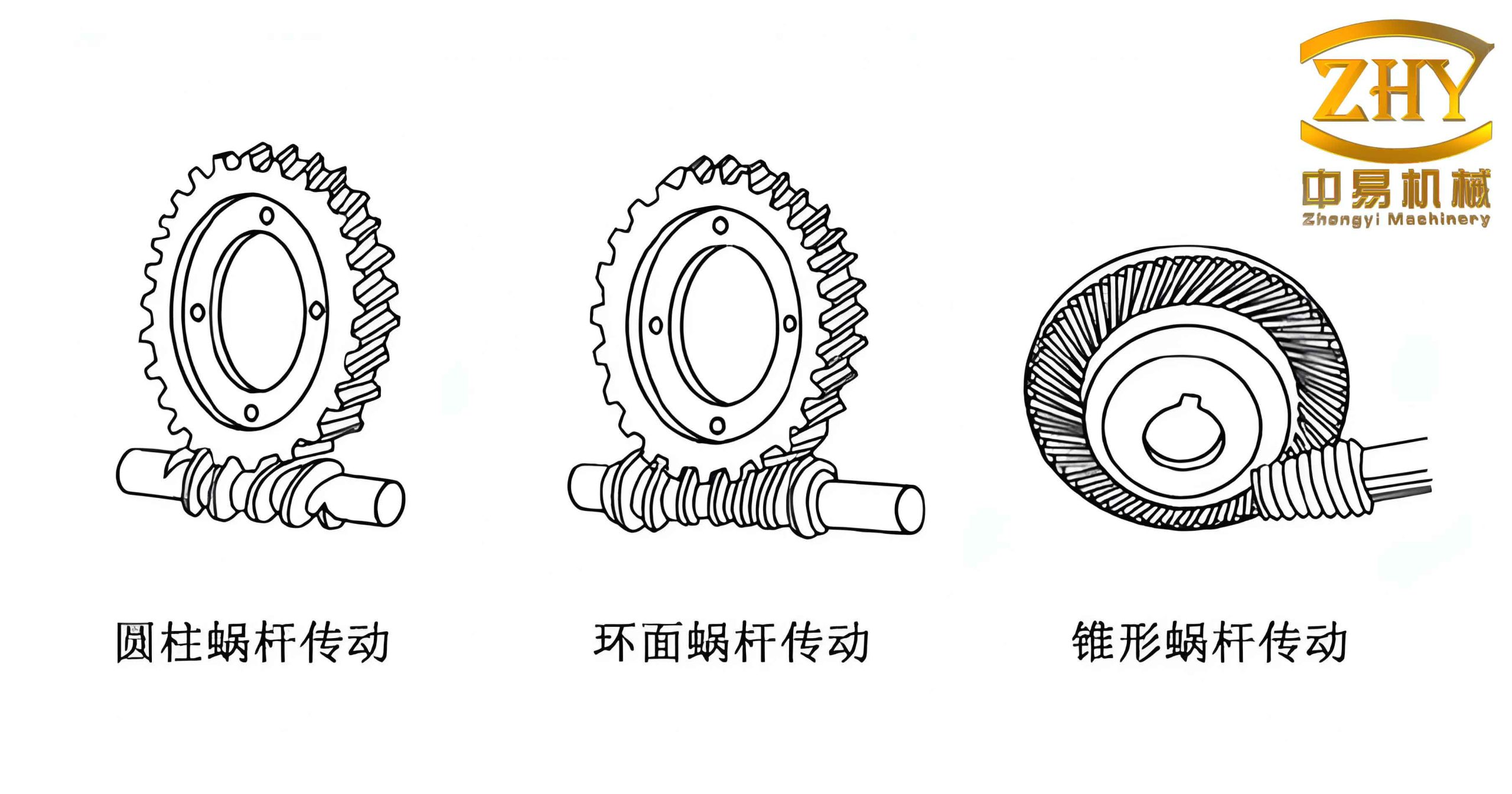
Parametric Modeling in Pro/E
Pro/E is a parametric, feature‑based solid modeling system. Its ability to capture design intent through parameters and relations makes it ideal for automating the creation of worm gear pairs. I employed a combination of Family Tables and external Visual Basic (VB) programming to achieve full parameterization.
Advantages of Parametric Design
In a parametric environment, every feature dimension can be defined by a variable. By establishing mathematical relationships among these variables, the model can be automatically updated when key design parameters are changed. This eliminates the repetitive manual modification of dimensions and reduces the chance of errors. For the worm gear pair, the primary driving parameters are:
- Module \( m \)
- Number of worm threads \( Z_1 \)
- Number of worm gear teeth \( Z_2 \)
- Worm diameter coefficient \( q \)
- Pressure angle \( \theta \)
- Addendum coefficient \( ha^* \) (usually 1.0)
- Clearance coefficient \( c^* \) (usually 0.2)
All other dimensions — such as pitch circle diameters, tip diameters, root diameters, and helix lead — are derived from these basic parameters using standard gear formulas.
Implementation Using Family Tables and VB
The workflow begins with creating a generic template model of the worm and another of the worm gear. Each model contains all the necessary features (extrudes, cuts, sweeps, patterns) with dimensions labeled as parameters. After the template is complete, a Family Table is created that lists the key parameters as columns. Each row in the table represents a specific instance (e.g., a worm with module 2, 3 threads, etc.).
To simplify user interaction, I developed a standalone VB application that presents a dialog box for inputting the design parameters. The VB program reads the existing Family Table from a Pro/E-generated text file, allows the user to modify or add new instances, and then writes back the updated table. Pro/E automatically regenerates the corresponding solid model when the table is loaded. The dialog interface is shown conceptually below (text description only, no image).
The following table summarizes the relationship between parameters and derived dimensions used in the worm gear pair model.
| Parameter | Symbol | Formula | Description |
|---|---|---|---|
| Module | \( m \) | — | Input (mm) |
| Worm threads | \( Z_1 \) | — | Input |
| Worm gear teeth | \( Z_2 \) | — | Input |
| Diameter coefficient | \( q \) | — | Input |
| Pressure angle | \( \alpha \) | — | Input (°) |
| Pitch circle diameter (worm) | \( d_1 \) | \( q \cdot m \) | Derived |
| Pitch circle diameter (gear) | \( d_2 \) | \( m \cdot Z_2 \) | Derived |
| Addendum (worm & gear) | \( h_a \) | \( m \) | Standard |
| Dedendum (worm & gear) | \( h_f \) | \( 1.2\,m \) | Standard |
| Tip diameter (worm) | \( d_{a1} \) | \( d_1 + 2h_a \) | Derived |
| Root diameter (worm) | \( d_{f1} \) | \( d_1 – 2h_f \) | Derived |
| Tip diameter (gear) | \( d_{a2} \) | \( d_2 + 2h_a \) | Derived |
| Root diameter (gear) | \( d_{f2} \) | \( d_2 – 2h_f \) | Derived |
| Base diameter (gear) | \( d_b \) | \( d_2 \cos\alpha \) | Derived |
| Lead of worm | \( L \) | \( \pi m Z_1 \) | Derived |
| Helix angle (worm) | \( \gamma \) | \( \arctan\left(\frac{Z_1}{q}\right) \) | Derived |
These relations are inserted into Pro/E using the Relations tool. For example, for the worm gear, the pitch circle diameter is defined as:
\[
d_2 = m \cdot Z_2
\]
And the array pattern parameters for generating all teeth are given by:
\[
\begin{aligned}
\text{pattern\_angle} &= \frac{360^\circ}{Z_2} \\
\text{pattern\_total} &= Z_2
\end{aligned}
\]
Solid Modeling Procedure
I now describe the step‑by‑step creation of the worm and worm gear solids in Pro/E. Both models are built using the template with parametric relations, so that modifying the driving parameters automatically updates the geometry.
Worm Modeling
The worm is essentially a threaded shaft. The modeling sequence is:
- Create the cylindrical body of the worm (the portion without threads). Use an extruded cylinder with diameter equal to the root diameter \( d_{f1} \).
- Extrude the thread blank: a cylinder with diameter equal to the tip diameter \( d_{a1} \), over the length of the threaded section.
- Generate the helix curve using the Insert > Model Datum > Curve option, selecting “From Equation.” Choose a Cartesian coordinate system and enter the helix equations given earlier.
- Sketch the trapezoidal cross‑section in a plane perpendicular to the helix. The four vertices are defined by the coordinates above. Ensure the sketch is fully constrained relative to the coordinate system.
- Sweep the cross‑section along the helix using the Insert > Sweep > Cut command. This removes material to form the thread groove. For multiple threads (e.g., \( Z_1 > 1 \)), pattern the cut along the helix using a rotational pattern.
- Add other features: chamfers, fillets, and end details as required.
The following table summarizes the key features and their parametric dependencies for the worm.
| Feature | Dimensions | Relation to parameters |
|---|---|---|
| Base cylinder (extrude) | Diameter = \( d_{f1} \) ; length = body length | \( d_{f1} = m q – 2.4 m \) |
| Thread blank (extrude) | Diameter = \( d_{a1} \) ; length = threaded length | \( d_{a1} = m q + 2 m \) |
| Helix curve | Number of turns ≈ \( n \) (e.g., 3) | Lead = \( \pi m Z_1 \) |
| Sweep cut (thread) | Trapezoid dimensions | \( \text{width} = \pi m/2 \pm m\tan\alpha \) etc. |
| Pattern of cuts | Number of instances = \( Z_1 \) | Angular increment = \( 360^\circ / Z_1 \) |
Worm Gear Modeling
The worm gear is modeled as a cylindrical gear with a curved face width to accommodate the worm’s throat. The steps are:
- Create the gear blank as a revolve or extrude. The outer diameter is the tip diameter \( d_{a2} \). The face width should match the worm’s length of contact.
- Define reference curves for the involute tooth profile. Draw circles for the tip, pitch, base, and root diameters as sketched curves.
- Generate the involute curve using Insert > Model Datum > Curve > From Equation with the involute equations. This creates one flank of a tooth space.
- Mirror the involute about the radial line to obtain the other flank. Then use Sketch with the Use Edge tool to create a closed profile of a single tooth space (the gap between two teeth).
- Cut the tooth space by extruding the sketch through the gear blank (removing material).
- Pattern the cut using a rotational pattern around the gear axis. The number of instances equals \( Z_2 \). The angular spacing is \( 360^\circ / Z_2 \).
- Add a throat relief by revolving a cut that matches the worm’s curvature. This is essential for proper meshing.
- Add hub, keyway, or other features as needed.
| Feature | Dimensions | Relation to parameters |
|---|---|---|
| Gear blank (revolve) | Outer diameter = \( d_{a2} \) ; face width = W | \( d_{a2} = m (Z_2 + 2) \) |
| Reference circles | Root, base, pitch, tip diameters | \( d_f, d_b, d, d_a \) |
| Involute curve | Parameter \( t \) from 0 to 1 | Base radius = \( d_b/2 \) |
| Tooth space cut (extrude) | Depth = full tooth height | \( h = 2.2 m \) |
| Pattern of cuts | Number of instances = \( Z_2 \) | Angular increment = \( 360^\circ / Z_2 \) |
Mechanism Simulation
After the solid models are complete, I assemble them into a worm gear pair using Pro/E’s Assembly mode. Proper alignment of the worm axis and the gear axis (with a 90° shaft angle) and definition of motion constraints are crucial. I then use the Mechanism module to simulate the motion.
Workflow of Mechanism Simulation
The process follows these steps:
- Create the assembly: Insert the worm and worm gear components. Define the worm axis as a fixed reference and the gear axis at the correct center distance \( a = \frac{m(q + Z_2)}{2} \).
- Define joints:
- Worm: use a Pin joint allowing rotation about its own axis.
- Worm gear: also a Pin joint about its axis.
- Add a Gear connection between the two pin joints. This automatically enforces the transmission ratio \( i = Z_2 / Z_1 \).
- Add a servo motor to the worm’s pin joint. Specify a constant angular velocity (e.g., 10 rad/s).
- Run a kinematic analysis for a given duration. Pro/E solves the positions, velocities, and accelerations of the gear relative to the worm.
- Animate the motion: The simulation can be played back as an AVI or interactive view. The meshing of the tooth flanks can be visually inspected.
- Measure performance: Use measures such as angular velocity of the worm gear, angular acceleration, and transmission error. These results help in optimizing the design (e.g., adjusting the center distance or tooth profile modifications).
The following table lists the essential simulation settings.
| Item | Value / Description |
|---|---|
| Assembly constraints | Worm axis and gear axis perpendicular, center distance \( a \) |
| Joint type (worm) | Pin (rotation only) |
| Joint type (gear) | Pin (rotation only) |
| Gear connection | Ratio = \( Z_2 / Z_1 \) |
| Servo motor | Constant speed of 10 rad/s applied to worm |
| Simulation time | 5 seconds (enough for several revolutions) |
| Result measures | Angular velocity of gear, gear rotation angle, torque (if dynamic) |
The simulation output confirms continuous meshing without interference. By modifying the parameters (e.g., increasing the module or changing the number of teeth), I can rapidly generate new models and re‑simulate to evaluate the effect on the contact pattern and motion smoothness.
Conclusion
In this work, I have demonstrated a complete and practical approach for the parametric solid modeling and motion simulation of worm gear pairs using Pro/E. The mathematical foundations for the Archimedean worm and the involute worm gear were clearly defined, and the key relationships were encoded as parametric equations within the CAD environment. By leveraging Family Tables and a Visual Basic interface, the entire design process is driven by a handful of basic parameters — module, thread number, tooth number, diameter coefficient, and pressure angle — allowing engineers to generate accurate 3D models in minutes rather than hours.
The solid models produced are not merely visual representations; they are fully associative digital twins that can be used for downstream tasks such as finite element analysis (stress, deformation), computational fluid dynamics (lubrication), and NC toolpath generation for manufacturing. The integration of the Mechanism module provides a virtual test bed where the assembled worm gear pair can be animated and its kinematic behavior observed. The ability to measure angular velocities, transmission ratios, and detect potential interference early in the design phase leads to better optimization and reduced physical prototyping costs.
Future extensions of this work could include: (1) incorporating other worm types (e.g., involute, convolute) by modifying the mathematical models; (2) performing dynamic analysis with friction and contact forces using Pro/MECHANICA MOTION; (3) developing a customizable library of worm gear drives with a user‑friendly wizard; and (4) linking the parametric models to a design‑of‑experiments or genetic algorithm for automated optimization of the geometry. The platform established here can serve as a foundation for a full virtual design, manufacturing, and simulation environment for worm gear transmissions.