
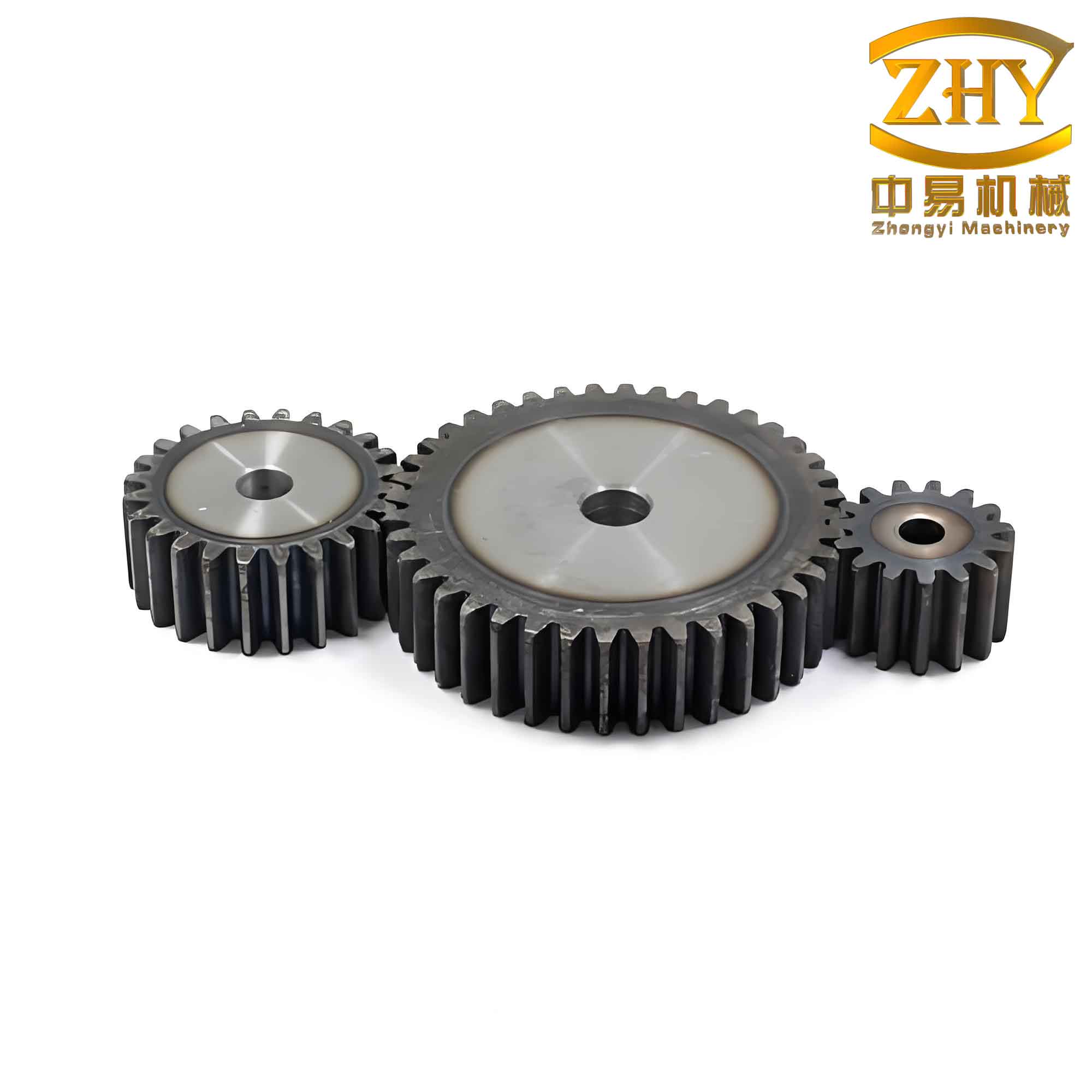
In my work, I have extensively studied the design of straight spur gears because they are widely used in mechanical manufacturing. Their advantages include reliable operation, precise and smooth transmission ratio, high efficiency, long service life, simple structure, low manufacturing cost, and convenient measurement and installation. However, the design method and process of straight spur gears are inherently complex due to the complicated tooth body structure and tooth profile shape. To address this, I adopted the secondary development module of Creo software. During modeling, the system records the design steps and a list of dimensional parameters in the form of a program, thereby establishing a database for similar gear designs to generate design models. By simply modifying the program parameters, a gear designer can generate a new straight spur gear, enabling even those unfamiliar with 3D software to update designs using the established model. This approach significantly reduces repetitive labor. Moreover, it lays a solid foundation for transmission simulation, optimization design, finite element analysis, and actual production of straight spur gears.
Preparation for Parametric Design of Straight Spur Gears
I focus solely on the preparation for the parametric design of involute straight spur gears.
Cartesian Coordinate Equation of the Involute Curve
The involute curve is fundamental to the tooth profile of straight spur gears. I derived the parametric equations in Cartesian coordinates as follows:
$$
R = \frac{d_1}{2}, \quad \theta = T \times 90
$$
$$
Z = 0
$$
$$
Y = R \sin(\theta) – R \cos(\theta) \times \theta \times \frac{\pi}{180}
$$
$$
X = R \cos(\theta) + R \sin(\theta) \times \theta \times \frac{\pi}{180}
$$
Here, \( d_1 \) is the base circle diameter, and \( T \) is a parameter varying from 0 to 1 to generate the full involute from the base circle outward.
Structural Parameter Equations
For straight spur gears, I set the addendum coefficient to 1 and the clearance coefficient to 0.2. The structural parameters used in the parametric model are summarized in the table 1.
| Serial No. | Equation | Description |
|---|---|---|
| 1 | \( d_0 = m \times z – m \times 2.5 \) | Root circle diameter, \( m \) = module, \( z \) = number of teeth |
| 2 | \( d_2 = m \times z \) | Pitch circle diameter |
| 3 | \( d_1 = d_2 \times \cos(\alpha) \) | Base circle diameter, \( \alpha \) = pressure angle |
| 4 | \( d_3 = m \times z + m \times 2 \) | Addendum circle diameter |
| 5 | \( h_a = m \) | Addendum height |
| 6 | \( h_f = 1.25 \times m \) | Dedendum height |
| 7 | \( p = \pi \times m \) | Circular pitch, corresponding central angle = \( 360^\circ / z \) |
| 8 | \( s = \frac{\pi \times m}{2} \) | Tooth thickness, corresponding central angle = \( 360^\circ / (2z) \) |
| 9 | \( e = s \) | Tooth space width |
In this table, the module \( m \), number of teeth \( z \), face width \( B \), and pressure angle \( \alpha \) are variable parameters. The face width \( B \) is determined by the structural requirements.
Structural Variables and Design Relations
From the structural parameter equations, I set the following design variables: module \( m \), number of teeth \( z \), face width \( B \), and pressure angle \( \alpha \). The relevant design relations are derived and used throughout the parametric modeling process. These relations are the key to driving the geometry of straight spur gears.
Basic Principles of Parametric Design in Creo
First, I note that Creo’s feature-based parametric design assumes that products have similar structures but different dimensions. Different sizes (models) of straight spur gears can be generated by modifying dimensions through parametric control. Second, in the Creo environment, every model creation corresponds to a macro file that records the exact process of model generation. By modifying this macro file, one can control the model creation process and generate new models. Using Creo’s parametric design module, I need to select a programming language and input the design variable values (human-machine interaction mode), such as feature dimensions, feature existence parameters, relationships between features, and quality parameters. Then, driven by these variables, a new 3D model of straight spur gears is generated, greatly improving design efficiency.
The relationships are equations between dimension symbols and parameters. Parameters must start with a letter (case-insensitive) and cannot contain illegal characters such as !, “, @, or #. For each dimension value, Creo creates a unique dimension number, which may vary depending on the mode. The purpose is to change the model shape and size by altering variable values.
Parametric Design Process of Involute Straight Spur Gears
Setting Variables
I set the variables and their initial values as follows: module \( m = 1 \), number of teeth \( z = 20 \), pressure angle \( \alpha = 20^\circ \), and face width \( B = 5 \). These values serve as the baseline for the straight spur gear model.
Creating the Basic Circles
I defined the four basic diameters using the following relationships (Creo’s system relations start from d0):
$$
\text{Relation (1)} \quad d_0 = m \times z – m \times 2.5
$$
$$
\text{Relation (2)} \quad d_2 = m \times z
$$
$$
\text{Relation (3)} \quad d_1 = d_2 \times \cos(\alpha)
$$
$$
\text{Relation (4)} \quad d_3 = m \times z + m \times 2
$$
Using Creo’s sketching tool, I drew four arbitrary concentric circles and then applied these relations to obtain the exact circles: addendum circle (d3), pitch circle (d2), base circle (d1), and root circle (d0). Since these four equations are all dependent on the variables, they become the first set of relations in the parametric model of straight spur gears.
Creating the Involute Curve
I created the involute profile of the straight spur gear tooth. The involute curve is defined by the parametric equations mentioned earlier. In Creo’s curve from equation dialog, I entered the Cartesian coordinates:
$$
R = \frac{d_1}{2}
$$
$$
\theta = T \times 90
$$
$$
Z = 0
$$
$$
Y = R \sin(\theta) – R \cos(\theta) \times \theta \times \frac{\pi}{180}
$$
$$
X = R \cos(\theta) + R \sin(\theta) \times \theta \times \frac{\pi}{180}
$$
where the parameter \( T \) runs from 0 to 1. This generates a smooth involute curve that exactly matches the base circle diameter \( d_1 \).
Creating the Single Tooth Surface
To form the single tooth geometry of a straight spur gear, I first extruded the involute curve as a surface over the face width \( B \), obtaining relation (5): \( d_4 = B \). Then I extended this surface from the root circle to the center of the gear (extension distance equal to the root circle radius \( d_0/2 \)), resulting in relation (6): \( d_5 = d_0/2 \). The resulting single-tooth surface is then ready for further trimming.
I located the intersection point \( A_0 \) of the involute curve with the pitch circle (this is the meshing point during gear transmission). Because the tooth thickness corresponds to a central angle of \( 360/(2z) \), and the symmetry center of a single tooth corresponds to an angle of \( d_6 = 360/(4z) \), I rotated point \( A_0 \) around the gear axis by half of the tooth thickness angular width to obtain the symmetry centerline of the single tooth. Then, using mirroring, I generated the two symmetric involute surface boundaries. After trimming away the excess lines, I obtained the cross-section of a single tooth.
Additional relations are defined:
$$
\text{Relation (7)} \quad d_6 = \frac{360}{4z}
$$
$$
\text{Relation (8)} \quad d_7 = B
$$
$$
\text{Relation (9)} \quad d_8 = \frac{360}{z}
$$
$$
\text{Relation (10)} \quad d_9 = z – 1
$$
$$
\text{Relation (11)} \quad d_{10} = B
$$
Next, I extruded the root circle along the gear axis by the width \( B \), using relation (8): \( d_7 = B \). This creates the cylindrical body of the straight spur gear blank.
Copying the Second Tooth
I copied the single tooth surface by rotating it about the gear axis by an angle equal to the circular pitch: \( 360^\circ / z \). For the initial values \( z = 20 \), this angle is \( 18^\circ \). This yields the relation (9): \( d_8 = 360^\circ / z = 18^\circ \). The duplicated second tooth will be used as the source for a pattern.
Arraying the Tooth Surfaces
To create all the teeth of the straight spur gear, I performed a pattern of the second tooth surface. Using the relation (10): \( d_9 = z – 1 \), I set the pattern count to \( z – 1 = 19 \) (since the first tooth already exists, pattern 19 copies to get a total of 20 teeth). The angular increment for the pattern is defined using the relation memb_i = 360 / z via editing. I avoid a pattern count of \( z \) because that would create an overlapping tooth; although hiding the first tooth is possible, it later prevents editing of the tool path during manufacturing. After the array, the complete set of tooth surfaces for the straight spur gear is obtained.
Merging the Tooth Surfaces
I sequentially merged the tooth surfaces using Creo’s surface merge tool. Each tooth surface is trimmed against its neighbors, and finally all are merged into a single quilt representing the entire toothed surface of the straight spur gear.
I also extruded the addendum circle as a surface of thickness equal to the face width \( B \), using relation (11): \( d_{10} = B \). This addendum cylinder surface is then merged with the tooth surface quilt. The merged result is then converted into a solid by performing a “Solidify” operation. This yields the final solid model of the straight spur gear.
Parametric Design Application
In Creo, I can modify any of the design variables — module \( m \), number of teeth \( z \), pressure angle \( \alpha \), and face width \( B \) — and the system automatically regenerates the model. The table 2 below illustrates three different sets of input variables and the corresponding resulting straight spur gear models (described conceptually, as actual images are not displayed here).
| Variable | m | z | B | α | Result Description |
|---|---|---|---|---|---|
| Set 1 | 1 | 20 | 5 | 20° | Standard small gear with 20 teeth |
| Set 2 | 1.5 | 30 | 10 | 20° | Larger module, more teeth, wider face |
| Set 3 | 1 | 12 | 5 | 20° | Fewer teeth, same module and width |
The above description covers the primary parameters of straight spur gears. Other structural features such as keyways, chamfers, shaft holes, and non-functional holes can be added in the same parametric manner: define the design variables and incorporate them into the program via relations.
Conclusion
Based on my work with Creo, the parametric solid design model of straight spur gears offers several distinct advantages:
- Accurate completion of complex 3D tooth profiles.
- Fast generation of multiple design alternatives.
- Convenient modification of existing designs.
- Precise data exchange between different engineering disciplines.
This parametric approach improves design efficiency, reduces labor intensity in gear design, and provides a robust model suitable for downstream tasks such as simulation, finite element analysis, and optimization. Furthermore, the methodology can be readily adapted to other types of gear components and general mechanical parts.
In summary, the parametric design of straight spur gears using Creo streamlines the entire design process from concept to production, ensuring that even complex gear geometries are handled with accuracy and speed. By relying on the parametric relations and involute equations, I can consistently produce high-quality straight spur gears ready for real-world application.