
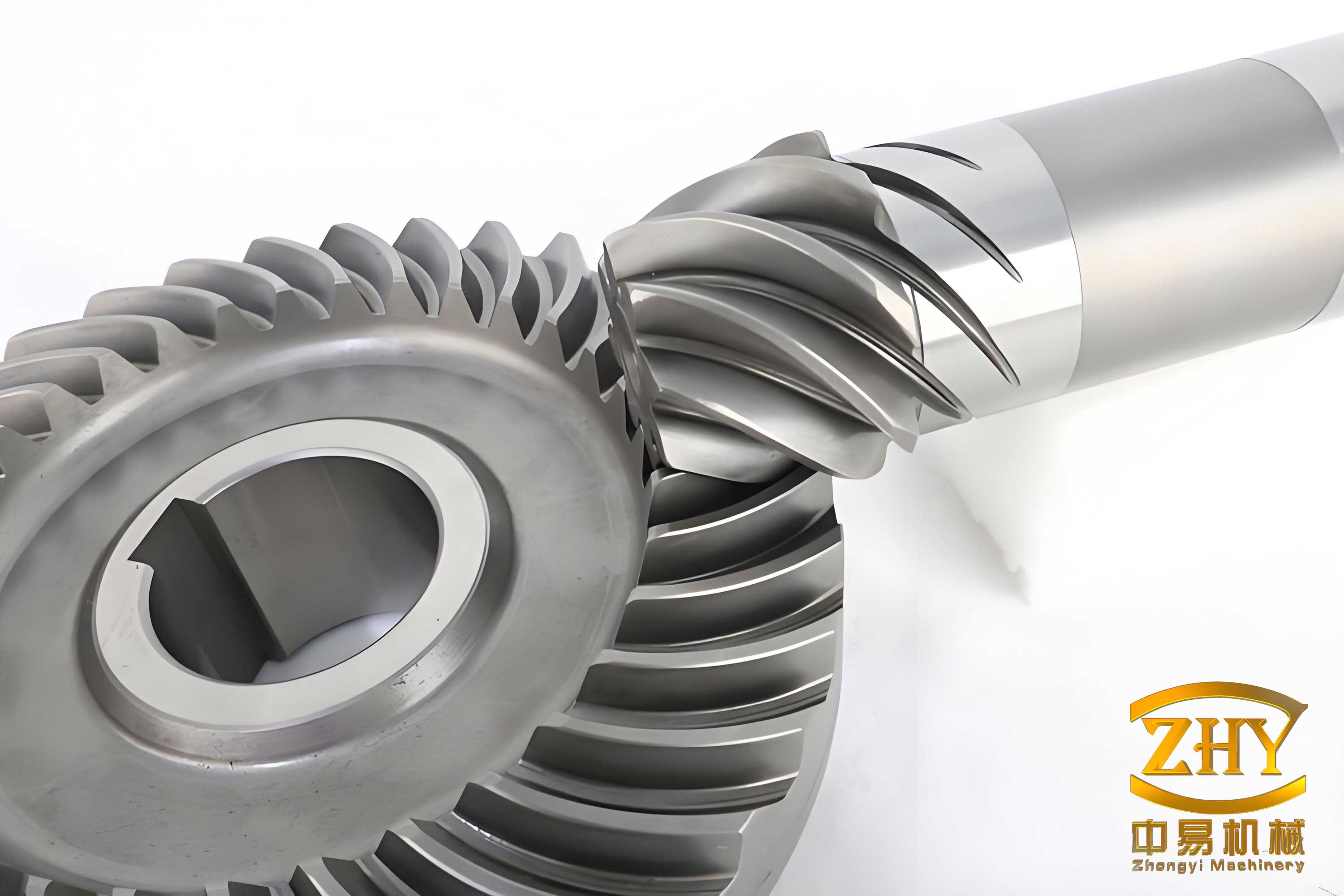
In modern mechanical engineering, the spiral bevel gear is a critical component widely used in automotive transmissions, aerospace systems, industrial machinery, and robotics due to its ability to transmit power efficiently between intersecting shafts at various angles. As an engineer specializing in computer-aided design and finite element analysis, I have often encountered challenges in creating accurate three-dimensional models of spiral bevel gears. These challenges stem from the complex geometry involving curved teeth, variable cross-sections, and precise involute profiles. Traditional modeling approaches in CAD software alone can be time-consuming and prone to inaccuracies, especially when dealing with the intricate tooth surfaces of spiral bevel gears. This article details a robust methodology I developed for precise 3D modeling of spiral bevel gears by integrating MATLAB’s computational prowess with SolidWorks’ solid modeling capabilities. The goal is to generate highly accurate digital twins of spiral bevel gears that serve as reliable foundations for subsequent finite element analysis, simulation of meshing behavior, stress distribution studies, and performance optimization. The focus throughout is on the spiral bevel gear, its geometric intricacies, and the seamless workflow between analytical computation and visual modeling.
The geometry of a spiral bevel gear is defined by numerous parameters that influence its performance, durability, and manufacturing. Key parameters include the module (m), number of teeth (z), pressure angle (α), spiral angle (β), face width (b), and various cone angles. Understanding these parameters is essential for accurate modeling. Below is a table summarizing the primary geometric parameters and their typical symbols used in spiral bevel gear design:
| Parameter | Symbol | Description |
|---|---|---|
| Module | m | Ratio of pitch diameter to number of teeth, determining tooth size. |
| Number of Teeth | z | Count of teeth on the gear, affecting gear ratio and size. |
| Pressure Angle | α | Angle between the tooth profile and a line perpendicular to the pitch surface, typically 20°. |
| Spiral Angle | β | Angle of the tooth trace relative to the gear axis, providing smooth engagement. |
| Face Width | b | Width of the gear tooth along the pitch cone. |
| Pitch Diameter | d | Diameter of the pitch circle, calculated as d = m × z. |
| Base Diameter | d_b | Diameter of the base circle, from which the involute profile is generated, d_b = d × cos(α). |
| Addendum | h_a | Height of the tooth above the pitch circle, often h_a = (h_ax + x) × m, where h_ax is addendum coefficient and x is profile shift. |
| Dedendum | h_f | Depth of the tooth below the pitch circle, often h_f = (h_ax + c_x – x) × m, where c_x is clearance coefficient. |
| Pitch Cone Angle | δ | Angle of the pitch cone, determined by the gear ratio, δ = arctan(z / z_asm) for a pinion with z_asm teeth on the mating gear. |
These parameters interrelate through geometric equations that must be solved accurately. For instance, the pitch cone distance R_x, which is the slant distance from the apex to the pitch circle, is given by:
$$ R_x = \frac{d}{2 \sin(\delta)} $$
Similarly, the addendum and dedendum angles (θ_a and θ_f) are computed as:
$$ \theta_a = \arctan\left(\frac{h_a}{R_x}\right), \quad \theta_f = \arctan\left(\frac{h_f}{R_x}\right) $$
These angles then define the face cone angle (δ_a) and root cone angle (δ_f):
$$ \delta_a = \delta + \theta_a, \quad \delta_f = \delta – \theta_f $$
The accurate calculation of these values is crucial for modeling the spiral bevel gear’s conical shape and tooth geometry. In my approach, I leverage MATLAB to perform these computations programmatically, ensuring precision and consistency. MATLAB scripts allow for parametric design, where changing one variable automatically updates all dependent parameters, facilitating rapid iteration and optimization of spiral bevel gear designs.
The core of precise modeling lies in generating the tooth profile, which for spiral bevel gears is based on an involute curve. The involute profile ensures smooth rolling contact and constant velocity ratio. In a Cartesian coordinate system aligned with the gear’s back-cone, the parametric equations for an involute curve derived from a base circle of radius r are:
$$ x = r \cos(\theta) + r \sin(\theta) \cdot \theta $$
$$ y = r \sin(\theta) – r \cos(\theta) \cdot \theta $$
where θ is the roll angle in radians. For a spiral bevel gear, this profile must be applied at both the large end and small end of the tooth, as the tooth tapers along the face width. The base radii at these ends differ due to the conical geometry. Specifically, the large end base radius r_large and small end base radius r_small are calculated from the back-cone diameters. The back-cone transformation simplifies the spiral bevel gear to an equivalent spur gear for profile generation. If D_zf is the back-cone diameter at the large end and d_zf at the small end, then:
$$ r_{\text{large}} = \frac{D_{zf}}{2}, \quad r_{\text{small}} = \frac{d_{zf}}{2} $$
with D_zf and d_zf derived from the pitch diameter, cone angles, and face width. In MATLAB, I implement these equations to generate discrete point sets for the involute curves. A sample code snippet for generating the large end involute is as follows:
% MATLAB code for involute generation
m = 3.5; z = 30; alpha = 20; delta = atand(z/13); % example values
d = m * z; % pitch diameter
db = d * cosd(alpha); % base diameter
Rx = d / (2 * sind(delta)); % pitch cone distance
theta = linspace(0, 60*pi/180, 1000); % roll angle range
r_large = db / (2 * cosd(delta)); % large end base radius
x_large = r_large * cos(theta) + r_large * sin(theta) .* theta;
y_large = r_large * sin(theta) - r_large * cos(theta) .* theta;
plot(x_large, y_large); axis equal; grid on;
This code produces a smooth involute curve with high resolution, which is essential for accurate 3D modeling. The spiral bevel gear’s tooth also has a spiral shape, defined by the spiral angle β. This requires generating a swept path for the tooth along the face width. The spiral path can be approximated as an arc or a custom curve based on the cutting tool geometry. For a typical spiral bevel gear with a circular cutter of radius R_c and spiral angle β, the tooth trace on the pitch cone can be described in cylindrical coordinates (ρ, φ, z) related to the gear axis. The transformation between coordinate systems adds complexity, but MATLAB handles these trigonometric computations efficiently.
Once the involute profiles and spiral paths are computed in MATLAB, the next step is transferring this data to SolidWorks for 3D solid modeling. SolidWorks excels at creating parametric solids but has limited native functionality for handling complex mathematical curves. To bridge this gap, I export the point data from MATLAB to text files, then import them into SolidWorks as curve files. The process involves saving the (x, y, z) coordinates of the involute curves and spiral paths into .txt files. In SolidWorks, I use the “Curve Through XYZ Points” feature to reconstruct these curves. For example, to create the large end involute, I load a file containing points generated from MATLAB, ensuring the curve is placed in the correct plane relative to the gear’s back-cone. This imported curve is then converted into a sketch entity using “Convert Entities” for further modeling operations.
The 3D modeling of the spiral bevel gear in SolidWorks follows a systematic approach. First, I create the gear blank by revolving a profile around the axis. The profile includes the pitch cone, root cone, and back-cone lines. Key reference planes and axes are established based on calculated angles like δ, δ_a, and δ_f. For instance, a plane offset from the top plane by distance d0 = d / (2 * tan(δ)) is created to position the gear apex correctly. Then, sketches for the large and small end circles are drawn on planes perpendicular to the cone elements. The imported involute curves are positioned tangentially to these base circles, and mirrored across a plane defined by the tooth centerline to form both sides of a single tooth space. The tooth centerline plane is rotated by an angle A2 derived from gear geometry:
$$ A_2 = \frac{360 \cos(\delta)}{4z} $$
This ensures symmetrical tooth spacing. The spiral path, imported from MATLAB, is used as a sweep guide for the tooth. In SolidWorks, I create a sweep feature where the tooth profile (composed of the involute curves at both ends) is swept along the spiral path to generate a single tooth. This sweep accurately represents the curved tooth surface of the spiral bevel gear. The following table outlines the key SolidWorks steps for modeling a spiral bevel gear:
| Step | Action in SolidWorks | Purpose |
|---|---|---|
| 1 | Create reference geometry (planes, axes) based on computed angles. | Establish accurate coordinate system for gear construction. |
| 2 | Sketch gear blank profile and revolve to form solid. | Generate the conical base of the spiral bevel gear. |
| 3 | Import involute curves from MATLAB via XYZ points. | Obtain precise tooth profiles at large and small ends. |
| 4 | Position and mirror curves to define tooth boundaries. | Create sketch for tooth cross-section. |
| 5 | Import spiral path curve from MATLAB. | Define the helical trajectory for tooth sweep. |
| 6 | Perform swept cut or sweep to form one tooth. | Generate 3D tooth geometry with accurate surfaces. |
| 7 | Circular pattern to replicate teeth around axis. | Complete the full spiral bevel gear model. |
The sweep operation is critical; it ensures the tooth transitions smoothly from the large end to the small end, maintaining constant pressure angle and spiral characteristics. For a spiral bevel gear with right-hand spiral, the path is a left-hand helix, and vice versa. The sweep profile is a loft between the large end involute and small end involute, but since the spiral path controls the twist, a simple sweep with a single profile often suffices if the profile is defined at the large end and guided by the path. However, for higher accuracy, I use a sweep with guide curves or a loft feature. The resulting 3D model of the spiral bevel gear is a watertight solid suitable for export to finite element analysis software.
To validate the accuracy of the modeled spiral bevel gear, I compare geometric properties such as tooth thickness, pressure angle, and spiral angle against theoretical values. In SolidWorks, measurement tools can check distances and angles at various sections. For example, the tooth thickness at the pitch circle should match the calculated value:
$$ s = \frac{\pi m}{2} + 2m x \tan(\alpha) $$
where x is the profile shift coefficient. Deviations are typically within micrometers, confirming the precision of the MATLAB-SolidWorks integration. This accuracy is paramount for finite element analysis, where small geometric errors can lead to significant discrepancies in stress and vibration predictions. The spiral bevel gear model can be meshed with fine elements, and boundary conditions applied to simulate real-world loading. Applications include contact analysis to study tooth contact patterns, root stress evaluation under torque, and dynamic analysis to assess noise and vibration. The precise model ensures that stress concentrations are correctly identified, leading to better design decisions for spiral bevel gears in heavy-duty applications.
In addition to static analysis, the model supports kinematic and dynamic simulations. The involute profile guarantees correct conjugate action, and the spiral angle influences the smoothness of engagement. By exporting the model to simulation software, I can analyze the transmission error, which is a key factor in noise generation for spiral bevel gears. The table below summarizes key benefits of precise 3D modeling for spiral bevel gear analysis:
| Aspect | Benefit of Precise Model |
|---|---|
| Finite Element Analysis (FEA) | Accurate stress and strain predictions due to true geometry. |
| Contact Mechanics | Realistic contact patterns and pressure distributions. |
| Dynamic Simulation | Reliable vibration and noise analysis. |
| Manufacturing Preparation | Direct generation of CNC toolpaths from model. |
| Design Optimization | Parametric adjustments to improve performance. |
The parametric nature of the MATLAB scripts allows for rapid design variations. For instance, I can explore the effect of changing the spiral angle β on the gear’s performance. A larger spiral angle increases the overlap ratio, reducing noise but potentially increasing axial thrust. By adjusting parameters in MATLAB and regenerating the curves, I can quickly update the SolidWorks model to evaluate different spiral bevel gear configurations. This iterative process is invaluable for optimizing spiral bevel gears for specific applications, such as high-speed automotive differentials or high-torque industrial gearboxes.
Challenges in this methodology include data transfer accuracy and coordinate system alignment. To ensure seamless integration, I define a common coordinate system in both MATLAB and SolidWorks. Typically, I use a right-handed system with the gear axis along the Z-axis, the apex at the origin, and the tooth profile in the XY-plane. When exporting points, I include Z-coordinates (often zero for planar curves) and apply transformations in SolidWorks to position them correctly. For the spiral path, points are generated in 3D space based on the spiral equation. For a spiral bevel gear with constant spiral angle, the path on the pitch cone can be parameterized as:
$$ \phi = \frac{s}{R_x} \tan(\beta) $$
$$ \rho = R_x – s \sin(\delta) $$
$$ z = s \cos(\delta) $$
where s is the distance along the cone from the large end, and (ρ, φ, z) are cylindrical coordinates. This yields a set of (x, y, z) points: x = ρ cos(φ), y = ρ sin(φ). MATLAB computes these, and SolidWorks imports them to create a 3D curve.
Another consideration is the tooth root fillet, which affects stress concentration. The exact fillet shape depends on the cutting tool, but it can be approximated by arcs or splines. In MATLAB, I add fillet points to the tooth profile data, ensuring a smooth transition from the involute to the root circle. This enhances the model’s realism for FEA, as sharp corners would produce unrealistic stress peaks. The spiral bevel gear’s overall accuracy thus depends on both the mathematical model and the careful handling of such details.
Beyond modeling single gears, this approach extends to gear pairs. By modeling both the pinion and gear with correct tooth numbers and offsets, I can assemble them in SolidWorks and check for proper meshing. The contact analysis can be performed using SolidWorks Simulation or exported to specialized FEA software. The precise geometry ensures that the contact ellipse, which is characteristic of spiral bevel gears, is correctly represented. This ellipse’s size and orientation depend on the gear’s geometry and load, and accurate modeling is crucial for predicting wear and fatigue life.
In conclusion, the integration of MATLAB and SolidWorks provides a powerful platform for the precise 3D modeling of spiral bevel gears. MATLAB handles complex computations and curve generation with high accuracy, while SolidWorks offers robust solid modeling and assembly capabilities. This synergy enables the creation of digital models that closely match theoretical specifications, forming a reliable basis for finite element analysis, dynamic simulation, and manufacturing preparation. The spiral bevel gear, with its intricate geometry, benefits immensely from this methodology, leading to improved design efficiency and performance in mechanical systems. Future work could involve automating the entire workflow via API scripting, linking MATLAB directly to SolidWorks to enable real-time updates and optimization loops for spiral bevel gear design. As engineering demands grow for higher efficiency and reliability, such integrated tools will become increasingly vital for advancing spiral bevel gear technology.