
In my engineering practice, I frequently encounter the challenge of designing straight spur gears with high precision and efficiency. The involute gear profile, while offering excellent transmission characteristics such as smooth operation and accurate gear ratio, often requires tedious manual calculations and repetitive modeling. To overcome this, I have leveraged the parametric design capabilities of Pro/E to create a fully parameterized solid model of a standard straight spur gear. This approach not only simplifies the design process but also ensures that any modification of key parameters—such as module, number of teeth, pressure angle, and face width—automatically regenerates a new gear with correct geometry. In this article, I will share my methodology, including the theoretical background, variable definitions, relational equations, step-by-step modeling procedure, and practical applications, all illustrated with detailed tables and mathematical formulas.
1. Fundamentals of Parametric Design in Pro/E
Parametric design in Pro/E is based on the concept of using variables and relations to control the geometry of a model. Every feature and dimension in a part can be linked to a parameter, and relationships among parameters can be defined using mathematical expressions. When a parameter is modified, the entire model updates automatically, maintaining all defined constraints. This is particularly useful for straight spur gears, where a small change in module or tooth count propagates through all related dimensions—pitch circle diameter, base circle diameter, addendum circle, dedendum circle, tooth thickness, and so on. By establishing a set of design variables and relational equations, I can generate a family of straight spur gears from a single template.
The core of this work is the accurate generation of the involute tooth profile. The involute curve is defined by the following parametric equations in Cartesian coordinates (derived from the geometry of a circle unwinding):
$$R = \frac{d_1}{2}, \quad \theta = T \times 90^\circ$$
$$X = R \cos(\theta) + R \sin(\theta) \cdot \theta \cdot \frac{\pi}{180}$$
$$Y = R \sin(\theta) – R \cos(\theta) \cdot \theta \cdot \frac{\pi}{180}$$
$$Z = 0$$
where \(d_1\) is the base circle diameter and \(T\) is a parameter that varies from 0 to 1. This curve, when mirrored and trimmed, forms one tooth flank of a straight spur gear.
2. Design Variables and Relational Equations
I first identified the independent variables that completely define a standard involute straight spur gear with an addendum coefficient of 1 and a dedendum coefficient of 1.25 (standard full-depth teeth). These variables are:
- Module \(m\) – the base parameter that scales the gear.
- Number of teeth \(Z\).
- Pressure angle \(\alpha\) (typical value \(20^\circ\)).
- Face width \(B\) – the thickness of the gear along the axis.
All other geometric features are derived from these four parameters using the standard formulas for a straight spur gear. I have compiled these relations in Table 1 below.
| Parameter | Symbol | Relation |
|---|---|---|
| Addendum circle diameter | \(d_a\) | \(d_a = m \cdot Z + 2m\) |
| Dedendum circle diameter | \(d_f\) | \(d_f = m \cdot (Z – 2.5)\) |
| Pitch circle diameter | \(d\) | \(d = m \cdot Z\) |
| Base circle diameter | \(d_b\) | \(d_b = d \cdot \cos(\alpha)\) |
| Addendum | \(h_a\) | \(h_a = m\) |
| Dedendum | \(h_f\) | \(h_f = 1.25\, m\) |
| Circular pitch | \(p\) | \(p = \pi m\) |
| Tooth thickness on pitch circle | \(s\) | \(s = \frac{\pi m}{2}\) |
| Tooth space width | \(e\) | \(e = s\) |
| Angular pitch | \(\theta_p\) | \(\theta_p = \frac{360^\circ}{Z}\) |
In Pro/E, these relations are entered as equations in the ‘Relations’ dialog. For example, I set:
$$d0 = m \cdot (Z – 2.5) \quad \text{(dedendum circle)}$$
$$d2 = m \cdot Z \quad \text{(pitch circle)}$$
$$d1 = d2 \cdot \cos(a) \quad \text{(base circle)}$$
$$d3 = m \cdot Z + 2m \quad \text{(addendum circle)}$$
where \(a\) represents the pressure angle \(\alpha\). The face width \(B\) is assigned as a separate variable and later used to control the extrusion depth.
3. Step-by-Step Parametric Modeling Process
3.1 Creating the Four Concentric Circles
I began by creating a new Pro/E part and defining the four parameters: m, Z, B, and a (with initial values, e.g., m=1, Z=20, B=5, a=20). Using the ‘Sketch’ tool, I drew four arbitrary circles and then entered the relations listed above. After regeneration, the circles were resized to the exact diameters of the addendum, pitch, base, and dedendum circles. This step is critical because the involute curve is later referenced to the base circle.
3.2 Generating the Involute Curve
To create the precise involute tooth profile, I used the ‘Insert > Model Datum > Curve > From Equation’ feature. I selected the Cartesian coordinate system and entered the following set of equations (note that \(d1\) is the base circle diameter):
$$R = d1 / 2$$
$$\theta = T \times 90$$
$$X = R \cdot \cos(\theta) + R \cdot \sin(\theta) \cdot \theta \cdot (\pi / 180)$$
$$Y = R \cdot \sin(\theta) – R \cdot \cos(\theta) \cdot \theta \cdot (\pi / 180)$$
$$Z = 0$$
Here, \(T\) is a built-in parameter that varies from 0 to 1, allowing the curve to sweep through 90 degrees of unwinding. The resulting curve is a portion of the involute that starts at the base circle and extends outward. This single curve becomes one side of a tooth flank.
3.3 Constructing a Single Tooth
To obtain a symmetric tooth, I first created a datum point at the intersection of the involute curve and the pitch circle. This point, called P0, represents the contact point during meshing. I then rotated a copy of the involute curve about the gear axis by an angle equal to one-quarter of the tooth thickness (measured on the pitch circle). The tooth thickness angle on the pitch circle is \(360^\circ/(2Z)\); therefore, the half-angle needed for symmetry is \(360^\circ/(4Z)\). I mirrored the original involute curve across a plane that passes through the gear axis and this rotated point, producing the opposite flank. After extending both curves to the dedendum circle (using tangent extensions), I trimmed all excess lines, leaving a closed profile of one tooth. This profile was then extruded to the face width \(B\) (using the relation \(D5 = B\)) to create a solid tooth volume.
Simultaneously, I extruded the dedendum circle (the root cylinder) to the same width. The single tooth was then merged with the root cylinder using the ‘Intersect’ or ‘Merge’ feature, resulting in a base body with one tooth.
3.4 Copying the Tooth Around the Axis
I used the ‘Copy > Paste Special’ command to rotate the single tooth by one angular pitch (\(360^\circ/Z\)). This created a second tooth. I then defined a relation for the rotation angle dimension (e.g., \(d15 = 360/Z\)). This step is essential for the subsequent pattern to be driven by the number of teeth.
3.5 Pattern to Complete All Teeth
Finally, I applied a ‘Pattern’ feature using the dimension of the rotation angle (the 18° value for Z=20) as the driving dimension. I chose a pattern type of ‘Dimension’ and set the increment formula:
$$\text{memb\_i} = 360/Z$$
The number of pattern instances was set to \(Z-1\) (19 for Z=20), because the original tooth plus the copies equal the total number of teeth. I made sure to hide the first single tooth (the seed) to avoid duplication. The result is a complete straight spur gear. The entire process is summarized in Table 2.
| Step | Action | Key Relation / Equation |
|---|---|---|
| 1 | Define parameters m, Z, B, a | — |
| 2 | Sketch four circles, apply relations | \(d0=m(Z-2.5),\; d2=mZ,\; d1=d2\cos(a),\; d3=mZ+2m\) |
| 3 | Generate involute curve | \(R=d1/2,\; X = R\cos\theta+R\sin\theta\cdot\theta\cdot\pi/180,\; Y = R\sin\theta-R\cos\theta\cdot\theta\cdot\pi/180\) |
| 4 | Create symmetric tooth profile | Rotate by \(360/(4Z)\) to find symmetry plane, mirror curve |
| 5 | Extrude single tooth and root cylinder | Extrude depth = B |
| 6 | Copy tooth by rotation | Angle = \(360/Z\) |
| 7 | Pattern the tooth | Increment = \(360/Z\), instances = Z-1 |
4. Application and Results
Once the parametric model was saved, I could generate a new straight spur gear simply by modifying the values of \(m\), \(Z\), \(B\), or \(\alpha\) in the ‘Parameters’ dialog. For example, by changing Z from 20 to 12 while keeping m=1, B=5, a=20°, the model instantly regenerated a smaller gear with 12 teeth. This capability is extremely useful when designing gear pairs or when performing design iterations.
The parametric approach also allows for easy addition of other features such as a central bore, keyway, or hub. I can introduce additional parameters (e.g., shaft diameter, key width) and create relations that position these features relative to the gear body. This makes the model a complete and reusable template for a wide range of straight spur gear designs.
Below I include a representative image of a standard straight spur gear created using this method. The illustrated gear has 20 teeth, module 1, and face width 5 mm.
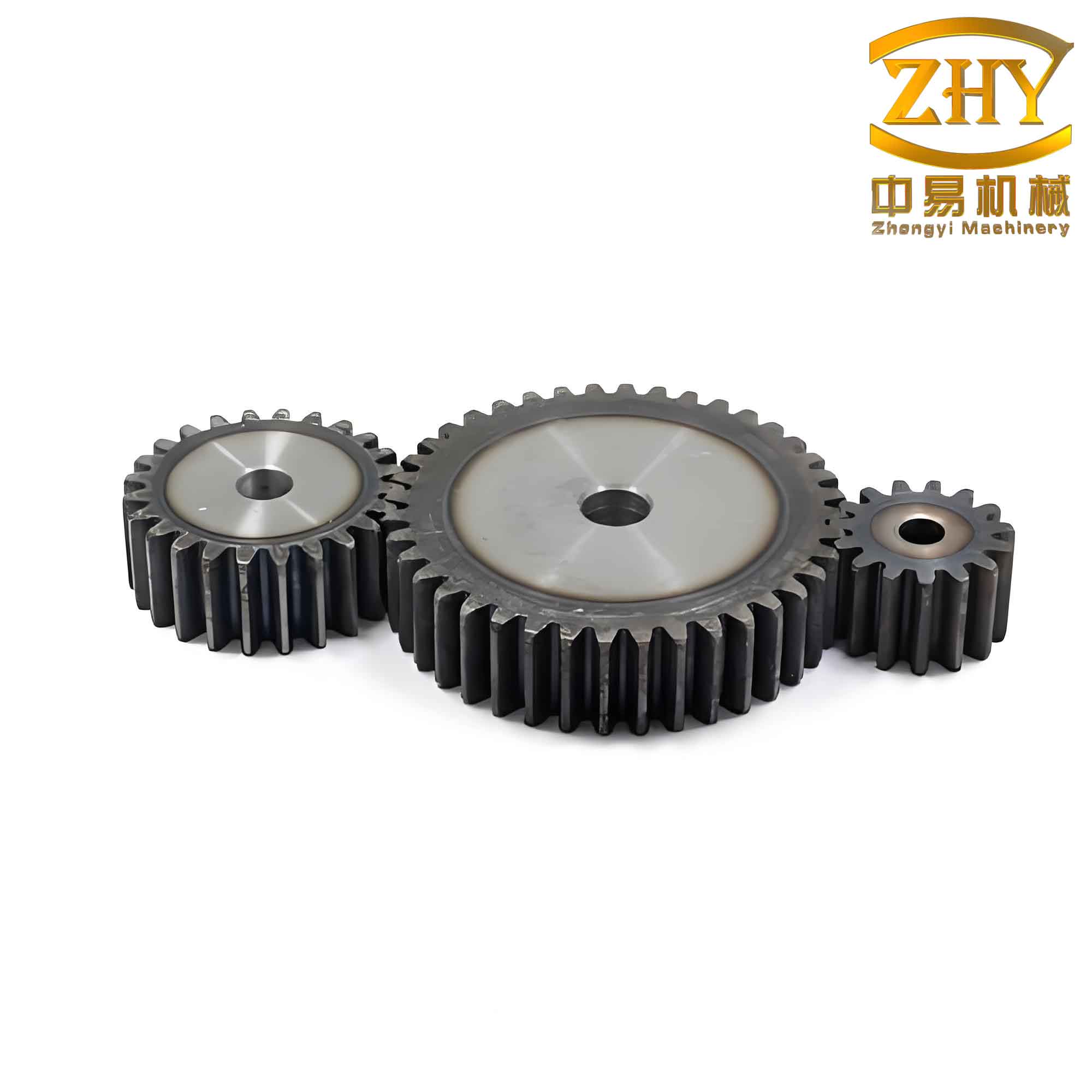
In this image, you can see the involute tooth profile, the uniform tooth spacing, and the overall geometry of a standard straight spur gear. The parametric model ensures that any change in the input parameters will yield a visually and mathematically correct gear.
5. Conclusion
Through this work, I have demonstrated a systematic method for the parametric solid design of a standard straight spur gear using Pro/E. By defining a minimal set of design variables and linking them via involute equations and standard gear relations, I created a robust template that automatically adapts to new specifications. The use of tables and formulas in this article provides a clear reference for other engineers who wish to implement similar parametric models. The straight spur gear is one of the most fundamental components in mechanical transmissions, and the ability to generate accurate 3D models quickly is invaluable for simulation, finite element analysis, and manufacturing. My future work will extend this parametric approach to helical gears, bevel gears, and other complex gear types, always with the goal of improving design productivity and accuracy.
The methodology presented here can be adapted to any CAD system that supports parametric modeling and equation-driven curves. I encourage readers to adopt this approach for their own gear design projects, as it reduces repetitive tasks and minimizes human error. The straight spur gear, with its simple yet elegant involute geometry, remains a perfect example of how parametric design can transform traditional engineering workflows.