
I have always been interested in the precise geometric representation of straight bevel gears because their tooth surfaces are far more complex than those of cylindrical gears. In a pair of straight bevel gears, the axes intersect, and the teeth taper from the large end to the small end. This tapering means that the tooth depth, tooth thickness, and profile all change along the face width. If I use a simple approximation, such as replacing the spherical involute with a planar involute on the back cone, the resulting model is convenient but not exact. For applications in motion transmission, load capacity evaluation, contact analysis, and computer-aided manufacturing, I need a model that reflects the true spherical involute geometry. Therefore, I developed a method that I call the boundary surface method. This method is based on the generation principle of the straight bevel gear tooth surface and is implemented in SolidWorks. In this article, I explain the mathematical derivation, the numerical discretization, and the complete solid modeling workflow. I also provide tables and formulas so that the method can be reproduced and generalized to different straight bevel gears.
Straight bevel gears are used in many mechanical systems where motion and power must be transmitted between intersecting shafts. Because their design and manufacture are relatively simple compared with spiral bevel gears, straight bevel gears remain very common in differentials, hand drills, agricultural machinery, and many other devices. However, the geometric modeling of straight bevel gears is not trivial. Along the tooth length, I must distinguish between the large end and the small end. The two ends have different tooth depths and different profile parameters. Each tooth shrinks from the large end toward the apex of the cone. The large end has a wider tooth and a deeper tooth space, while the small end has a narrower tooth and a shallower tooth space. This variation is the main reason why many CAD models of straight bevel gears contain noticeable errors. The common approach is to use the involute on the back cone of the large end as an approximation of the spherical involute. Although this approximation is acceptable for some low-precision applications, it does not produce an exact tooth surface. To design straight bevel gears accurately, I need a method that directly uses the spherical involute.
The theoretical tooth surface of a straight bevel gear is an involute conical surface. The generation principle can be described by a rolling motion. Imagine a plane, called the generating plane, whose center coincides with the apex of the base cone. The radius of this generating plane is equal to the cone distance of the base cone, and the plane is tangent to the base cone. When the generating plane rolls without slipping around the base cone, a straight line on the generating plane, which is tangent to the base cone, sweeps out the tooth surface. If I intersect this involute conical surface with a sphere whose center is the cone apex and whose radius is the cone distance, I obtain a spherical involute. This spherical involute is the true tooth profile on the large end. For the small end, I intersect the same involute conical surface with a smaller sphere. The mathematical description of these spherical involutes is the foundation of my modeling method.
To derive the equations, I set up a fixed coordinate system \(S(x,y,z)\) and a moving coordinate system \(S_1(x_1,y_1,z_1)\). The origin of both systems is at the cone apex \(O\). In the fixed system, the \(z\)-axis coincides with the axis of the base cone, and its positive direction points from the apex toward the base. The \(x\)-axis coincides with the radius of the base circle that contains the starting point of the spherical involute. The \(y\)-axis is determined by the right-hand rule. The moving system \(S_1\) rolls with the generating plane. Its \(z_1\)-axis is the instantaneous axis of rotation, which is the line of tangency between the generating plane and the base cone. Its \(x_1\)-axis lies in the generating plane and is perpendicular to the \(z_1\)-axis. The \(y_1\)-axis is again determined by the right-hand rule.
At any instant, a point \(K\) on the spherical involute has coordinates in the moving system given by the following equations. Here \(R\) is the cone distance, and \(\psi\) is the angle between the line \(OK\) and the instantaneous axis \(ON\).
$$
x_1 = R \sin\psi,\quad y_1 = 0,\quad z_1 = R \cos\psi
$$
Because the generating plane rolls without slipping on the base cone, the arc length rolled on the generating plane equals the arc length rolled on the base cone. This condition gives the relationship between the rolling angle \(\psi\) and the angle \(\phi\) that describes the position of the generating plane around the base cone.
$$
\widehat{NK} = \psi R,\qquad \widehat{NA} = \phi R \sin\delta_b
$$
Since the two arc lengths are equal, I obtain the key kinematic relation for straight bevel gears:
$$
\psi = \phi \sin\delta_b
$$
Here \(\delta_b\) is the base cone angle. This relation is fundamental because it links the rolling motion of the generating plane to the angular position around the base cone. Substituting this relation into the moving coordinates gives the coordinates of the spherical involute in the moving system as functions of \(\phi\):
$$
x_1 = R \sin(\phi \sin\delta_b),\quad y_1 = 0,\quad z_1 = R \cos(\phi \sin\delta_b)
$$
To express these coordinates in the fixed system \(S\), I need two coordinate transformations. The first transformation rotates the moving system about the \(z_1\)-axis by the angle \(\phi\). The second transformation tilts the system by the base cone angle \(\delta_b\). In matrix form, I can write the transformation as:
$$
\begin{bmatrix}
x\\y\\z\\1
\end{bmatrix}
=
M_1 M_2
\begin{bmatrix}
x_1\\y_1\\z_1\\1
\end{bmatrix}
$$
The matrices \(M_1\) and \(M_2\) are defined as follows. The matrix \(M_1\) accounts for the rotation about the instantaneous axis, and \(M_2\) accounts for the inclination of the base cone.
$$
M_1 =
\begin{bmatrix}
\sin\phi & \cos\phi & 0 & 0\\
-\cos\phi & \sin\phi & 0 & 0\\
0 & 0 & 1 & 0\\
0 & 0 & 0 & 1
\end{bmatrix}
$$
$$
M_2 =
\begin{bmatrix}
1 & 0 & 0 & 0\\
0 & \cos\delta_b & \sin\delta_b & 0\\
0 & -\sin\delta_b & \cos\delta_b & 0\\
0 & 0 & 0 & 1
\end{bmatrix}
$$
After multiplying these matrices and simplifying the trigonometric expressions, I obtain the coordinates of a point on the large-end spherical involute in the fixed coordinate system. These expressions describe the right-hand side of a tooth, as seen from a particular projection. I denote the coordinates by \(Q_x(\phi)\), \(Q_y(\phi)\), and \(Q_z(\phi)\).
$$
Q_x(\phi) = R\left[\cos(\phi\sin\delta_b)\sin\delta_b\cos\phi + \sin(\phi\sin\delta_b)\sin\phi\right]
$$
$$
Q_y(\phi) = R\left[\cos(\phi\sin\delta_b)\sin\delta_b\sin\phi – \sin(\phi\sin\delta_b)\cos\phi\right]
$$
$$
Q_z(\phi) = R\cos(\phi\sin\delta_b)\cos\delta_b
$$
These equations are valid for the large end of the straight bevel gear. For the small end, the cone distance is reduced by the face width \(B\). Therefore, the small-end spherical involute of the same side can be obtained by replacing \(R\) with \(R-B\). This gives the following equations:
$$
Q_x^{\text{small}}(\phi) = (R-B)\left[\cos(\phi\sin\delta_b)\sin\delta_b\cos\phi + \sin(\phi\sin\delta_b)\sin\phi\right]
$$
$$
Q_y^{\text{small}}(\phi) = (R-B)\left[\cos(\phi\sin\delta_b)\sin\delta_b\sin\phi – \sin(\phi\sin\delta_b)\cos\phi\right]
$$
$$
Q_z^{\text{small}}(\phi) = (R-B)\cos(\phi\sin\delta_b)\cos\delta_b
$$
The parameter \(\phi\) is not arbitrary. It must be limited so that the spherical involute covers the active tooth profile from the root region to the addendum region. The maximum value of \(\phi\) is determined by the addendum cone angle \(\delta_a\) and the base cone angle \(\delta_b\). I derived the upper limit as:
$$
0 \le \phi \le \frac{\arccos\left(\frac{\cos\delta_a}{\cos\delta_b}\right)}{\sin\delta_b}
$$
With this range, the spherical involute is generated accurately from the base circle to the addendum. I can discretize this range in Matlab, compute the coordinates for each value of \(\phi\), and then export the points. This numerical approach is simple, robust, and compatible with the curve tools available in SolidWorks.
For a complete tooth, I need both the left and right sides of the tooth profile. The equations above describe one side. To obtain the other side, I introduce an auxiliary coordinate system \(S_2(x_2,y_2,z_2)\). Its origin is again at the cone apex, its \(z_2\)-axis coincides with the \(z\)-axis, and its \(x_2\)-axis is rotated from the \(x\)-axis by an angle \(\theta\). The angle \(\theta\) consists of two parts. The first part, \(\theta_1\), is the angle between the radius corresponding to the starting point of the spherical involute on the base cone and the radius corresponding to the pitch point on the spherical involute. The second part, \(\theta_2\), is the angle between the pitch point radius and the \(x_2\)-axis.
The first part \(\theta_1\) can be found from the dot product of two vectors. Let \(r_1\) be the vector from the apex to the starting point of the spherical involute on the base circle. Let \(r_2\) be the vector from the apex to the pitch point on the spherical involute. In the fixed system, these vectors are:
$$
r_1 = (R\sin\delta_b,\,0,\,0)
$$
$$
r_2 = \left[Q_x(\phi_p),\,Q_y(\phi_p),\,0\right]
$$
where \(\phi_p\) is the value of \(\phi\) that corresponds to the pitch cone. It satisfies:
$$
\phi_p = \frac{\arccos\left(\frac{\cos\delta}{\cos\delta_b}\right)}{\sin\delta_b}
$$
Here \(\delta\) is the pitch cone angle. The angle \(\theta_1\) is then:
$$
\theta_1 = \arccos\left(\frac{r_1\cdot r_2}{|r_1||r_2|}\right)
= \arccos\left(\frac{Q_x(\phi_p)}{R\sin\delta_b}\right)
$$
The second part \(\theta_2\) is related to the tooth thickness at the pitch cone. At the large end, the circular tooth thickness on the pitch circle is \(0.5\pi m\), where \(m\) is the large-end module. The corresponding pitch radius on the back cone is \(R\sin\delta\). Therefore, the angle subtended by half the tooth thickness is:
$$
\theta_2 = \frac{\pi m}{4 R \sin\delta}
$$
Combining these two angles gives the total rotation angle:
$$
\theta = \theta_1 + \theta_2
$$
Using this angle, I can transform the right-side spherical involute into the left-side spherical involute. The transformation in the fixed system is a rotation about the \(z\)-axis. After simplification, the left-side large-end spherical involute is:
$$
P_x(\phi) = Q_x(\phi)\cos 2\theta + Q_y(\phi)\sin 2\theta
$$
$$
P_y(\phi) = Q_x(\phi)\sin 2\theta – Q_y(\phi)\cos 2\theta
$$
$$
P_z(\phi) = Q_z(\phi)
$$
For the small end, I again replace \(R\) with \(R-B\). This gives the left-side small-end spherical involute. At this point, I have four curves that define one tooth: the large-end right side, the large-end left side, the small-end right side, and the small-end left side. These four curves are the boundaries of the tooth surface. The next step is to connect them in SolidWorks using a boundary surface.
Before constructing the surface, I must also define the addendum arcs. At the large end, the tooth tip lies on a cone whose angle is the addendum cone angle \(\delta_a\). The intersection of this addendum cone with the sphere of radius \(R\) is a circular arc. Similarly, at the small end, the intersection with the sphere of radius \(R-B\) is another circular arc. I trim the spherical involutes with these arcs so that the tooth profile is closed at the top. The resulting curves form the complete large-end and small-end tooth profiles. I can generate these arcs directly in SolidWorks by sketching on the appropriate conical surfaces or by using the intersection curve function.
Once the four boundary curves and the two addendum arcs are available, I use the boundary surface feature in SolidWorks. The boundary surface can interpolate a smooth surface between the large-end profile and the small-end profile. Because the two profiles are generated from the same spherical involute family, the resulting surface is a faithful representation of the involute conical surface. This is the key advantage of the boundary surface method. It does not approximate the tooth surface with a ruled surface or a simple extrusion. Instead, it respects the true three-dimensional geometry of straight bevel gears.
After creating the surface for one tooth, I convert it into a solid body. In SolidWorks, I can use the thicken feature to add material inward or outward from the surface. The thickness should be chosen to match the desired tooth thickness. Alternatively, I can create a closed surface by combining the left and right tooth surfaces with the root surface, the addendum surface, and the end faces. Then I can knit the surfaces into a solid. The thicken approach is usually simpler and faster for a single tooth. Once the first tooth is a solid, I create a circular pattern about the gear axis. The number of instances is equal to the number of teeth on the straight bevel gear. The angular spacing is \(360^\circ / N\), where \(N\) is the number of teeth. This produces the complete gear.
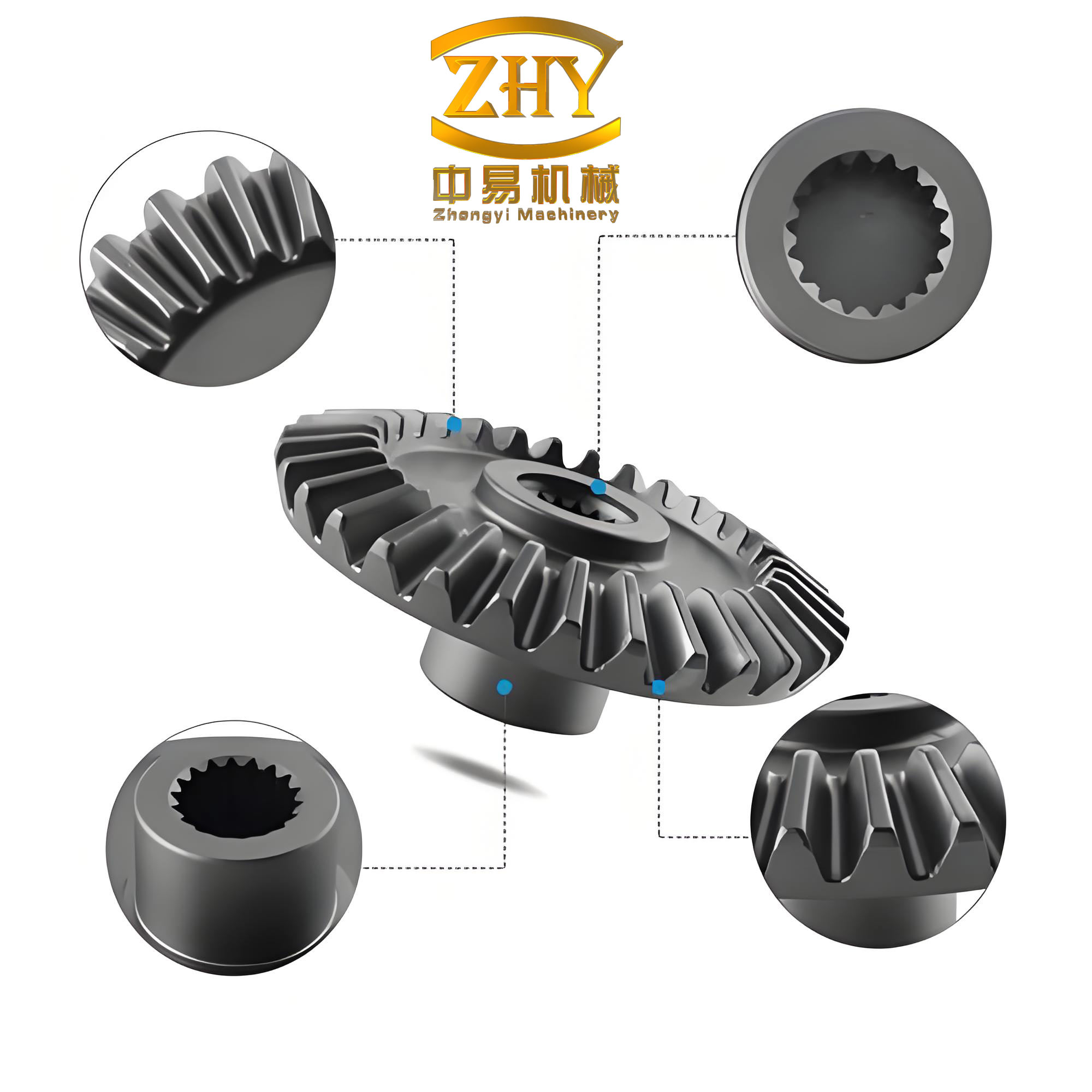
The image above shows a representative straight bevel gear model. I use it as a visual reference when I verify the completeness of my own models. The tooth shape, the taper along the face width, and the circular pattern are all visible. This is the type of geometry that I aim to reproduce with exact spherical involute surfaces.
The following table summarizes the symbols and their meanings. I use these symbols consistently in the equations and in the modeling workflow.
| Symbol | Meaning |
|---|---|
| \(R\) | Cone distance at the large end |
| \(B\) | Face width of the straight bevel gear |
| \(\delta_b\) | Base cone angle |
| \(\delta_a\) | Addendum cone angle |
| \(\delta\) | Pitch cone angle |
| \(\phi\) | Rolling parameter around the base cone |
| \(\psi\) | Angle between the point and the instantaneous axis |
| \(m\) | Large-end module |
| \(\theta_1\) | Angle from the base involute start to the pitch point |
| \(\theta_2\) | Half-tooth thickness angle at the pitch cone |
| \(\theta\) | Total rotation angle for the opposite tooth side |
The coordinate transformations are also summarized in the next table. These matrices are used to move between the moving system and the fixed system.
| Transformation | Matrix | Description |
|---|---|---|
| \(M_1\) | \(\begin{bmatrix}\sin\phi & \cos\phi & 0 & 0\\-\cos\phi & \sin\phi & 0 & 0\\0 & 0 & 1 & 0\\0 & 0 & 0 & 1\end{bmatrix}\) | Rotation about the instantaneous axis |
| \(M_2\) | \(\begin{bmatrix}1 & 0 & 0 & 0\\0 & \cos\delta_b & \sin\delta_b & 0\\0 & -\sin\delta_b & \cos\delta_b & 0\\0 & 0 & 0 & 1\end{bmatrix}\) | Inclination by the base cone angle |
I often use a compact table to compare the large-end and small-end equations. This helps me avoid mistakes when I program the formulas in Matlab.
| Quantity | Large end | Small end |
|---|---|---|
| Cone distance | \(R\) | \(R-B\) |
| Right-side \(x\)-coordinate | \(Q_x(\phi)\) | \(Q_x^{\text{small}}(\phi)\) |
| Right-side \(y\)-coordinate | \(Q_y(\phi)\) | \(Q_y^{\text{small}}(\phi)\) |
| Right-side \(z\)-coordinate | \(Q_z(\phi)\) | \(Q_z^{\text{small}}(\phi)\) |
| Left-side \(x\)-coordinate | \(P_x(\phi)\) | \(P_x^{\text{small}}(\phi)\) |
| Left-side \(y\)-coordinate | \(P_y(\phi)\) | \(P_y^{\text{small}}(\phi)\) |
| Left-side \(z\)-coordinate | \(P_z(\phi)\) | \(P_z^{\text{small}}(\phi)\) |
The parameter range for \(\phi\) is crucial. If I stop too early, the involute does not reach the addendum. If I extend too far, the curve passes beyond the useful tooth region. I use the following inequality to set the range for all spherical involutes of the straight bevel gear:
$$
0 \le \phi \le \frac{\arccos\left(\frac{\cos\delta_a}{\cos\delta_b}\right)}{\sin\delta_b}
$$
When I discretize \(\phi\), I typically use several hundred points. A very small step gives a smoother curve, but it also produces a larger XYZ file. I have found that 300 to 500 points per curve is sufficient for most straight bevel gears. The exact number depends on the module and the required surface quality. For a coarse model used only for visualization, 100 points may be enough. For a model used in finite element analysis or contact simulation, I prefer at least 500 points. I can also use an adaptive step size, placing more points near the root and the tip where the curvature changes rapidly.
The numerical workflow in Matlab is straightforward. I define the gear parameters, compute the upper limit of \(\phi\), create a vector of \(\phi\) values, and evaluate the equations for \(Q_x\), \(Q_y\), \(Q_z\), \(P_x\), \(P_y\), and \(P_z\). I do this for both the large end and the small end. Then I write the coordinates to a text file in a format that SolidWorks can read. SolidWorks expects three columns, one for \(X\), one for \(Y\), and one for \(Z\). I save each curve in a separate file, or I combine multiple curves into one file if the curve tool allows it. In my experience, separate files are easier to manage because I can load each curve independently and assign it to the correct boundary of the surface.
Inside SolidWorks, I use the curve through XYZ points feature. I insert a curve, select the text file, and SolidWorks generates a spline that passes through the points. Because the points come from the exact spherical involute equations, the resulting curve is a very accurate representation of the true tooth profile. I repeat this process for the large-end right side, the large-end left side, the small-end right side, and the small-end left side. For the addendum arcs, I can either compute them in Matlab and import them as additional XYZ curves or create them directly in a sketch. The sketch approach is often faster because the addendum arc is simply a circular arc on a cone. I create a plane perpendicular to the cone axis, sketch a circle with the appropriate radius, and then intersect it with the cone. SolidWorks provides an intersection curve tool that does this automatically.
Once the four boundary curves and the two addendum arcs are in place, I create the boundary surface. I select the large-end profile and the small-end profile as the two direction curves. I may also select the side curves as guide curves to ensure that the surface follows the spherical involute. The boundary surface feature then generates a smooth surface that connects the profiles. I examine the surface for any self-intersections or wrinkles. If the surface is clean, I thicken it. The thicken feature offsets the surface by a specified distance. I choose the offset direction so that the material lies on the correct side of the tooth. For straight bevel gears, the tooth thickness is usually defined at the pitch cone. I calculate the required offset from the difference between the theoretical tooth thickness and the surface position. In many cases, I simply thicken the surface by half the tooth thickness and then mirror it to create the full tooth. However, for a single tooth, I can also thicken symmetrically about the surface if the surface represents the mid-surface of the tooth.
After thickening, I have a solid tooth. I then create a circular pattern. I select the gear axis as the pattern axis, set the number of instances to the number of teeth, and set the angular spacing to \(360^\circ / N\). SolidWorks automatically rotates the tooth and merges the bodies. The result is a complete straight bevel gear. I often add a hub, a bore, and keyways at this stage, but these features are not part of the tooth geometry. They can be added with standard extrude and cut features.
The following table lists the main steps of the SolidWorks workflow and the corresponding tools. I use this table as a checklist when I build a new model.
| Step | Action | SolidWorks tool |
|---|---|---|
| 1 | Generate spherical involute points in Matlab | External calculation |
| 2 | Import large-end right curve | Curve through XYZ points |
| 3 | Import large-end left curve | Curve through XYZ points |
| 4 | Import small-end right curve | Curve through XYZ points |
| 5 | Import small-end left curve | Curve through XYZ points |
| 6 | Create addendum arcs at both ends | Sketch and intersection curve |
| 7 | Create tooth surface | Boundary surface |
| 8 | Convert surface to solid | Thicken or knit and solidify |
| 9 | Pattern the tooth | Circular pattern |
| 10 | Add hub, bore, and fillets | Extrude, cut, fillet |
I have compared the boundary surface method with the traditional back-cone approximation. The differences are significant for straight bevel gears with large cone angles or wide face widths. The back-cone method replaces the spherical involute with a planar involute on the back cone. This approximation is equivalent to projecting the spherical involute onto a plane. The error increases as the cone angle increases and as the face width increases. The boundary surface method avoids this error because it uses the spherical involute directly. The following table summarizes the comparison.
| Aspect | Back-cone approximation | Boundary surface method |
|---|---|---|
| Profile accuracy | Approximate, error grows with cone angle | Exact spherical involute |
| Small-end geometry | Often approximated or scaled | Exact by replacing \(R\) with \(R-B\) |
| Surface continuity | May have discontinuities | Smooth and continuous |
| CAD effort | Low | Moderate |
| CAM readiness | Limited for high precision | High |
| Parameterization | Simple but less accurate | Fully parameterized |
One of the main advantages of my method is parameterization. I can change the module, the number of teeth, the pressure angle, the face width, and the cone angles, and then regenerate the spherical involute points. Because the equations are explicit, I do not need to rebuild the model from scratch. I can write a script that reads the gear parameters, computes the curves, and exports the XYZ files. Then I run a SolidWorks macro that imports the curves, creates the surface, thickens it, and patterns it. This makes the method suitable for designing families of straight bevel gears. For example, if I need a series of gears with the same module but different tooth counts, I only change \(N\) and the cone angles. The spherical involute equations remain the same. This flexibility is valuable in product development and in custom gear design.
I also use the method to study the influence of manufacturing errors. Because the model is exact, I can compare it with a measured gear or with a gear produced by a specific cutting process. I can simulate the cutting process by generating the tool path and subtracting the tool material from the blank. The exact model serves as the reference. I can then analyze the deviation between the reference and the simulated manufactured surface. This type of analysis is important for straight bevel gears because their tooth surfaces are difficult to inspect and measure. A precise CAD model gives me a reliable baseline.
In terms of finite element analysis, the boundary surface method produces a watertight solid that can be meshed without gaps. The tooth root fillet can be added after the tooth is created, or it can be included in the boundary surface by extending the spherical involute into the root region. I usually add the fillet as a separate feature because the root geometry depends on the cutting tool. However, for a purely geometric study, I can extend the involute slightly beyond the base circle and then trim it with the root cone. This gives a smooth transition from the involute to the root. I have found that the mesh quality is better when the tooth surface is smooth and the curvature is continuous. The boundary surface method helps achieve this.
The mathematical derivation also gives me insight into the properties of straight bevel gears. For example, the spherical involute is not a planar curve. It lies on a sphere. The radius of the sphere changes from the large end to the small end. Therefore, the tooth profile is not simply a scaled version of the large-end profile. If I scale the large-end profile, I introduce an error because the spherical involute of a smaller sphere is not a scaled copy of the spherical involute of a larger sphere. The correct small-end profile must be generated with \(R-B\) in the equations. This is a subtle but important point. Many simplified models of straight bevel gears ignore this and simply scale the large end. My method avoids this error by deriving the small-end equations independently.
Another subtle point is the orientation of the left and right flanks. The two flanks of a tooth are not mirror images in the usual sense. They are generated by the same rolling motion but on opposite sides of the tooth. The rotation angle \(\theta\) that I derived accounts for the tooth thickness and the position of the pitch point. If I use the wrong angle, the tooth thickness will be incorrect, and the gear will not mesh properly with its mate. I therefore calculate \(\theta_1\) and \(\theta_2\) carefully and verify the tooth thickness at the pitch cone. The following equation gives the chordal tooth thickness at the large end, which I use as a check:
$$
s = 2 R \sin\delta \sin\left(\frac{\theta_2}{2}\right)
$$
For a standard straight bevel gear, the chordal tooth thickness should be close to \(0.5\pi m\). Small deviations can occur because the chordal thickness is slightly less than the arc thickness. I account for this by using the arc thickness in the derivation and then checking the chordal thickness in the model. If the model is correct, the measured chordal thickness will match the theoretical value within a small tolerance.
I also verified the spherical involute equations by checking special cases. When the cone angle approaches zero, the straight bevel gear becomes a cylindrical gear, and the spherical involute should approach the planar involute. When the cone angle approaches \(90^\circ\), the gear becomes a crown gear, and the spherical involute becomes a planar curve on the plane of the crown. These limiting cases are useful for debugging the equations. I have tested my implementation against these cases and found good agreement.
In practice, I use the following parameter values for a typical straight bevel gear: module \(m = 3\) mm, number of teeth \(N = 20\), pressure angle \(\alpha = 20^\circ\), face width \(B = 20\) mm, and cone distance \(R = 60\) mm. The pitch cone angle is \(\delta = \arctan(N/N_{\text{mate}})\), where \(N_{\text{mate}}\) is the number of teeth on the mating gear. The base cone angle is \(\delta_b = \arcsin(\sin\delta \cos\alpha)\). The addendum cone angle is \(\delta_a = \delta + \arctan(h_a/R)\), where \(h_a\) is the addendum. These values are used to compute the spherical involute points. The following table shows the parameter set for this example.
| Parameter | Value |
|---|---|
| Module \(m\) | 3 mm |
| Number of teeth \(N\) | 20 |
| Pressure angle \(\alpha\) | \(20^\circ\) |
| Face width \(B\) | 20 mm |
| Cone distance \(R\) | 60 mm |
| Pitch cone angle \(\delta\) | \(45^\circ\) (for a 1:1 ratio) |
| Base cone angle \(\delta_b\) | \(\arcsin(\sin 45^\circ \cos 20^\circ)\) |
| Addendum cone angle \(\delta_a\) | \(\delta + \arctan(h_a/R)\) |
| Maximum \(\phi\) | \(\frac{\arccos(\cos\delta_a/\cos\delta_b)}{\sin\delta_b}\) |
The maximum value of \(\phi\) depends on the addendum cone angle. For the example above, \(\delta_b \approx 41.8^\circ\), \(\delta_a \approx 47.5^\circ\), and the maximum \(\phi\) is about \(0.75\) radians. I discretize this range into 400 points. The resulting XYZ files contain 400 rows and three columns. SolidWorks reads these files and creates smooth splines. I have found that the curve through XYZ points feature is very reliable for this application. It uses a cubic spline interpolation, which matches the smooth nature of the spherical involute. I do not need to use a large number of points because the spline interpolation is accurate. However, I avoid using too few points because the spline may deviate from the true involute between the points. A good compromise is 200 to 500 points per curve.
When I create the boundary surface, I sometimes need to adjust the order of the curves. The boundary surface feature works best when the two primary curves have the same number of segments and the same direction. I therefore generate the large-end and small-end curves with the same number of points and the same orientation. I also make sure that the start points of the curves correspond to the same angular position on the tooth. This consistency helps the boundary surface algorithm produce a clean surface. If the curves are not aligned, the surface may twist or self-intersect. I have learned to check the alignment before creating the surface. This saves time and avoids frustration.
The thicken feature is another important step. I usually thicken the surface by the full tooth thickness. The surface represents one flank of the tooth. I then mirror it to create the other flank. Alternatively, I can create both flanks as separate surfaces and then knit them together with the root and addendum surfaces. The mirror approach is simpler because it guarantees symmetry. However, for straight bevel gears, the two flanks are not perfectly symmetric if the pressure angle is not symmetric or if the tooth thickness is modified. In standard gears, the flanks are symmetric about the tooth center plane. I therefore use the mirror approach for standard gears and the two-surface approach for non-standard gears. Both approaches work well with the boundary surface method.
After the tooth is solidified, I apply a circular pattern. The pattern axis is the gear axis. I use the full circle pattern with equal spacing. The number of instances is the number of teeth. If the tooth is not centered correctly, the pattern will produce overlapping or gapped teeth. I therefore position the first tooth so that its center line is at the correct angular position. I can calculate this position from the tooth thickness and the pitch cone. In practice, I create a reference plane that passes through the gear axis and the tooth center, and then I sketch the first tooth symmetrically about this plane. This ensures that the pattern is correct. I have used this technique for many straight bevel gears, and it always produces a clean result.
I also add a root fillet to the tooth. The root fillet is important for stress distribution. In my method, the boundary surface ends at the root cone. I can extend the surface slightly below the root cone and then create a fillet between the tooth flank and the root surface. SolidWorks has a fillet feature that works well on the solid tooth. I choose a fillet radius that corresponds to the standard root fillet radius for the cutting tool. If I do not know the exact tool geometry, I use a conservative radius, such as \(0.38m\), which is typical for a standard 20-degree pressure angle gear. The fillet reduces stress concentrations and makes the model more realistic.
The following table lists some common sources of error in straight bevel gear modeling and how the boundary surface method addresses them.
| Error source | Traditional approach | Boundary surface method |
|---|---|---|
| Planar approximation of spherical involute | Significant for large cone angles | Eliminated by using exact equations |
| Scaling large-end profile to small end | Common but incorrect | Small-end equations use \(R-B\) |
| Incorrect tooth thickness | May occur if \(\theta\) is not computed | Explicit calculation of \(\theta_1\) and \(\theta_2\) |
| Surface discontinuities | Possible with lofted surfaces | Smooth boundary surface |
| Misaligned curves | Manual alignment errors | Consistent point generation |
| Pattern errors | Incorrect angular spacing | Exact circular pattern |
I have also explored the use of the boundary surface method for other types of bevel gears. The same principle applies to spiral bevel gears, but the generation motion is more complex because the tooth trace is curved. For straight bevel gears, the generation motion is a simple rolling motion, and the spherical involute is the exact profile. I therefore focus on straight bevel gears in this article. The method is well suited to them, and it provides a level of accuracy that is difficult to achieve with approximate methods.
In terms of computational cost, the method is very efficient. The mathematical calculations are simple algebraic and trigonometric operations. A typical desktop computer can compute 400 points for four curves in less than a second. The SolidWorks operations are also fast. The boundary surface feature may take a few seconds for a complex tooth shape, but it is not a bottleneck. The most time-consuming part is often the manual selection of curves and the verification of the surface. I can automate these steps with a macro, which reduces the modeling time to a few minutes per gear. This is acceptable for most design projects.
I believe that the boundary surface method is a practical solution for accurate modeling of straight bevel gears. It combines the rigor of the spherical involute theory with the convenience of modern CAD tools. It avoids the inaccuracies of the back-cone approximation while remaining accessible to engineers who are familiar with SolidWorks. I have used it successfully for gears with different modules, numbers of teeth, and cone angles. The models are clean, watertight, and suitable for further analysis. I therefore recommend it for anyone who needs precise straight bevel gear models.
To summarize the mathematical core, I present the complete set of equations for the large-end right-side spherical involute of a straight bevel gear. These equations are the basis of the XYZ point generation.
$$
Q_x(\phi) = R\left[\cos(\phi\sin\delta_b)\sin\delta_b\cos\phi + \sin(\phi\sin\delta_b)\sin\phi\right]
$$
$$
Q_y(\phi) = R\left[\cos(\phi\sin\delta_b)\sin\delta_b\sin\phi – \sin(\phi\sin\delta_b)\cos\phi\right]
$$
$$
Q_z(\phi) = R\cos(\phi\sin\delta_b)\cos\delta_b
$$
For the left side, I use the rotation angle \(\theta\) and the transformation:
$$
P_x(\phi) = Q_x(\phi)\cos 2\theta + Q_y(\phi)\sin 2\theta
$$
$$
P_y(\phi) = Q_x(\phi)\sin 2\theta – Q_y(\phi)\cos 2\theta
$$
$$
P_z(\phi) = Q_z(\phi)
$$
For the small end, I replace \(R\) with \(R-B\) in all equations. The parameter range is:
$$
0 \le \phi \le \frac{\arccos\left(\frac{\cos\delta_a}{\cos\delta_b}\right)}{\sin\delta_b}
$$
These equations are sufficient to generate the entire tooth surface for a straight bevel gear. I have verified them numerically and graphically. The resulting curves match the expected spherical involute shape. The tooth thickness at the pitch cone is correct when \(\theta\) is computed as described. The small-end profile is a true spherical involute on the smaller sphere, not a scaled copy. This is the key to the accuracy of the method.
I also want to emphasize that the boundary surface method is not limited to SolidWorks. The same approach can be used in other CAD systems that support curve import and surface creation. The mathematical equations are independent of the software. I have used similar workflows in other platforms, and the results are consistent. SolidWorks is convenient because it has a robust curve through XYZ points feature and a powerful boundary surface tool. But the method is general. This is important for engineers who work in different CAD environments.
In conclusion, I have presented a detailed method for the accurate 3D modeling of straight bevel gears. I derived the spherical involute equations from the generation principle. I explained how to obtain both the large-end and small-end profiles, and how to generate the left and right flanks. I described the numerical discretization and the SolidWorks workflow. I used tables and formulas to summarize the key parameters and equations. I also compared the method with traditional approximations and discussed its advantages. I am confident that this method can help designers and engineers produce precise models of straight bevel gears for analysis, manufacturing, and simulation. The boundary surface method is a reliable and practical approach that I will continue to use in my own work.