
In the realm of mechanical design and manufacturing, the creation of accurate and easily modifiable digital models is paramount. As a comprehensive CAD/CAM/CAE system, Siemens NX (Unigraphics NX) provides robust tools for this purpose, founded on high reliability and offering a diverse array of design functionalities. Among the most critical components in power transmission systems are involute gears. This article details my methodology for achieving fully parametric and precise 3D modeling of standard external spur and pinion gears by leveraging NX’s powerful expression and feature modeling capabilities. The focus is on creating a model where key dimensions are driven by a core set of parameters, enabling the rapid generation of a family of similar spur and pinion gear designs from a single template.
The fundamental concept behind this approach is parametric design. A parametric model uses constraints to define the shape characteristics of a product and employs a set of parameters to control the final design outcome. By altering the values of these driving parameters, one can efficiently generate a series of parts with similar geometry. The two primary techniques in parametric design are program-driven and dimension-driven methods. The program-driven method involves analyzing the geometric model to establish the primary parameters and the mathematical relationships between all dimensions. This logic is encoded, allowing the model to be regenerated by simply inputting a few key values. Dimension-driven design, the more common approach in interactive CAD, allows the geometry to update automatically when a dimension value is changed. To implement this, one must first create a dimension-driven sketch (often under-constrained initially) and then apply dimensional and geometric constraints to fully define it. This forms the flexible foundation for our spur and pinion gear model.
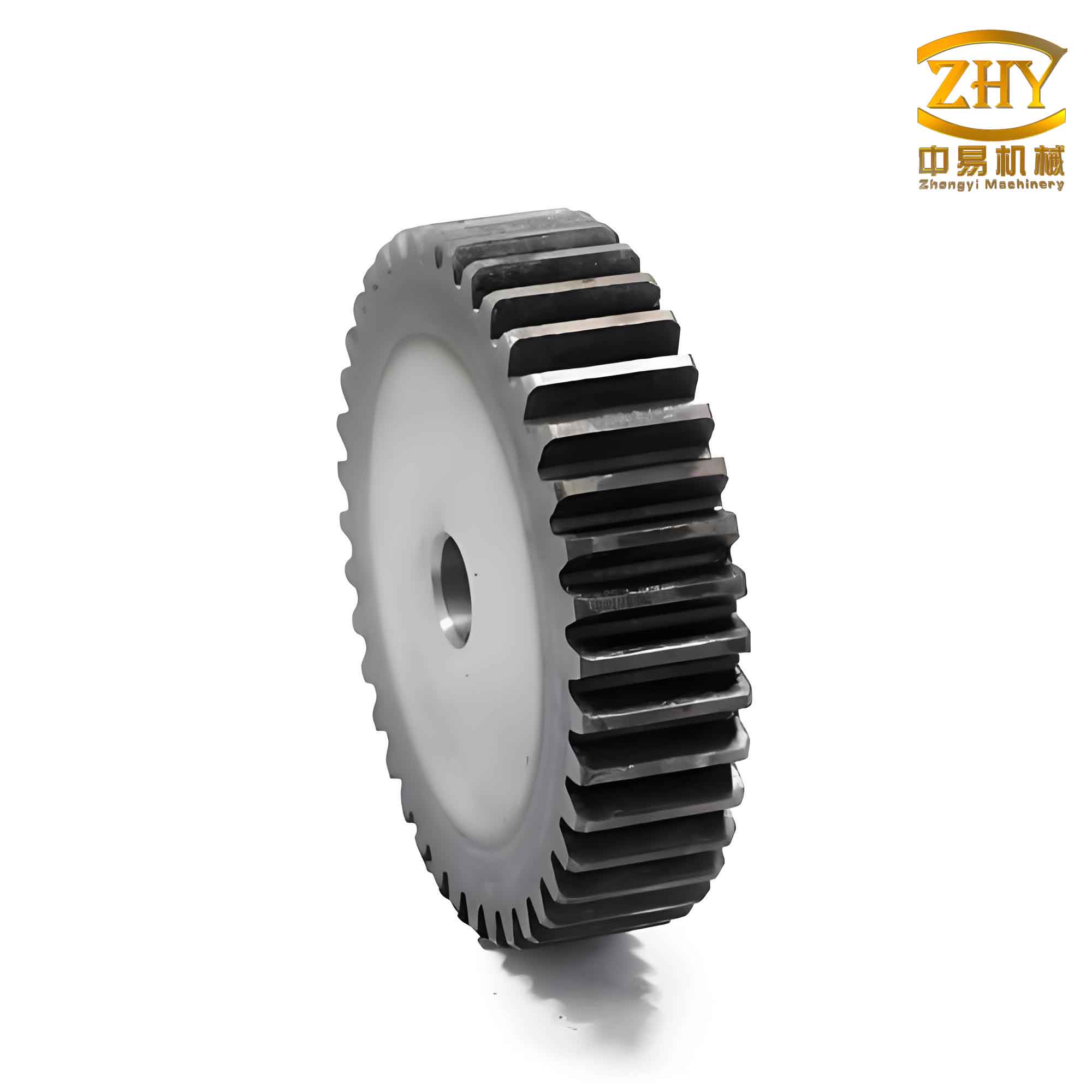
Mathematical Foundation and Parameter Definition
The geometry of a standard involute spur and pinion gear is governed by a set of fundamental parameters. Before beginning any 3D modeling, these parameters must be defined and initialized within NX’s expression editor. All variables must be pre-defined, and the expression syntax requires the use of alphanumeric names. The table below lists the essential parameters and their common symbols.
| Parameter Name | Common Symbol | NX Expression Variable (Example) | Initial Value (Example) |
|---|---|---|---|
| Number of Teeth | z | z | 24 |
| Module | m | m | 3 (mm) |
| Pressure Angle | α | alpha_deg (for degrees) / alpha_rad (for radians) | 20 (deg) |
| Addendum Coefficient | h_a* | ha_star | 1.0 |
| Dedendum/Clearance Coefficient | c* | c_star | 0.25 |
| Face Width | b | b | 20 (mm) |
From these basic parameters, all other critical gear diameters are derived using standard gear geometry formulas. These derived expressions are crucial for driving the sketch geometry. They must be created in the expression editor with consistent units.
$$
\begin{align*}
\text{Pitch Diameter:} \quad & d = m \cdot z \\
\text{Base Diameter:} \quad & d_b = d \cdot \cos(\alpha) \\
\text{Addendum Diameter:} \quad & d_a = d + 2 \cdot h_a^* \cdot m = m \cdot (z + 2h_a^*) \\
\text{Dedendum Diameter:} \quad & d_f = d – 2 \cdot (h_a^* + c^*) \cdot m = m \cdot (z – 2h_a^* – 2c^*)
\end{align*}
$$
In NX expressions, these would be written as:
d = m * z
db = d * cos(alpha_rad)
da = d + 2 * ha_star * m
df = d - 2 * (ha_star + c_star) * m
Note: `alpha_rad` would be defined as `alpha_deg * pi() / 180`.
Constructing the Gear Profile: Sketches and the Involute Curve
The modeling process begins on a datum plane (e.g., XC-YC). Using the sketch environment, the four key circles—Base Circle, Pitch Circle, Dedendum Circle, and Addendum Circle—are drawn. Instead of assigning numerical diameters, we apply dimensional constraints and link them to the expressions defined earlier (`db`, `d`, `df`, `da`). A geometric constraint is used to make all circles concentric. This establishes the parametric framework for the gear blank.
The heart of an accurate spur and pinion gear model is the precise generation of the involute tooth profile. The involute curve can be defined parametrically. In NX, this is accomplished using the **Law Curve** tool or by entering parametric equations directly. The Cartesian coordinates for an involute are given by:
$$
\begin{align*}
x(t) &= \frac{d_b}{2} \cdot \left[ \cos(t) + t \cdot \sin(t) \right] \\
y(t) &= \frac{d_b}{2} \cdot \left[ \sin(t) – t \cdot \cos(t) \right] \\
\end{align*}
$$
Where \( t \) is the roll angle in radians. In NX’s expression-driven curve dialog, we define:
`t` as a system variable (e.g., ranging from 0 to a suitable limit like 0.7), `xt` as `(db/2) * (cos(t) + t * sin(t))`, and `yt` as `(db/2) * (sin(t) – t * cos(t))`. This creates one side of an involute curve emanating from the base circle. A single tooth flank is defined by a segment of this involute between the base circle and the addendum circle.
Tooth Profile Completion and 3D Modeling Strategy
A critical consideration is the completeness of the tooth profile for different numbers of teeth. The geometry differs depending on whether the base circle is larger than the dedendum circle.
| Condition | Description | Modeling Strategy |
|---|---|---|
| z ≥ 41 (or when d_b > d_f) | The involute curve originates *inside* the dedendum circle. The profile from the dedendum circle to the base circle is a radial line (straight fillet). | 1. Create the involute from base to addendum circle. 2. Draw a line from the start of the involute (on base circle) tangent down to the dedendum circle. 3. Use geometric constraints: line endpoint on dedendum circle, line tangent to the involute at its start point. |
| z < 41 (or when d_b ≤ d_f) | The base circle is *smaller than or equal to* the dedendum circle. The active involute profile runs directly from the dedendum circle to the addendum circle. | The involute curve segment between the dedendum and addendum circles forms the entire active flank. No connecting line is needed for the fillet region (though a true trochoidal fillet is more accurate, a simplified radial line or dedicated fillet is often used for strength). |
In my parametric approach, I typically handle the more general and common case requiring a constructed fillet. The procedure within the sketch is as follows:
- Draw the addendum (`da`) and dedendum (`df`) circles.
- Insert the predefined involute law curve into the sketch.
- Draw a construction line from the curve’s start point (on the base circle) to the dedendum circle.
- Apply a **tangent** constraint between this line and the involute curve at the start point.
- Apply a **point on curve** constraint to place the other endpoint of the line on the dedendum circle.
This ensures the profile remains parametrically intact when parameters change. The mirror image of this flank is created about the gear’s centerline, spaced by one tooth thickness (which is theoretically `π*m / 2` on the pitch circle). These two flanks, trimmed by the addendum and dedendum circles, form a closed loop for a single tooth space.
Three-Dimensional Solid Modeling and Parameterization
With a closed tooth-space profile defined in a sketch, the 3D model is built using feature operations:
- Gear Blank: Exit the sketch. Use the `Extrude` command on the addendum circle (`da`) profile for a distance equal to the face width `b`. This creates the basic gear cylinder.
- Single Tooth Space: Use the `Extrude` command on the closed tooth-space profile. Choose the `Subtract` boolean operation, with the gear blank as the target, to cut out one tooth gap.
- Circular Pattern: Use the `Instance Feature` (or `Pattern Feature`) command to create a circular array of the subtracted tooth gap. The number of instances is the number of teeth `z`, and the angular spacing is `360/z` degrees. The axis of the extruded cylinder serves as the rotation axis.
- Root Fillet: After patterning, apply a `Edge Blend` (fillet) to the root of each tooth gap. For standardization, a common fillet radius is `R = 0.38 * m`. Applying it to one root edge after patterning automatically propagates due to the pattern association, maintaining full parametric control.
The model is now complete. The power of parametric design is realized by changing the driving parameters. In NX, this can be done in several ways:
- Directly editing the values in the **Expressions** dialog (`Tools -> Expressions`).
- Exporting the expressions to a `.exp` file, editing the values in a text editor, and re-importing them.
- Using the **Spreadsheet** functionality in NX to link and control the parameters in a tabular format, then updating the model.
- Modifying parameters directly in the **Part Navigator**’s feature tree under the relevant sketch or expression nodes.
Altering the module `m` or the number of teeth `z` will cause the entire gear—diameters, tooth profile, and number of teeth—to update correctly, demonstrating a true parametric spur and pinion gear model. For instance, changing `z` from 24 to 30 will instantly regenerate a 30-tooth gear with correctly proportioned teeth.
Key Considerations for a Robust Model
Building a stable, error-free parametric model requires attention to detail. Here are critical points based on my experience:
- Order of Operations: The involute curve must be created *before* entering the sketch environment. If created after, it may not be selectable within the sketch for constraints. Alternatively, the modeling sequence in the Part Navigator can be reordered if needed.
- Fillet Timing: The root fillet must be applied *after* the circular pattern feature. If applied to the first tooth gap before patterning, the fillet feature itself might not pattern correctly or could cause rebuild errors when parameters change.
- Constraint Robustness: In the sketch, avoid using the `Quick Trim` function on the involute spline, as this can break its parametric link. Instead, use precise geometric and dimensional constraints to define the profile boundary. The `Trim Curve` command outside the sketch can be used if necessary, but within the sketch, constraints are king.
- Expression Consistency: Ensure all expressions use consistent units (e.g., all lengths in mm, angles in degrees converted to radians for trig functions). Inconsistent units are a common source of expression errors and model failures.
- Model Validation: After setting up the model, test it by changing parameters to extreme values (very low and high tooth counts, different modules) to ensure the sketches solve and features regenerate without failure. This validates the robustness of the constraints and logic.
Conclusion
Utilizing the sophisticated expression and feature-based modeling tools within Siemens NX enables the creation of a fully parametric and precise 3D model of a standard involute spur and pinion gear. This methodology transcends traditional, labor-intensive modeling techniques that often result in static, non-editable geometry. By encapsulating the rigorous mathematics of the involute curve and standard gear geometry into a system of driven dimensions and constraints, the designer gains immense flexibility. A single model file can serve as a template for an entire family of gears, where modifying a handful of key parameters—module, tooth count, pressure angle, face width—automatically regenerates a geometrically correct component. This not only accelerates the design process but also ensures accuracy and consistency, which are critical for subsequent analysis (CAE), manufacturing (CAM), and overall product development efficiency. The parametric approach detailed here forms a foundational technique that can be extended to more complex gear types, including helical gears, bevel gears, and worm gears, solidifying its value in advanced mechanical design workflows.