
In the field of mechanical design, Pro/ENGINEER (PROE) has become one of the most widely used CAD software due to its single database, parametric modeling, feature-based design, and full data associability. However, building complex or repetitive product models, such as gears with varying parameters, can be extremely time-consuming. To accelerate design efficiency and facilitate product updates, it is highly beneficial to develop customized applications within the PROE environment. While PROE offers a powerful secondary development toolkit called Pro/Toolkit, it relies on C or C++ programming, which poses a steep learning curve for many engineers. An alternative approach, which I have adopted, leverages Visual Basic (VB) along with Automation Gateway (AGW) – a third-party tool from RAND Corporation. This method significantly simplifies the development process. In this article, I will systematically describe how I used VB and AGW to create a parametric modeling application for an involute straight spur gear, allowing quick generation of gear models with user-defined parameters.
The relationship among VB, PROE, and AGW can be illustrated as a bridge: AGW acts as the communication layer between VB and PROE, enabling VB programs to access and manipulate PROE’s underlying resources. This approach is particularly suitable for engineers who are already familiar with VB but lack C programming experience. The development process consists of three main stages: first, creating a correct base parametric model of the involute straight spur gear in PROE; second, designing a user-friendly GUI in VB; and third, writing the VB code that drives PROE via AGW to regenerate the gear model according to the input parameters.
1. Parametric Modeling of the Involute Straight Spur Gear in PROE
The first step is to build an accurate and robust base model of the involute straight spur gear using PROE’s interactive modeling tools. The model must satisfy three conditions: (1) correct sequence and references of features, so that modifications do not cause regeneration failures; (2) all dimensions are controlled by relations and design variables; (3) parameter ranges must comply with mechanical design standards to ensure manufacturability. I selected a set of fundamental design variables that fully define the gear geometry. These are listed in Table 1.
| Parameter Name | Variable |
|---|---|
| Number of teeth | z |
| Module | m |
| Pressure angle | alpha |
| Addendum coefficient | hax |
| Clearance coefficient | cx |
| Face width | b |
| Profile shift coefficient | x |
From these primary variables, a set of derived variables is computed using standard gear geometry formulas, as shown in Table 2.
| Derived Parameter | Formula |
|---|---|
| Addendum | $$h_a = (hax + x) \cdot m$$ |
| Dedendum | $$h_f = (hax + cx – x) \cdot m$$ |
| Pitch circle diameter | $$d = m \cdot z$$ |
| Base circle diameter | $$d_b = d \cdot \cos(alpha)$$ |
| Tip circle diameter | $$d_a = d + 2 \cdot h_a$$ |
| Root circle diameter | $$d_f = d – 2 \cdot h_f$$ |
The involute tooth profile is defined by the parametric equation in Cartesian coordinates, using the base circle radius \(r = d_b/2\). I used the following equation in PROE’s curve definition:
$$x = r \cdot \cos\theta + r \cdot \sin\theta \cdot \theta \cdot \frac{\pi}{180}$$
$$y = r \cdot \sin\theta – r \cdot \cos\theta \cdot \theta \cdot \frac{\pi}{180}$$
$$z = 0$$
Here, \(\theta\) is an angle variable ranging from 0 to \(45^\circ\) (or \(t \cdot 45\) in PROE notation). This creates one involute curve; the opposite flank is generated by mirroring. After creating a single tooth, the gear body is formed by patterning the tooth feature around the axis.
To ensure robust regeneration when parameters change, I added a relation to control the root fillet radius:
$$
\text{sd0} = \begin{cases}
0.38 \cdot m & \text{if } hax \geq 1 \\
0.38 \cdot m & \text{if } hax < 1
\end{cases}
$$
Note that in both cases the same formula applies; this is merely a placeholder for more complex conditional logic if needed. The completed base model was saved as gear.prt. The following figure shows the general appearance of the involute straight spur gear model.
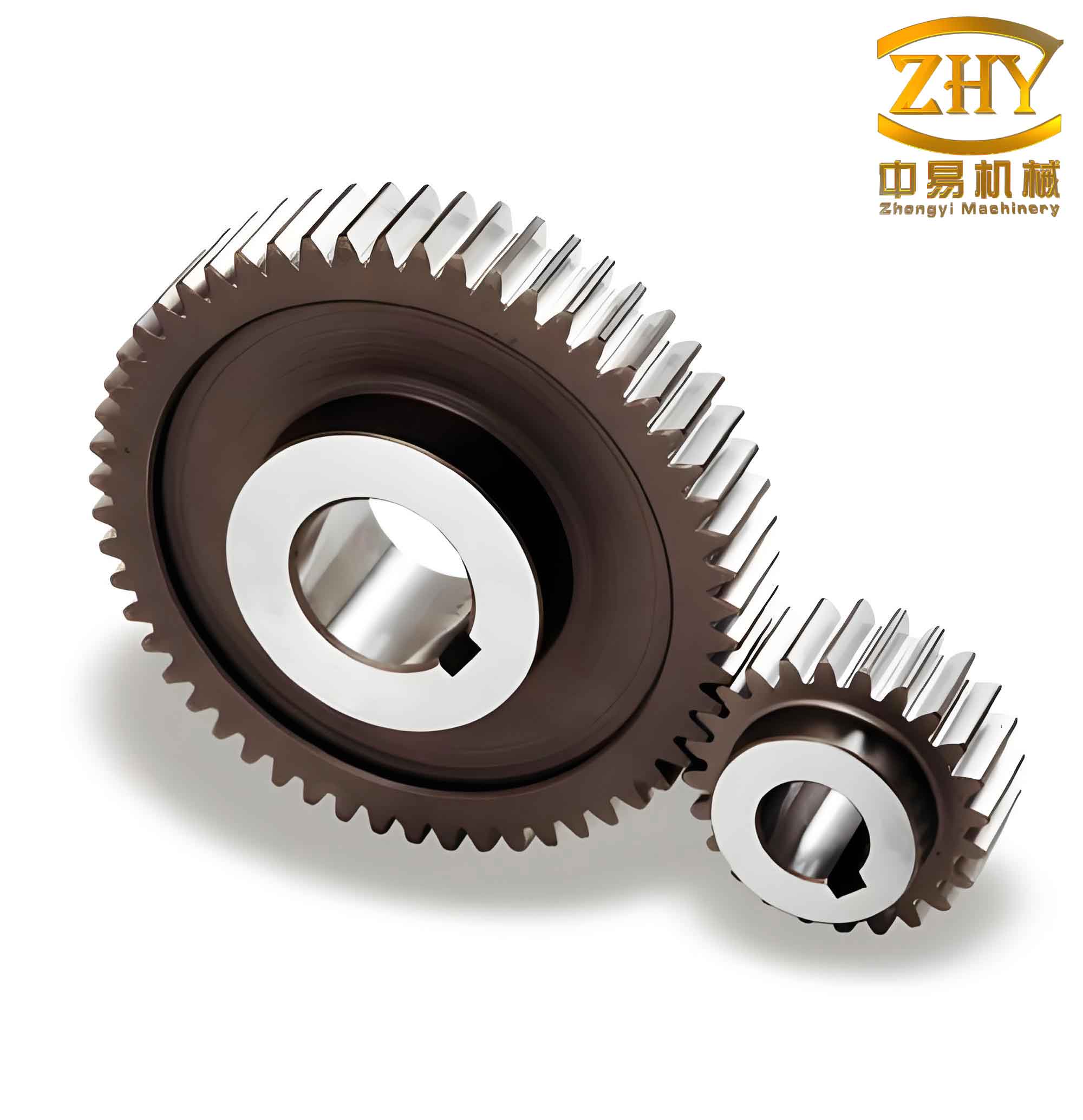
It is important to note that the model must be thoroughly tested with various parameter combinations to ensure that all features regenerate without errors. For instance, changing the number of teeth may affect the pattern count; I used a relation to automatically update the pattern instance count based on the value of \(z\).
2. Designing the User Interaction Interface in VB
With the base model ready, the next step is to create a VB application that provides a simple interface for parameter input. I used Visual Basic 6.0 and added the AGW ActiveX control (GwayAX) to the project by referencing “GWAX RAND Automation Gateway V2.0 – Type Library” in the Project > References dialog. The main form contains a frame with the title “Parametric Modeling of Straight Spur Gear”. Inside the frame, I placed seven Label controls (Label1 to Label7) and seven corresponding TextBox controls (Text1 to Text7). The labels were captioned: “Number of teeth”, “Module”, “Pressure angle”, “Face width”, “Addendum coefficient”, “Clearance coefficient”, and “Profile shift coefficient”. I also added a PictureBox to display a preloaded gear image for visual reference. Finally, a CommandButton with the caption “Generate Gear Model” was placed at the bottom of the form. The completed interface is intuitive: users simply enter the desired values and click the button.
3. Programming the Application Logic
The core of the application lies in the event handler for the “Generate Gear Model” button. The code performs the following operations: (1) retrieve the base gear model file into PROE memory; (2) set it as the current active model; (3) assign the new parameter values from the text boxes; (4) regenerate the model. Below is the essential VB code:
Public gateway1 As New GwayAX

Private Sub Command1_Click()
    gateway1.ModelRetrieve "G:\PROE\EXCISE\gear.prt"
    gateway1.SessionSetCurrentModel "G:\PROE\EXCISE\gear.prt"
    gateway1.ParamSetValue "z", Text1.Text
    gateway1.ParamSetValue "m", Text2.Text
    gateway1.ParamSetValue "alpha", Text3.Text
    gateway1.ParamSetValue "b", Text4.Text
    gateway1.ParamSetValue "hax", Text5.Text
    gateway1.ParamSetValue "cx", Text6.Text
    gateway1.ParamSetValue "x", Text7.Text
    gateway1.ModelRegenerate
End Sub
Key functions used:
- ModelRetrieve: Loads the gear.prt file into PROE memory without displaying it. Syntax:
Object.ModelRetrieve(string expression). - SessionSetCurrentModel: Makes the loaded model visible and active in the PROE window. Syntax:
Object.SessionSetCurrentModel(modelName). - ParamSetValue: Sets the value of a parameter in the current model. Syntax:
Object.ParamSetValue(ParamName, ParamVal, [featName], [modelName]). Optional arguments allow specifying a particular feature or model; if omitted, the active model’s parameters are used. - ModelRegenerate: Regenerates the model with the updated parameters, effectively creating the new gear geometry.
It is crucial that the parameter names in the code exactly match those defined in the PROE model (case-insensitive). For example, in my base model I used “z” for the number of teeth, “m” for module, “alpha” for pressure angle, “b” for width, “hax” for addendum coefficient, “cx” for clearance coefficient, and “x” for profile shift coefficient. Any discrepancy will cause the function to fail silently or produce incorrect results.
After writing the code, I compiled the project into an executable file (EXE). This allows the application to run independently without needing the VB IDE. However, PROE and AGW must be installed and properly connected on the target machine.
4. Running the Application and Generating Gear Models
To use the application, follow these steps:
- Launch Pro/ENGINEER Wildfire (tested with version 3.0).
- Start Automation Gateway 4.2 and ensure the connection status indicates success. (A successful connection is usually shown by a dialog or an icon in the system tray.)
- Execute the compiled VB program. The user interface appears.
- Enter the desired parameters into the text boxes. For example, set z=20, m=2, alpha=20°, b=30, hax=1, cx=0.25, x=0.
- Click “Generate Gear Model”. The program will instruct PROE to retrieve the base model, apply the new parameters, and regenerate. After a short time, the updated involute straight spur gear appears in the PROE graphics window.
I tested the application with various combinations, including standard spur gears (profile shift x=0) and modified gears (x≠0). The generated models were always valid and geometrically correct, as shown by measuring tip diameter, root diameter, and tooth thickness. The flexibility of this approach makes it ideal for creating a custom library of straight spur gear designs for subsequent structural optimization or serial production.
5. Advantages and Limitations of the VB/AGW Approach
Compared to using Pro/Toolkit with C, the VB+AGW method offers several advantages:
- Ease of learning: VB is a beginner-friendly language, especially for engineers with limited programming background.
- Rapid development: AGW provides a rich set of high-level functions that encapsulate PROE’s complex APIs, reducing coding effort and debugging time.
- Low error rate: The code is concise and less prone to memory leaks or pointer issues.
- Independent executables: The final EXE can be distributed to other users without requiring VB installation, though PROE and AGW must be present.
However, there are some limitations. The AGW bridge introduces a slight overhead, making execution marginally slower than native Pro/Toolkit applications. For most interactive uses, this delay is negligible. Additionally, AGW may not support all PROE low-level functions, but for common tasks like parametric regeneration and feature manipulation, it is more than adequate.
6. Extending the Method to Other Components
The same methodology can be applied to any parametric part in PROE. For instance, I have successfully created similar applications for helical gears, spur bevel gears, and even complex shaft components. The key requirement is to build a robust base model whose geometry is fully defined by a set of independent parameters. Then, by replicating the VB interface and code structure, one can quickly develop a suite of parametric design tools tailored to a company’s product line. This not only saves modeling time but also ensures consistency and reduces human error during design iterations.
7. Conclusion
In this article, I have demonstrated a practical and efficient method for the secondary development of Pro/ENGINEER using Visual Basic and Automation Gateway, specifically applied to the parametric modeling of an involute straight spur gear. By creating a correct base model, designing a simple GUI, and writing concise VB code to control PROE via AGW, engineers can instantly generate gear models with any combination of design parameters. This approach significantly accelerates the design process, facilitates the creation of custom standard parts libraries, and provides a solid foundation for downstream tasks such as finite element analysis, kinematic simulation, and manufacturing. The combination of VB and AGW represents a powerful yet accessible tool for any mechanical engineer seeking to automate repetitive CAD tasks.